 Abdul Basit
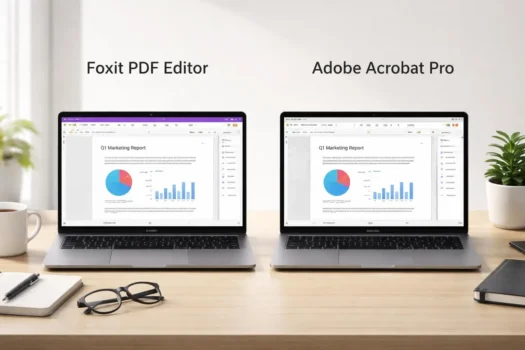
Choosing between Foxit PDF Editor and Adobe Acrobat Pro depends on how your business works with PDF documents. Both are full PDF editors with tools for editing, converting, organizing, protecting, and signing PDF files, but they differ in licensing, workflows, integrations, and some advanced features.
Foxit PDF Editor can suit businesses that want strong PDF editing tools with flexible licensing and a familiar desktop interface. Adobe Acrobat Pro can be a better fit for teams that already use Adobe products or need Acrobat as part of a wider document workflow.
This Foxit PDF Editor vs Adobe Acrobat Pro comparison focuses on the points that matter to business buyers, including PDF editing, pricing, OCR, AI tools, security, Microsoft Office integration, ease of use, and overall value. You can also explore BreTech’s PDF software solutions in Pakistan if you need a wider range of PDF tools.
Key Takeaways
- Choose Foxit PDF Editor if your business wants strong PDF tools with flexible licensing options.
- Choose Adobe Acrobat Pro if your team already uses Adobe software or needs Adobe-based document workflows.
- Both tools cover the main PDF tasks businesses need, including editing, OCR, forms, conversion, security, and e-signatures.
- The better choice depends on your PDF workload, integrations, licensing needs, advanced features, and total cost.
Foxit PDF Editor vs Adobe Acrobat Pro at a Glance
Here is a quick look at the main PDF features in both products.
| Feature | Foxit PDF Editor | Adobe Acrobat Pro |
|---|---|---|
| PDF editing | Edit text, images, pages, and layouts | Edit text, images, pages, and layouts |
| OCR | Turn scanned documents into searchable PDFs | Turn scans into searchable and editable PDFs |
| File conversion | Word, Excel, PowerPoint, images, and PDF | Word, Excel, PowerPoint, images, and PDF |
| Forms | Create, fill, sign, and manage PDF forms | Create, fill, sign, and manage PDF forms |
| Security | Passwords, permissions, redaction, and protection tools | Passwords, permissions, redaction, and protection tools |
| AI tools | AI Assistant and Smart Redact with supported plans | Acrobat AI tools for PDF tasks and document work |
| E-signatures | Foxit eSign features with supported editions | Request, collect, and track e-signatures |
| Platforms | Desktop, web, and mobile options | Desktop, web, and mobile tools |
Foxit PDF Editor vs Adobe Acrobat Pro: Key Differences That Matter
The main differences are in editing tools, pricing, AI features, workflows, integrations, ease of use, and licensing.
PDF Editing and Document Tools
Foxit PDF Editor provides tools to edit text, images, and page layouts. It can also merge and split PDF files, reorder pages, compare document versions, add comments, and convert PDFs to Microsoft Word, Excel, PowerPoint, and image formats.
Adobe Acrobat Pro handles many of the same daily PDF tasks. Users can edit text and images, organize pages, combine or split files, add annotations, and convert PDF documents to common Microsoft Office and image formats. For regular office work, both provide the main PDF editing tools most teams need.
Pricing, Licensing, and Overall Value
Licensing is one of the clearest differences. Foxit offers PDF Editor and PDF Editor+ subscriptions, and it also offers a one-time perpetual license for PDF Editor. PDF Editor+ adds features such as mobile access, Smart Redact, and Foxit eSign. Foxit also offers volume licensing for larger organizations.
At the time of this review, Adobe’s U.S. business pricing lists Acrobat Pro for teams at US$23.99 per license per month on an annual plan billed monthly. Adobe also promotes more than 70 advanced PDF features, an Admin Console for license management, and 24/7 technical support for team plans. Pricing in Pakistan can differ, so businesses should compare the current license terms and total cost rather than relying only on international list prices.
If you are considering Foxit, our Foxit PDF Editor editions comparison explains the main licensing and feature differences. If Adobe’s pricing or workflow does not fit your needs, you can also compare the best Adobe Acrobat alternatives.
AI, OCR, and Smart PDF Features
Foxit PDF Editor includes OCR for turning scanned files into searchable PDFs. Current Foxit subscriptions include 20 AI Assistant credits per month, while the paid AI Assistant plan provides 2,000 credits per month. AI tools can help summarize, translate, rewrite, and answer questions about PDF content.
Foxit PDF Editor+ also includes Smart Redact, with an allowance of 50 Smart Redact documents before extra document packages are needed. Adobe Acrobat Pro also supports OCR and AI-assisted PDF work, including document summaries and questions about file content. Some Adobe AI features may require a separate AI plan or eligible subscription.
Ease of Use and Daily PDF Work
Foxit uses a ribbon-style interface similar to Microsoft Office, with tools grouped by task. This can feel familiar to employees who already spend most of their day in Word, Excel, and other Office apps.
Adobe Acrobat Pro also brings common PDF tools into one workspace for editing, converting, signing, and reviewing documents. Ease of use can depend on the user, so businesses should focus on the tasks staff perform most often instead of choosing only by interface design.
Forms, E-Signatures, Security, and Compliance
Foxit PDF Editor supports fillable forms, certificate-based digital signatures, password protection, permissions, redaction, and other PDF security tools. Foxit PDF Editor+ includes 150 Foxit eSign envelopes per user per year, which can be useful for teams that regularly send documents for signature.
Adobe Acrobat Pro also supports forms, e-signatures, password protection, redaction, digital signatures, and scanned-document OCR.
Organizations with stricter document requirements can explore PDF software for banks and financial institutions or PDF software for government organizations for more focused options around OCR, redaction, document security, e-signatures, and multi-user licensing.
Integrations and Business Workflows
Foxit PDF Editor works with common business and cloud tools, including Microsoft Office, SharePoint, Teams, Outlook, OneDrive, Google Drive, Dropbox, and Box. These connections can help teams edit, review, store, and manage PDFs without moving files between too many apps.
Adobe Acrobat also integrates with Microsoft 365 tools such as Word, Teams, Outlook, SharePoint, and OneDrive. For companies that already use Microsoft or Adobe tools across several departments, integrations can be an important part of the buying decision.
Which PDF Editor Is Better for Different Business Needs?
The better choice depends on your team size, PDF workload, integrations, and license needs.
Best for Small Businesses and Growing Teams
Foxit PDF Editor can be a good fit for small businesses that need editing, OCR, conversion, forms, security, and other daily PDF tools. Its different editions also give businesses room to choose based on the features they actually need.
Adobe Acrobat Pro can also suit growing teams, especially those already working with Adobe or Microsoft tools. Small businesses should compare total license cost and daily PDF tasks before paying for advanced features they may rarely use.
Best for Corporate Teams and Enterprise Use
Foxit supports larger deployments with volume licensing and centralized license management. Foxit also advertises volume discounts of up to 30% for larger teams, while its Admin Console can help IT staff assign and manage licenses across an organization.
Adobe Acrobat Pro for teams includes an Admin Console, centralized license management, company control of business assets, and 24/7 technical support. Businesses planning a wider deployment can also explore PDF software for corporate teams to compare PDF editing, signing, document security, and licensing options.
Best for PDF-Heavy Office Workflows
Foxit PDF Editor covers common office tasks such as editing text and images, converting files, OCR, comparing PDF versions, forms, and document security. Foxit PDF Editor Plus is worth comparing when a team needs mobile access, e-signatures, Smart Redact, or more advanced document workflows.
Adobe Acrobat Pro also supports advanced editing, OCR, redaction, forms, e-signatures, conversion, and document comparison. For teams that handle many PDFs every day, the better option depends on the specific tools, integrations, and licensing model they need.
Pros and Cons of Foxit PDF Editor and Adobe Acrobat Pro
Both PDF editors are strong business tools, but their advantages are different.
Foxit PDF Editor Pros and Cons
Pros
- Full PDF editing, conversion, OCR, forms, and security tools
- Familiar Microsoft Office-style interface
- Business and cloud integrations
- Subscription and perpetual licensing options
- Volume licensing for larger organizations
- PDF Editor+ adds eSign, Smart Redact, and mobile features
Cons
- Some advanced tools are limited to PDF Editor+
- AI features have usage limits or separate plan options
- Buyers need to compare editions carefully before choosing
Adobe Acrobat Pro Pros and Cons
Pros
- Strong PDF editing, OCR, conversion, forms, and security tools
- E-signature and document review features
- Strong Microsoft and Adobe ecosystem connections
- Admin Console and business support for teams
- Works across desktop, web, and mobile
Cons
- Subscription costs can become important for larger teams
- Some AI features may require another plan or add-on
- Businesses that do not use the wider Adobe workflow may not need every feature
The best PDF editor is not the one with the most features. It is the one that fits your team’s daily PDF work, integrations, licensing needs, and budget.
Foxit PDF Editor vs Adobe Acrobat Pro: Which One Should You Choose?
Both are strong PDF editors. The better choice depends on your PDF workload, business software, advanced features, and licensing needs.
Choose Foxit PDF Editor If
Choose Foxit PDF Editor if your business needs strong PDF editing, OCR, forms, conversion, security, and document review tools. It can also suit teams that prefer a Microsoft Office-style interface or want more choice in how their PDF software is licensed.
Foxit may also be a better fit if your organization wants to stay within the wider Foxit document ecosystem. Browse BreTech’s Foxit software range if you need other Foxit tools for PDF editing, e-signatures, document processing, or business workflows.
Choose Adobe Acrobat Pro If
Choose Adobe Acrobat Pro if your business already uses Adobe software or needs Acrobat as part of an established document workflow. It provides advanced editing, OCR, forms, redaction, conversion, security, and e-signature tools.
Adobe Acrobat Pro can also make sense when clients, partners, or departments already work with Adobe-based document processes. Before buying, compare the plan features, number of users, integrations, and total license cost with your actual requirements.
Need Help Choosing the Right PDF Editor License?
The right PDF software should cover the work your team does without making you pay for features you will rarely use.
Businesses buying software for several employees can learn about business software licensing in Pakistan and compare the licensing options available for their team or company.
If you need licenses for an office or organization, contact BreTech with your requirements. Share your number of users, operating systems, required PDF features, and business needs so BreTech can help you review the right option.