
 Abdul Basit
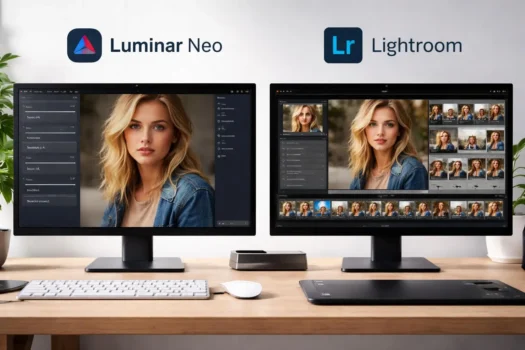
Choosing between Luminar Neo and Lightroom in 2026 depends on how you edit photos and manage your workflow. Both are powerful photo editors, but they are built for different types of photographers.
Luminar Neo focuses on simple, AI-powered editing and creative tools. Lightroom is stronger for RAW editing, presets, photo organization, and managing large photo libraries. Your choice also depends on whether you want a simpler desktop editor or a wider photography workflow.
This Luminar Neo vs Lightroom comparison covers editing tools, AI features, RAW workflow, photo management, ease of use, pricing, and license options. Pakistan buyers can also browse Photo Editing Software at BreTech to compare other available options.
Key Takeaways
Luminar Neo is better for fast AI-assisted editing, while Lightroom is stronger for RAW workflow, photo organization, and large libraries.
- Choose Luminar Neo if you want simple AI-powered photo editing, creative tools, and an easier desktop workflow.
- Choose Lightroom if you need strong RAW editing, presets, photo organization, and better control over a large photo library.
- Luminar Neo is a better fit when fast creative editing matters more than deep photo management.
- Lightroom is stronger for photographers who handle many shoots or work with Lightroom Classic and Photoshop.
- Luminar Neo offers perpetual license options, while Lightroom uses an Adobe subscription model.
Luminar Neo vs Lightroom: Key Differences at a Glance
Both programs edit RAW photos and use AI tools. Luminar Neo favors creative editing, while Lightroom covers a wider photo workflow.
In this guide, Lightroom means Adobe’s wider Lightroom ecosystem. When a feature is specific to Lightroom Classic, we name Lightroom Classic.
| Feature | Luminar Neo | Lightroom |
|---|---|---|
| Best for | Creative and AI-assisted editing | RAW editing and full photo workflow |
| RAW editing | Yes | Yes |
| AI tools | Strong creative AI focus | AI tools within a wider workflow |
| Presets | Yes | Yes |
| Layers | Yes | More focused on non-destructive adjustments |
| Photo organization | Simpler catalog workflow | Strong library and catalog tools |
| Large photo libraries | Good for simpler libraries | Better suited to large libraries |
| Cloud workflow | Not its main desktop focus | Strong cloud and syncing options |
| Mobile workflow | Depends on the license plan | Desktop, mobile, and web |
| Photoshop workflow | Can work as a plugin | Closely connected with Photoshop |
| Buying model | Perpetual options | Subscription |
| Main strength | Fast creative editing | Editing plus photo management |
Lightroom supports desktop, mobile, and web workflows. Lightroom Classic provides a desktop-focused catalog system for photographers who manage files stored on local drives.
Luminar Neo is mainly a desktop photo editor, although some license options also include mobile features. It can also work with supported versions of Lightroom Classic and Photoshop as a plugin.
The main difference: Luminar Neo puts creative editing first. Lightroom combines editing with stronger photo organization and workflow tools.
Luminar Neo vs Lightroom for Photo Editing
Both edit RAW photos. Luminar Neo leads with creative AI tools, while Lightroom connects editing to a wider photo workflow.
Luminar Neo Editing Tools
Luminar Neo is designed to make difficult edits easier. It includes RAW controls, layers, masks, presets, and AI-assisted tools for jobs such as lighting, skies, portraits, object removal, and other creative changes.
Its approach can suit portraits, landscapes, travel photos, and other images where you want faster visual changes. If AI editing is your main priority, see our Best AI Photo Editors in Pakistan guide for more options.
Lightroom Editing Tools
Lightroom gives photographers controls for exposure, color, detail, presets, masks, and local adjustments. Adobe also provides AI-assisted tools for jobs such as masking, denoise, object removal, sharpening, and other corrections.
Its main advantage is how editing fits into the rest of the workflow. You can edit one photo, apply similar settings across more images, and keep the whole shoot organized in the same library.
Which Is Better for Photo Editing?
Luminar Neo is a stronger fit if you want quick creative edits and easy AI tools. It can reduce manual work when you want to change the look of selected photos.
Lightroom is better if detailed RAW editing is part of a larger photography workflow. Its editing tools work closely with presets, libraries, catalogs, and other Adobe photography tools.
RAW Editing and Photography Workflow
Both support RAW files. The main difference is how they handle importing, editing, organizing, and exporting photos.
Luminar Neo RAW Workflow
Luminar Neo provides RAW controls for exposure, white balance, tone, color, noise reduction, and other adjustments. The original RAW file stays unchanged while you work.
You can also add folders from your computer or external storage to the Luminar Neo Catalog. This works well if you already organize photos in normal folders and want a simple path into editing.
Lightroom RAW Workflow
Lightroom is built around both RAW editing and photo management. Lightroom Classic uses a catalog to track photos, previews, edits, ratings, keywords, collections, and other information.
This workflow suits wedding, event, studio, and commercial photographers who may return from a shoot with hundreds or thousands of RAW files. Lightroom keeps selection, editing, organization, and export close together.
Which Is Better for Large Photo Shoots?
Lightroom is the stronger choice for large shoots. Its catalog, ratings, organization tools, and culling features help photographers work through large groups of images.
Luminar Neo is easier to consider when you work with smaller sets of selected photos or already manage files through folders. You can spend less time on library management and more time editing.
Photo Organization, Catalogs, and Culling
Lightroom offers deeper tools for large photo libraries. Luminar Neo keeps organization simpler and more focused on editing.
Lightroom Catalog and Library Management
Lightroom Classic is built for photographers who manage many photos over time. Its catalog can track edits, keywords, ratings, collections, previews, and file locations without changing the original images.
Adobe’s Assisted Culling can help review large groups of photos using checks such as subject focus, eye focus, and whether eyes are open. It can also flag exposure problems and accidental shots.
Luminar Neo Photo Organization
Luminar Neo includes a Catalog and lets you work with folders stored on your computer or external drive. Photo management is available without becoming the main part of the program.
This simpler approach works well when your folders are already organized. You can find an image, edit it, and export the result without building a detailed catalog workflow.
Which Is Better for Managing Thousands of Photos?
Lightroom is better suited to large and growing photo libraries. Its catalog tools, keywords, ratings, collections, culling, and organization features give you more control.
Luminar Neo is a better fit when deep library management is not a priority. It keeps photo organization available while keeping the main focus on editing.
Interface and Ease of Use
Luminar Neo is easier to start with. Lightroom takes longer to learn because it includes more workflow and library tools.
Luminar Neo User Interface
Luminar Neo uses a clean editing workspace with presets, AI tools, adjustments, and sliders close to the main image. Many tools reduce the number of manual steps needed for an edit.
This makes it beginner-friendly for photographers who mainly want to edit. Skylum lists 8 GB RAM as the minimum, 16 GB or more recommended, and 10 GB of free disk space for Luminar Neo.
Lightroom User Interface
Lightroom covers photo editing and photo management, so its workflow includes more options for browsing, organizing, comparing, editing, and exporting images.
Lightroom Classic has a more structured desktop workflow, while Lightroom also connects with cloud, mobile, and web apps. The extra tools take longer to learn but become useful as your workflow grows.
Which Is Easier for Beginners?
Luminar Neo is easier for beginners who mainly want to edit photos. Its AI-assisted approach makes many creative jobs easier without learning a large photography system.
Lightroom takes more time to learn, but it gives you more control when photo organization, large libraries, cloud access, or an ongoing professional workflow become important.
Lightroom Ecosystem vs Luminar Neo Plugin Workflow
Lightroom fits a wider Adobe workflow. Luminar Neo can work alone or as a plugin with supported Adobe desktop apps.
Lightroom, Lightroom Classic, and Photoshop
Lightroom works within the wider Adobe photography ecosystem. Depending on the plan, photographers can combine Lightroom, Lightroom Classic, cloud storage, and Photoshop.
For buyers who want to compare non-Adobe options too, see the Best Adobe Photoshop Alternatives in Pakistan guide.
Photographers who need deeper retouching can use Adobe Photoshop. Buyers who want Lightroom and Photoshop together can also compare the Adobe Creative Cloud Photography Plan 1TB.
Luminar Neo as a Plugin
Luminar Neo can work as a standalone program or as a plugin for supported desktop versions of Lightroom Classic and Photoshop. A Lightroom Classic image can be sent to Luminar Neo and returned to the Lightroom catalog after editing.
This can suit photographers who want Lightroom for photo management but prefer Luminar Neo for selected creative jobs. You can also browse other Skylum software available at BreTech.
Which Workflow Fits You Better?
Choose Lightroom if you want photo management, cloud access, Lightroom Classic, and close links with Photoshop. It is a stronger fit if Adobe apps already form part of your workflow.
Choose Luminar Neo if you want a more independent editor but still want the option to connect it with Lightroom Classic or Photoshop when needed.
Luminar Neo vs Lightroom Pricing and License Model
Luminar Neo offers perpetual licenses, while Lightroom uses an ongoing Adobe subscription model.
Luminar Neo License Options
Luminar Neo currently offers perpetual license options. Skylum’s perpetual Desktop License can be activated on 2 computers and includes access to GenErase, GenExpand, and GenSwap for 1 year from the purchase date.
A perpetual license does not mean every future feature is included forever. Skylum provides updates and improvements, but major future upgrades may require another payment.
Lightroom Subscription Model
Adobe’s Lightroom plan includes Lightroom for desktop, mobile, and web, Lightroom Classic, and 1TB of cloud storage. The Photography plan adds Photoshop for photographers who need deeper image editing.
This model suits photographers who want cloud syncing, regular updates, and access across supported devices. You need an active Adobe subscription to keep using the paid plan and its included services.
Which Offers Better Value?
Luminar Neo can offer better value if you prefer a perpetual desktop license and do not want an ongoing Lightroom subscription. Future upgrades and online AI services should still be considered.
Lightroom can offer better value if you use photo management, cloud storage, mobile access, or the wider Adobe workflow. The better deal depends on what you will actually use.
Luminar Neo favors one-time ownership. Lightroom favors an ongoing subscription with a wider connected workflow.
Best Choice by Photographer Type
The right choice depends on your work. Shoot size, editing style, photo volume, and workflow matter more than the total feature count.
| Photographer Type | Better Fit | Main Reason |
|---|---|---|
| Beginners | Luminar Neo | Easier creative workflow |
| Wedding photographers | Lightroom | Large shoots, culling, and organization |
| Portrait photographers | Either | Luminar Neo for creative AI; Lightroom for full workflow |
| Landscape photographers | Either | Luminar Neo for creative tools; Lightroom for RAW workflow |
| Event photographers | Lightroom | Better large-library management |
| High-volume studios | Lightroom | Catalog and workflow tools |
| Photoshop users | Lightroom | Closer Adobe workflow |
| AI-focused photographers | Luminar Neo | AI-first creative approach |
| Hobby photographers | Luminar Neo | Simpler workflow and perpetual options |
Luminar Neo makes more sense when you spend most of your time changing the look of selected photos and less time managing a complex library.
Lightroom becomes stronger as your shoots, RAW files, client jobs, and photo collections grow. For more choices, see our Best Photo Editing Software for Photographers in Pakistan guide.
Can Luminar Neo Replace Lightroom?
Luminar Neo can replace Lightroom for some users. Lightroom is harder to replace when photo management is a major part of the workflow.
When Luminar Neo Can Replace Lightroom
Luminar Neo can work as your main editor if you mostly edit selected RAW files, organize photos through folders, and want easy access to creative AI tools.
Its RAW editing, Catalog, presets, masks, and layers can cover the main needs of many hobby photographers, freelancers, and users who do not manage very large photo libraries.
When Lightroom Is Still the Better Choice
Lightroom is harder to replace if you depend on detailed catalogs, keywords, ratings, collections, culling, repeated imports, or a large long-term photo library.
It is also a stronger fit when your workflow regularly moves between Lightroom Classic and Photoshop or when you want photos available across supported desktop, mobile, and web apps.
Can You Move from Lightroom to Luminar Neo?
You do not have to switch in one step. Luminar Neo can work with supported Lightroom Classic versions as a plugin while Lightroom stays as your main photo library.
This lets you test Luminar Neo on selected images without rebuilding your whole workflow. If it covers most of your editing needs, you can then decide whether Lightroom is still needed.
Luminar Neo can replace Lightroom when editing is your main need. Lightroom is harder to replace when photo management is a major part of your workflow.
Can You Use Luminar Neo and Lightroom Together?
Yes. Lightroom Classic can manage your photo library while Luminar Neo handles selected creative edits through its plugin workflow.
How the Plugin Workflow Works
You can select an image in Lightroom Classic and send it to Luminar Neo. You can open the source file or send a copy that includes the adjustments already made in Lightroom.
After you apply your changes in Luminar Neo, the edited image can return to the Lightroom Classic catalog. This lets Lightroom stay at the center of your photo library.
When Using Both Makes Sense
Using both makes sense if you like Lightroom for RAW editing, catalogs, culling, ratings, and large libraries but prefer some Luminar Neo tools for selected creative changes.
This setup also suits photographers who already have a working Lightroom system and do not want to rebuild it. Luminar Neo becomes an extra editor instead of replacing Lightroom.
Important Plugin Limits
Luminar Neo’s generative tools are not available in Lightroom Classic plugin mode. If you choose Edit a Copy with Lightroom Adjustments, Luminar Neo receives a TIFF file rather than the original RAW file.
To edit the RAW file directly in Luminar Neo, use the standalone app or choose the option to open the source file from Lightroom Classic. This is important if you want the full RAW workflow.
Where to Buy Luminar Neo or Lightroom in Pakistan
Pakistan buyers should compare the license model, device support, included tools, and workflow before choosing either product.
Buy Luminar Neo in Pakistan
You can buy Luminar Neo in Pakistan if you want an AI-focused photo editor with a perpetual desktop license option.
Before buying, check the current license type, supported devices, included upgrades, and generative tool access. These details matter because a perpetual license does not include every future service forever.
Buy Adobe Lightroom in Pakistan
You can buy Adobe Lightroom in Pakistan if you need RAW editing, photo organization, Lightroom Classic, cloud features, or a wider Adobe workflow.
Check the exact Adobe plan before ordering. Lightroom and Photography plans include different tools, so choose based on whether you also need Photoshop and the wider Adobe workflow.
What Should Pakistan Buyers Check Before Paying?
Check the license model, supported operating system, device use, included apps, renewal terms, cloud storage, and any limits on AI or online features.
BreTech buyers can also check current PKR pricing, local payment options, digital delivery details, activation guidance, and invoice support before placing an order.
Further Reading
If photography is part of a wider content workflow, see our Best Software Tools for YouTubers and Vloggers guide for related creative software.
For more photography comparisons, editing tools, and buyer guides, browse the Photo Editing Guides section.
Conclusion: Luminar Neo or Lightroom?
Luminar Neo and Lightroom are both strong photo editors, but they solve different problems.
Choose Luminar Neo if you want easier AI-assisted editing, creative tools, a simpler desktop workflow, and a perpetual license option. It is a strong fit when you spend more time improving selected images than managing very large photo libraries.
Choose Lightroom if RAW editing, large photo libraries, culling, organization, cloud access, or the Adobe ecosystem matter more. It is better suited to photographers who manage regular shoots and need a complete photography workflow.
You can also use both. Lightroom Classic can remain your main library and RAW workflow, while Luminar Neo handles selected creative edits when its tools are useful.
The best choice is not the program with the longest feature list. Choose the software that removes the biggest problem from your current photography workflow.