 Abdul Basit
Best AI video generator software in Pakistan (2026) is becoming essential for YouTubers, trainers, freelancers, and small businesses that want faster video creation without building a full production team.
Many users start with a free AI video tool. After a few exports, they realise the free plan adds watermarks, limits video length, or restricts advanced AI features. That’s when they look for proper AI video generator software.
This guide explains how AI video generators work, which tools fit different needs, and how to choose the right AI video editor with paid plans available in Pakistan.
Available in Pakistan with PKR pricing, local payments, and 1–72 hour digital email delivery from BreTech, an authorized software reseller.
Browse more options in the full Video software collection.
AI Video Generator Software in Pakistan (2026): Quick Answer
The best AI video generator software in Pakistan depends on your goal. For full video production and long-form video, Filmora works best. For beginners, Movavi is simple. For AI avatar and talking videos, Vidnoz is ideal. For fast marketing videos using templates, FlexClip is strong.
Choose based on video length, AI credits, export quality, and whether you need text to video, AI voiceover, or avatar video features.
Trials and free plans may limit exports, add watermarks, or restrict AI credits depending on the tool and plan.
What AI Video Generator Software Means
AI video generator software uses AI models to automate parts of video creation. Instead of editing every clip manually like traditional video editing, you use AI to generate video scenes, voiceovers, subtitles, and even entire scripts.
It combines:
- Text to video tools
- AI voiceovers
- AI-generated video suggestions
- Smart scene creation
- Automatic captions
- AI image and video enhancement
An AI video editor still gives you control over the timeline. A lighter AI video maker may focus more on templates and fast video output.
As one creator explained:
“AI didn’t replace my editing. It removed the slow parts.”
That is the real value of AI video generation.
How AI Video Generators Work for Video Creation
Most AI video generators follow a simple video creation workflow:
- Enter text or upload a script
- Choose a type of video (marketing, YouTube, training)
- Select a template or AI video model
- Let the AI generate video scenes
- Edit and export
The difference between basic and advanced AI video tools often comes down to:
- Depth of AI features
- AI credits system
- Video quality output
- Control over long-form video
Online video platforms focus more on speed. Installed AI video editor software offers stronger video production control.
Best AI Video Generator Software in Pakistan (2026)
Below are the most practical AI video generation tools available for Pakistani users. You can browse the full main category here: Video Editing software in Pakistan.
1. Wondershare Filmora: AI Video Editor for Full Video Production
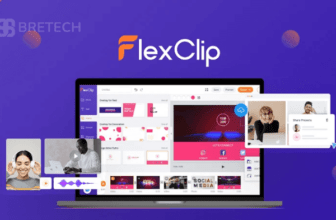
Wondershare Filmora blends AI video editing with professional timeline control. It supports text to video features, smart cut tools, AI voiceovers, and long-form video editing.
Filmora is strong for YouTubers and professional video creators who want to generate video quickly but still control every video clip.
It improves video quality while keeping the full video editable. That balance makes it suitable for serious content creators.
Buy Filmora products:
Explore more products on Wondershare
If you want a bundle that includes Filmora plus AI Credits and Creative Assets, contact BreTech and we will guide you with the right bundle based on your usage.
2. Movavi Video Suite: Simple AI Video Maker for Beginners
Movavi Video Suite is easier to use and ideal for those with limited video editing skills.
It includes AI-based filters, quick enhancements, and fast video creation tools. The interface feels clean and less overwhelming than advanced editors.
If you want to create video content without deep technical knowledge, Movavi works well.
Buy options:
Explore more products on Movavi
3. Vidnoz AI: AI Video Creator for Avatar and Talking Videos
Vidnoz focuses on AI avatar and presenter-style videos.
It allows you to generate video using realistic AI avatars and AI voiceover technology. This makes it ideal for training videos, explainer content, and business presentations.
Instead of filming yourself, you can use AI-generated video presenters for professional video output.
If you want a closer look before choosing a plan, this TechBre review of Vidnoz covers features, avatars, voices, and free plan limits.
Buy options:
Explore more products on Vidnoz
4 FlexClip: Fast AI Video Platform for Templates and Ads
FlexClip works as a video platform focused on template-based video generation.
It is useful for marketing teams who need multiple AI-generated videos quickly. It supports stock video integration, simple text to video workflows, and short marketing clips.
FlexClip is not designed for heavy long-form video production, but it performs well for ads and social content.
Buy options:
Explore more products on FlexClip
AI Video Generator Software Comparison
Below is a simplified comparison of the four tools.
| Software | Best For | Text to Video | AI Avatar | Long-Form Video | Editing Control |
|---|---|---|---|---|---|
| Filmora | Full video production | Yes | Limited | Yes | High |
| Movavi | Beginners and small businesses | Basic | No | Yes | Medium |
| Vidnoz | Avatar video and presenters | Yes | Yes | Limited | Low |
| FlexClip | Marketing and template videos | Yes | Limited | No | Low |
This makes the decision clearer based on the type of video you create.
AI Video Generator Software Price in Pakistan
AI video generator software price in Pakistan depends on licensing type and AI credits included.
Some tools offer annual plans, while others provide lifetime licenses. Many AI video tools include AI credits per month for text to video, voiceovers, or generative AI features.
Free AI video options usually come with:
- Watermarks
- Limited video length
- Reduced video quality
- Restricted AI models
Paid software removes these limits and delivers professional video results.
Which AI Video Generator Should You Choose in Pakistan?
Your choice depends on your main video creation goal.
Best Pick for YouTube and Long-Form Video
Filmora is best for long-form video and serious video production. It balances AI video generation with professional editing control.
Best Pick for Short Marketing Videos
FlexClip works best for short promotional video content, social media ads, and template-based video makers.
Best Pick for AI Avatar and Presenter Videos
Vidnoz is ideal for realistic AI avatars and AI-driven video presentations.
Best Pick for Easy Editing and Fast Results
Movavi suits users who want quick results without advanced video editing skills.
Online AI Video Generators vs Installed Software
Online AI video generators are convenient and fast. However, they depend heavily on internet speed and AI credits.
Installed software offers:
- Better performance
- Stable video output
- More control over the entire video
- Higher export reliability
For professional video creators, installed AI video editor software often delivers stronger results.
How to Choose an AI Video Tool in Pakistan
Before buying, ask yourself:
- Do you create long-form video regularly?
- Do you need AI avatar features?
- How many videos per month do you produce?
- Are AI credits enough for your workflow?
- Is video quality your top priority?
Answering these questions helps you avoid choosing the wrong AI video model or plan.
Common Mistakes When Picking AI Video Generators
Many users assume all AI video tools are similar. They are not.
Common mistakes include choosing only a free AI video option, ignoring AI credits limits, or buying a tool that does not support their type of video.
One business owner shared:
“We picked a free AI video tool first. After two campaigns, we realised we needed better video quality and proper exports.”
Planning ahead saves time and money.
Buy AI Video Generator Software in Pakistan from BreTech
BreTech provides genuine licenses for AI video generator software in Pakistan with secure payment options and digital email delivery.
PKR pricing is shown on the product pages, with local payment options and digital email delivery within 1–72 business hours.
This ensures:
- Official software
- Clear licensing
- Reliable video tools
- Support before purchase
Buying original software avoids issues that often come with unofficial AI video tools.
Conclusion
AI video generator software in Pakistan (2026) helps you create video content faster using text to video tools, AI voiceovers, and automation.
The best choice depends on your workflow. Filmora offers full control, Movavi simplifies editing, Vidnoz powers AI avatar videos, and FlexClip speeds up marketing content.
Choosing the right AI video tool improves video quality, reduces editing time, and makes professional video production more accessible.
FAQs
Q: How can I make a video with AI using these tools?
A: You can create a video with AI by starting with a script, then using text to video, AI voice, templates, or an AI presenter (Vidnoz). After the first draft, edit scenes and export the final video in your preferred quality.
Q: Which AI tool is best for text to video in Pakistan?
A: For text to video, choose based on your goal. Filmora is better when you need timeline control for longer edits, while FlexClip is faster for short marketing videos made from templates. Vidnoz is better when you want a presenter-style video.
Q: Do these AI video tools have a free trial or free credits?
A: Many plans offer a free trial or limited free credits, but limits vary by tool and plan. In most cases, free options restrict exports, cap AI usage, or add a watermark, so check the plan details before starting a project.
Q: Can I create a video without a watermark on free plans?
A: A free video plan often exports with a watermark or has export limits. To get video without watermark limits, you usually need a paid plan. Always confirm export rules for the specific plan you choose.
Q: What is the video creation process for AI video generators?
A: The typical video creation process is: write text, choose a style, let the AI generate scenes, then refine the output with edits and export. This helps you produce a new video faster than manual editing.
Q: Do AI video generators support different AI styles or multiple AI features?
A: Yes. Most tools include multiple AI features such as auto subtitles, voice generation, scene suggestions, and enhancements. The main difference is how many AI features are included and how much control you get over the final output.
Q: How do I get the best results and better video realism?
A: For best results and better video realism, use clear scripts, keep scenes short, and do a quick manual edit after the AI generates the video. If the tool supports it, adjust voice, pacing, and captions to match your audience.
Further Reading
- Vidnoz Pro vs Free vs Starter in Pakistan
- FlexClip Price in Pakistan: Plans, Licensing & Activation Guide
- AI Video Creation Tools with Urdu Voiceover in Pakistan
- Best Video Editing Software in Pakistan
- AI Video Generator Price in Pakistan
Explore more step-by-step guides in our Video Editing Guides.