Abdul Basit
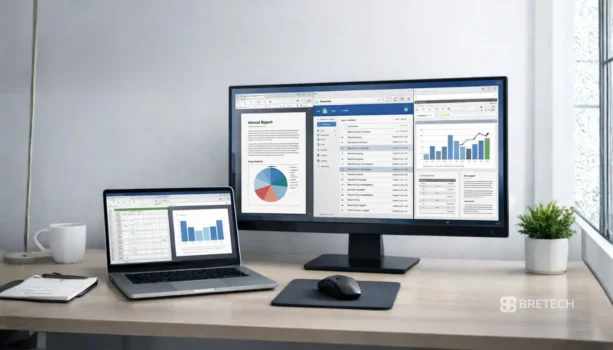
Best productivity software for Pakistani users in 2026 matters when daily work gets blocked at the wrong time. A client may need an urgent quotation, an Excel file may stop opening, or a PDF form may need edits before the office closes.
A common mistake is using cracked Office packs or random free tools from unknown sites. That can lead to activation failure, missing features, or security issues that waste more time instead of saving it.
This guide covers safer options you can buy with genuine licensing in Pakistan, including office suites, email management tools, and PDF editors. You will see which tools fit different work needs, what to avoid, and where to start if you want a clean and reliable setup.
Available in Pakistan with PKR pricing, local payment options, and fast digital email delivery on most orders within 1–72 business hours from BreTech, an authorized reseller partner.
Best productivity software in Pakistan for 2026 is usually a simple mix of three tools: an office suite for documents and spreadsheets, an email app for follow-ups and calendar tasks, and a PDF editor for forms and approvals. For most users, the best setup is the one that keeps work moving without activation problems, missing features, or risky downloads.
Quick Overview: Productivity Tools for Pakistani Workplaces
| Need | Best Pick | Why It Fits |
|---|---|---|
| Office suite for docs + spreadsheets | Ashampoo Office 9 | Simple, lightweight, practical for everyday work |
| Personal email + calendar | eM Client Pro Personal | Keeps mail, calendar, and tasks in one place |
| Business inbox + shared work | eM Client Business Pro | Strong fit for teams that rely on email daily |
| PDF editing for office work | Foxit PDF Editor | Strong PDF editing features for most users |
| Budget PDF editing | Ashampoo PDF Pro | Good value for editing, merging, and protection |
| Clean PDF editing + conversion | EaseUS PDF Editor | Helpful for editing and converting common formats |
Browse more tools in Office Productivity Software or explore brands like Ashampoo, eM Client, Foxit, and EaseUS. BreTech offers PKR pricing, local payments, and fast digital email delivery in Pakistan.
Best Productivity Software in Pakistan for 2026
Best productivity software in Pakistan for 2026 is usually a simple mix of three tools: an office suite for documents and spreadsheets, an email app for follow-ups and calendar tasks, and a PDF editor for forms and approvals.
For most users, the best setup is the one that keeps work moving without activation problems, missing features, or risky downloads. In many Pakistani workplaces, this simple combination works better than adding too many apps at once.
Project Management Software vs Productivity Tools (2026)
Some teams search for project management software when work feels messy. But in many Pakistani workplaces, the real problem is simpler: files, emails, and PDFs are scattered, and follow-ups get missed.
If your daily work is mostly quotations, invoices, approvals, and document edits, an office suite + a proper email client + a PDF editor gives you a clean workflow. This guide focuses on productivity tools you can buy from BreTech with genuine licensing.
When You Actually Need a Project Management Tool
You may need a dedicated project system if your team runs many projects at once, assigns tasks to multiple people daily, and needs dashboards and reporting.
When Office + Email + PDF Tools Are Enough
If your work is document-heavy and approval-based, you can manage most projects using email tasks, calendar reminders, shared folders, and clean PDFs, without adding another platform.
Office Suite for Daily Documents and Spreadsheets
Ashampoo Office 9: Simple Office Work Without Heavy Load
Ashampoo Office 9 is a solid choice for Pakistani users who want a clean office suite for daily writing, spreadsheets, and presentations. It suits home users, students, small shops, and office staff who want something simple that works well on normal PCs.
It’s also a good option when you want to avoid complicated setups and just focus on finishing work. For many users, the biggest win is that it feels lighter than some large suites while still covering the basics you actually use.
Task Management and Team Collaboration Through Email
eM Client Pro Personal: One Inbox, Calendar, and Tasks in One Place
eM Client Pro Personal is built for people who manage more than one email account and want a cleaner way to stay organized. If you keep switching between tabs or you often miss replies, this can help you stay on top of messages.
It’s also useful for students and freelancers who want email plus a calendar and tasks in the same tool, so deadlines and meeting reminders don’t get lost.
eM Client Business Pro: Better Control for Team Email Work
eM Client Business Pro fits office teams that depend on email every day for support, sales, operations, or client communication. It helps reduce inbox mess by keeping email, calendar, and work planning in one place.
If your business handles client documents in email, using a proper email tool can also reduce mistakes like sending the wrong file or missing an important reply.
PDF Editing for Forms, Letters, and Official Documents
Foxit PDF Editor: Best for Serious PDF Editing in Offices
Foxit PDF Editor is a strong option when your daily work includes PDFs that must be edited properly, not just viewed. This can include office letters, agreements, scanned forms, and files that must be converted into Word or Excel.
For Pakistani offices, it’s helpful when you receive a PDF from a customer or a department and you need to update details without retyping everything. It’s also a good fit for users who need reliable PDF handling on Windows PCs.
Ashampoo PDF Pro: Good Value for Everyday PDF Tasks
Ashampoo PDF Pro is ideal when you need practical PDF work like editing text, merging multiple PDFs, splitting pages, and protecting a file before sharing. Many users like this style of tool because it stays simple and covers common jobs without feeling too technical.
It can be a good choice for students, office assistants, and small businesses that deal with PDF invoices, letters, and forms and want a budget-friendly solution.
EaseUS PDF Editor: Clean Editing and Quick File Conversion
EaseUS PDF Editor is useful for users who want straightforward PDF editing and smooth conversion between PDF and common formats. If you work with PDFs and you often need to convert them into editable files, this tool can save time.
It’s also a good pick when you want a simple interface and quick results, especially for document tasks like editing a few lines, updating a table, or preparing a file for sharing.
eSign Tools for Digital Signing Workflows
Foxit eSign Essentials and Business: When You Need Real eSign Flows
If your work depends on approvals, signatures, or client onboarding, eSign tools help you reduce printing and scanning. They can also speed up work when documents must be signed from different cities.
- Foxit eSign Essentials: Simple eSign for small teams to send, sign, and track documents without printing.
- Foxit eSign Business: Built for business workflows with templates, team roles, and stronger tracking for higher volume signing.
More PDF Options Available on BreTech (If You Want Alternatives)
If you want to compare more PDF tools before buying, these are also available on BreTech. This list is helpful when you already know your needs and want to explore other interfaces or pricing styles.
- Wondershare PDFelement: All-round PDF editor for editing text, converting files, and handling forms in one app.
- Wondershare PDFelement Cloud: Cloud-based work with sync, sharing, and access across devices.
- PDF-XChange Editor: Fast, lightweight editor for markup, comments, stamps, and daily PDF fixes.
- PDF-XChange Editor Plus: More advanced editing tools for heavier office PDF work.
- PDF XChange PRO: Full bundle for editing plus creating PDFs and handling pro-level tasks.
- PDF-XChange PDF-Tools: Batch tools for merging, splitting, compressing, converting, and processing PDFs.
- PDF-XChange Printer Standard: Virtual printer to create PDFs from any app using “print to PDF”.
- PDFChef by Movavi: Simple PDF editor for quick changes like page edits, merges, and basic conversions.
- SwifDoo PDF: Easy PDF tool for editing, converting, and reading with a clean interface.
Conclusion
A good productivity setup in Pakistan should feel simple: one reliable office suite, a clean email app if needed, and a strong PDF tool for official work.
A safe mix for many users is Ashampoo Office 9 for daily work, eM Client for email-heavy tasks, and one PDF editor like Foxit PDF Editor, Ashampoo PDF Pro, or EaseUS PDF Editor based on your needs.
If you want to explore everything in one place, browse these sections on BreTech:
- Office Productivity: Office tools for documents, daily work, and productivity needs.
- Email Management: Email apps and tools for better inbox control and business communication.
- Office Applications: Extra office apps that support writing, planning, and admin work.
- PDF Editor: PDF editors for editing, converting, signing, and preparing official documents.
FAQs
Q: Which top productivity software helps team productivity in Pakistan (2026)?
A: For most offices, the best management solution is a simple mix: an office suite for daily documents, a task management app built into email for follow-ups, and one PDF editor for official files. This setup helps teams work more efficiently with less time wasted switching apps.
Q: Can a collaboration tool help teams work together without chat platforms?
A: Yes. In many workplaces, email plus calendar and tasks works as a collaboration tool because team members can manage tasks and keep follow-ups in one place. It improves teamwork without changing the whole work environment.
Q: How do I use to-do lists to manage tasks and stay focused at work?
A: Turn important emails into to-do lists, set deadlines, and organize tasks by client or project. This right task management approach helps teams work smarter, track follow-ups, and reduce missed replies.
Q: What is the best tool for time tracking and work hours in small teams?
A: If you want time tracking without extra platforms, use office sheets to log work hours and status by task. It’s easy to use, gives quick insight for weekly reporting, and helps teams organize workload without adding new management apps.
Q: Is real-time work and remote work possible with these software solutions?
A: For remote work, teams can work together by keeping tasks, schedules, and files organized in email and calendars, then using PDFs for approvals and sharing. This keeps workflows clear even when work styles vary and people are in different locations.
Q: Are these tools AI-powered or do they automate tasks?
A: Some tools offer smart features, but “AI-powered” claims vary by edition and updates. The practical goal is to streamline workflows, automate repetitive tasks like reminders or templates where available, and keep ease of use high for daily work.
Q: Choosing the right productivity tools: what should I pick first?
A: Pick the best tool based on your biggest bottleneck: documents, email overload, or PDF edits. Whether you’re a solo user or managing team members, start with right tools that help teams organize tasks and improve productivity, then add only what you truly need.