Abdul Basit
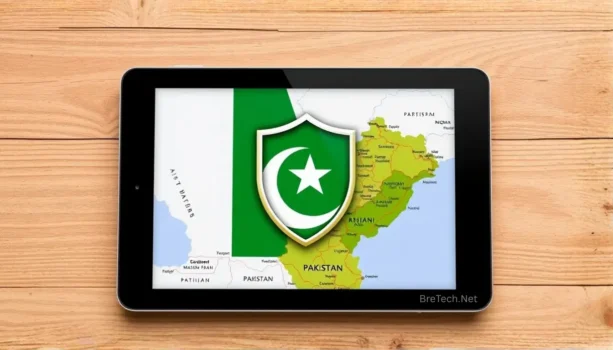
Best VPNs in Pakistan are no longer just for techies. A vpn for Pakistan helps students, freelancers, and SMEs keep browsing, banking, and remote work private when the internet in Pakistan feels watched, filtered, or unstable. Between app blocks, throttling, and censorship in Pakistan, a secure VPN is often the only way to stay in control.
The problem is that many users in Pakistan grab the first free vpn service they see, or a random mobile app that isn’t clear about logging, ownership, or where its servers are. Others aren’t sure if VPNs are legal in Pakistan, so they delay the decision and keep using open Wi-Fi or unencrypted apps for sensitive work.
The good news is you don’t need dozens of tools—just a reliable VPN that actually keeps a stable vpn connection, works on local ISPs, and offers real support. That’s why BreTech focuses on a small set of best all-around VPN options for Pakistan: HMA VPN, AVG Secure VPN, and Avast SecureLine VPN, all with genuine licenses and PKR billing.
In this updated 2026 guide, you’ll learn when you truly need a VPN in Pakistan, how VPN usage fits local rules from bodies like the Pakistan Telecommunication Authority, and how to choose the best VPN based on performance in Pakistan, your devices, and budget—so your connection stays fast, private, and compliant whether you’re streaming, working, or gaming.
Best VPNs in Pakistan in 2026: Quick Overview
Who this Best VPNs for Pakistan guide is for
If you’re looking for a VPN for Pakistan to protect banking, social media, work tools, or light streaming, this guide is for you. It’s written for users in Pakistan who want practical advice, not dozens of random brands.
We focus on three reliable VPN options that BreTech actually sells: HMA VPN, AVG Secure VPN, and Avast SecureLine VPN. Each vpn service offers different strengths for home, office, and remote workers who need a VPN that keeps running even when the internet is unstable.
Snapshot: 3 Best All-Around VPNs for Pakistan (and How They Differ)
| VPN service | Best all-around use in Pakistan | Key strengths for Pakistani users | Typical devices |
|---|---|---|---|
| HMA VPN | Best all-around VPN for Pakistan | Strong global network, easy-to-use apps | Windows, macOS, Android, iOS |
| AVG Secure VPN | Everyday secure VPN for families | Simple interface, great for browsing, banking, and streaming | Windows, macOS, Android, iOS |
| Avast SecureLine VPN | Home and small office VPN | Stable vpn connection, solid encryption, works well with other Avast tools | Windows, macOS, Android, iOS |
Use this table as a quick starting point if you’re new to VPNs in Pakistan and just want a top VPN you can trust.
If you want more VPN options for Pakistan, browse Network & VPN Security.
Why You Need a VPN in Pakistan Today
Censorship in Pakistan and why a Pakistan VPN is now essential
Over the last few years, censorship in Pakistan has increased, and some apps or platforms are occasionally blocked in Pakistan for hours or days. A vpn for pakistan helps you stay connected to essential services when routing changes or filtering create issues.
At the same time, many sites log your activity and share data with multiple trackers. A secure VPN adds a layer of privacy on top of your ISP, so casual observers cannot easily see which apps or sites you access from within Pakistan.
Everyday VPN usage in Pakistan: Banking, Social Media, Streaming, and Remote Work
For most vpn usage in Pakistan, the goal is not hacking or hiding crimes. It’s basic safety for online banking, social media logins, and company dashboards on public Wi-Fi.
A reliable VPN also helps remote workers in Lahore, Karachi, and Islamabad maintain vpn connections to global tools like email, CRM, or cloud storage, especially when routes change or throttling affects performance.
Is Using a VPN Legal in Pakistan?
Current Rules: Is a VPN legal in Pakistan in 2026?
In general, using a VPN in Pakistan is not illegal by default. Many businesses, banks, and IT teams use VPN services daily to protect internal systems and remote staff.
However, authorities like the Pakistan Telecommunication Authority can restrict traffic or require registration for certain corporate vpn connections. Always check updated guidance, and never use a Pakistan VPN for any activity that is illegal under local law.
Safe, Responsible VPN Usage So You Stay Compliant While Staying Private
The safest approach is simple: treat your VPN in Pakistan as a privacy tool, not a way to break rules. Avoid using any vpn service for fraud, harassment, or other criminal activity.
If you work in a company or school network, follow their policies before turning on a vpn connection. When in doubt, talk to your IT team so your vpn usage stays compliant and aligned with official security practices in Pakistan.
How to Choose the Best All-Around VPN for Pakistan
Key Factors When Choosing a VPN: Security, Logging, and Encryption
When choosing a VPN, start with security and logging. Look for vpn services that use strong encryption, avoid selling logs, and clearly explain what data they keep.
For users in Pakistan, it also helps when the VPN app or dashboard is simple enough that beginners can connect without digging through advanced menus. An easy-to-use app means fewer mistakes and less chance of leaking traffic outside the tunnel.
For safer logins alongside a VPN, explore Privacy & Password.
Performance in Pakistan: Speeds on PTCL, StormFiber, Nayatel, and Mobile Networks
Even the best VPN will feel slow if it doesn’t perform well on local ISPs. In Pakistan, that usually means PTCL, StormFiber, Nayatel, Optix, Jazz 4G, Zong, Telenor, or Ufone.
Look for a fast VPN that keeps latency low and handles video and audio calls without constant drops. If you do a lot of video projects or HD streaming, test each vpn connection at your real usage times, not just in the morning when networks are quiet.
Pakistan Server vs Nearby Servers: When Location Really Matters for VPN in Pakistan
A Pakistan server can help when you need to appear within the country for exams, banking, or local TV apps. If your VPN provider offers Pakistan-based servers, those are usually the best first choice for these tasks.
If your VPN does not include Pakistan servers, nearby regions like the Middle East or Europe can still work well for many sites. Services such as HMA VPN, AVG Secure VPN, and Avast SecureLine VPN offer strong regional options, so you can test a few locations and keep the ones that consistently deliver the best mix of speed and access.
Top 3 Best All-Around VPNs for Pakistan
HMA VPN: Best All-Around VPN for Use in Pakistan
HMA VPN is our best all-around VPN choice for many Pakistani users because it offers a large international server network with nearby regional options that usually work well from Pakistan. That means you can connect to servers close to Pakistan to balance speed, privacy, and access when routes change.
The apps are easy to use for beginners, but still offer enough settings for power users who care about protocols and auto-connect rules. For many, this balance of privacy, speed, and reliable access makes HMA a strong choice when you’re using a VPN from Pakistan.
For a simple, fast HMA multi-device license, buy from our HMA VPN product page or browse more on the HMA VPN brand hub.
AVG Secure VPN: Reliable Everyday VPN on Multiple Devices
AVG Secure VPN works well as an everyday secure VPN for families and freelancers. It is built to be simple: install, sign in, click connect, and your vpn connection just works.
If you already use AVG antivirus, adding AVG Secure VPN gives a single vendor for your security in Pakistan, with apps across Windows, Mac, Android, and iOS. It’s a good best value pick for people who mainly browse, bank, and watch light streaming.
If you want an easy-to-use AVG Secure VPN for daily browsing and streaming, start with our AVG Secure VPN multi-device license, and see all AVG software hub.
Avast SecureLine VPN: Simple, Secure VPN for Home and Small Offices
Avast SecureLine VPN is designed for people who want a clean interface and strong privacy with minimal tuning. It fits well into home and small office setups where staff already use Avast protection.
For vpn usage in Pakistan, SecureLine focuses on stable tunnels rather than hundreds of gimmicks. That makes it easier to support across several PCs, especially for remote staff who are new to VPNs in Pakistan.
For home and small office users, choose Avast SecureLine VPN from our multi-device license page, check more options on the Avast brand hub.
Comparing These VPNs for Real VPN Usage in Pakistan
Best VPN for PC: Windows and Mac Desktop Video Calls, Browsing, and Work
On desktop, most VPNs work best when the app stays connected quietly in the background. HMA VPN and AVG Secure VPN are strong picks for regular pc users who do browsing, Zoom, and cloud work.
If your office already uses Avast security, Avast SecureLine VPN integrates nicely for professional-level traffic protection on Windows and macOS without confusing the team.
Using a VPN on Android and iOS: Mobile Apps, Data Usage, and Battery Life
On Android and iOS, AVG Secure VPN, Avast SecureLine VPN, and HMA VPN all provide full-featured mobile apps so you can stay encrypted on 4G, 5G, and Wi-Fi. All three services have simple, mobile-friendly interfaces that make it easy to connect, disconnect, and see your status at a glance.
For commuters and field staff living in Pakistan, turning the vpn service on during public Wi-Fi and sensitive tasks can greatly reduce risk, while turning it off during heavy streaming helps save data and battery.
Streaming, YouTube, and Gaming: VPN Performance for Low Lag and Fewer Buffers
Streaming and gaming in Pakistan put extra pressure on your vpn connection. Distance to the server, time of day, and your base line speed all affect smooth playback.
In many cases, a server near Pakistan (rather than far away) gives a better path for YouTube and casual gaming. Test a few locations in each app and keep one or two “favourites” that consistently deliver a great video experience.
When a Pakistan Server Helps (and When It Doesn’t)
Accessing Pakistani Banking, Exams, and TV From Abroad With a Pakistan VPN Server
If you travel or move abroad, a vpn to Pakistan can help keep access to local banking portals, student portals, or TV apps that expect you to be within Pakistan. In these cases, a Pakistan server from a reputable VPN provider can be very useful, as long as you still follow the rules of the services you’re logging into.
Bypassing Censorship in Pakistan Safely Using International VPN Servers
When certain platforms are blocked in Pakistan, many people turn to VPNs in Pakistan to keep in touch with clients and family. Using servers outside Pakistan can sometimes help maintain access when routes are disrupted.
However, you should never use a vpn service to hide criminal activity or spread harmful content. A vpn can help protect privacy and safety, but it does not remove your responsibility to obey laws and regulations in Pakistan.
Setting Up and Using a VPN the Right Way
Step-by-Step Setup: Installing and Activating Your VPN on PC
Most desktop users in Pakistan will find VPN setup similar across brands. Download the installer from your official BreTech purchase email, run it, sign in, and click Connect.
Once your VPN connection is active, visit a basic IP check site to confirm you appear in the chosen country. New VPN users should keep the default protocol unless support advises a change.
Using a VPN on Home Wi-Fi, Office Networks, and Public Hotspots
On home Wi-Fi, keeping a secure VPN on for all devices can reduce tracking and help stabilize connections to international services. In small offices, it’s best to coordinate with your IT person so that vpn usage does not conflict with firewalls or internal routes.
Public hotspots in cafes, airports, and hostels are where a fast VPN is most important. Turn on your vpn service before logging into email, cloud storage, or banking from public networks anywhere in Pakistan.
Keeping a Reliable VPN Connection Working During Slow or Unstable Hours
At peak times, internet in Pakistan can slow down enough to cause timeouts, lag, or random drops in your VPN tunnel. When this happens, try switching to a nearby, less busy server, choosing a lighter protocol if available, and pausing heavy downloads or streaming on other devices so your important work traffic stays stable.
If problems continue, try changing Wi-Fi bands (2.4 GHz vs 5 GHz), using Ethernet where possible, or testing from a different router or connection to rule out local issues. If nothing seems to help, contact BreTech support so we can review your setup and help adjust your VPN configuration for Pakistan’s local networks and peak-hour patterns.
VPN for Pakistan Businesses and Remote Teams
Why VPNs Are Important in Pakistan for SMEs, Freelancers, and Remote Staff
For SMEs and agencies, VPNs in Pakistan are now part of basic security. Staff regularly log into panels, CRMs, and shared drives that hold client data, and a vpn service reduces the risk of that data being exposed on public lines.
Freelancers and remote staff working with international clients also need reliable VPN options that keep connections steady while respecting contracts and compliance rules.
Choosing a VPN Plan for Teams: Licenses, Simultaneous Connections, and Support via BreTech
When choosing a VPN for a team, focus on software supports like multi-device licenses, simultaneous connections, and central billing. HMA, AVG, and Avast all offer plans that scale from single users to small offices.
BreTech can help you compare software choices and match licenses to your vpn usage pattern, so you pay for exactly what you need rather than guessing.
Common VPN Problems in Pakistan and Quick Fixes
When Your VPN Stops Working in Pakistan or Cannot Connect to Servers
Sometimes a VPN that worked fine yesterday suddenly refuses to connect or gets stuck on “connecting.” This can be caused by temporary filtering, routing changes, DNS problems, or simple ISP instability, especially during busy hours in Pakistan.
Basic checks include restarting your router, trying a different VPN server or country, and testing whether the same sites open without the VPN enabled. If you still cannot connect, try changing DNS if your VPN supports it and check your provider’s status page.
Fixing Slow Speeds, Dropped Tunnels, and Blocked Apps While Using a VPN
Slow speeds, lag, or blocked apps are common vpn usage complaints. They can come from overloaded servers, strict Wi-Fi rules, or simply heavy congestion on your line.
Short tests with different locations and times of day can show whether the issue is with your ISP, a specific vpn server, or a single app. Once we know where the bottleneck is, we can recommend tweaks or a different best all-around VPN option from our three supported brands.
Which VPN Is Best for You in Pakistan? (Summary & Next Steps)
Quick Picks: Best VPN for Beginners, Power Users, and Offices in Pakistan
If you’re still unsure which best VPN to pick, here’s a simple breakdown:
- For beginners and families living in Pakistan, AVG Secure VPN is usually the easiest “set and forget” option.
- Power users needing access to Pakistani and global content, HMA VPN is our top pick for its extensive international network and strong regional servers.
- For home offices and small teams already using Avast tools, Avast SecureLine VPN provides a clean, integrated VPN setup for Pakistan.
Each of these top VPNs balances security, speed, and simplicity for real vpn usage on Pakistani networks.
Where to Buy Genuine HMA VPN, AVG Secure VPN, and Avast SecureLine VPN in Pakistan
To avoid fake keys and unsafe downloads, always buy your VPN in Pakistan from an authorized source. BreTech provides genuine licenses for HMA VPN, AVG Secure VPN, and Avast SecureLine VPN, with fast email delivery and local support.
From here, your next step is simple: choose the best all-around VPN that matches your devices and budget, activate it, and start building safer, more stable habits for your online life in Pakistan.
Conclusion: Choosing the Best VPN for Pakistan in 2026
Picking the best VPN in Pakistan is not about chasing the flashiest app; it’s about staying online, private, and compliant on real Pakistani networks. HMA VPN, AVG Secure VPN, and Avast SecureLine VPN cover most needs, from students and families to freelancers and small offices.
If you need a VPN mainly for browsing, banking, and light streaming, start with AVG Secure VPN or Avast SecureLine VPN for simple setup and predictable behaviour. If you want a best all-around VPN with strong global coverage and reliable nearby regional servers that work well from Pakistan, HMA VPN gives you more flexibility for travel, remote work, and mixed usage.
Whatever you choose, focus on safe, responsible vpn usage, keep your apps updated, and buy genuine licenses from authorized partners like BreTech. That way your vpn for Pakistan stays fast, reliable, and ready when censorship, routing issues, or public Wi-Fi risks appear.
For complete protection options beyond VPNs, visit Security.
Further Reading
Want to learn more about VPNs in Pakistan? Check out these helpful posts:
- How to Use VPN in Pakistan
- HMA VPN Price in Pakistan (2026): Plans & Cost
- Nord Security Business Products in Pakistan
- VPN Not Working in Pakistan?
- Best VPN with Pakistan Server?
- What is a VPN?
To learn more about staying safe online, explore our Security Tools category.
FAQs
Q: Which VPN Is Best for Everyday Use in Pakistan?
A: For most users in Pakistan, AVG Secure VPN or Avast SecureLine VPN are enough for daily browsing, banking, and social media, with simple apps and stable connections.
Q: Is Using a VPN Legal in Pakistan in 2026?
A: In general, using a VPN is allowed for normal, lawful activities, but authorities can regulate traffic, so always follow Pakistani law and any guidance from your employer or institution.
Q: Do I Need a Pakistan Server, or Are Nearby Servers Enough?
A: A Pakistan server helps for local banking, exams, and TV when you are abroad, while nearby regions often work better for speed, streaming, and general privacy from inside Pakistan.
Q: Which VPN Works Best on a Mid-Range PC or Phone in Pakistan?
A: HMA VPN, AVG Secure VPN, and Avast SecureLine VPN all run well on typical Windows laptops and Android phones in Pakistan without needing high-end hardware or complex tuning.
Q: Can I Use the Same VPN for YouTube, Work, and Remote Access?
A: Yes, a single reliable VPN can cover YouTube, remote work tools, and basic streaming as long as you choose locations carefully and keep the app connected during sensitive tasks.
Q: What Should I Do if My VPN Stops Working or Feels Slow in Pakistan?
A: First try another nearby server, restart your router, and test at a different time; if problems continue, contact BreTech so we can help adjust your VPN settings for local networks.