Abdul Basit
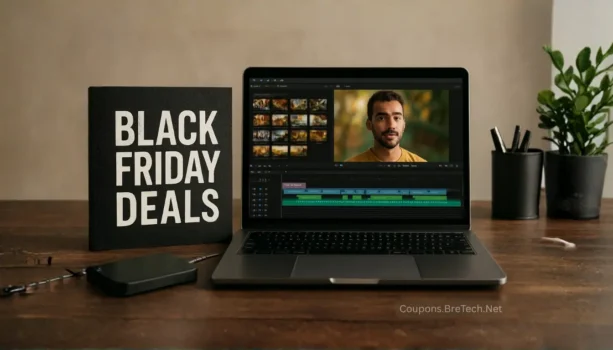
Black Friday deals on video editing software can help creators, students, freelancers, agencies, and small businesses compare editing tools before choosing a plan. These offers may include timeline editors, AI video tools, screen recorders, media converters, creator bundles, and online video apps.
Updated: June 02, 2026. Status: Between seasons. Black Friday 2025 has passed. Black Friday 2026 falls on Friday, November 27, 2026, and Cyber Monday 2026 falls on Monday, November 30, 2026.
Some video editing and creator software stores may still show regular offers, annual plan discounts, or seasonal promotions. Always check the latest store page and final checkout price before buying.
Affiliate disclosure: This page may contain affiliate links. BreTech may earn a commission at no extra cost to you. Prices, discounts, and terms can change on the partner site.
Current Creator Software Offers Before Black Friday
Black Friday video editing software deals are not fully live yet. For current seasonal offers on video editors, AI video tools, screen recorders, creative apps, and PC utilities, check our Best Summer Software Deals 2026 guide.
Quick Picks: Creator Tool Deals to Compare
Use this quick guide to choose the right type of video or creator software deal.
| If you need | Start with | What to check |
|---|---|---|
| Simple video editing | Beginner-friendly editors | Export quality, watermark rules, licence term |
| Advanced timeline editing | Pro editing suites | 4K support, effects, performance, upgrade rules |
| AI video creation | AI video and script-to-video tools | AI credits, export limits, branding rules |
| Screen recording | Screen capture and tutorial tools | Recording limits, webcam support, audio options |
| Social media videos | Online creator apps | Templates, captions, stock assets, export rules |
| Media conversion | Video converter and media tools | Format support, batch tools, device support |
| Business or client work | Commercial creator plans | Usage rights, team access, renewal price |
Video Editing, Screen Recording, and Creator Software Deals to Watch
Black Friday 2026 video editing and creator software deals are not fully live yet. Until brands publish confirmed holiday pricing, these BreTech stores are useful to check for current offers, plan updates, and seasonal creator software deals.
This table includes video editors, AI video tools, screen recorders, media converters, and creator utilities that can help with editing, recording, exporting, and managing video projects.
| Store | Best for | What to check before buying |
|---|---|---|
| Movavi | Beginner-friendly video, photo, and screen tools | Included apps, export rules, licence term, renewal price |
| Wondershare | Filmora, media tools, PDF, and creator software | Product included, bundle value, device support |
| MAGIX | VEGAS, Movie Studio, and advanced editing suites | Edition, upgrade terms, system requirements |
| Corel | VideoStudio, graphics, and creative software | Included tools, licence type, renewal terms |
| Pinnacle | Timeline editing and advanced creator projects | Version, features, export support, device rules |
| HitPaw | AI video, media repair, and quick editing tools | AI features, export limits, platform support |
| Pictory AI | Turning scripts, posts, and long content into videos | Video limits, branding rules, plan term |
| InVideo | Online video creation and templates | Plan type, export quality, watermark rules |
| FlexClip | Simple online videos, templates, and quick edits | Export limits, stock assets, branding rules |
| ManyCam | Webcam effects, virtual camera, and live video | Webcam tools, platform support, licence term |
| AVS4YOU | Video editing, media conversion, and audio tools | Included apps, licence term, format support, upgrade rules |
| Roxio | Video, media, disc burning, and capture tools | Product edition, capture tools, export options, system support |
| WonderFox | Video conversion and media utility tools | Format support, batch tools, device profiles, licence term |
Some creator software deals may need a coupon code, while others may apply automatically through the deal link. Before paying, confirm the product, plan, export limits, licence term, renewal price, and final checkout amount.
AI Video Tools and Online Creator Apps
AI video tools are now a major part of creator software searches. Many users are not only looking for normal timeline editors. They also want tools that can turn scripts into videos, add captions, create short clips, improve media, or speed up social content production.
Useful stores to check include:
- Pictory AI: Good for turning scripts, articles, and long content into videos.
- InVideo: Useful for online video creation, templates, and quick social content.
- HitPaw: Good for users comparing AI video, repair, and media tools.
- Wondershare: Useful for Filmora and other creator-focused software.
- FlexClip: Good for simple online video projects and template-based editing.
Before buying an AI video tool, check:
- Monthly video limits
- AI credits or usage limits
- Export quality
- Watermark rules
- Stock asset access
- Caption tools
- Commercial use terms
- Renewal price
You can also browse AI Video and Video Creator Tools for related offers.
Screen Recording and Tutorial Software Offers
Screen recording tools are closely related to video editing because many creators record tutorials, lessons, product demos, gameplay, webinars, and training videos. These tools can be useful for teachers, YouTubers, support teams, and online course creators.
Useful stores to check include:
- Movavi: Good for screen tools, simple editing, and beginner creator workflows.
- ManyCam: Useful for webcam effects, live video, and virtual camera use.
- TunesKit: Useful for screen recording, audio capture, and simple media utility tools.
- HitPaw: Good for quick media edits and creator utilities.
- Wondershare: Useful if you are comparing creator tools from the same software family.
Before buying a screen recording tool, check:
- Recording time limits
- Webcam support
- Audio recording options
- Export quality
- Watermark rules
- Editing features
- Windows or macOS support
- Licence term
You can also browse Screen Recording for related offers.
Cyber Monday Offers for Editors and Creators
Cyber Monday is important for video software buyers because many online software brands continue Black Friday offers into the following week. Some stores keep the same deal, while others may extend the offer, change the bundle, or update coupon terms.
Cyber Monday offers may be useful for:
- Annual video editing plans
- AI video subscriptions
- Screen recorder licences
- Creator bundles
- Online editor plans
- Media converter tools
- Template or stock asset packages
If you miss a Black Friday creator software offer, check again on Cyber Monday. Always compare the final checkout price, licence term, renewal cost, and included tools before buying.
How to Choose the Right Editing Tool
Choosing the cheapest video editor is not always the best decision. A low price can be useful, but only if the software fits your workflow.
Check these points before buying:
| Buying Point | What to Check |
|---|---|
| Editing features | Timeline editing, transitions, titles, captions, templates, and effects |
| Performance | 4K editing, export speed, system requirements, and GPU support |
| Licence type | Lifetime, annual, upgrade, personal, business, or team licence |
| Watermark rules | Trial or low-cost plans may export with watermarks |
| AI tools | Check whether AI features are included or sold through credits |
| Stock assets | Effects, music, templates, and stock clips may be limited by plan |
| Platform support | Windows, macOS, web browser, or mobile app support |
| Renewal price | Some discounts may apply only to the first billing term |
A good editing tool should match your device, content style, and editing skill level.
What to Check Before Buying a Creator Software Deal
Before buying any video editing or creator software deal, check whether the plan matches your real needs.
Important checks include:
- Final checkout price
- Licence term
- Renewal price
- Device support
- Windows or macOS compatibility
- Export quality
- Watermark rules
- Included effects and templates
- AI feature limits
- Stock media access
- Commercial use terms
- Upgrade path
- Support options
- Whether a coupon code is needed
- Whether the discount applies automatically
Do not buy a large bundle if you only need one editor. A smaller plan can be better if it includes the tools you will actually use.
2025 Deal History and 2026 Watchlist
Black Friday 2025 is now over, but the old deal season can still help users understand which video editing and creator software brands usually join seasonal promotions. It can also help you compare whether a current offer looks useful or only average.
For 2026, watch stores such as Movavi, Wondershare, MAGIX, Corel, Pinnacle, HitPaw, Pictory AI, InVideo, FlexClip, and ManyCam.
The best 2026 offers will likely depend on bundle value, AI features, licence type, export limits, watermark rules, and renewal terms. Avoid choosing only by the biggest discount label.
Common Mistakes to Avoid Before Checkout
Many buyers focus only on the headline discount and miss the details that matter.
Avoid these mistakes:
- Buying before checking watermark rules
- Ignoring export limits
- Forgetting to check renewal price
- Choosing a bundle when you only need one app
- Assuming all AI features are included
- Ignoring system requirements
- Missing commercial use terms
- Not checking whether a coupon code is required
- Paying before checking the final checkout price
A good creator software deal should save money without creating problems later.
How to Use a Video Editing Coupon or Promo Code
Using a video editing coupon code is usually simple, but you should always confirm the discount before payment.
- Choose the video editing store or offer you want to check.
- Open the BreTech store page or partner offer page.
- Select the editor, creator tool, or bundle you need.
- Copy the coupon code if one is shown.
- Paste the code into the coupon or promo code field at checkout.
- Click apply.
- Check that the discount appears in the final price.
- Review the licence term, export limits, and renewal cost.
- Complete your order only if the plan and final price are correct.
If no code is shown, the offer may apply automatically through the deal link.
Why a Video Editing Coupon Code May Not Work
A video editing coupon code may fail for several normal reasons. The code may be expired, limited to selected products, valid only for new users, or not available in your country.
Before trying another code, check:
- Expiry date
- Product eligibility
- Plan level
- New user or existing user rules
- Country restrictions
- Minimum purchase terms
- Monthly vs annual billing
- Whether another discount is already applied
- Whether the offer needs a special deal link
Some stores do not allow two promotions at the same time. If an automatic discount is already applied, a manual coupon code may not work.
Related Video, AI, and Creator Deal Pages
If you are comparing video editing software, AI video tools, screen recorders, or wider software offers, these BreTech pages may help.
Related Categories
Related Creator Software Stores
- Movavi: Good for beginner-friendly video, photo, and screen tools.
- Wondershare: Useful for Filmora, PDFelement, Recoverit, and other creator tools.
- MAGIX: Good for users comparing advanced video editing suites.
- Corel: Useful for creative software and video editing tools.
- Pinnacle: Good for timeline editing and more advanced video projects.
- HitPaw: Useful for AI video, media repair, and quick editing tools.
- Pictory AI: Good for turning scripts and content into videos.
- InVideo: Useful for online video creation and templates.
Photo Editing Deals for Pakistan Buyers
- Skylum Luminar Neo in Pakistan: AI photo editing, portrait touch-ups, and landscape enhancement with current BreTech deal, PKR pricing, local payment, digital delivery, and activation support.
Related Software Deal Guides
- Best Black Friday Software Deals
- Black Friday Cloud Storage Deals
- Data Recovery Software Black Friday Deals
- Black Friday Language Learning App Deals
- Best PC Maintenance Software Deals
FAQs
Are Black Friday deals on video editing software live today?
Black Friday 2025 has passed, and the main Black Friday 2026 video editing software deals are not fully live yet. Some stores may still run regular software offers, annual plan deals, or seasonal promotions. Check the store page and final checkout price for the latest offer.
When is Black Friday 2026?
Black Friday 2026 is on Friday, November 27, 2026. Cyber Monday 2026 is on Monday, November 30, 2026.
Should I wait for Black Friday 2026 to buy video editing software?
If you need the software now, check current offers first. If your purchase is not urgent, Black Friday and Cyber Monday can be useful for creator bundles, annual plans, AI video tools, and screen recording software.
Which creator software stores should I compare?
Useful stores to compare include Movavi, Wondershare, MAGIX, Corel, Pinnacle, HitPaw, Pictory AI, InVideo, FlexClip, and ManyCam.
Are AI video tools included in Black Friday software deals?
Many creator software brands now include AI video tools, captions, templates, script-to-video features, background tools, or faster editing workflows. Always check whether AI features are included in the plan, limited by credits, or sold as part of a higher plan.
Is Cyber Monday better than Black Friday for editing software?
Sometimes Cyber Monday keeps the same software offers, but some brands may change or extend their deals. It is worth checking both Black Friday and Cyber Monday before buying.
Is a video editing bundle better than the base editor?
A bundle can be better if you will use the effects, templates, stock assets, or extra tools. If you only need basic editing, the base editor may be enough.
What should I check before buying a video editor?
Check export quality, watermark rules, licence term, renewal price, platform support, system requirements, AI limits, and whether the software fits your editing workflow.
Will video editing software run on older laptops?
Basic editing may work on older laptops, but 4K timelines, AI effects, and heavy exports need stronger hardware. Check the software system requirements before buying.
Why is my video editing coupon code not working?
A code may fail because it is expired, limited to selected products, valid only for new users, or requires a special deal link. It may also fail if another discount is already applied.
Final Tip Before You Buy
Black Friday deals on video editing software can be useful if you need an editor, AI video tool, screen recorder, or creator bundle. Before buying, compare the final checkout price, licence term, renewal cost, export limits, watermark rules, and included features.
A smaller, clearer offer can be better than a large discount if the plan is easier to use and includes the creator tools you actually need.