Abdul Basit
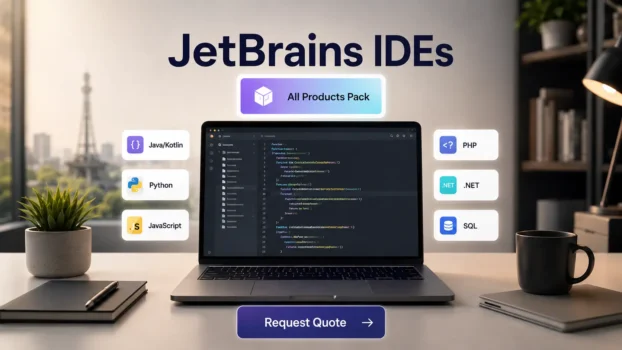
Choosing the right JetBrains IDE in Pakistan depends on the type of work you do. If you build Java or Kotlin apps, IntelliJ IDEA Ultimate may be the right choice. If you work with Python, PyCharm Professional is a better fit. For PHP, Laravel, or WordPress work, PhpStorm can be useful. If your team uses many programming languages, JetBrains All Products Pack may give better value.
JetBrains tools are used by developers, software houses, IT teams, agencies, freelancers, and businesses that work on real software projects. The right license can help your team write code faster, manage daily development work better, and stay safer for commercial use.
BreTech helps customers in Pakistan request quotes for genuine JetBrains licenses, including individual IDEs, All Products Pack, and team options. Share your product, number of users, and business need, and our team will guide you.
[Request JetBrains Quote]
Quick Comparison: Which JetBrains Tool Should You Choose?
If you are not sure which JetBrains tool you need, start with your main work. Some developers only need one IDE. Teams that work with many languages may need JetBrains All Products Pack instead.
| Your Work | Best JetBrains Option | Good For |
|---|---|---|
| Multiple programming languages | JetBrains All Products Pack | Software houses, full-stack teams, and developers using more than one IDE |
| Java, Kotlin, Spring Boot | IntelliJ IDEA Ultimate | Backend developers and enterprise app development |
| Python, Django, data work | PyCharm Professional | Python developers, automation work, and professional projects |
| JavaScript, TypeScript, React, Node.js | WebStorm | Frontend and full-stack JavaScript developers |
| PHP, Laravel, WordPress | PhpStorm | Web agencies, Laravel developers, and WordPress developers |
| .NET, C#, ASP.NET, Unity | Rider | .NET developers and game development teams |
| SQL and database work | DataGrip | Backend teams, database developers, and IT teams |
| AI coding help inside JetBrains tools | JetBrains AI Pro | Developers who want AI help for coding, refactoring, and explanations |
For most software teams, JetBrains All Products Pack is the best option to check first. For single-language work, one IDE may be enough.
[Get JetBrains License Quote]
Best Overall Option: JetBrains All Products Pack
For many software teams, JetBrains All Products Pack is the best option to check first. It is useful when one developer or team needs more than one JetBrains tool for daily work.
For example, a software house may use IntelliJ IDEA Ultimate for Java, PyCharm Professional for Python, WebStorm for JavaScript, PhpStorm for PHP, and DataGrip for database work. Buying one complete pack may be easier than managing separate tools one by one.
This option can be a good fit for:
- Software houses working on different client projects
- Full-stack developers using more than one language
- Teams that need IDEs for web, backend, database, and app development
- Businesses that want easier license planning for developers
If you only work in one language, a single JetBrains IDE may be enough. But if your team uses different tools, JetBrains All Products Pack is usually the first option to compare.
Pricing can depend on the product, number of users, license type, and vendor availability. For the correct option, it is better to request a quote before buying.
[Request JetBrains All Products Pack Quote]
JetBrains IDEs by Developer Type
Different developers need different tools. Before you request a quote, match the JetBrains IDE with your main work.
IntelliJ IDEA Ultimate for Java and Kotlin Developers
Choose IntelliJ IDEA Ultimate if you work with Java, Kotlin, Spring Boot, or backend development. It is a strong choice for professional developers who build business apps, web apps, APIs, and enterprise software.
It can be a good fit for software houses, backend teams, and developers who need a powerful IDE for serious Java or Kotlin projects.
PyCharm Professional for Python Developers
Choose PyCharm Professional if you work with Python, Django, Flask, automation, or data-related projects. It is useful for developers who want a focused Python IDE for daily professional work.
It can be a good choice for freelancers, Python developers, students moving into paid work, and teams building Python apps.
WebStorm for JavaScript and TypeScript Developers
Choose WebStorm if you build websites, web apps, or full-stack JavaScript projects. It is useful for JavaScript, TypeScript, React, Node.js, and modern frontend work.
WebStorm may be enough if your main work is frontend or JavaScript development. Business users should check the correct license before using it for commercial projects.
PhpStorm for PHP, Laravel, and WordPress Developers
Choose PhpStorm if you work with PHP, Laravel, WordPress, or custom web development. This can be a strong option for web agencies and developers in Pakistan who manage client websites and web apps.
If most of your work is PHP-based, PhpStorm may be a better fit than a general code editor.
Rider for .NET and Game Developers
Choose Rider if you work with .NET, C#, ASP.NET, or Unity development. It is useful for developers who build business apps, web backends, desktop apps, or games.
Rider can be a good fit for .NET teams and game developers who want a JetBrains-style IDE for C# work. Business users should check the correct license before using it for commercial projects.
DataGrip for Database Developers
Choose DataGrip if your main work is SQL and database management. It can help backend developers, database teams, and IT teams work with databases in a more organized way.
DataGrip is useful when you need a focused database tool instead of only using the database features inside another IDE.
Free vs Paid JetBrains Licenses: What Should Businesses Know?
Some JetBrains tools have free options for learning, hobby work, open-source projects, and other non-commercial use. This can be helpful for students, beginners, and developers who are testing an IDE before using it for serious work.
For business use, the situation is different. If you are using JetBrains tools for a company, software house, agency, client project, paid app, or commercial work, you should check the correct license before use. A free non-commercial license may not be the right option for business work.
This is important for tools like WebStorm and Rider, because JetBrains says these IDEs are free for non-commercial use. That does not mean every business can use them for free.
Simple Rule
Use this simple rule before requesting a quote:
- If you are learning or testing for personal practice, a free option may be enough.
- If you are doing paid client work, company work, or business development, check a paid license.
- If your team uses more than one JetBrains tool, compare a single IDE with JetBrains All Products Pack.
- If you are not sure, request a quote and confirm the right license before buying.
BreTech can help customers in Pakistan check quote options for individual developers, businesses, and teams.
[Request JetBrains License Quote]
JetBrains for Software Houses and Teams in Pakistan
Software houses and development teams often need more than one JetBrains tool. One developer may work on Java, another may work on Python, and another may handle frontend, PHP, .NET, or database work.
Before buying, it is better to check your team’s real needs. This helps you avoid buying the wrong license or missing a tool your developers need later.
For teams, check these points first:
- How many developers need JetBrains tools?
- Which programming languages does your team use?
- Do you need one IDE or JetBrains All Products Pack?
- Is the license for personal use, company use, or client work?
- Do you need invoice support for your business records?
- Do you need help with activation or renewal planning?
For many software houses, JetBrains All Products Pack is worth checking first because it covers more development needs. For smaller teams or single-language work, one JetBrains IDE may be enough.
BreTech can help customers in Pakistan request a quote based on product, user count, and license type.
[Request JetBrains Team Quote]
How to Request a JetBrains Quote from BreTech
Before requesting a quote, try to keep your requirement clear. This helps BreTech check the right JetBrains option for you.
Share these details with us:
- JetBrains product name
- Number of users
- License type: individual, business, or team
- Your main work, such as Java, Python, PHP, JavaScript, .NET, or database work
- Any invoice or renewal requirement
After receiving your details, BreTech will check the available quote option and guide you with the next step.
If you are not sure which JetBrains tool you need, you can also share your work type. Our team can help you compare a single IDE with JetBrains All Products Pack before you decide.
[Request a Quote]JetBrains IDEs by Developer Type
Remote JetBrains Setup and Guidance from Faisalabad
BreTech can also guide customers who need help choosing or setting up JetBrains tools. Our support is available remotely from Faisalabad, so customers in other cities do not need an on-site visit for basic guidance.
We can help with product selection, license quote guidance, installation support, activation guidance, IDE setup, and basic usage questions. This can be useful for developers, software houses, agencies, freelancers, and business teams that want to start with the right JetBrains tool.
Remote help may be provided through WhatsApp, phone call, AnyDesk, Zoom, or Google Meet, depending on the customer’s need.
For advanced coding, project development, or deep troubleshooting, the work can be checked separately before confirming the service.
FAQs About JetBrains Licenses in Pakistan
Q: Which JetBrains IDE is best for software houses?
A: For software houses, JetBrains All Products Pack is usually the best option to check first. It is useful when a team works with different languages, such as Java, Python, PHP, JavaScript, .NET, and databases.
If your team works in only one language, one JetBrains IDE may be enough.
Q: Is JetBrains All Products Pack better than buying one IDE?
A: JetBrains All Products Pack can be better if you need more than one JetBrains tool. It may be useful for full-stack developers, software houses, and teams handling different project types.
If you only need one tool, such as PyCharm or PhpStorm, a single IDE license may be enough.
Q: Is WebStorm free or paid?
A: WebStorm has a free option for non-commercial use. This may be suitable for learning, hobby projects, or non-commercial work.
For company work, paid client projects, agency work, or business use, you should check the correct license before using it.
Q: Is Rider free or paid?
A: Rider also has a free option for non-commercial use. This does not automatically mean it is free for business or company work.
If you use Rider for paid projects, client work, or a software company, check the correct license first.
Q: Which JetBrains IDE is best for PHP and Laravel?
A: PhpStorm is usually the best JetBrains IDE for PHP, Laravel, and WordPress development. It is a good option for web developers and agencies that work on PHP-based projects.
Q: Which JetBrains IDE is best for Python?
A: PyCharm Professional is the main JetBrains IDE for professional Python work. It is useful for Python apps, Django, Flask, automation, and data-related projects.
Q: Can BreTech provide JetBrains pricing in PKR?
A: BreTech can help customers in Pakistan request a JetBrains quote and guide them with available options. Pricing can depend on the product, number of users, license type, and vendor availability.
Q: How many users should I request a quote for?
A: Request a quote based on the number of developers who need to use JetBrains tools. For a team, count each developer who needs access to the IDE or All Products Pack.