Abdul Basit
Software updater for PC in Pakistan helps fix app crashes, update errors, and security risks caused by outdated software. Many Windows users only realize apps are old when something stops working or a browser warning appears.
A common mistake is downloading updates from random websites or installing unknown “updater” tools. These can include bundled software, ads, or unsafe installers that slow down your PC.
This 2026 guide explains what to look for in a safe software updater and how to choose the right tool for your Windows PC. If you prefer genuine licensed software, BreTech offers PKR pricing, local payments, and fast digital email delivery on most orders as an authorized reseller.
For most Windows users, the best software updater scans installed apps, shows which programs are outdated, and lets you choose updates safely. Tools with restore points, update history, and scheduled scans make managing multiple apps much easier.
Software Updaters at a Glance 2026 in Pakistan
| Tool | Best For | Key Strength |
|---|---|---|
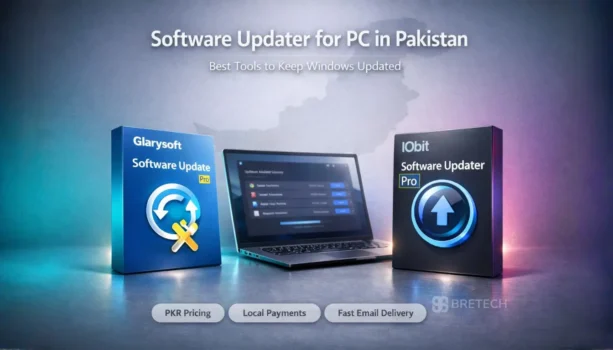
| IObit Software Updater Pro | Home users & students on a single PC | Large app catalog, scheduler, one-click & silent installs |
| Glarysoft Software Update Pro | SMEs or helpers managing multiple PCs on a LAN | Remote Manager for LAN control, silent installs, exclude/ignore lists |
You can explore genuine PC maintenance tools in System Optimization Software in Pakistan and compare trusted brands like Glarysoft and IObit on BreTech.
Why Software Updater Tools in Pakistan Matter
In Pakistan, where cyber threats are on the rise, using software updater tools is more important than ever. These updater programs automate checks, scheduling, and batch installs, so you aren’t chasing downloads by hand.
Employing the best software updater helps ensure your applications are patched against the latest security risks.
By keeping your software up to date, you minimize potential vulnerabilities and safeguard your personal information from malware and other cyber threats, thereby reinforcing your digital defenses.
Importance of Keeping Software Up-to-Date
Keeping your software up to date is crucial for maintaining system security and stability. Outdated software is a prime target for cyberattacks, making it imperative to ensure that you are running the latest version of all your applications.
Regularly updating software patches vulnerabilities, improves performance, and often introduces new features. This proactive approach significantly reduces the risk of malware infections and system errors, providing a more secure and efficient computing experience.
Benefits of Using Software Updater Programs
Software updater programs offer numerous benefits, primarily by automating the often tedious task of software updates. Instead of manually checking for updates and installing them, these tools can scan your system, identify outdated software, and automatically download and install the necessary updates.
This not only saves time and effort but also ensures that your software is consistently current – reducing security risks and improving overall system performance. The convenience of having an all-in-one solution for patch management is invaluable.
How to Choose Software Updater Tools in Pakistan
When selecting software updater tools in Pakistan, several factors should be considered. The ideal updater tool should offer key functionalities, including:
- An easy-to-use interface.
- Features like version pinning/ignore lists and exclusions.
It should integrate with your restore plan (e.g., create a Windows System Restore point before updates), as most updaters lack one-click rollbacks. Ensure compatibility with your operating system, particularly desktop versions of Windows. Look for software that supports various third-party applications, offers reliable scan accuracy, and automates updates.
Choosing the right software updater involves focusing on features that ensure seamless and safe updates: accurate detection, trusted download sources, and automated installation upon approval. The ideal tool keeps third-party apps current (these tools don’t replace Windows Update for the OS).
What to Look For in Software Updater Tools
When choosing software updater tools, it’s essential to evaluate several key features. A reliable software updater can automatically scan your system, identify outdated software, and download and install the latest version.
It should ensure compatibility with your operating system and provide an intuitive interface for easy navigation. The best software updater programs help maintain system stability and security by keeping your software up-to-date.
Official Sources for Software Updates
Ensuring that your software updates come from official sources is crucial for maintaining system security. A reputable software updater tool should exclusively use official websites or trusted repositories to download software patches.
This approach minimizes the risk of installing malware or other malicious software bundled with unofficial updates. Always prioritize software updates from verified sources to ensure a safe and secure installation process.
Batch/Scheduler Features
Batch update and scheduling features are essential for efficient software patch management. The best software updater tools allow you to update multiple programs simultaneously, saving considerable time and effort.
Scheduling ensures that software updates are performed automatically during off-peak hours, minimizing disruption to your workflow. These capabilities are especially valuable for businesses managing multiple systems, ensuring all software is always up-to-date without manual intervention.
Exclusions and Version Pinning Options
Exclusion and version pinning options provide greater control over the software update process. Sometimes, a software update may cause compatibility issues or introduce unwanted changes. The ability to exclude specific applications from being updated or to pin a program to a particular version can prevent these problems.
This flexibility allows you to maintain a stable and reliable software environment, ensuring that updates do not negatively impact your system’s performance.
Restore and Rollback Capabilities
Restore and rollback capabilities are crucial safety nets when applying software patches. If an update causes instability or conflicts, the best software updater tool should offer a way to revert to the previous version.
This feature minimizes downtime and ensures that your system can quickly recover from problematic updates. Having the option to restore or rollback provides peace of mind when installing software patches.
Light Footprint of the Updater Tool
A light footprint is an important consideration for any software updater program. The updater tool itself should consume minimal system resources to avoid impacting performance.
A lightweight updater ensures that your computer runs smoothly even while the software updater scans for outdated software and installs software patches. A resource-efficient tool is especially beneficial for older or less powerful systems.
Top Picks for Software Updater Programs
When choosing a software updater for your computer, consider our top picks. These software updater tools offer the best combination of features, reliability, and ease of use.
Ensuring your software is up-to-date has never been easier. These updater programs automate the process, saving you time and keeping your system secure.
IObit Software Updater Pro
IObit Software Updater Pro is a popular software updater program known for its comprehensive database and user-friendly interface. It effectively scans your system for outdated software and automates the update process.
IObit Software Updater Pro ensures your software is always up-to-date, reducing vulnerabilities and improving performance. It also supports batch updates and offers exclusion options for greater control.
Glarysoft Software Update Pro
Glarysoft Software Update Pro is a reliable updater tool that simplifies software patch management. It quickly identifies outdated software and provides one-click updates for multiple applications.
Glarysoft Software Update Pro helps ensure your software is up-to-date, enhancing system security and stability. Its intuitive interface and efficient scanning capabilities make it a solid choice.
IObit vs Glarysoft
Comparison Table of Key Features
When choosing between IObit and Glarysoft as your software updater, consider what matters most. IObit Software Updater Pro boasts a large catalog and efficient batch updates, perfect for users who want quick and easy maintenance.
Glarysoft Software Update Pro, on the other hand, focuses on official vendor sources with exclusion options for version pinning, giving you greater control. Both solutions offer scheduled scans to automate updates, which helps to ensure your software is up-to-date.
For genuine licenses with PKR pricing and local support, buy from BreTech.
Rollout Plan and Safety Checklist
Steps for a Smooth Installation
Implementing a software updater requires a smart plan. Several steps are crucial for a successful implementation. These include:
- Creating a restore point before installation to revert any unwanted changes.
- Performing a thorough system scan to identify outdated software.
Carefully review all proposed update changes before proceeding. Batch-install software patches after hours to minimize disruptions. Finally, verify the installation results and adjust exclusions as needed.
This approach ensures a smooth and effective transition, automates the process, and ensures a safe, up-to-date system.
Safety Tips for Using Updater Tools
To safely use software updater tools, prioritize security. There are several key steps to take:
- Ensure that the updater program uses official sources for software updates.
- Back up your system before installing any software patches to prevent data loss.
- Regularly scan your system for malware.
- Carefully review each update before installation.
- Use restore points to quickly revert any problematic changes.
This will help you maintain a secure, stable PC while your software stays up to date.
Conclusion: Choosing the Best Software Updater in Pakistan
For genuine licenses in Pakistan with local support, choose BreTech, an online reseller & partner of 100% genuine software licenses from trusted brands. BreTech aims to provide a reliable, affordable source for software with competitive PKR pricing.
With BreTech, you get fast email delivery (usually 1–72 hours) and dependable support, helping you keep PC software secure and compliant. It’s a simple way to stay current without manual checks.
For quick set-and-forget updates, IObit Software Updater Pro is a great pick. It offers a large catalog, batch updates, a scheduler, and optional silent installation—while staying light on older or shared PCs.
Alternatively, Glarysoft Software Update Pro prioritizes tighter control and stability. It uses official vendor sources, supports exclusions and version pinning, and works well with restore/rollback policies.
Both tools update installed programs (not the OS) and support scheduled maintenance to minimize downtime. Still deciding? Browse Software Updater and choose the fit for your workflow.
FAQs
Q: What is Glarysoft Software Update Pro and how does it work?
A: It’s an easy-to-use software updater for Windows software. It runs an update checker, detects outdated programs, and offers one-click installs using direct download links from verified sources. Pro features include silent installs and a Remote Manager for multiple PCs.
Q: How does IObit Software Updater Pro compare with Glarysoft?
A: Both are effective software updaters for software on Windows. Each provides detection of a new version, one-click updates, auto-updates on a schedule, and customizable ignore/exclude lists. IObit focuses on a large app catalog and simple dashboard; Glarysoft adds LAN management via its Remote Manager.
Q: Do these tools update Windows itself?
A: No. They update your software (third-party apps). To update Windows, use Windows Update. These tools are compatible with common desktop Windows editions and focus on app patches, not OS servicing.
Q: Are these cloud-based software updaters?
A: No. IObit and Glarysoft are desktop clients, not cloud-based software updaters. You manage updates locally through a dashboard with scheduled scans, notifications, and one-click installs.
Q: Can I use them as a management tool for multiple PCs?
A: Glarysoft Pro includes a Remote Manager to help manage updates across PCs on your local network. IObit is designed for single-PC use with scheduling and batch updates.
Q: Can I customize what gets updated?
A: Yes. Both tools are customizable. You can ignore a specific program, pause certain categories, or postpone a new version until you are ready.
Q: Do they handle portable software?
A: Often no. Many portable software builds are not registered in Windows the same way, so detection and updates may be limited. Installable apps work best.
Q: How do I know downloads are safe?
A: The tools use direct download links from official or verified sources and show clear notifications before installs. Keep your antivirus active to reduce virus and malware risks.
Q: What is the user interface like?
A: Both provide a clean, simple dashboard with clear detection results, update programs controls, auto-updates scheduling, and status notifications.
Q: Do they support auto-updates and one click installs?
A: Yes. You can run a scheduled update checker and then apply updates with one click or silent installs, depending on the app and edition.
Q: Are they compatible with Windows Server?
A: They target desktop Windows. Windows Server use is not the primary case; for servers or cloud consoles, consider dedicated patch management solutions.
Q: What “pro features” should I expect?
A: Typical pro features include larger app catalogs, silent installs, scheduling, customizable exclusions, and in Glarysoft’s case, a Remote Manager for LAN PCs.