Abdul Basit
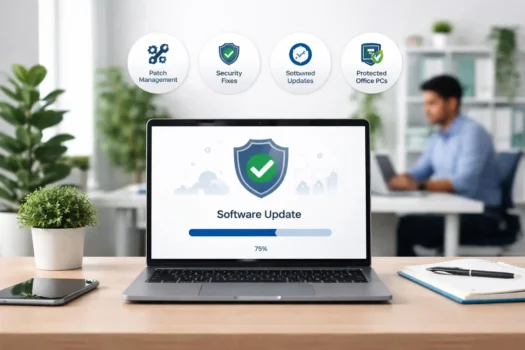
Software patching helps small businesses keep computers, apps, and operating systems safer and more stable. A software patch is an update from a software vendor that can fix security issues, bugs, compatibility problems, or performance problems.
For small businesses in Pakistan, missed updates can create security gaps. Cybercriminals often target unpatched systems because old software can be easier to attack. Regular patch management helps reduce risks from malware, ransomware, data breaches, and downtime.
The goal is simple: keep systems secure, reduce business risk, and make sure office computers and business software stay updated without wasting too much time.
Key Takeaways
- Software patching helps small businesses fix security issues before they become serious risks.
- Unpatched systems can expose office computers, business data, and sensitive files to cyber threats.
- Regular software updates can improve security, stability, compatibility, and productivity.
- Patch management is useful when a business has many PCs, apps, or users.
- Automated patch management can save time and reduce missed updates.
- Small businesses should handle critical security patches first.
- AVG Patch Management can help offices manage software updates more easily as part of a wider business security plan.
What Is Software Patching?
Software patching means installing updates that fix problems in software, apps, or operating systems, especially bugs, security issues, and performance problems.
Software Patch Meaning
A software patch is a small update that fixes a known problem in existing software. It may fix a security vulnerability, improve stability, or solve a compatibility issue.
Some patches are minor, but others are very important. A security patch should not be ignored because it may protect your business from a known attack method.
Software Updates vs Software Patches
A software update can include new features, design changes, bug fixes, or performance improvements. A software patch is usually more focused on fixing a specific problem.
In simple words, updates can improve the software, while patches often fix something important. For business security, both regular updates and security patches matter.
| Item | Simple Meaning | Why It Matters |
|---|---|---|
| Software update | Improves or changes software | Can add fixes, stability, or new features |
| Software patch | Fixes a known issue | Often used for bugs or security problems |
| Security patch | Fixes a security weakness | Helps reduce risk from cyber threats |
| Patch management | Tracks and manages updates | Helps small businesses avoid missed updates |
Why Patch Management Matters for Small Businesses
Patch management helps small businesses keep software updated, reduce security risk, and avoid problems caused by old or vulnerable apps.
Buyer tip: If your office has several PCs, many apps, or no full-time IT person, manual updates can become risky. A simple patch management process can help keep systems safer and more organized.
Security Risks From Outdated Software
Outdated software can create security gaps in office computers and business systems. Cybercriminals may use these gaps to attack unpatched systems, steal data, or spread malware.
For small businesses, this can be serious because one weak computer can affect files, users, and daily work. Regular patching helps reduce this risk.
Protection Against Cyber Threats
Security patches help fix known vulnerabilities before attackers can exploit them. This is important for protecting business data, customer records, passwords, and office devices.
Patching is not a full cybersecurity plan by itself, but it is one of the basic steps every small business should follow to keep systems safer.
Better Productivity and Fewer Problems
Software updates can also fix bugs, improve stability, and reduce crashes. This helps staff work with fewer errors and less downtime.
When updates are managed properly, your office can stay more secure without stopping daily work again and again.
Common Challenges in Patch Management
Patch management can be difficult for small businesses because updates take time, need checking, and can sometimes affect daily office work.
Missed Updates
Small businesses often miss updates because staff are busy with daily work. Some updates may appear on different computers, apps, or operating systems at different times.
When updates are missed for too long, old software can create security gaps. This can make office systems easier to attack.
Downtime During Updates
Some updates need a restart or can take time to install. This may disturb employees if updates happen during working hours.
A simple patch management process can help reduce downtime. For example, important updates can be installed after office hours or during a planned maintenance time.
Manual Update Tracking
Manually checking every computer and app can take a lot of time. It is also easy to forget one device or one important software update.
As the number of PCs grows, manual tracking becomes harder. This is where patch management software can help small businesses manage updates more easily.
Patch Management Best Practices for Small Businesses
Good patch management means checking, testing, and installing important updates in a planned way instead of waiting until a problem happens.
Build a Patch Management Process
Create a simple process for checking and installing updates. Decide who will check updates, when updates will be installed, and which devices need attention first.
Start with important systems, business apps, antivirus software, browsers, and operating systems. This keeps the most used tools safer.
Check Updates Regularly
Do not wait for months before checking software updates. Regular updates help fix security gaps, bugs, and compatibility issues before they cause bigger problems.
Small businesses can check updates weekly or monthly, depending on how many PCs and apps they use.
Test Important Updates First
Some updates can create compatibility issues with business software. For important office systems, test updates on one computer first before installing them everywhere.
This helps reduce downtime and avoids problems with apps your team uses every day.
Keep Business Software Supported
Old software that no longer receives security updates can become risky. Unsupported software may not get new patches, even if attackers find new weaknesses.
Use supported business software where possible, and replace outdated tools before they become a security risk.
When Small Businesses Need Patch Management Software
Patch management software becomes useful when a small business has more devices, more apps, and less time to check every update manually.
| Office Situation | Manual Updates May Be Enough | Patch Management Software Helps More |
|---|---|---|
| 1 to 2 PCs | Yes | Optional |
| Several office PCs | Sometimes | Yes |
| Many business apps | Harder to manage | Yes |
| No full-time IT person | Risk of missed updates | Yes |
| Important customer data | Not ideal | Stronger choice |
| Frequent missed updates | No | Yes |
More PCs and Business Devices
If your office has several Windows PCs, laptops, or business devices, manual updates can become difficult. One missed device can still create a security risk.
Patch management software helps you see which systems need updates, so your team can fix weak points before they become bigger problems.
Limited IT Time
Many small businesses do not have a full-time IT person. The owner or staff may not have enough time to check every app, browser, and operating system manually.
Automated patch management can save time by helping monitor updates and reduce manual work. This makes it easier to keep office systems secure.
Need for Central Update Management
Central update management helps you manage software updates from one place. This is useful when different employees use different computers and apps.
With a central view, your business can check patch status, prioritize important updates, and keep systems more organized.
How AVG Patch Management Helps Offices
AVG Patch Management helps offices control software updates from one place, instead of checking each computer and app manually.
Easier Software Update Control
AVG Patch Management helps businesses check which apps need updates and manage patches more easily. This is useful when your office has several PCs and different software tools.
It can save time because staff do not need to check every device one by one. This helps small businesses keep updates more organized.
Reduced Risk From Old Software
Old software can create security gaps. If a known vulnerability is not fixed, cybercriminals may try to use it to attack business systems.
Patch management helps reduce this risk by making it easier to install important security fixes. This can help protect office PCs, business apps, and sensitive data.
Support for AVG Business Security
AVG Patch Management can support your wider AVG business security setup. It works as a useful add-on when your office already uses AVG protection for business PCs.
For Pakistan buyers, BreTech offers AVG Patch Management Business Edition with PKR pricing, digital delivery, activation help, and invoice support.
Buying AVG Patch Management in Pakistan
Buying AVG Patch Management in Pakistan is useful when your office needs better control over software updates, security patches, and update tracking.
At BreTech, you can buy genuine AVG Patch Management Business Edition with PKR pricing, local payment options, digital delivery, activation help, and invoice support.
Before You Buy, Check Your Office Needs
Before ordering, check how many PCs, apps, and users your office has. This helps you decide whether manual updates are enough or patch management software is needed.
Ask these questions:
- How many office PCs need updates?
- Do employees use many third-party apps?
- Are updates being missed?
- Do you need better patch status tracking?
- Do you need invoice support for business purchase?
Where to Buy AVG Patch Management
You can view AVG Patch Management Business Edition to check the available license option.
For more AVG options, browse AVG products in Pakistan. For offices, SMEs, and teams buying multiple licenses, you can also visit our Business Software Licenses page.
Need Help Choosing?
If you are not sure whether your office needs patch management, contact BreTech through our Contact Us page before ordering.
Final Recommendation
Software patching is important for small businesses because old software can create security gaps, performance problems, and avoidable downtime.
Start with a simple patch management process. Check updates regularly, install critical security patches first, and test important updates before applying them across all office PCs.
If your office has several computers, many apps, or limited IT time, manual updates may not be enough. In that case, AVG Patch Management Business Edition can help you manage software updates more easily and reduce risks from unpatched systems.
For small businesses in Pakistan, the best approach is simple: keep software updated, protect business data, and use a genuine license with proper activation and invoice support.
FAQs
Q: What is software patching?
A: Software patching means installing updates that fix problems in software, apps, or operating systems. These fixes may improve security, stability, compatibility, or performance.
Q: Why is patch management important for small businesses?
A: Patch management helps small businesses reduce security risks from outdated software. It helps fix known vulnerabilities before they can be used in an attack.
Q: What happens if a business does not install security patches?
A: Unpatched systems can create security gaps. This may increase the risk of malware, ransomware, data breaches, downtime, and other cyber threats.
Q: How often should small businesses check for software updates?
A: Small businesses should check updates regularly. Weekly or monthly checks can work, depending on the number of PCs, apps, and business systems in use.
Q: Is manual patching enough for a small office?
A: Manual patching may be enough for 1 or 2 PCs. For several PCs, many apps, or limited IT time, patch management software is usually easier and safer.
Q: Can AVG Patch Management help with software updates?
A: Yes. AVG Patch Management Business Edition can help offices track and manage software updates more easily, especially when several PCs or apps need regular updates.
Q: Can BreTech help me choose AVG Patch Management in Pakistan?
A: Yes. BreTech can help Pakistan buyers choose a genuine AVG Patch Management license with PKR pricing, digital delivery, activation help, and invoice support.
Further Reading
Explore these related guides before choosing patch management or business security software: