
Uninstaller software price in Pakistan for deep removal, leftover cleanup, and startup control with official licenses, PKR pricing, fast email delivery, and support.
Showing all 3 results
Uninstaller Software: Deep Uninstall, Leftover Cleanup, and Startup Control in Pakistan
Uninstaller software helps you remove programs completely when Windows uninstall leaves junk files, registry traces, and broken leftovers. It keeps your PC cleaner, faster, and easier to manage.
Unsafe copies and random “PC cleaner” tools can cause problems like conflicts, broken apps, and unstable Windows behaviour. Beginners often get stuck when they install two different cleaner tools together. Stick to one trusted uninstaller.
BreTech is an authorised reseller with PKR pricing, fast email delivery on most orders, local payment options, and local support. You get a genuine official license and activation key, plus help for setup and activation. Trials can help you test the interface, but they may have time limits or locked features.
Browse Uninstaller Software by Type
- File & Software Management: Explore related tools for updates, downloads, archiving, and PC file handling.
Match Your Problem to the Right Solution
| Problem / Need | Best match to look for | Why it helps |
|---|---|---|
| Uninstalled an app but it still shows errors | Deep uninstall with leftover scan | Removes traces that cause repeated popups |
| Too many useless apps on a laptop | Batch uninstall and bloatware removal | Clears multiple items faster and cleaner |
| PC boots slowly | Startup control | Turns off heavy startup items safely |
| A program will not uninstall | Force removal | Helps remove broken or stubborn installs |
| Browser got toolbars or add-ons | Plugin and extension cleanup | Removes unwanted extras tied to apps |
Compare Uninstaller Software Options in Pakistan
Before you buy, compare these points so you pick the right fit:
- Cleanup depth: basic uninstall vs deep scan for leftovers
- Batch removal: useful for bloatware and multiple old apps
- Install monitoring: tracks changes so rollback is safer
- Startup control: improves boot time by reducing load
- Stubborn apps: force uninstall for broken entries
- Updates and support: genuine software is more reliable for updates and activation
How to Choose the Right Uninstaller Software
- Students: pick simple uninstall plus leftover cleanup for lab and study PCs.
- Freelancers: choose deep cleanup and startup control to keep work PCs responsive.
- Small offices: prefer stable licensing and easy repeat use for multiple systems.
- IT and technicians: choose install monitoring, rollback options, and force removal tools.
- Home users: focus on safety, clear prompts, and fewer advanced steps.
Uninstaller Software Options Available at BreTech
Use these quick scenarios to decide what to shop for:
- Office PCs: remove unused tools cleanly so updates and new installs do not clash.
- Freelancers: keep editing, design, and browsing tools clean so performance stays steady.
- IT/support work: use force uninstall for broken apps, then run leftover cleanup.
- Old laptops: batch remove bloatware and control startup to reduce slow boot issues.
- After malware cleanup: remove suspicious toolbars, add-ons, and leftover components.
Popular Uninstaller Tools
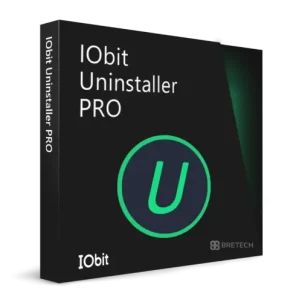
- IObit Uninstaller Pro: Deep uninstall and leftover cleanup, plus bundle removal for faster maintenance.
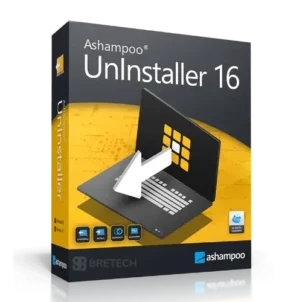
- Ashampoo UnInstaller: Install monitoring with rollback-style options for safer changes.
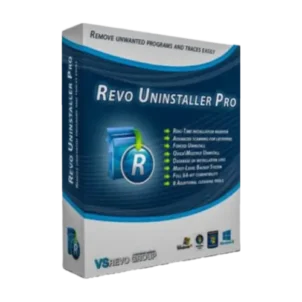
- Revo Uninstaller Pro: Strong leftover scanning with tools suited to IT-style cleanup.
Why Buy from BreTech
- Official licenses: vendor-verified activation keys
- Genuine software: safer updates and clean activation
- PKR pricing: easier to compare and budget in Pakistan
- Fast email delivery: on most orders
- Local support: help with choosing, setup, and activation
- Bulk and invoice support: when you need multiple licences
“My old laptop felt lighter after a proper uninstall. The key arrived by email and activation was easy with support.”
Shop Top Brands
- IObit: PC utility tools with uninstall and cleanup features.
- Ashampoo: System and maintenance tools with guided workflows.
- Revo: Uninstaller tools focused on leftover scanning and removal.
Learn More
- Top 4 Best Uninstaller Software for Windows in Pakistan
- IObit Uninstaller vs Revo vs Ashampoo: Which is Best for Pakistan?
- Revo Uninstaller Pro Price in Pakistan
- Deep Dive into IObit Software and Utilities in Pakistan
- WinOptimizer vs. CCleaner: Comprehensive Cleanup Comparison in Pakistan
Browse more cleanup, removal, and PC maintenance guides in our Uninstallers section and Utilities & Optimization section.
Start Buying Uninstaller Software in Pakistan
Choose the features you need first (deep uninstall, batch removal, startup control). Then compare pricing in PKR and buy an official license for reliable activation and updates.
Disclaimer
Features, editions, and pricing can change. Please confirm the latest details on the product page before ordering.