Abdul Basit
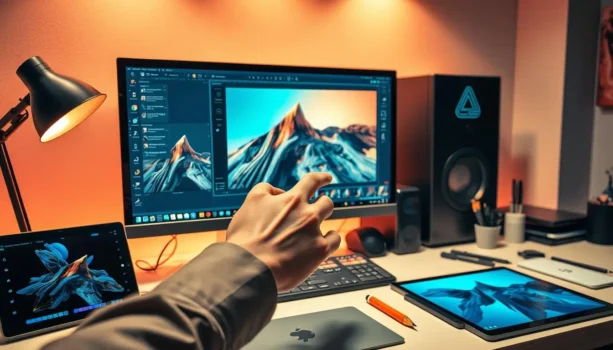
Best AI photo editing software helps Pakistani users get clean results fast for product photos, thumbnails, and client work, without a steep learning curve.
A common mistake is using random free tools or cracked software to get AI features. This can lead to watermarks, failed exports, unstable installs, or unsafe bundled programs.
This AI photo editing tools guide helps you choose the right software for your workflow and buy genuine licenses in Pakistan with PKR pricing, local payments, and 1–72 hour email delivery on most orders from BreTech.
If you want quick, reliable results, choose based on your main job: background cleanup, portrait retouching, or upscaling for print. Start simple, then upgrade only when you hit a real limit.
Explore more options here: Photo Editing Software in Pakistan.
Quick Overview: Best AI Photo Editing Software in Pakistan
| Tool | Best For | Key Features | Platform |
|---|---|---|---|
| Luminar Neo | Creative AI photo editing | AI enhancements, sky replacement, portrait tools, background removal | Windows, Mac |
| Movavi Photo Editor | Easy AI edits and object removal | Object removal, background change, photo cleanup, simple editing tools | Windows, Mac |
| Pixlr | Online AI photo editing | Browser-based editing, templates, quick AI tools, background removal | Web |
| Ashampoo ZOOM #3 Professional | AI-powered image upscaling | Enlarges photos, improves sharpness, useful for bigger image output | Windows |
| Adobe Photoshop | Professional photo editing and AI-assisted creative work | AI-assisted editing, object removal, background edits, retouching, layers | Windows, Mac |
| Adobe Creative Cloud Photography Plan 1TB | Photographers who need Photoshop and Lightroom together | Photoshop, Lightroom, Lightroom Classic, RAW editing, presets, photo organization, cloud storage | Windows, Mac |
Shop by Brand
Choose a brand to view editions, pricing, and related tools.
- Skylum (Luminar Neo and more)
- Movavi (Photo Editor and more)
- Ashampoo (Photo Optimizer, ZOOM #3 and more)
Quick tip: Skylum for creative edits, Movavi for simple everyday edits, Ashampoo for fast one-click + upscaling.
Why AI Is a Game-Changer for Photo Editing in Pakistan
AI transforms photo editing by making it faster and more consistent. It automates common tasks like basic lighting correction, color balance, background cleanup, and quick retouching, saving time and effort.
For creators and small businesses, ai photo editing tools available in pakistan can speed up daily work like catalog images, social posts, and client deliverables. AI helps you spend less time repeating the same fixes and more time on the final look.
AI also reduces the need for advanced skills for routine edits. As digital content grows in Pakistan, AI tools help users stay consistent across many photos.
| AI Capability | Benefit | Impact on Workflow |
|---|---|---|
| Automatic Lighting Adjustments | Enhanced image quality | Reduces manual adjustments |
| Color Balance | Improved color accuracy | Saves post-processing time |
| Object Removal / Background Cleanup | Cleaner edits | Reduces complex manual steps |
| Routine Task Automation | Increased efficiency | More time for creative work |
AI-Powered Efficiency in Photo Editing
AI features automate repetitive tasks so you can handle more photos in less time. This efficiency is useful for students, sellers, and freelancers who need fast turnaround.
Achieving High-Quality Results with AI Tools
Even beginners can get clean results when AI handles the basic fixes. Good AI tools improve consistency, especially when your photos come from different phones, lighting, or cameras.
Simplified AI Photo Editing Workflows
AI streamlines the workflow from first correction to final export. Instead of many steps, you can often fix a photo with fewer clicks and a clearer process.
Top AI Photo Editors and AI Image Editing Tools for Pakistan
1. Luminar Neo: The Creative AI Photo Editor
Luminar Neo is built for users who want creative control with AI help. It is useful for landscapes, portraits, and event photos when you want stronger mood, cleaner lighting, and easier cleanup than manual editing.
It suits creators who want to grow into more advanced editing without paying monthly fees if they prefer a one-time license option.
2. Movavi Photo Editor: Easy AI Enhancements
Movavi Photo Editor is known for its simple interface and practical AI features. It is a strong choice for beginners who want fast results for thumbnails, social images, and basic product shots.
It focuses on quick improvements and straightforward tools, making it one of the best ai photo editors for users who do not want complex workflows.
3. Ashampoo Photo Optimizer: One-Click Corrections
Ashampoo Photo Optimizer focuses on quick, automatic correction. It is a good fit when you want “open photo, improve, export” without learning a lot of editing steps.
It is also helpful when you need to fix many photos quickly, especially for family albums or basic business needs.
4. Ashampoo ZOOM #3 Professional: AI-Powered Upscaling
Ashampoo ZOOM #3 is for upscaling images for print, design work, and large exports. It focuses on enlarging photos while keeping detail cleaner than standard resizing.
This is useful for designers and photographers who need bigger images without losing sharpness.
| AI Photo Editor | Key Features |
|---|---|
| Luminar Neo | Creative AI tools, lighting help, erase-style cleanup |
| Movavi Photo Editor | Auto-enhance, background cleanup, object cleanup |
| Ashampoo Photo Optimizer | One-click optimization, quick corrections, batch improvements |
| Ashampoo ZOOM #3 | AI upscaling, deblurring, contour control |
5. Adobe Photoshop for AI-Assisted Photo Editing
Adobe Photoshop is a strong choice if you need more than simple AI photo editing. It is useful for product photos, portraits, social media designs, background edits, retouching, and professional creative work.
It is a good fit for designers, photographers, ecommerce sellers, marketing teams, and content creators who need advanced editing control with AI-assisted features.
If Photoshop offers more complexity or ongoing cost than you need, compare the Best Adobe Photoshop Alternatives in Pakistan to see options such as Luminar Neo, Movavi Photo Editor, and Ashampoo photo tools.
6. Adobe Creative Cloud Photography Plan 1TB: Best for Photoshop, Lightroom, and Cloud Storage
Adobe Creative Cloud Photography Plan 1TB is useful for photographers who want Photoshop, Lightroom, Lightroom Classic, and cloud storage in one photography workflow.
It is a good fit for wedding photographers, product photographers, studio users, content creators, and freelancers who need RAW editing, photo organization, advanced retouching, presets, and storage for larger photo libraries.
For users in Pakistan who want a genuine Adobe photography license, BreTech can help with PKR pricing, local payment support, digital delivery, activation help, and invoice support.
Best AI Image Editing Tools Comparison
AI tools differ in ease of use, speed, and output quality. This best ai image editing tools comparison focuses on what matters in real workflows, not long feature lists.
| Feature | Description and Importance |
|---|---|
| Ease of Use | Simple interfaces help you work faster. Some tools are beginner-friendly, while others offer deeper controls. |
| Cost-Effectiveness | Budget matters. Check license type and whether a trial is available before you buy. |
| Supported Formats | Support for common types like JPEG and PNG matters, and RAW support helps photographers. |
| Specific Editing Capabilities | Background cleanup, object cleanup, enhancement, and retouching can save time. |
| AI Technology | Practical AI that improves real photos is more valuable than marketing terms. |
| Processing Speed | Faster processing helps productivity, especially for batch editing. |
| Compatibility | Make sure the software matches your Windows or Mac system and your workflow needs. |
How to Choose the Best AI Photo Editor for You in Pakistan
Choosing the right AI editor depends on what you edit most often. This section helps beginners and pros get the most out of ai image editing tools without buying the wrong software.
What to Look for in an AI Photo Editor
Look for AI features that match your work: background cleanup for product photos, retouching for portraits, or upscaling for print. Also check usability, export quality, and whether the tool feels smooth on your PC.
Choosing the Best Tools for Your Needs
Start with your main use case. If you edit daily for selling, consistency and speed matter more than advanced creative effects. If you do creative photography, flexible controls matter more.
Selecting the Right Editing Software
Choose software with an interface you can understand quickly. If the vendor offers a trial or limited free version, test the workflow before buying. Also decide if you need only desktop editing or want mobile support alongside desktop work.
Conclusion: Elevate Your Photos in Pakistan 2026
AI photo editing tools can save time for background cleanup, object removal, portrait edits, image enhancement, and quick social media graphics. For many users in Pakistan, tools like Luminar Neo, Movavi Photo Editor, Pixlr, and Ashampoo ZOOM #3 Professional can handle common editing needs.
If you need deeper control for professional photo editing, retouching, product images, layers, and AI-assisted creative work, Adobe Photoshop is a strong option. For photographers who want Photoshop, Lightroom, Lightroom Classic, and cloud storage together, the Adobe Creative Cloud Photography Plan 1TB may be a better fit.
Before buying, compare your editing needs, device support, skill level, and license requirements. For genuine software licenses in Pakistan, BreTech can help with PKR pricing, local payment options, digital delivery, activation help, and invoice support.
Power Your Creativity with BreTech
Looking to recover photos, edit images, or design with confidence? Explore BreTech’s trusted collections:
Genuine licenses, 1–72 hour email delivery on most orders, and local support for Pakistani users.
Read Further
Browse our Photo Editing Guides for photography software comparisons, AI photo editing tools, RAW editing tips, image enhancement guides, and Pakistan-focused buying advice.