Abdul Basit

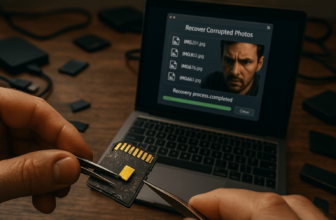
Best photo recovery software in Pakistan helps recover deleted, formatted, or lost photos from SD cards, USB drives, camera cards, hard disks, and other supported storage devices.
The right tool depends on your device, file type, and data loss case. A home user recovering family photos from a USB drive does not need the same edition as a photographer recovering RAW files from a large memory card.
BreTech is an official software reseller in Pakistan and provides genuine photo recovery licences with PKR pricing, local payment support, digital email delivery, and activation guidance. This guide compares Stellar and Ashampoo options for Windows and Mac users.
Quick Overview: Top Photo Recovery Options in Pakistan
| Software | OS Support | Best For | Key Features |
|---|---|---|---|
| Stellar Photo Recovery Standard | Windows, Mac | Most users, simple recovery | Photo, video, audio recovery, preview |
| Stellar Photo Recovery Premium | Windows, Mac | Users who also need media repair | Recovery plus damaged media repair tools |
| Stellar Photo Recovery Technician | Windows, Mac | Studios, shops, and technicians | Professional recovery workflows |
| Ashampoo Photo Recovery | Windows | Beginners and quick undeletes | Wizard workflow, RAW formats, SD and USB |
For the full product list, visit the Photo Recovery category. You can also compare related brands such as Stellar and Ashampoo.
How to Pick in 2 Minutes
Before buying photo recovery software, check your operating system, storage device, file type, and recovery case.
- Windows users: Ashampoo Photo Recovery 3 is a simple option for basic photo recovery.
- Windows and Mac users: Stellar Photo Recovery editions are better if you need support for both platforms.
- Camera and RAW files: Choose software with RAW format support and preview before recovery.
- Damaged media files: Choose an edition with media repair support if recovered photos or videos do not open.
- Professional use: Choose a technician-level edition for studios, repair shops, or larger recovery jobs.
Recovering photos on a Mac? Visit Mac Data Recovery Software in Pakistan to compare macOS recovery tools for deleted photos, formatted drives, SD cards, and external storage.
Best Photo Recovery Software for Windows and Mac
Choosing the right photo recovery software is important when you need to recover deleted photos, formatted camera cards, missing albums, or lost image files from supported storage devices.
The options below cover common buyer needs in Pakistan, including home recovery, SD card recovery, RAW photo recovery, and professional recovery work.
If your main problem is a memory card, also read our guide on recovering deleted photos from SD cards before buying.
Stellar Photo Recovery Editions Compared
BreTech offers different Stellar Photo Recovery editions, so the right choice depends on your recovery case, file type, and workflow.
Need recovery for more than photos, videos, and audio? Compare Stellar Data Recovery editions in Pakistan to choose between Standard, Professional, Premium, Technician, mobile, and Toolkit options.
Stellar Photo Recovery Standard
Stellar Photo Recovery Standard is suitable for most home users, students, mobile photographers, and small offices. It helps recover deleted or lost photos, videos, and audio from memory cards, USB drives, hard disks, and other supported storage devices.
Best for: everyday photo recovery, family photos, student use, and office use
Key features:
- Recovers deleted or lost photos, videos, and audio
- Supports recovery from memory cards, USB drives, and hard disks
- Works on Windows and Mac
- Supports preview before recovery
- Useful for common home, office, and camera recovery cases
Stellar Photo Recovery Premium
Stellar Photo Recovery Premium is a better choice when you need recovery plus extra support for damaged media files. It is more suitable for photographers, creators, and users working with important image or video files.
Best for: RAW files, damaged media cases, photographers, and creators
Key features:
- Recovers photos, videos, and audio files
- Better suited for advanced media recovery cases
- Useful when recovered media may need repair support
- Works for users handling important photo and video files
- Suitable for Windows and Mac users
Stellar Photo Recovery Technician
Stellar Photo Recovery Technician is aimed at professional users who handle larger recovery jobs. It is a better fit for studios, repair shops, IT technicians, and service providers.
Best for: studios, repair shops, technicians, and professional recovery workflows
Key features:
- Suitable for professional recovery environments
- Better for larger recovery jobs
- Useful for studios and service providers
- Supports broader recovery workflows
- Suitable when one user handles many recovery cases
Ashampoo Photo Recovery 3
Ashampoo Photo Recovery is a simple Windows photo recovery tool for users who want an easier recovery workflow from USB drives, memory cards, and supported storage devices.
Best for: home users, students, and first-time photo recovery needs
Key features:
- Recovers images from deleted or lost storage
- Supports many image formats, including RAW formats
- Easy wizard-style recovery process
- Useful for SD cards, USB drives, and Windows PCs
- Good option for quick home or office recovery
Beyond Recovery: What if My Photos Are Corrupt?
Photo recovery and photo repair are not always the same thing. Recovery means getting the deleted or lost file back. Repair means fixing a recovered file that still does not open properly.
Photo Recovery vs Photo Repair
Recovery tools scan the storage device and try to restore deleted or missing photo files. This is useful when files were deleted, lost after formatting, or missing from an SD card or USB drive.
Repair tools are used when the file is already recovered but appears broken, grey, distorted, or unreadable. In that case, running more recovery scans may not solve the problem.
For video files that recover but do not play properly, see our guide on Best Video Repair Software in Pakistan.
When to Consider Photo Repair Software
Consider photo repair software if your recovered images show errors, grey blocks, broken previews, or fail to open in normal photo viewers.
If the storage device is still readable, first recover the files to another drive. Then check whether the files need repair.
Choosing the Right Photo Recovery Software Before You Buy
The right photo recovery software depends on your device, file type, and data loss situation. A beginner recovering deleted JPG files from a USB drive does not need the same edition as a studio recovering RAW files from large memory cards.
If you also need to recover documents, folders, partitions, or full drives, compare wider options in our best data recovery software in Pakistan guide.
If your deleted photos are on an Android phone or iPhone instead of a Windows PC, Mac, SD card, or USB drive, see our guide to best mobile data recovery software in Pakistan.
What to Check Before Buying
- Operating system: Choose a licence that supports your Windows or Mac device.
- Storage type: Check support for SD cards, USB drives, hard disks, SSDs, and camera cards.
- File formats: For photographers, RAW format support is important.
- Preview option: Preview helps confirm whether your photos are recoverable before saving.
- Repair needs: If recovered photos or videos do not open, consider an edition with repair support.
- Use case: Home users can choose a simpler tool, while studios and technicians may need a professional edition.
Important Photo Recovery Safety Tips
Before using any recovery software, stop using the affected SD card, USB drive, camera card, or hard disk. New files can overwrite deleted photos and reduce recovery chances.
Do not install recovery software on the same drive where the photos were lost. Do not save recovered files back to the same device.
The safer workflow is:
- Stop using the affected device
- Connect it to a stable Windows or Mac system
- Scan the correct drive or card
- Preview recoverable photos
- Recover files to a different drive
If the device is physically damaged, not detected, burnt, water-damaged, or making unusual sounds, software recovery is not the safest first step. In that case, a professional recovery service may be safer.
Final Recommendation: Which Photo Recovery Tool Should You Choose?
For most home users, students, and small offices, Stellar Photo Recovery Standard is the safest first choice because it supports Windows and Mac, previews recoverable files, and works for common photo, video, and audio recovery cases.
Choose Ashampoo Photo Recovery 3 if you only need a simple Windows photo recovery tool for SD cards, USB drives, and deleted image files.
Choose Stellar Photo Recovery Premium if your recovered photos or videos may also need repair support. Choose Stellar Photo Recovery Technician if you handle larger jobs for a studio, repair shop, or professional workflow.
Before scanning, stop using the affected SD card, USB, camera card, or drive. Recover files to a different location, not back to the same device.
To buy genuine licences in Pakistan with PKR pricing and local support, browse the Photo Recovery category and choose the edition that matches your case.
FAQs
Q: What is the best photo recovery software for SD cards?
A: Choose a tool with SD card support, RAW format support, and preview. Avoid using the card, scan it through a card reader, and recover files to another drive.
Q: How does data recovery software restore lost photos?
A: It scans the storage device for deleted or missing file records. Recovery works best when the deleted photos have not been overwritten by new files.
Q: Can I recover deleted images from a digital camera?
A: Yes, if the camera card is still readable. Remove the card, connect it with a card reader, scan it with photo recovery software, and save recovered files to another drive.
Q: What features matter most in picture recovery software?
A: Preview, deep scan, RAW file support, storage device support, and file type filtering are important. If recovered photos do not open, you may need repair support.
Q: Is there a completely free option for photo recovery?
A: Some tools offer free preview or limited recovery. For important photos, RAW files, or large memory cards, a paid genuine licence is usually more reliable.
Q: How can I recover lost images from a USB flash drive?
A: Connect the USB drive, scan it with recovery software, preview the results, and recover files to another drive. Do not save recovered photos back to the same USB.
Q: What about very old systems like Windows XP?
A: Support depends on the software version. A safer option is to connect the old drive to a newer Windows or Mac system and run recovery from the modern computer.
Q: When should I consider professional recovery services?
A: Use a professional recovery service if the device is physically damaged, not detected, clicking, burnt, water-damaged, or unstable. Software recovery is better for deletion, formatting, and logical data loss.
Further Reading
- Best Mobile Data Recovery Software in Pakistan
- Best File Repair Software Tools
- How to Recover Deleted Photos from SD Cards
- Affordable Data Recovery Software in Pakistan
For more helpful guides, visit our Photo Recovery blog category.