Abdul Basit
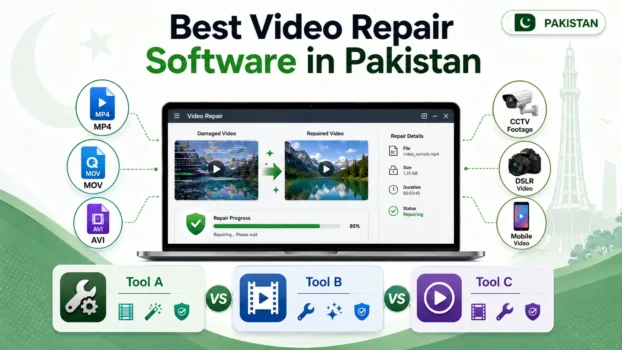
The best video repair software in Pakistan depends on the video format, damage level, and type of recording you need to fix. Dedicated repair tools may help restore corrupted wedding footage, CCTV recordings, DSLR clips, YouTube videos, and mobile recordings.
For most buyers, Stellar Repair for Video is our leading choice for serious camera and professional video corruption. Wondershare Repairit is suitable for beginners and content creators who want a guided workflow, while EaseUS Fixo Pro is useful for people who also need to repair documents and photos.
BreTech provides these software options with PKR pricing, local payment methods, digital delivery, and activation guidance.
Key Takeaways
- Stellar Repair for Video is suitable for serious camera, DSLR, wedding, and CCTV video corruption.
- Wondershare Repairit provides a guided workflow for beginners and content creators.
- EaseUS Fixo Pro is useful when you need video, document, and photo repair in one program.
- Video repair software fixes an existing damaged file. It does not recover a deleted video.
- Free tools such as VLC may help with minor playback or index problems.
- Paid video repair tools may provide preview, batch repair, sample-file repair, and other advanced features, depending on the product and license plan.
- Repair success depends on the format, remaining file data, and level of corruption.
- Desktop software may be better for sensitive wedding, CCTV, and business recordings because files can be processed locally instead of being uploaded to an online service.
Best Video Repair Software at a Glance
| Software | Best For | Main Strength | Workflow |
|---|---|---|---|
| Stellar Repair for Video editions | Professional, DSLR, wedding, and CCTV footage | Dedicated video repair and sample-file support | More specialized |
| Wondershare Repairit | Beginners and content creators | Guided repair and support for multiple file types | Beginner-friendly |
| EaseUS Fixo Pro | All-in-one file repair | Video, photo, and document repair | Guided all-in-one workflow |
Feature availability can change between versions and license plans. Check the latest product details and supported formats before purchasing.
How We Compared These Video Repair Tools
BreTech reviewed official product information, supported formats, repair features, intended use cases, and suitability for Pakistan-based buyers. This is an editorial comparison rather than a laboratory test, and repair results will vary according to the video format, remaining file data, and level of corruption.
Our comparison considered:
- Supported video formats
- Advanced or sample-file repair
- Preview before saving
- Batch repair
- Ease of use
- Support for DSLR and CCTV recordings
- Support for other damaged file types
- Windows and Mac availability
- License and delivery options in Pakistan
BreTech sells licenses for some products included in this guide. Recommendations are based on product capabilities and buyer requirements, not only product availability. No repair tool can guarantee a successful result for every corrupted file.
Which Stellar Repair for Video Edition Should You Choose?
BreTech offers three Stellar Repair for Video editions. The best option depends on your workflow, required features, operating system, and the exact package included with the license.
Stellar Repair for Video Standard
Stellar Repair for Video Standard is the starting option for users who need a dedicated program for repairing corrupted or unplayable videos.
It supports common video-repair tasks such as batch repair, preview before saving, and sample-file repair for severe corruption, depending on the selected version and operating system.
Stellar Repair for Video Professional
Stellar Repair for Video Professional is positioned for editors, creators, and studios working with camera, drone, smartphone, and action-camera footage.
It includes video-repair features such as batch processing, preview, and sample-file repair according to the selected license.
Stellar Repair for Video Premium
Stellar Repair for Video Premium is available as a one-year license for Windows or Mac. It repairs corrupted video files and includes preview before saving, batch repair where supported, and sample-file repair when needed.
Check the product page to confirm the operating system, current PKR price, and license details before ordering.
The three editions include similar core video-repair features, but license terms, operating-system options, and available packages may differ. Check the individual product pages or contact BreTech before purchasing if you are unsure which edition matches your files and workflow.
What Causes Video Files to Become Corrupted?
Video corruption usually happens when recording, saving, downloading, or transferring is interrupted. Power interruptions can also cause corruption when a camera, DVR, computer, or external drive loses power while writing a large video file.
Common causes include:
- Power failure during recording or transfer
- Camera battery failure during recording
- Removing an SD card or USB drive without safely ejecting it
- Interrupted file transfers
- Incomplete downloads
- Bad sectors on a hard drive or memory card
- File-system errors
- Virus or malware infection
- Camera firmware errors
- Failing storage devices
- Damaged file headers or indexes
If corruption is connected to storage errors, fix the storage problem before saving more important recordings. Compare the best bad sector repair software in Pakistan if your hard drive, USB drive, or memory card reports unreadable sectors.
Video Format Support
Most professional video repair programs support MP4 and MOV because these formats are widely used by mobile phones, cameras, editing programs, and CCTV systems. Some tools also support AVI, MKV, MTS, M2TS, 3GP, FLV, WMV, and other formats.
Common Video Formats
- MP4
- MOV
- AVI
- MKV
- MTS
- M2TS
- 3GP
- FLV
- WMV
Format Support Comparison
| Format | Stellar Repair for Video | Wondershare Repairit | EaseUS Fixo Pro |
|---|---|---|---|
| MP4 | Supported | Supported | Supported |
| MOV | Supported | Supported | Supported |
| AVI | Supported | Supported | Supported |
| MKV | Supported | Supported | Supported |
| MTS/M2TS | Supported | Supported | Supported |
| 3GP | Supported | Supported | Supported |
| FLV | Supported | Supported | Supported |
| WMV | Supported | Supported | Supported |
Official product information currently lists broad format support for all three tools. However, supported formats and repair features may change between versions, so check the current product page before buying, especially when working with uncommon camera, drone, or proprietary DVR formats.
Best Video Repair Software for Wedding Footage
Wedding videos are often large MP4 or MOV files recorded with DSLR or mirrorless cameras. These recordings may become damaged when a camera loses power, a memory card is removed too early, recording stops unexpectedly, or a file transfer to the computer is interrupted.
Best Choice for Professional Wedding Footage
Stellar Repair for Video is a strong choice for wedding videographers because it focuses specifically on repairing damaged video footage. Its advanced repair feature can use a healthy sample video recorded with the same camera and similar settings, which may help the software understand the correct structure of the damaged file.
A suitable sample file should normally come from the same recording device and use a similar resolution, frame rate, format, and recording mode.
Easier Option for Beginners
Wondershare Repairit is a practical choice when the user prefers a simpler, guided repair process. It supports batch repair, preview before saving, and advanced repair for more seriously damaged videos.
EaseUS Fixo Pro may be useful for standard video corruption, especially when the same user also needs to repair damaged photos, PDFs, Word documents, Excel files, or PowerPoint presentations.
What to Do After Repair
After repairing the footage, you may need editing software to remove damaged sections, adjust sound, combine clips, or export the final video. Compare the best video editing software in Pakistan for the next step.
Repairing DSLR and Camera Video Files
Professional repair software can work with many DSLR, mirrorless, drone, action-camera, and camcorder formats. The best choice depends on the format, recording settings, and level of corruption.
Stellar Repair for Video may be useful when you have:
- A healthy sample clip from the same camera
- A damaged MOV or MP4 recording
- A video that stops playing after a few seconds
- A black-screen recording
- A file with missing or broken audio
- A file that editing software cannot open
Wondershare Repairit also supports many common camera-video formats and may help with jerky playback, black screens, damaged file structures, and audio-video synchronization problems.
Choose a dedicated video repair program when the recording is professionally important or severely damaged. Choose an all-in-one repair tool when convenience and support for several file types are more important than specialized controls.
Repairing Damaged CCTV Footage
CCTV footage can sometimes be repaired, but success depends heavily on the video format, DVR system, and level of damage. Many CCTV systems export recordings in AVI or MP4, and these common formats are more likely to work with standard repair software.
Common CCTV Video Problems
- Recording stopped because of power failure
- Video freezes during playback
- Black screen with working audio
- Garbled or broken frames
- File opens but stops before the end
- Exported recording cannot be opened
- Recording has a damaged index or header
Standard vs Proprietary CCTV Formats
Standard AVI and MP4 exports are generally easier to work with. Proprietary DVR formats may require software supplied by the CCTV manufacturer, and standard repair tools may not support encrypted or brand-specific recording formats.
Before purchasing software, confirm that the exported file format is supported. Converting a proprietary recording to MP4 or AVI may require the original DVR player or export utility.
Protect the Original Evidence File
For legal, investigation, or evidence-related footage, always preserve the original file. Make a copy and perform all repair attempts on the copy instead of modifying the original recording.
Review the digital forensics tools guide for Pakistan before working with important CCTV evidence or investigation-related storage devices.
Repairing Videos When Other Files Are Also Damaged
Sometimes video corruption is part of a larger storage or file-system problem. The same drive may also contain damaged photos, documents, archives, audio recordings, spreadsheets, or presentations.
A broader repair program may be more useful when several file types are affected.
Common damaged files may include:
- Photos
- Word documents
- PDF files
- ZIP archives
- Audio files
- Excel files
- PowerPoint presentations
Compare the best file repair software tools when you need to repair several file types instead of videos alone.
You can also explore BreTech’s file repair and recovery software to compare available repair products in one place.
How to Repair Corrupted Videos From a Phone
Mobile videos are usually saved as MP4, MOV, or 3GP files. They may become corrupted when the phone runs out of storage, the battery dies during recording, the camera application crashes, or a file transfer is interrupted.
Steps to Repair a Mobile Video
- Copy the damaged video to a computer.
- Keep the original file unchanged.
- Work on a duplicate copy.
- Try opening the copied file in VLC.
- Test it with another media player.
- Use dedicated repair software if it remains unplayable.
- Use a sample clip from the same phone when advanced repair supports it.
- Preview the repaired result before purchasing or saving.
Do not repeatedly edit, convert, or overwrite the original damaged file. Keep at least one untouched copy before trying different repair methods.
When Mobile Data Recovery Is Needed
When the video is missing or deleted rather than corrupted, repair software cannot recover it by itself. Compare the best mobile data recovery software in Pakistan to recover the file first.
After recovery, use video repair software only when the recovered recording is incomplete, frozen, distorted, or unplayable.
Video Repair vs Data Recovery
Video repair and data recovery solve different problems. Data recovery software finds deleted, formatted, or lost files, while video repair software fixes an existing file that is damaged or cannot play correctly.
Use this order:
- Stop using the affected storage device.
- Recover the deleted video to another drive.
- Keep the recovered file unchanged.
- Test whether the recovered video plays.
- Repair it only when it is corrupted.
Read the best data recovery software in Pakistan guide when the video has been deleted, formatted, or lost from an SSD, hard drive, USB drive, or memory card.
Do not recover files back to the same affected drive because writing new data may overwrite files that could otherwise be recovered.
Check the Storage Device Before Repairing Videos
Repeated video corruption can indicate a failing drive, damaged memory card, poor USB connection, or file-system problem. Repairing one file will not solve the underlying issue if the storage device continues damaging new recordings.
Warning signs include:
- Files repeatedly becoming unreadable
- Slow copying
- Transfer failures
- Clicking sounds from a hard drive
- Windows asking to format the drive
- CRC errors
- Bad-sector warnings
- Memory cards disconnecting
- Videos becoming corrupted after copying
Use reliable disk health checker tools in Pakistan if corruption repeatedly happens on the same storage device.
Move important files to safe storage as soon as possible when a drive shows signs of failure. Do not continue recording new data to a memory card or drive that repeatedly causes errors.
Paid vs Free Video Repair Software
Free and paid repair tools serve different needs. Free options may solve minor index or playback problems, but serious corruption often requires a dedicated repair program.
What Free Tools Can Fix
VLC and other free media tools may help with:
- Minor index errors
- Basic playback problems
- Damaged AVI indexes
- Basic conversion attempts
- Videos that work in one player but not another
VLC is not a complete professional repair solution. It may not fix severely damaged MP4, MOV, DSLR, wedding, or CCTV files.
What Paid Software Adds
Depending on the product and license plan, paid software may provide:
- Batch repair
- Preview before saving
- Sample-file repair
- Support for more formats
- Better handling of large files
- Dedicated repair functions
- Technical support
When Paid Software Is Worth It
Paid repair software is more practical when the footage is professionally important, severely corrupted, private, or needed for a customer or business.
| Feature | Free Tools | Paid Repair Software |
|---|---|---|
| Fix minor index problems | Sometimes | Usually |
| Repair serious corruption | Limited | More suitable |
| Repair black-screen videos | Rarely | May help |
| Batch repair | Usually unavailable | Available in many tools |
| Sample-file repair | Usually unavailable | Available in selected tools |
| Preview repaired files | Limited | Common |
| Large file support | May be restricted | Usually better |
| Technical support | Limited | Usually available |
No repair program can guarantee success. The result depends on how much usable video data remains in the file.
Are Online Video Repair Services Safe?
Online video repair services can be useful for small and mildly corrupted files, but they have important limitations. File-size restrictions, slow uploads, privacy concerns, and limited advanced repair features can make them unsuitable for large or sensitive recordings.
Possible limitations include:
- File-size restrictions
- Slow uploads
- Limited free repair
- Poor support for large DSLR files
- Privacy concerns
- Long processing times
- Lack of sample-file repair
- Daily repair limits
Online repair requires uploading the video to a third-party server. Avoid uploading sensitive files such as private wedding videos, CCTV evidence, customer footage, personal mobile recordings, or confidential company material unless you understand and accept the service’s privacy terms.
Desktop video repair software may be more suitable for sensitive footage because files can remain on your own computer during repair.
Can Partially Damaged Videos Be Repaired?
Partially damaged videos are generally easier to repair than completely broken files. Common examples include a video that plays for a few seconds and stops, a black screen with working audio, missing sound, frozen playback, distorted frames, or an incorrect duration.
Completely unplayable videos may also be repairable when enough original data remains. However, no software can recreate video frames, audio, or metadata that have been completely overwritten or lost.
Advanced repair may use a healthy reference video recorded with the same:
- Camera or phone
- Resolution
- Frame rate
- Format
- Recording mode
- Codec settings
A sample file cannot restore missing video data, but it may help the repair software rebuild damaged file information.
Which Video Repair Software Is Easiest to Use?
Wondershare Repairit provides a guided process that is suitable for many non-technical users. The normal workflow is to add the damaged file, start the repair, preview the result, and save the repaired copy.
EaseUS Fixo Pro also provides a guided workflow and may suit students, office workers, and home users who need to repair several file types. It supports video repair along with photo and office-document repair.
Stellar Repair for Video provides more video-focused features. Its normal repair process is straightforward, but advanced sample-file repair may require a better understanding of the original recording device and settings.
BreTech customers can request activation guidance after purchasing the correct license.
When You May Need Professional Data Recovery
Software may be enough when the corrupted video still exists and can be copied to a computer. However, professional recovery services may be required when the storage device is physically damaged, repeatedly disconnects, makes unusual sounds, or is no longer detected.
Professional assistance may be needed for:
- A physically damaged hard drive
- A cracked or broken memory card
- A storage device that is not detected
- Severe electronic or controller failure
- Important CCTV evidence
- A drive containing irreplaceable business files
- Failed recovery attempts on damaged hardware
When the file is missing, use recovery software before video repair. When the drive is physically damaged, avoid repeated scanning or repair attempts because they may make the situation worse.
Buyers with a limited budget can compare affordable data recovery software in Pakistan before paying for professional recovery services.
Which Video Repair Tool Should You Choose?
Choose Stellar Repair for Video If
- You repair DSLR or professional camera footage
- The video is seriously damaged
- You have a healthy sample clip
- You work with wedding or CCTV recordings
- You need a dedicated video repair program
- You want batch repair and preview features
Choose Wondershare Repairit If
- You want a guided interface
- You repair personal or creator videos
- You also have damaged photos, audio, or documents
- You prefer a simple repair workflow
- You need batch and advanced repair options
Choose EaseUS Fixo Pro If
- You need video and document repair in one program
- You work with Word, Excel, PDF, or PowerPoint files
- You want an all-in-one repair toolkit
- You also need photo repair
- You do not require highly specialized professional controls
Conclusion
The best video repair software in Pakistan depends on the video format, source, and level of damage.
Stellar Repair for Video is our leading recommendation for professional camera, DSLR, wedding, CCTV, and seriously corrupted footage. Wondershare Repairit is suitable for beginners and content creators who want an easier, guided repair process.
EaseUS Fixo Pro is useful for buyers who also need to repair documents, photos, and office files. Remember that video repair software fixes an existing corrupted file. It does not recover a video that has been deleted or overwritten.
If the video is missing, recover the file first and repair it afterward only if needed. After a successful repair, you can use the best video enhancer software in Pakistan to reduce noise, improve visible quality, or upscale suitable footage.
Creators interested in automatic editing features can also compare the best AI video editors in Pakistan. Contact BreTech through WhatsApp for current PKR pricing, payment details, license selection, or activation guidance.
Frequently Asked Questions
Q: Can video repair software fix every corrupted file?
A: No. Repair success depends on the format, codec, level of damage, and remaining video data. Partially corrupted files normally have a better chance of repair than files containing large amounts of missing data.
Q: What is a sample file?
A: A sample file is a healthy video recorded with the same camera or phone using similar settings. Some advanced repair programs use it as a reference when rebuilding a seriously corrupted file.
Q: Can CCTV video be repaired?
A: Standard AVI and MP4 CCTV footage may be repairable. Proprietary DVR formats may require software provided by the manufacturer or a specialized forensic tool.
Q: Can a recovered video also be repaired?
A: Yes. Recover the deleted video first, save it to another healthy drive, and then use repair software if the recovered file is damaged or unplayable.
Q: Is online video repair safe?
A: Online tools require uploading the file to another company’s server. Desktop software may be more suitable for private wedding, CCTV, customer, or business footage because the file can remain on your computer.
Q: Can I preview the repair before buying?
A: Many repair programs provide a free scan or preview. Check whether the preview shows a useful result before purchasing the license, but remember that preview limits can vary between products and plans.
Further Reading
Explore more comparisons, buying guides, and helpful resources in our Video Editing Guides section.