Abdul Basit
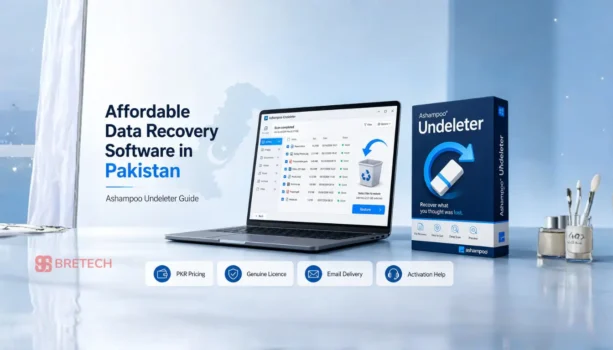
Need affordable data recovery software in Pakistan for deleted files, missing folders, a USB drive, memory card, or working HDD? Ashampoo Undeleter is a low-cost Windows option when the storage device is still detected and the deleted data has not been overwritten.
Many buyers search for cheap or cheapest data recovery software because advanced recovery tools can cost much more. This guide focuses on one budget-friendly option only: Ashampoo Undeleter, available from BreTech with PKR pricing, local payment support, digital delivery, and activation help.
Before buying, please understand one important point: no software can guarantee 100% recovery. Recovery depends on drive health, file condition, and whether new data has overwritten the deleted files.
Cheap Data Recovery Software in Pakistan: Quick Overview
| Buyer Need | Best Answer |
|---|---|
| Main product | Ashampoo Undeleter |
| Best for | Deleted files and folders |
| Good for | HDD, USB drives, flash drives, memory cards |
| File system support | NTFS and FAT partitions |
| Price focus | Low-cost paid recovery software |
| BreTech support | Buying guidance and activation help |
| Not suitable for | Dead HDD, clicking drive, physical damage, overwritten data |
Important Warning Before Buying
Data recovery software is useful, but it is not a guaranteed fix. If the lost files were overwritten, damaged, or removed from a failing drive, recovery may not work.
Stop using the affected HDD, USB, or memory card as soon as possible. Do not copy new files to it, do not format it again, and do not install recovery software on the same drive. New activity can overwrite deleted files and reduce recovery chances.
BreTech provides genuine software buying support, licence delivery, and activation help. We do not provide physical HDD repair or lab recovery service.
If your hard drive is very slow, disconnecting, or showing warning signs, check the drive condition first. Our disk health checker tools guide can help you understand whether the drive looks safe enough for software scanning.
Why Ashampoo Undeleter Is a Good Affordable Option
Ashampoo Undeleter is made for deleted-file recovery. It is not a heavy technician suite, so it can be a better fit for users who need a simple and inexpensive recovery tool without paying for advanced features they may not use.
It is useful for home users, students, small office users, shop owners, and normal PC users who deleted files by mistake and want a paid tool at a lower price.
The main purpose is simple: scan a readable storage device, show recoverable deleted files, and help restore them to a safe location.
Ashampoo Undeleter Price in Pakistan
Ashampoo Undeleter is available from BreTech with PKR pricing and local payment support. The price is about PKR 6,013, but the final price can change due to exchange rate, vendor pricing, or licence availability.
Check the latest price and licence details here:
Buy Ashampoo Undeleter in Pakistan
What Ashampoo Undeleter Can Recover
Ashampoo Undeleter can help recover deleted files and folders from Windows storage devices when the data is still recoverable.
It may recover:
- Deleted documents
- Deleted photos
- Deleted videos
- Deleted music files
- Deleted folders
- Files from hard drives
- Files from external USB drives
- Files from USB flash drives
- Files from memory cards
- Files from NTFS partitions
- Files from FAT 12, FAT 16, and FAT 32 partitions
- Some files from compressed or encrypted NTFS partitions
It also shows the condition of recoverable files. This helps you understand whether a file may be fully recoverable, partly recoverable, or not recoverable before you restore it.
If your main issue is photos from a camera card or phone memory card, also read our recover deleted photos from SD cards guide.
Using macOS instead of Windows? Ashampoo Undeleter is mainly for Windows deleted-file recovery, so Mac users should check Mac Data Recovery Software in Pakistan before buying the wrong license.
What Ashampoo Undeleter Cannot Recover
Ashampoo Undeleter cannot recover every type of lost data. It is mainly for deleted files from readable storage devices.
It may not recover:
- Files already overwritten by new data
- Data from a physically damaged hard drive
- Data from a dead HDD that is not detected
- Data from a clicking or beeping hard drive
- Data from severe bad sectors
- Files lost after heavy reuse of the same drive
- SSD data removed by TRIM in many cases
- Data from broken storage chips or damaged hardware
- Data from badly damaged or unreadable partitions
This is why the first step is always to stop using the affected drive.
When Should You Buy Ashampoo Undeleter?
Ashampoo Undeleter is suitable when your storage device is still detected by Windows and your main problem is deleted files or deleted folders.
You can consider it when:
- You deleted files by mistake
- You emptied the Recycle Bin
- You deleted folders from a USB drive
- You lost photos, videos, documents, or music files
- Your external hard drive still opens in Windows
- You need a cheap data recovery software option before paying more for advanced tools
If you want to compare wider recovery software options later, read our best data recovery software in Pakistan guide.
Need a stronger Stellar option for formatted drives, professional recovery, media repair, or technician work? Compare Stellar Data Recovery editions in Pakistan before choosing a license.
When Should You Avoid Software Recovery?
Avoid software recovery if the drive has physical failure signs. Running repeated scans on a weak or damaged HDD can sometimes make the problem worse.
Be careful if:
- The HDD is clicking
- The drive is not detected
- The drive disconnects repeatedly
- Windows asks to initialise the disk
- The drive is extremely slow or unstable
- The data is very important and you have no backup
In these cases, do not keep testing many recovery tools again and again. It is safer to stop using the drive and get proper technical advice.
How to Use Ashampoo Undeleter Safely
First, stop using the affected drive. This is the most important step.
Install Ashampoo Undeleter on a different drive, not on the drive where your files were lost. For example, if the lost data was on Drive D, install the software on Drive C or another safe drive.
Then scan the affected storage device and check the file condition. If the needed files appear recoverable, restore them to a different drive.
Safe recovery steps:
- Stop using the affected drive
- Install the software on another drive
- Scan the affected HDD, USB, or memory card
- Check the file condition
- Recover the most important files first
- Save recovered files to a different drive
- Open and check recovered files after recovery
To reduce future risk, read our accidental file deletion prevention guide.
Affordable vs Cheapest: What Should You Choose?
The cheapest software is not always the best choice if it cannot handle your case. But for simple deleted-file recovery from a working drive, Ashampoo Undeleter can be a sensible affordable option.
Choose it if your problem is simple and recent. For example, you deleted files by mistake, emptied the Recycle Bin, or removed files from a readable USB drive.
Do not choose it expecting advanced recovery from a dead HDD, broken drive, or badly damaged storage device.
Is Ashampoo Undeleter Enough for Your Case?
Use this simple check before buying:
| Your Situation | Good Fit? |
|---|---|
| Deleted files by mistake | Yes |
| Emptied Recycle Bin | Yes, if not overwritten |
| Deleted folder from HDD | Yes, if drive is readable |
| Deleted photos from USB or card | Yes, if files are still recoverable |
| Clicking HDD | No |
| Dead or not detected HDD | No |
| Physically damaged storage | No |
| Files overwritten by new data | Usually no |
| SSD after TRIM | Often difficult |
More Ashampoo Software at BreTech
If you already use Ashampoo tools or want to browse other genuine Ashampoo products, visit the Ashampoo software brand page.
Final Buying Advice
Ashampoo Undeleter is a practical choice if you need affordable data recovery software in Pakistan for deleted files and your drive is still working.
Buy it when the file loss is recent, the storage device is readable, and you want a lower-cost paid recovery tool with local buying support. Do not treat it as a guaranteed fix for dead drives, clicking HDDs, overwritten files, or physically damaged storage.
FAQs
Q: What is the most affordable data recovery software in Pakistan?
A: Ashampoo Undeleter is one of the most affordable paid data recovery software options available from BreTech. It is best for deleted files and folders when the drive is still detected by Windows.
Q: Is Ashampoo Undeleter cheap data recovery software?
A: Yes, it is a low-cost paid option compared with many advanced recovery tools. It is mainly suitable for simple deleted-file recovery from readable storage devices.
Q: Can Ashampoo Undeleter recover files from a hard drive?
A: Yes, it can recover deleted files from a hard drive if the drive is readable and the deleted data has not been overwritten.
Q: Can it recover files from USB drives?
A: Yes, it can recover deleted files from external USB drives, USB flash drives, and other supported Windows storage devices.
Q: Can it recover photos and videos?
A: It may recover photos, videos, documents, music files, and folders if the file condition is still recoverable.
Q: Can it recover data from a clicking HDD?
A: No. A clicking HDD usually means possible physical damage. Software recovery is risky in that case, and proper technical checking may be needed.
Q: Is recovery guaranteed?
A: No. No data recovery software can guarantee 100% recovery. Results depend on drive health, file condition, and whether the lost data has already been overwritten.
Q: Should I install the software on the same drive?
A: No. Install it on a different drive and recover files to another storage device. This helps reduce the risk of overwriting lost data.
Further Reading
- Best Photo Recovery Software in Pakistan
- Best Bad Sector Repair Software in Pakistan
- EaseUS Data Recovery Wizard Price in Pakistan
- Black Friday Deals on Data Recovery Software