Abdul Basit
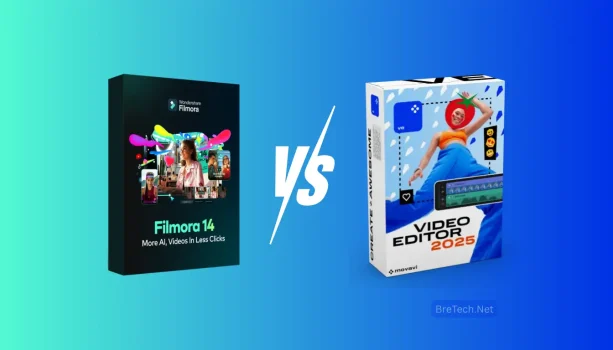
Filmora vs Movavi is a useful comparison for beginners in Pakistan who want easy video editing software for YouTube, Reels, family videos, student projects, freelance work, or small business content.
Filmora is the better fit for users who want more templates, effects, captions, titles, and creative tools for regular content creation. Movavi Video Editor is better suited to users who want a simpler editing workflow for basic videos, slideshows, and occasional projects.
For most beginners who expect to create videos regularly, Filmora gives more room to grow. Movavi remains a practical choice when ease of use and straightforward editing matter more than having a larger creative toolset.
Filmora vs Movavi Video Editor: Quick Comparison
| Use Case | Better Fit | Why |
|---|---|---|
| Reels, TikTok, and social promos | Filmora | More templates, effects, captions, and repeatable creative workflows |
| YouTube videos | Filmora | Better suited to regular content creation and reusable editing styles |
| Family videos and slideshows | Movavi | Straightforward workflow for simple projects |
| Student projects | Movavi | Easy for quick trimming, text, music, and basic effects |
| Freelance and business content | Filmora | More room for branding, captions, titles, and repeated content |
| Occasional home editing | Movavi | Simpler workflow when advanced creative tools are not needed |
The main difference is how far you want to take your editing. Filmora is better suited to regular creators, while Movavi keeps the workflow simpler for everyday projects.
Which Is Easier for Beginners?
Both editors are designed to be easier than professional video-editing applications. Movavi has the simpler overall workflow, while Filmora remains beginner-friendly but gives users more tools to explore as their skills improve.
Filmora for Beginners Who Want Room to Grow
Filmora uses a familiar timeline with drag-and-drop editing. Beginners can trim clips, add text, music, transitions, titles, effects, and other visual elements without learning a complex professional interface.
Its templates and reusable creative elements are especially useful when you make videos regularly. You can keep similar titles, intro styles, captions, transitions, and branding across multiple projects.
Pakistan buyers can view Wondershare Filmora for available license options, PKR pricing, and purchase information.
You can also browse Wondershare Software in Pakistan if you use other Wondershare products.
Movavi for Simple and Fast Editing
Movavi Video Editor focuses on an easy editing experience. It is suitable for trimming clips, joining footage, adding music and text, creating slideshows, and producing normal personal or school videos.
The simpler workflow can be useful when you do not want to spend much time learning extra creative tools.
If this fits your needs, see Movavi Video Editor Plus for the current BreTech product option.
Which Is Better for Reels, TikTok, and YouTube?
Filmora is the stronger option when social video creation is part of your regular work. Movavi can still handle simple short videos, but Filmora provides a broader workflow for repeated content.
Filmora for Regular Social Content
Filmora is useful for creators, freelancers, and small businesses that make Reels, Shorts, TikTok videos, YouTube content, or promotional clips regularly.
Templates, titles, transitions, effects, and caption tools can help you create a repeatable workflow instead of rebuilding every video from the beginning.
For example, a shop could reuse the same logo style, intro, captions, colors, and export workflow for weekly product videos.
If Urdu captions are important, check the current supported languages and test caption accuracy before depending on automatic captions for regular work.
Movavi for Simple Social Videos
Movavi can work well when your social content mainly needs trimming, music, text, transitions, photos, and straightforward exports.
It is particularly suitable when you only create videos occasionally and do not need a large template or creative-effects workflow.
For a broader look at creator-focused options, see Best Video Editing Software for Vlogging in Pakistan.
Filmora vs Movavi for Templates, Effects, and Creative Editing
Filmora has the advantage when templates, effects, captions, titles, and reusable creative elements are important. Movavi focuses more on keeping everyday editing simple.
Filmora Creative Workflow
Filmora provides more room for users who want to develop a recognizable editing style.
This matters for YouTubers, freelancers, teachers, online sellers, and small businesses that create many videos with similar branding. Reusing titles, transitions, captions, and other elements can make repeated projects easier to manage.
Movavi Creative Workflow
Movavi still provides the normal tools needed for many personal and beginner projects. Users can combine clips, photos, text, music, transitions, and effects without building a complicated timeline.
For family videos, school work, event montages, and occasional social posts, this simpler approach may be enough.
Export Quality and Performance on Modest PCs
Neither editor should be chosen only from minimum system requirements. Video resolution, project length, effects, source files, storage, and computer hardware can all affect editing performance.
Filmora Performance Tips
Filmora can work on many normal laptops, but larger projects and heavier effects need more system resources.
If editing feels slow, reduce preview quality while working, avoid stacking unnecessary effects, and keep large media files on fast storage when possible.
For many everyday sharing workflows, MP4 with H.264 is a practical export choice for YouTube, WhatsApp, Facebook, and other common platforms.
Movavi Performance Tips
Movavi’s simpler workflow may be easier to manage on modest PCs when projects are limited to basic cuts, text, music, transitions, and short timelines.
Actual performance still depends on your footage and hardware. A simple 1080p video will normally require fewer resources than a long project with high-resolution clips and many effects.
If your PC is older, testing the software with your own footage before buying is the safest approach.
Filmora and Movavi Pricing in Pakistan
The better value depends on the features you need, not only the lowest displayed price. Software plans, editions, promotions, and included features can change.
Before buying either editor, check:
- License duration
- Current edition
- Supported operating system
- Included templates and effects
- Caption or AI feature availability
- Commercial-use requirements
- Renewal terms
- Activation method
Filmora is more useful when you expect to use its wider creative workflow regularly. Movavi may provide enough value when most projects involve basic editing and occasional video creation.
You can compare more products in Video Editing Software in Pakistan.
Filmora or Movavi: Which Should You Choose in Pakistan?
Your main workflow should decide the winner. Filmora is better suited to regular creators, while Movavi is a good fit for simpler and less frequent editing.
Choose Filmora If You Need
- Regular YouTube or social media editing
- Reels, Shorts, or promotional videos
- More templates and creative effects
- Captions and reusable titles
- A consistent brand style across videos
- Freelance or business content creation
- More room to develop your editing skills
Choose Movavi If You Need
- Simple trimming and joining
- Family or personal videos
- School and student projects
- Slideshows and event montages
- Basic text, music, and transitions
- Occasional social media videos
- A straightforward editing workflow
If you are also considering another beginner-focused editor, see Filmora vs EaseUS Video Editor in Pakistan.
Common Mistakes Beginners Should Avoid
Choosing an editor only because it is cheaper can lead to problems later. A simple editor may be enough today but may not fit your workflow if you start making videos regularly.
At the same time, buying software with many advanced features does not make sense if you only need trimming, text, music, and occasional exports.
Avoid cracked or modified installers. They can create security, activation, update, and stability problems. Use genuine software and choose an edition that matches how you actually plan to use it.
The better approach is to think about both your current projects and the type of videos you expect to create regularly.
Verdict: Filmora vs Movavi Video Editor in Pakistan
For most beginners who plan to create videos regularly, Filmora is the better long-term choice. Its broader creative workflow is more suitable for YouTube, Reels, freelance projects, product videos, and repeated small business content.
Movavi is a good alternative for users who mainly want straightforward editing for family videos, slideshows, school projects, event clips, and occasional social media content.
Choose Filmora when templates, captions, effects, branding, and regular content creation matter. Choose Movavi when simplicity and basic editing are your main priorities.
If you want to compare more options before buying, see the Best Video Editing Software in Pakistan buyer guide.