Abdul Basit
Choosing the best video editing software for vloggers is not only about filters. For Pakistani creators in 2026, the right editor should help you cut videos smoothly, add captions, and export clean 1080p or 4K content without crashes, watermarks, or poor-quality output.
Many new creators try cracked video editors or random free tools, but these can break after updates, install unwanted extras, or fail during export. This can waste time when editing YouTube videos, reels, TikTok clips, travel vlogs, reviews, or client content.
This guide helps you compare the main types of vlogging editors, understand which features matter, and choose a genuine licence with PKR pricing, local payment options, digital delivery, activation help, and invoice support through BreTech.
Quick Picks: Best Vlog Editing Tools in Pakistan
| Tool | Best For | Key Strength |
|---|---|---|
| Wondershare Filmora | Vloggers & YouTubers | Easy editing, templates, effects, and AI tools |
| Vidnoz AI Starter Plan | AI video creation | Fast AI-powered video generation |
| EaseUS Video Editor | Beginners & intermediate users | Simple interface with useful editing features |
| MiniTool MovieMaker Pro | Beginner vloggers on Windows | Simple timeline, titles, effects, and 1080p/4K exports |
| FlexClip Video Editor | Fast social media content | Online templates and drag-and-drop editing |
| Movavi Video Editor Plus | Creative YouTubers | Effects, transitions, and fast exporting |
| Ashampoo Movie Studio Pro 3 | 4K and desktop editing | Stable editing with advanced video tools |
You can buy genuine video editing software licenses in PKR with email delivery and local support from BreTech.
Best Video Editing Software for TikTok Vloggers in Pakistan
TikTok creators usually need fast editing, vertical video support, captions, templates, music-friendly cuts, and clean exports. A heavy editor is not always needed if the main goal is short videos, reels, and daily social content.
For TikTok vloggers, Reels creators, and YouTube Shorts users who want a simple editing workflow, CapCut Pro in Pakistan is also worth considering. It is useful for quick vertical videos, captions, templates, effects, and social media edits.
For most TikTok vloggers in Pakistan, Filmora is a strong all-round choice because it works well for short videos, effects, captions, and social media edits. FlexClip is better for quick online template-based videos, while Vidnoz is useful when you want AI video creation instead of normal timeline editing.
| TikTok Need | Best Tool | Why It Fits |
|---|---|---|
| Daily TikTok vlogs | Filmora | Easy editing, effects, captions, and social video tools |
| Fast template videos | FlexClip | Online templates and drag-and-drop editing |
| AI-style short videos | Vidnoz | Useful for AI avatars, text-to-video, and quick video creation |
| Desktop editing with simple exports | Movavi Video Editor Plus | Good for creators who want clean PC editing without a complex workflow |
Before buying, check whether the editor supports vertical export, watermark-free output, captions, templates, and your laptop’s performance. This is more important than choosing the tool with the longest feature list.
Why Buy Genuine Video Editing Software from BreTech?
BreTech is a Pakistan-based authorised software reseller, helping local buyers choose genuine software licences with PKR pricing, local payment options, 1–72 hour digital email delivery on most orders, and local activation support.
For Pakistani vloggers, this matters because cracked software, fake keys, and unknown download sites can cause activation issues, malware risks, blocked updates, poor exports, or unwanted watermarks. Buying from BreTech gives you a safer way to choose, purchase, and activate your editing software.
For supported products and brands, BreTech provides official or trusted reseller-channel licensing, so you can buy with more confidence instead of relying on risky pre-activated downloads or random online sellers.
Why Choosing the Right Vlog Editing Program Matters
Many Pakistani vloggers start with basic tools. But as your channel grows, you need a reliable video editing program for vloggers that delivers better quality, smoother exports, and fewer editing problems.
The right tool can help you:
- Save Time: Speed up your editing with easy-to-use features.
- Improve Quality: Add effects, smooth transitions, captions, and high-quality visuals.
- Stand Out: Create polished videos that keep viewers engaged and help your channel grow.
Whether you are just starting or ready to upgrade, the best vlog editing software in Pakistan can transform how you edit, publish, and grow your content in 2026.
You can also explore more genuine video editing tools from Movavi, EaseUS, FlexClip, Vidnoz, and Ashampoo on BreTech.
Core Video Editing Features That Matter for Vloggers
Before choosing your video editor, it helps to understand the features that shape your workflow. These tools decide how smoothly you can turn clips into a finished vlog.
1. Timeline Control and Ease of Use
A clear, responsive timeline is vital for arranging scenes, trimming clips, and syncing audio. Editors like Filmora and Movavi Video Editor Plus offer simple editing workflows that can speed up everyday vlog editing.
2. AI and Automation Tools
Modern vlog editors include AI helpers to save time, such as smart cutout, text-to-speech, auto subtitles, templates, and AI video generation. Tools like Vidnoz AI Starter Plan and Filmora can reduce repetitive editing work so you can focus more on storytelling.
3. Audio and Music Enhancements
Good sound is half the story. Editors such as Ashampoo Movie Studio Pro 3 and FlexClip provide useful tools for background music, audio fades, voiceovers, and cleaner vlog sound.
4. 1080p, 4K Export, and Performance
Clean export quality matters for YouTube, Instagram, and TikTok. Programs like Movavi Video Editor Plus, Filmora, and Ashampoo Movie Studio Pro 3 are suitable for creators who want stable desktop editing and high-quality exports.
5. Effects, Titles, and Transitions
Visual polish comes from built-in effects, titles, captions, and transitions. Movavi Video Editor Plus and Filmora offer ready-made creative tools that help keep videos engaging without needing advanced editing skills.
Top Vlog Editing Software in Pakistan for 2026
1. Wondershare Filmora: The Vlogger’s All-in-One Editor
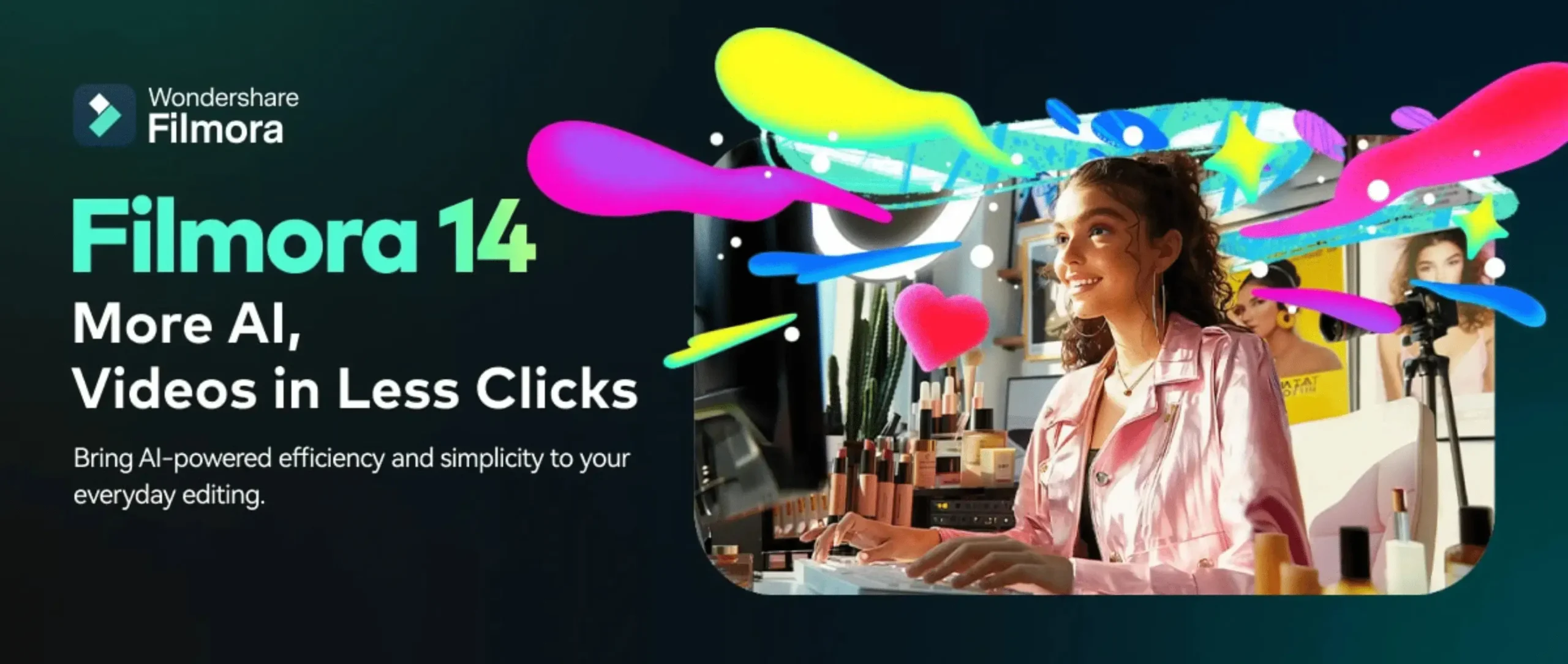
Wondershare Filmora is a powerful and user-friendly editor for vloggers. It balances a simple interface with useful AI tools, effects, templates, and 4K export support on Windows and Mac.
Ideal For: Vloggers, YouTubers, and social creators who want a simple but capable editor
Key Features:
- Intuitive drag-and-drop timeline for quick editing
- AI tools such as smart cutout and speech to text
- Built-in effects, titles, transitions, and 4K export support
2. Vidnoz AI: Best for AI Explainers and Promo Videos
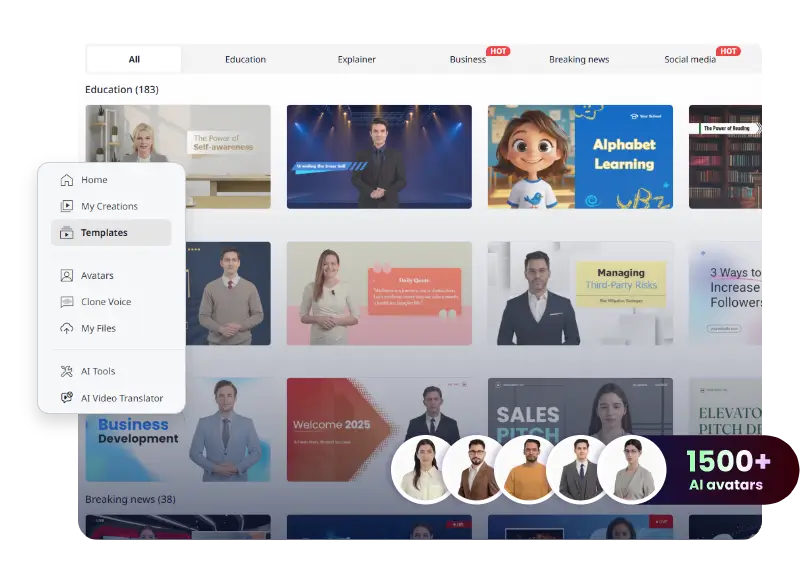
Vidnoz AI is useful for vloggers who want to create faceless explainers, promo videos, talking-head clips, or short educational content without recording every scene manually.
The Starter plan suits solo creators, while the Business plan is better for frequent creators, small teams, and users who need more minutes, brand features, and faster production.
Ideal For: AI video creation, faceless videos, explainers, promos, and weekly content
Starter Plan Highlights:
- 15 minutes per month with up to 60 minutes per video
- 1080p downloads and no watermark on paid exports
- AI avatars, voices, templates, AI scripts, and faster processing
Business Plan Highlights:
- 30 minutes per month with up to 60 minutes per video
- Brand kit, branded video page, embed options, team collaboration, and video analytics
- One-click video translation, unlimited AI image generations, and faster processing
3. EaseUS Video Editor: Best Simple Windows Editor
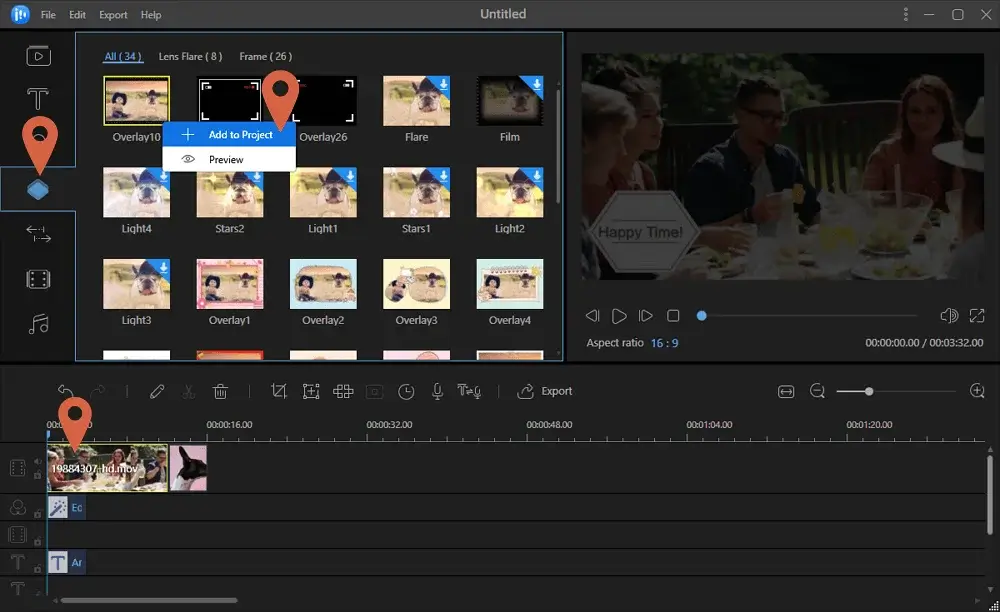
EaseUS Video Editor is a solid choice for beginners and intermediate users on Windows. It covers trimming, cutting, merging, effects, filters, and exports for everyday video projects.
Ideal For: Windows users who want straightforward editing without a difficult learning curve
Key Features:
- Simple timeline for trimming, splitting, and merging clips
- Filters, effects, overlays, and basic audio tools
- 4K export and noise reduction on supported paid editions
4. MiniTool MovieMaker Pro: Best Simple Windows Editor for New Vloggers
MiniTool MovieMaker Pro is a beginner-friendly video editor for Windows users who want to make YouTube videos, reels, family videos, class projects, and simple business clips without a difficult workflow.
It is a good fit for new vloggers who need basic timeline editing, titles, captions, transitions, effects, audio adjustment, and clean 1080p or 4K exports. It is not as advanced as Filmora or Movavi for bigger creative workflows, but it works well when the main need is simple editing on a Windows PC.
Ideal For: Students, beginners, small creators, and Windows users who want simple video editing
Key Features:
- Simple timeline for trimming, splitting, and arranging clips
- Titles, captions, filters, transitions, and motion effects
- 1080p and 4K export support, depending on plan and system performance
5. FlexClip: Best Online Video Editor for Social Content
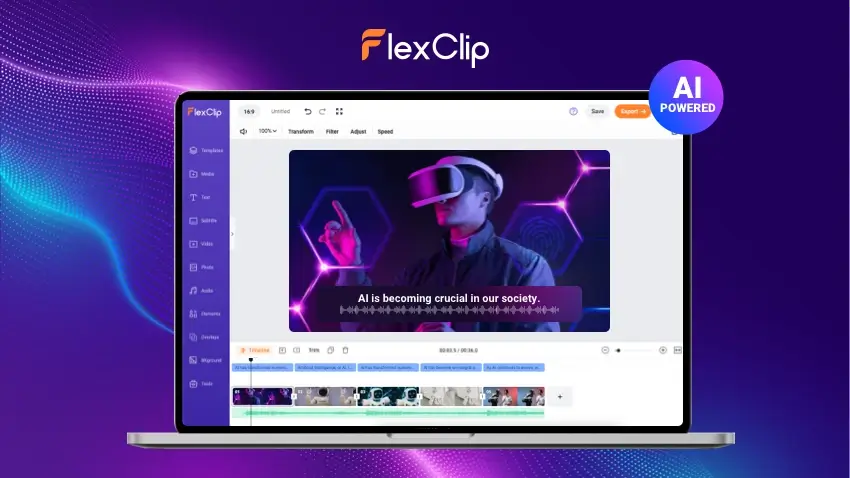
FlexClip is a browser-based video editor for fast social videos, reels, ads, class projects, and simple branded content. It is useful when you want templates, stock assets, and online editing without installing desktop software.
The Plus plan is better for beginners and light creators, while the Business plan is better for brands, agencies, and users who need 4K exports and higher limits.
Ideal For: Online editing, social videos, quick promos, reels, and template-based projects
Plus Plan Highlights:
- 1080p downloads without watermark
- Unlimited saved projects online
- 30 GB cloud storage and 100 GB hosting
- Custom branding, custom fonts, and AI helpers such as auto subtitles and text to video
Business Plan Highlights:
- 4K Ultra HD downloads
- Unlimited stock videos and audio per project
- Unlimited video length and higher storage limits
- More templates, custom branding, and extra AI credits for advanced editing workflows
6. Movavi Video Editor Plus: Best for Fast Creative Editing
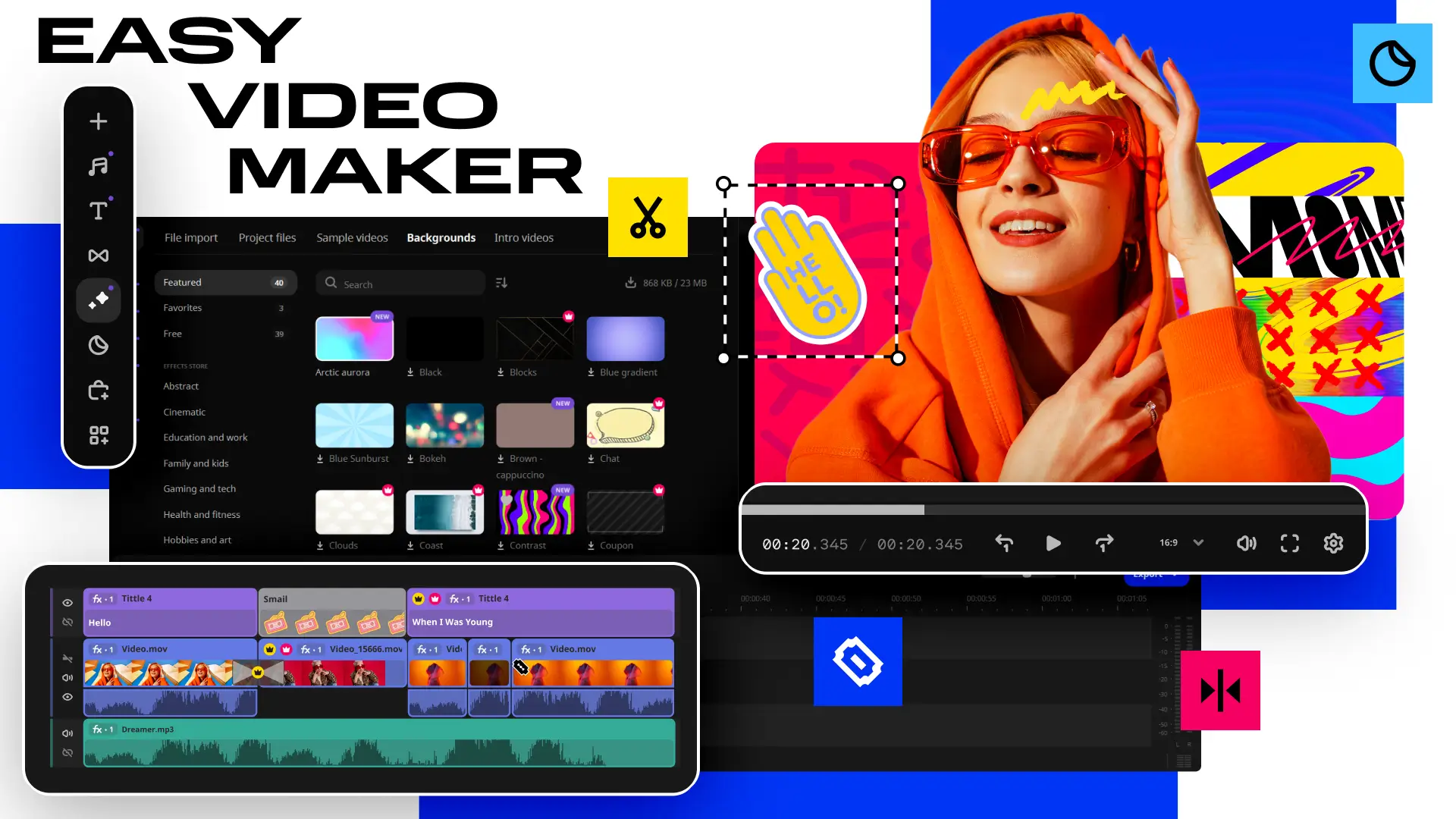
Movavi Video Editor Plus is fast, clean, and beginner friendly. It works well for creators who want polished YouTube videos, family videos, tutorials, and social clips without spending too much time learning complex software.
Ideal For: Beginners and creators who need quick, polished videos
Key Features:
- Simple drag-and-drop timeline and fast rendering
- Filters, titles, transitions, stickers, and creative effects
- 4K export support on desktop where available
7. Ashampoo Movie Studio Pro 3: Best Advanced Windows Editor
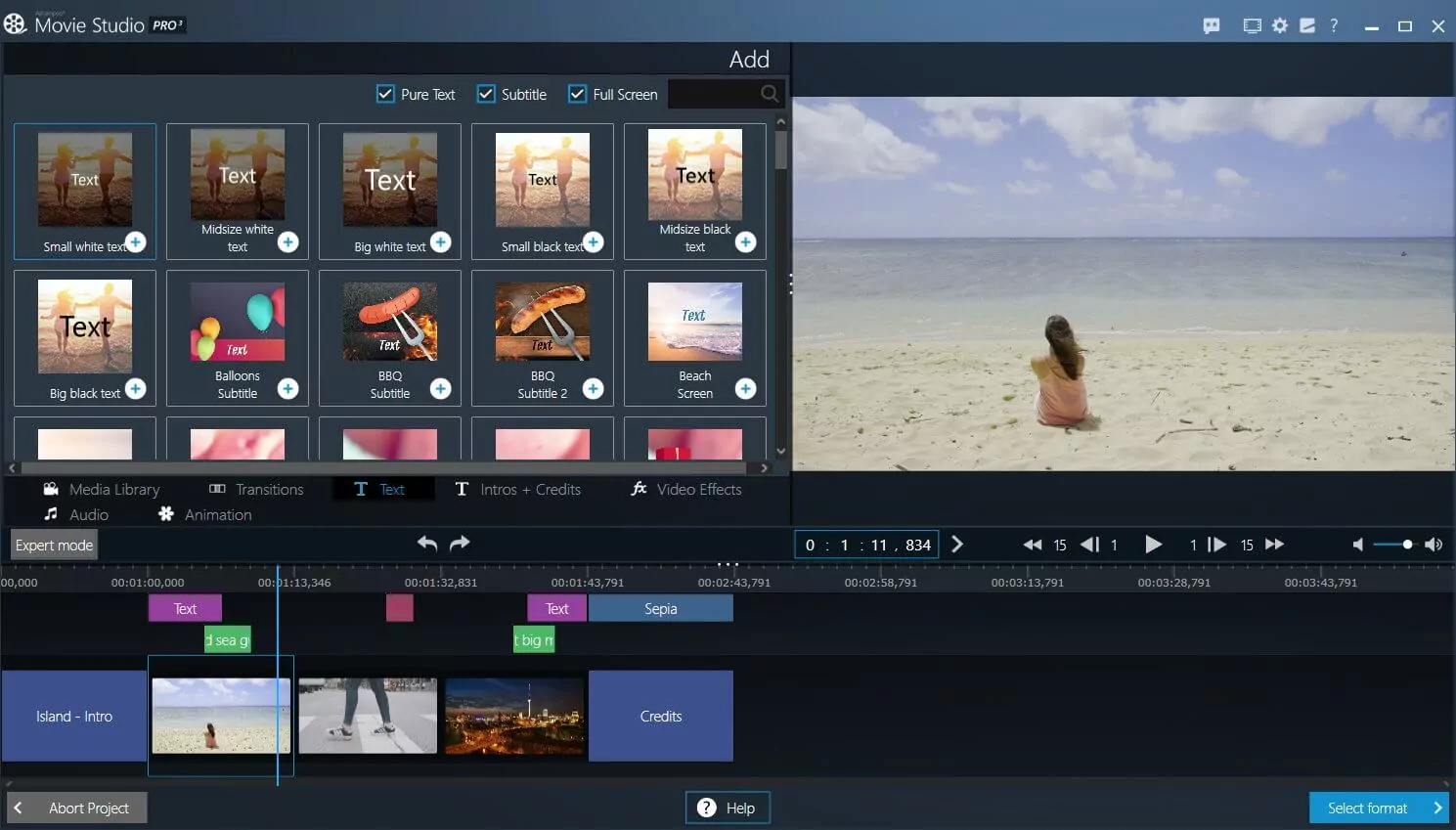
Ashampoo Movie Studio Pro 3 is better for Windows users who want more control over timeline editing, output quality, and audio. It suits advanced hobbyists and creators who need a more complete desktop editing suite.
Ideal For: Windows creators, advanced hobbyists, and users who need a fuller editing suite
Key Features:
- Multi-track editing for larger video projects
- GPU-accelerated encoding for smoother exports
- 4K output and Dolby 5.1 support
Which Vlogging Editor in Pakistan Is Best in 2026?
| Tool | Best For | Works On | Export Quality |
|---|---|---|---|
| Wondershare Filmora | Vloggers and YouTubers | Windows, Mac | Up to 4K |
| Vidnoz AI | AI explainers and promo videos | Web browser | 1080p |
| EaseUS Video Editor | Beginners on Windows | Windows | Up to 4K |
| FlexClip | Online social videos | Web browser | 1080p Plus, 4K Business |
| Movavi Video Editor Plus | Fast creative editing | Windows, Mac | Up to 4K |
| Ashampoo Movie Studio Pro 3 | Advanced Windows editing | Windows | Up to 4K |
| MiniTool MovieMaker Pro | Beginner Windows vloggers | Windows | Up to 4K |
Disclaimer: Features, editions, pricing, and system requirements can change. Please check the product page and vendor details before choosing your license.
Choosing the Right Vlog Video Editor for Your Projects
Vlog Video Editor for Beginners and Casual Vloggers
If you are new, start with a simple editor and add AI helpers as needed.
- Filmora or Movavi Video Editor Plus for a friendly timeline and effects
- EaseUS Video Editor if you are on Windows and want basic editing with 4K export
- FlexClip Plus if you want a browser-based editor with 1080p exports
- Vidnoz Starter if you need AI avatars or text to video for explainers
- MiniTool MovieMaker Pro if you need a simple Windows editor for basic vlogs, reels, captions, effects, and clean exports
Best for Professionals and Enthusiasts
If you post often or need more control, look for multi-track timelines, 4K, and bigger asset limits.
- Filmora for motion tracking, keyframing, and AI tools
- Movavi Video Suite or Video Suite Plus for an all-in-one toolkit
- Ashampoo Movie Studio Pro 3 for Windows with Dolby 5.1 and 4K
- FlexClip Business for 4K exports and higher storage and stock allowances
- Vidnoz Business for more minutes, faster processing, and brand features
Simple Editing Tips for New Vloggers
Success in vlogging doesn’t come overnight. It takes practice, creativity, and the right tools. Start with simple edits, focus on clear storytelling, and choose vlog editing software that supports your growth. The better your tools and habits, the faster your content improves.
For vloggers who also create thumbnails, channel banners, social media graphics, and brand visuals, Adobe Creative Cloud Pro Individual can support solo creator work. For agencies, schools, production teams, or businesses with multiple users, Adobe Creative Cloud Pro for Teams is the better fit.
Here are some tips to level up your editing game:
- Use keyboard shortcuts: Save time and speed up your workflow.
- Try new transitions: Experiment to find a unique visual style.
- Watch critically: Review each clip carefully before publishing.
- Keep it consistent: Posting regularly builds audience trust and channel growth.
Explore the Best Video Editing Deals
Upgrade your creativity with genuine video editing tools for Windows & Mac. Get exclusive discounts and instant delivery.
Browse now: Video Editing Software Coupon Offers
Conclusion: Top Video Editing Software for Vloggers in Pakistan
Choosing the right vlog video editor comes down to your editing needs, platform, and posting cadence. Start simple if you are a beginner, then upgrade to multi-track timelines and larger asset limits as your channel grows.
- For quick social content, FlexClip Plus and Filmora deliver fast results.
- For advanced workflows, consider Movavi Video Suite or Ashampoo Movie Studio Pro 3.
- If you want AI-assisted production, Vidnoz Starter is the easiest entry.
- Vidnoz Business scales minutes, speed, and branding for frequent creators.
When you are ready, compare your top picks side by side and choose the plan that matches your goals and budget.
Explore More Editing Solutions in Pakistan
Beyond the top picks in this article, you can browse a wider range of video editing software tailored to your specific needs:
FAQs
Q: Which vlog video editor is best for beginners in Pakistan?
A: Wondershare Filmora and EaseUS Video Editor are strong choices for basic video editing. Their simple editing interface, easy timelines, and core editing features help many vloggers complete video projects quickly with good video quality.
Q: What if I need advanced editing for professional work?
A: Movavi Video Suite Plus and Ashampoo Movie Studio Pro 3 are better for users who need more control. They offer useful editing tools for timelines, colour adjustment, audio editing, and larger video projects without a very difficult learning curve.
Q: Is there a free version I can try first?
A: FlexClip provides a free plan for simple editing tasks, and Vidnoz has a free tier for AI-powered video creation. Filmora and Movavi also offer trials, so you can test the editing interface, basic tools, and export quality before you buy.
Q: Do these editors handle 4K video and high-quality exports?
A: Filmora, Movavi Video Editor Plus, Movavi Video Suite Plus, and Ashampoo Movie Studio Pro 3 can support high-quality exports, including 4K where available. Use the right export preset and codec to keep video quality suitable for YouTube, social media, or client work.
Q: Can I edit online without installing software?
A: FlexClip is an online video editor for quick social content. It supports simple tasks like trimming video clips, adding text, using templates, and exporting MP4 files. Vidnoz is better for AI video creation, explainers, and promo-style videos.
Q: What about AI-powered editing to speed up workflows?
A: Vidnoz provides AI-powered features such as avatars, text to video, and auto subtitles for faster content creation. Filmora also includes AI tools that can help improve video, clean audio, and automate parts of the editing process.
Q: Do these tools support multi-track editing?
A: Most listed video editing tools support multi-track editing for clips, audio, text, effects, and overlays. Full multicam editing may be limited, so choose based on your project size, workflow, and the level of timeline control you need.
Q: Which software is best for quick YouTube, Instagram, or TikTok videos?
A: FlexClip is better for fast template-based videos, while Filmora is better for creators who want more editing control, effects, transitions, and export options. For most beginners in Pakistan, both are easier than complex professional editors.
Q: What core editing capabilities should vloggers prioritize?
A: Look for trimming, splitting, speed control, colour tools, titles, audio cleanup, templates, and reliable exports. A good vlog video editor should balance useful editing features with smooth performance on your PC or Mac.
Q: How do I choose the right software for my PC or Mac?
A: Match your editing needs to your system and workflow. Beginners can start with Filmora, EaseUS Video Editor, or FlexClip for straightforward editing. Power users can choose Movavi Video Suite Plus or Ashampoo Movie Studio Pro 3 for more control.
Further Reading
For more information on video editing and related topics, check out these articles: