Abdul Basit

Large ZIP, RAR and 7Z files can be difficult to send, store, open, or protect without the right tool. The best file compression software in Pakistan depends on your daily use: simple ZIP opening, regular RAR work, password-protected office files, or a complete archive suite for Windows.
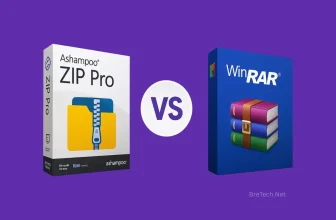
For most home and office users, WinRAR is the simpler choice for ZIP and RAR work. It is familiar, light, and easy to use from the Windows right-click menu. Ashampoo ZIP Pro is better when you want a modern archive suite with wider format support and more built-in tools.
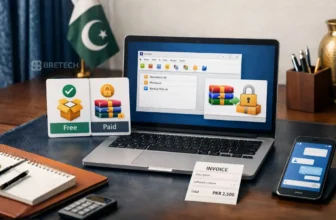
Free tools can be enough for basic ZIP extraction. But if you use compressed files for office work, client data, password protection, or regular file sharing, a genuine paid licence is safer for long-term use.
Browse BreTech’s Archive & Compression software for genuine tools, local payment options, digital delivery, and activation help in Pakistan.
Which File Compression Software Should You Choose?
| User Need | Best Choice | Why |
|---|---|---|
| Opening simple ZIP files | Free Windows tools | Good for basic extraction and light personal use |
| Daily ZIP and RAR work | WinRAR | Simple, fast, familiar, and easy from right-click menus |
| Password-protected office files | WinRAR | Strong option for encrypted archives and safer sharing |
| Wider archive format support | Ashampoo ZIP Pro | Better for users who want more tools in one package |
| Business or client work | Genuine paid licence | Safer for activation, invoices, support, and regular use |
For most Pakistan users, the decision is simple. Choose WinRAR if you mainly work with ZIP and RAR files. Choose Ashampoo ZIP Pro if you want a broader archive tool with more features around file handling and workflow.
A free tool is fine for occasional use, but it may not be the best choice for office computers, business systems, or client files. For regular work, a genuine licence gives you a safer and cleaner setup.
Best File Compression Software in Pakistan
WinRAR: Best for Simple ZIP and RAR Work
WinRAR is one of the most familiar file compression tools for Windows users. It creates RAR and ZIP archives and can extract many common archive formats used in downloads, office work, and file sharing.
WinRAR is a good choice if you want a simple tool that works from the Windows right-click menu. You can quickly compress a folder, split a large archive into smaller parts, test an archive, or add password protection before sending files.
Ashampoo ZIP Pro: Best for Extra Archive Tools
Ashampoo ZIP Pro is better for users who want more than basic ZIP and RAR work. It is designed as a fuller archive suite with a modern Windows interface and extra tools for handling compressed files.
It can be useful for office users who work with many archive formats, self-extracting files, larger folders, and mixed document types. If you prefer one software with more built-in options, Ashampoo ZIP Pro may feel more complete than a simple compressor.
Free Compression Tools: Best for Basic Use Only
Free tools and built-in Windows options can work well when you only need to open basic ZIP files. For light personal use, this may be enough, especially if you do not create protected archives or work with business files.
The limitation appears when you need regular RAR creation, repair tools, stronger workflow options, password protection, or smoother business use. Free tools may also vary in interface, support, update quality, and ease of use.
Best Compression Software for Windows 11 in Pakistan
When Windows Built-In Tools Are Enough
Windows built-in archive support is enough when your work is very simple. For example, you may only need to open ZIP files, extract a folder, or view files inside a downloaded archive.
This is suitable for casual users who rarely compress folders themselves. It also avoids installing extra software when the task is only basic extraction.
When You Should Use WinRAR on Windows 11
WinRAR is a better choice when ZIP and RAR files are part of your daily work. It adds quick right-click options, archive testing, splitting, password protection, and repair features that are useful for regular users.
For office users in Pakistan, this can save time when sending reports, compressing folders, or managing files on USB drives. It is also easier for many users because WinRAR has been familiar for years.
When Ashampoo ZIP Pro Makes More Sense
Ashampoo ZIP Pro makes more sense when you want a more feature-rich archive program. It is useful for users who work with different archive formats and want more tools inside one Windows application.
This can help in offices where users handle many file types, client folders, downloaded packages, and archived records. The modern interface may also be easier for users who prefer a more visual software layout.
Best Compression Software for Large Files
WinRAR for Large RAR and ZIP Archives
WinRAR is useful for large files because it can split archives into smaller parts. This helps when you need to upload files in parts, copy them to USB drives, or send them through services with file size limits.
It also includes archive testing and repair-related options for RAR archives. These features are helpful when files are large and the risk of transfer errors is higher.
Ashampoo ZIP Pro for Larger Workflows
Ashampoo ZIP Pro is useful when large files are part of a wider workflow. For example, you may need to compress, organise, protect, and manage archives with more tools in one place.
It can suit users who handle many formats or want a more complete Windows archive suite. This is useful in offices where users deal with mixed documents, project files, and shared folders.
Safe Tips for Compressing Large Files
Always keep the original files until you have tested the compressed archive. This is important because a damaged archive may not open correctly later, especially after a failed upload or power interruption.
Use split archives when the file is too large for email, cloud upload, or USB transfer. Also use password protection only when needed, and keep the password saved in a safe place.
WinRAR vs Ashampoo ZIP Pro: Short Buying Advice
Choose WinRAR If You Want Simplicity
Choose WinRAR if you mainly need ZIP and RAR compression, password protection, file splitting, archive testing, and repair options. It is simple and familiar for most Windows users.
This makes it a strong choice for home users, students, small offices, and everyday file sharing. It is also easy to explain to staff because many people already recognise WinRAR.
Choose Ashampoo ZIP Pro If You Want More Tools
Choose Ashampoo ZIP Pro if you want wider format support and a more feature-packed archive program. It is useful when you manage many archive types and want more options inside one software.
This can be better for users who work with mixed office files, project folders, and different archive formats. For a deeper side-by-side view, read our Ashampoo ZIP Pro vs WinRAR guide.
Free vs Paid File Compression Software
When Free Compression Software Is Enough
Free software is enough when you only open small ZIP files or occasionally compress a folder for personal use. It can also be fine for students who need simple file extraction.
If you do not need RAR creation, password-protected office archives, repair options, or invoices, free tools may cover the basics. This is why not every user needs to buy software immediately.
When Paid Compression Software Is Better
Paid compression software is better when you use compressed files regularly. This includes office users, freelancers, small businesses, computer shops, and people who handle client files.
A genuine licence is also better when you need activation help, invoice support, and cleaner long-term use. For WinRAR buyers, this WinRAR Free vs Paid in Pakistan guide explains the choice in more detail.
What Is File Compression Software?
Why File Compression Is Useful
File compression is useful when you want to send many files as one folder. Instead of attaching ten separate documents, you can pack them into one archive and share them more cleanly.
It also helps when files are too large for email or slow to upload. Smaller archives are easier to move through USB, messaging apps, cloud uploads, and office networks.
Common File Compression Formats
ZIP is the most common format for simple sharing because it opens easily on many devices. It is a safe choice when the other person may not have special archive software.
RAR is popular among Windows users because it offers strong compression and useful archive features. It is often used for large folders, software files, and password-protected archives.
ZIP, RAR and 7Z Compared
| Format | Typical Use | Best For | Notes |
|---|---|---|---|
| ZIP | Basic sharing and simple archives | Email, documents, common sharing | Opens on most systems |
| RAR | Strong archive control | Large files, password protection, repair options | Common with WinRAR users |
| 7Z | High compression | Mixed folders and technical users | Needs compatible software |
| TAR / GZ | Linux and server archives | Developers and server backups | Common in technical workflows |
Most normal users will work mainly with ZIP and RAR. ZIP is easier for general sharing, while RAR is useful when you want better archive control.
If you are sending files to someone who is not technical, ZIP is usually easier. If you are managing your own archives on Windows, WinRAR and Ashampoo ZIP Pro give you more control.
How to Use File Compression Software Safely
How to Compress Files With WinRAR
First, open Windows File Explorer and find the file or folder you want to compress. Right-click the item and choose the WinRAR option to add it to an archive.
Choose RAR or ZIP depending on your need. ZIP is better for easy sharing, while RAR is useful when you want stronger archive options and better control.
How to Share Compressed Files Safely
Before sharing an archive, check the file size and format. If the receiver is not technical, ZIP may be easier because it opens on many devices.
For office or client files, use a clear file name so the receiver understands what the archive contains. Avoid sending password-protected files and passwords in the same message.
How to Avoid Fake Installers and Risky Downloads
Avoid downloading compression software from random websites, pop-up ads, or unofficial “free full version” pages. These can include outdated installers, unwanted programs, or unsafe files.
Use official sources or verified product listings when buying software for business or office use. You can also read our guide on whether WinRAR is safe to use in Pakistan.
Buying Genuine File Compression Software in Pakistan
Why Genuine Licences Matter
Fake or cracked software may look cheaper at first, but it can create bigger risks. It may include malware, fail activation, stop working later, or create problems during office use.
For file compression tools, this matters because the software handles important documents, archives, backups, and client folders. Unsafe tools can put your files and systems at risk.
Buying From BreTech in Pakistan
BreTech provides genuine software licences in Pakistan with local payment options and digital delivery. This helps buyers avoid fake keys, risky downloads, and unclear activation steps.
For WinRAR, you can also visit the WinRAR brand page to see available options and related guidance. This is useful if you want to understand the product before buying.
Final Verdict
The best file compression software in Pakistan depends on how often you work with compressed files. For basic ZIP extraction, free tools may be enough. For daily ZIP and RAR work, WinRAR is the better simple choice.
Ashampoo ZIP Pro is better for users who want a fuller archive suite with more tools and wider workflow options. It suits users who handle different formats and want more features than a basic compressor.
For home users, start with your file type. For office and business users, choose a genuine licence because safer activation, invoices, and support matter more when the software is used for regular work.
FAQs
Q: What is the best file compression software in Pakistan?
A: WinRAR is a strong choice for most users who need simple ZIP and RAR compression. Ashampoo ZIP Pro is better for users who want more archive tools and wider format support. For basic ZIP opening, free Windows tools may be enough.
Q: Is WinRAR better than free ZIP tools?
A: WinRAR is better if you regularly create RAR files, split large archives, use password protection, or test and manage archives. Free ZIP tools are fine for basic extraction, but WinRAR is more practical for regular office and ZIP/RAR work.
Q: Is Ashampoo ZIP Pro better than WinRAR?
A: Ashampoo ZIP Pro is better if you want more built-in tools and a fuller archive suite. WinRAR is better if you want a simple and familiar tool for daily ZIP and RAR work, so the right choice depends on your workflow.
Q: What is the best compression software for large files?
A: WinRAR is a good choice for large ZIP and RAR archives because it supports file splitting and archive testing. Ashampoo ZIP Pro is also useful for users who want more tools around large file workflows, but always test large archives before deleting originals.
Q: Is free file compression software safe?
A: Free compression software can be safe if downloaded from official and trusted sources. The risk comes from fake installers, cracked versions, and unknown download websites, especially when used on office or client computers.
Q: Where can I buy WinRAR in Pakistan?
A: You can buy a genuine WinRAR licence in Pakistan from BreTech with digital delivery and local payment options. This helps avoid fake keys, unsafe installers, and unclear activation steps.