Abdul Basit
EaseUS Fixo Pro is the best overall choice in this guide for most users who need one program to repair corrupted documents, photos, and videos. Wondershare Repairit is another broad option for mixed file types, while Stellar offers specialized tools for Office documents, Excel workbooks, Outlook PST files, QuickBooks data, photos, and videos.
The right file repair software depends on what is damaged. A general repair tool is convenient when you have several file types, while a specialist program may be more suitable for important business files, professional media, email databases, or accounting data.
No file repair program can guarantee every damaged file will be restored. Results depend on the file format, how much usable data remains, and the severity of the corruption.
Explore BreTech’s File Repair & Recovery software with PKR pricing, local payment options, digital delivery, and activation guidance.
Best File Repair Software at a Glance
EaseUS Fixo Pro and Wondershare Repairit provide broad repair coverage for mixed files. Stellar’s dedicated tools are better suited to specific formats such as Excel, Outlook PST, QuickBooks, professional video, and camera photos.
| Software | Main File Types | Best For |
|---|---|---|
| EaseUS Fixo Pro | Word, Excel, PowerPoint, PDF, photos, videos, audio | Most users who want one general repair program |
| Wondershare Repairit | Documents, photos, videos, audio, archives, selected creative files | Broad document and media repair |
| Stellar Repair for Video | Common camera and video formats | Camera, CCTV, drone, mobile, and professional footage |
| Stellar Repair for Photo | JPEG, TIFF, RAW, and other supported image formats | Camera, mobile, and memory-card photos |
| Stellar Toolkit for File Repair | Word, Excel, PowerPoint, PDF | Office and business documents |
| Stellar Repair for Excel | XLS, XLSX, XLTM, XLTX, XLSM | Complex spreadsheets and business workbooks |
| Stellar Repair for Outlook | Outlook PST files | Emails, contacts, calendars, and attachments |
| Stellar Repair for QuickBooks Software | Supported QuickBooks company and backup files | Accounting and company-file corruption |
Product features, supported formats, operating systems, and license terms can change. Confirm the current product information before purchasing.
You can also browse available products from Stellar, EaseUS, and Wondershare.
How We Compared These File Repair Tools
This guide compares the type of files each program is designed to repair, available repair methods, preview and batch functions, operating-system support, and whether the software is a broad repair suite or a specialist tool.
Changing technical information was checked against current documentation from EaseUS, Wondershare, Stellar, and Microsoft Support. This is an editorial buyer guide rather than a laboratory repair test, so no repair-success percentage or performance benchmark is claimed.
File Repair Software vs Data Recovery Software
File repair software is for a file that still exists but is corrupted. Data recovery software is for files that were deleted, formatted, lost, or can no longer be accessed normally from their original storage location.
For example, if an Excel workbook is still on your drive but Excel reports that it is damaged or contains unreadable content, you need a repair method. If the workbook disappeared after deletion or formatting, data recovery normally comes first.
When a recovered file still will not open, use this safer process:
- Recover the missing file to another healthy drive.
- Keep an untouched copy of the recovered file.
- Test whether the recovered file opens normally.
- Use file repair software only if it remains corrupted.
If your file is missing rather than simply damaged, see the best data recovery software in Pakistan before choosing a repair program.
Do not save repaired or recovered files back to a storage device that may be failing. New writes can overwrite information that could otherwise remain recoverable.
Best File Repair Software for Different File Types
The best file repair tool is usually the one designed for the type of data you need to restore. General programs work well for mixed everyday files, while specialist software can be a better fit for important email, accounting, spreadsheet, or professional media data.
1. EaseUS Fixo Pro: Best Overall for Mixed File Repair
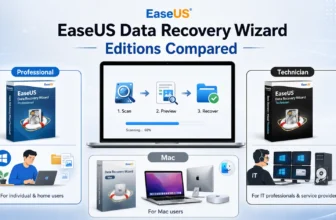
EaseUS Fixo Pro is a practical option when you need to repair several common file types without buying a separate program for each one.
EaseUS currently lists repair support for Word, Excel, PowerPoint, PDF, photos, videos, and audio. Its official Fixo documentation also describes a three-step workflow: add the damaged files, run the repair, then preview and save the results.
The Fixo trial can perform repair and preview functions, but EaseUS states that activation is required when you attempt to save repaired results. This is useful to know before buying because you can first check whether the software recognizes and processes your damaged file.
Fixo is a good starting choice when:
- You have several different damaged file types.
- You want one general desktop repair program.
- Office documents, photos, videos, or audio are your main problem.
- You want to preview supported repaired files before saving.
A specialist tool may still be more appropriate for difficult Outlook PST, QuickBooks, or professional media corruption.
2. Wondershare Repairit: Best for Broad Document and Media Repair
Wondershare Repairit is another broad repair option for users working with documents and media.
Wondershare’s current technical specifications cover Word, Excel, PowerPoint, PDF, photos, video, audio, archives, and selected creative-project formats. Examples include MP4 and MOV video, JPEG and RAW photos, MP3 and WAV audio, ZIP and RAR archives, and common Office documents.
Repairit also provides batch repair and preview for supported content. Advanced repair options are available for some seriously damaged media and project files, although the exact functions depend on the file type and edition.
Wondershare publishes separate desktop and online repair options, and their supported formats and limits are not identical. Check the exact product and platform before ordering rather than assuming the online and desktop versions provide the same capabilities.
3. Stellar Repair for Video: Best for Dedicated Video Repair
BreTech offers several Stellar Repair for Video editions for users whose main problem is corrupted or unplayable footage.
A dedicated video repair program becomes relevant when a recording will not open, freezes during playback, shows broken frames, loses audio, displays a black screen, or ends unexpectedly.
Stellar’s video-repair workflow includes an Advanced Repair option for more seriously corrupted files. This can use a healthy sample video created by the same device and in the same format to help repair damaged footage.
This type of specialist tool is particularly useful for:
- Wedding and event videographers
- DSLR and mirrorless camera users
- CCTV footage
- Drone recordings
- Action-camera footage
- Mobile videos
- Professional client projects
BreTech currently lists Stellar Repair for Video Standard, Stellar Repair for Video Professional, and Stellar Repair for Video Premium.
Check the current edition details before buying because included functions, operating-system support, and license terms can change.
For a dedicated comparison, see the best video repair software in Pakistan.
4. Stellar Repair for Photo: Best for Corrupted Photos
Stellar Repair for Photo is designed specifically for damaged image files.
It supports JPEG and JPG files along with TIFF and a range of supported camera RAW formats. The software can process multiple photos and preview repaired results before saving.
For seriously damaged images, some repair workflows can use a healthy sample file created by the same device. This can be useful when normal repair is not enough.
Stellar Repair for Photo is most relevant for photographers, studios, e-commerce sellers, and users dealing with damaged images from cameras, phones, memory cards, USB drives, or recovered storage.
Photo repair is different from recovering a deleted picture. If the image is missing, formatted, or deleted, compare the best photo recovery software in Pakistan first.
5. Stellar Toolkit for File Repair: Best for Office and PDF Files
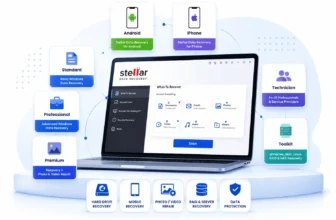
Stellar Toolkit for File Repair Standard is a dedicated 4-in-1 toolkit for Word, Excel, PowerPoint, and PDF repair.
Stellar currently lists support for Word DOC and DOCX files, Excel XLS, XLSX, XLTM, XLTX, and XLSM files, and PowerPoint PPT, PPTX, and PPTM presentations. The toolkit can also repair supported PDF documents and preview repaired content before saving.
According to Stellar’s current technical specifications, the toolkit requires a 64-bit Windows system, at least 4 GB RAM, with 8 GB recommended, and about 250 MB of installation space. Stellar also currently lists PDF repair for files up to 2 GB.
The toolkit can repair multiple Office files in batch, which makes it useful when several documents from the same storage device or incident are damaged.
BreTech also offers Stellar Toolkit for File Repair Technician. Stellar currently positions the Technician edition for technician, corporate, and service-provider use and lists support for multiple systems.
Choose the correct license according to who will use the software and whether you are repairing your own files or providing repair services to other users.
6. Stellar Repair for Excel: Best for Important Spreadsheets
Stellar Repair for Excel is a specialist option when the main problem is a damaged Excel workbook.
Stellar currently lists support for XLS, XLSX, XLTM, XLTX, and XLSM files. The software is designed to recover workbook elements such as tables, pivot tables, charts, formulas, and cell formatting where possible.
It can also process multiple Excel files and provide a preview before repaired data is saved. These features are particularly useful when spreadsheets contain financial records, inventory data, reports, payroll information, or other important business content.
Before using specialist software, try Excel’s own recovery functions. A dedicated Excel repair program makes more sense when the workbook remains inaccessible or important objects cannot be recovered with the built-in tools.
7. Stellar Repair for Outlook: Best for Corrupted PST Files
Stellar Repair for Outlook is designed for corrupt or inaccessible Microsoft Outlook PST files.
It can recover mailbox content such as emails, attachments, contacts, calendars, tasks, notes, and other supported items from damaged PST data. Different editions provide different repair, management, and export functions, so check the exact edition before purchasing.
Do not immediately buy a PST repair program for every Outlook error. Microsoft provides its own Inbox Repair Tool, commonly known as SCANPST.EXE, for diagnosing and repairing errors in local Outlook data files.
Use a specialist tool when the built-in process cannot complete the repair, important mailbox content remains inaccessible, or you need functions that are not provided by Microsoft’s utility.
For dedicated options, see the best PST repair software in Pakistan.
8. Stellar Repair for QuickBooks Software: Best for Company Files
Stellar Repair for QuickBooks Software is a specialist product for corrupted QuickBooks company files.
It is intended for situations where an important company file cannot be opened normally or built-in QuickBooks repair steps do not solve the problem. Depending on the supported version and file type, the software may recover business data such as customers, vendors, employees, transactions, and other company-file information.
Before purchasing, confirm:
- Your QuickBooks version
- Your QuickBooks country edition
- The damaged file type
- Whether a usable backup exists
- Current software compatibility
Try QuickBooks Verify and Rebuild where appropriate before moving to specialist repair software.
If QuickBooks File Doctor or other built-in options have already failed, follow the QuickBooks File Doctor not fixing your company file guide.
For other damaged business databases, see the best database recovery software in Pakistan.
Which File Repair Software Should You Choose?
Choose by file type first, then consider the severity of the corruption, operating system, privacy requirements, and license type.
For most buyers:
- Choose EaseUS Fixo Pro if you want one general program for documents, photos, videos, and supported audio.
- Choose Wondershare Repairit if you need broad document and media support across a wider range of supported formats.
- Choose Stellar Repair for Video when important video footage is the main problem.
- Choose Stellar Repair for Photo for dedicated photo and camera-image repair.
- Choose Stellar Toolkit for File Repair when Word, Excel, PowerPoint, and PDF documents are your main concern.
- Choose Stellar Repair for Excel for important or complex spreadsheets.
- Choose Stellar Repair for Outlook for a damaged Outlook PST mailbox.
- Choose Stellar Repair for QuickBooks Software for supported QuickBooks company files.
A general repair program is normally the simpler choice for everyday mixed files. Specialist software becomes more valuable when one important business, accounting, email, spreadsheet, or professional-media format is the main problem.
Free vs Paid File Repair Software
Free file repair tools can be useful for minor corruption, testing a damaged file, or checking whether repair is possible. Limits may include restricted saving, fewer supported formats, or no advanced repair.
Paid software is more suitable when you need full saving, batch repair, specialist features, or business use. Check the current trial and license limits before buying.
Try Built-In Repair Options Before Buying Software
Minor corruption can sometimes be fixed with repair functions already included in Microsoft Office, Outlook, or QuickBooks. Trying the appropriate built-in option first can save time and help confirm whether specialist software is actually needed.
Microsoft Office Open and Repair
Microsoft Support currently documents Open and Repair for damaged Word documents, Excel workbooks, and PowerPoint presentations.
To use it:
- Open the appropriate Office application.
- Select File > Open > Browse.
- Select the damaged file.
- Select the arrow beside Open.
- Choose Open and Repair.
Do not open the file from the Recent list when following this procedure because Microsoft specifically directs users to open it through the normal Browse dialog.
Excel Repair or Extract Data
Excel provides additional recovery choices for corrupted workbooks.
If Excel’s normal repair process does not recover enough data, Microsoft documents an Extract Data option that can attempt to recover workbook values and formulas.
Save any usable recovered workbook under a new name instead of overwriting the damaged original.
Outlook Inbox Repair Tool
Microsoft’s SCANPST.EXE checks Outlook data files for errors and can repair some damaged PST files.
Microsoft recommends backing up the existing Outlook data file before running the repair. Its documentation also notes that the tool may need to be run more than once in some cases, and that badly corrupted or permanently deleted items may not be recoverable.
A specialist PST tool becomes more relevant when SCANPST cannot complete the repair or cannot recover the mailbox content you need.
QuickBooks Verify and Rebuild
QuickBooks includes Verify Data and Rebuild Data functions for some company-file problems.
Create a backup before using repair functions on important accounting data. If the company file remains inaccessible after built-in troubleshooting, check product and version compatibility before choosing specialist software.
How to Repair a Corrupted File Safely
Protect the original before attempting a repair. A damaged file may still contain useful data, so avoid repeatedly editing, saving, or overwriting it.
Use this process:
- Stop editing the damaged file.
- Make a copy if the storage device is still readable.
- Keep the original untouched.
- Check whether the file has a normal size.
- Try opening the copy with another compatible application.
- Use the application’s built-in repair function.
- Check the storage device if several files are becoming corrupted.
- Run trusted file repair software on the copy.
- Preview the repaired result where available.
- Save the repaired file to a healthy drive or another safe location.
Can All Corrupted Files Be Repaired?
No. File repair success depends on how much usable data remains and the type and severity of corruption. A file that has been partly overwritten, badly truncated, or reduced to 0 KB may contain too little usable data to rebuild.
What Causes Files to Become Corrupted?
File corruption can occur when a save, transfer, download, recording, or storage operation is interrupted or when the storage media itself develops problems.
Common causes include:
- Sudden power loss
- Computer or application crashes
- Removing storage while files are being written
- Interrupted transfers
- Incomplete downloads
- Bad sectors
- File-system errors
- Failing SSDs, hard drives, USB drives, or memory cards
- Malware or ransomware
- Faulty cables or USB connections
- Application errors
- Incorrect conversions
- Incomplete or damaged recovery results
Microsoft also warns that disconnecting a USB storage device while a file is open can contribute to file corruption.
If one storage device repeatedly produces damaged files, investigate the drive rather than repairing each file individually. See the best bad sector repair software in Pakistan if your disk reports unreadable sectors or related storage errors.
How to Prevent Future File Corruption
The safest file-repair strategy is to reduce the chance that important data needs repair in the first place.
Keep Backups
Maintain at least one additional copy of important documents, photos, videos, email data, and business records.
For files that change regularly, compare File & Folder Backup software rather than depending on one copy stored on one device.
Check Storage Health
Repeated file damage can indicate a failing SSD, hard drive, USB drive, or memory card.
Use disk health checker tools in Pakistan when you see CRC errors, slow copying, bad-sector warnings, repeated read errors, or recurring file corruption.
Protect Against Power Loss
Unexpected shutdowns can interrupt file writes and damage open documents, databases, or media files.
A suitable UPS can give a desktop computer enough time to save work and shut down safely during a power outage.
Safely Eject External Storage
Do not remove USB drives, external disks, or memory cards while files are being written.
Microsoft specifically recommends using the Windows Safely Remove Hardware function to reduce the risk of damaging files stored on removable devices.
Keep Software Updated
Application and operating-system updates can fix bugs, improve compatibility, and reduce crashes.
Keep Windows or macOS and important applications such as Office, Outlook, QuickBooks, and media software properly maintained.
Use Trusted Security Software
Malware and ransomware can modify, encrypt, rename, or delete files.
Use trusted antivirus and malware protection and be careful with unknown downloads, email attachments, and external drives.
Are Online File Repair Tools Safe?
Online file repair can be convenient for small, non-sensitive files, but the file normally has to be uploaded to another company’s server.
This matters when the damaged file contains:
- Business contracts
- Customer records
- Financial spreadsheets
- QuickBooks data
- Outlook mailboxes
- Legal documents
- CCTV evidence
- Confidential photos or videos
Online and desktop products can also have different limits. For example, Wondershare currently publishes separate file-size, format, and monthly-use rules for some Repairit Online functions, while its desktop version provides different limits.
Before uploading confidential data, read the provider’s privacy, storage, and deletion policies. Desktop software may be preferable when keeping the file on your own computer is an important requirement.
Common File Repair Mistakes to Avoid
A good repair utility cannot compensate for unsafe handling of the original data.
Avoid:
- Repairing the only copy of an important file
- Saving the repaired file over the original
- Recovering deleted data back to the same drive
- Continuing to use storage that appears to be failing
- Downloading unknown or unverified repair utilities
- Expecting a 0 KB file to contain repairable data
- Buying before checking supported formats
- Selecting the wrong Windows or Mac edition
- Ignoring Office, Outlook, QuickBooks, or other version compatibility
- Assuming any repair program can guarantee success
Final Recommendation
EaseUS Fixo Pro is the best overall starting choice in this guide when you need one program for common documents, photos, videos, and supported audio. Wondershare Repairit is another broad option when you need wider document and media-format coverage.
Choose a specialist Stellar product when one important format is the main problem. Stellar Repair for Video and Stellar Repair for Photo focus on damaged media, while Stellar Toolkit for File Repair covers Office documents and PDFs. Stellar Repair for Excel, Outlook, and QuickBooks address more specialized spreadsheet, mailbox, and accounting-file corruption.
Before buying, identify the exact damaged file type, try the appropriate built-in repair method, protect the original file, and verify the current software edition and compatibility.
For help choosing a genuine file repair license in Pakistan, contact BreTech with the file type, operating system, and application involved. BreTech can help you check the suitable product, current PKR pricing, license option, digital delivery, and activation requirements.