Abdul Basit
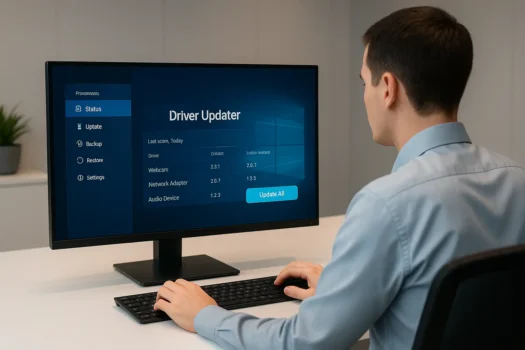
Choosing the best driver updater software for Windows in Pakistan depends on your PC problem and how safely the tool handles updates. If your sound, Wi-Fi, printer, display, or Bluetooth is not working properly, a driver updater can help scan missing or outdated drivers and suggest updates.
For most users, the best option is a genuine driver updater that supports Windows, creates driver backups, and avoids unsafe random downloads. Pakistani users should also check PKR pricing, digital delivery, activation support, and clear licence terms before buying.
Best Driver Updater Software for Windows at a Glance
| Software | Key Benefit | Best For |
|---|---|---|
| AVG Driver Updater | Large driver database & automatic scans | All-round use |
| Avast Driver Updater | Certified drivers & real-time updates | Security-focused users |
| Ashampoo Driver Updater | Backup & restore options | Cautious updaters |
| IObit Driver Booster Pro | Massive database & gaming boost | Gamers & power users |
Want to compare genuine licences before buying? Explore our Driver Updater Software collection or visit the IObit, AVG, Avast, and Ashampoo brand pages for current options, PKR pricing, and activation guidance.
Still choosing between the two popular options? Read our Driver Booster vs Avast Driver Updater comparison to see which one fits gaming, home use, office PCs, and Pakistan buyers better.
What is Driver Updater Software?
Driver updater software is key for your system to talk smoothly with hardware. It keeps your drivers up to date. This is crucial for your system to run well and avoid problems.
Keeping drivers current helps prevent system crashes and hardware issues. It’s a big help for your computer’s health.
How Automatic Driver Updates Work
Automatic driver updates keep your system in top shape. They scan for old or bad drivers. Then, they update them automatically.
This saves you time and makes sure you have the safest drivers. It’s great for those who don’t want to deal with updates themselves.
Manual vs. Automatic Driver Updates
Some people like manual driver updates better. With manual updates, you control when and which drivers are installed. It’s good for those who want to be careful with updates.
Manual updates let you check each update before installing. This can help avoid problems that might come with automatic updates.
Why Update Your Drivers?
Updating your drivers regularly is key to keeping your Windows system running smoothly. It makes your device faster and safer. It also keeps it safe from threats and bugs.
Common Driver Issues on Windows 10 & 11
Windows 10 and 11 users often face driver problems. These can cause display issues, audio problems, and trouble with devices. For example, updating drivers can fix flickering screens or bad audio. This makes your system more stable and efficient.
Risks of Outdated or Missing Drivers
Old drivers can lead to big security risks. Hackers might find ways to harm your system. Keeping drivers up to date protects your PC. It ensures a safe and smooth experience for you.
Top 4 Best Driver Updater Software for Windows in Pakistan
Choosing the right driver updater software is key for your PC’s health. In Pakistan, the top four tools for 2026 are known for their features, ease of use, and reliability. They keep your drivers updated, preventing crashes and boosting performance.
1. AVG Driver Updater
The AVG driver updater is praised for its vast driver database. It offers the latest drivers for many hardware parts. It’s easy to use, making it popular among all users. AVG also runs automatic scans to catch every update.
2. Avast Driver Updater
The Avast driver updater is known for its reliable scanning and updating. Its interface is simple, making it easy to keep drivers current. Avast ensures your system is safe and stable by only installing certified drivers. It’s perfect for those who value both performance and security.
3. Ashampoo Driver Updater
Ashampoo driver updater is famous for its detailed update processes. It not only updates drivers but also backs them up. This lets users go back to previous versions if needed. It’s great for those who like to control system changes.
4. IObit Driver Booster Pro
IObit Driver Booster Pro is known for its huge driver database and gaming optimizations. IObit driver booster makes games run smoother by cutting lag and speeding up loading times. Its easy interface and automated features make it user-friendly for everyone.
Comparison Table: Best Devices Driver Updaters
Finding the right device driver updaters can be tough, with so many options out there. We’ve made a detailed comparison table to help you choose. It looks at important factors like how often updates happen, the size of the database, and more.
| Driver Updaters | Update Frequency | Database Size | Windows Compatibility | Key Features | User Interface |
|---|---|---|---|---|---|
| AVG Driver Updater | Weekly | 500,000 drivers | Windows 10, 11 | Automatic backups, schedule scans | Intuitive |
| Avast Driver Updater | Monthly | 300,000 drivers | Windows 7, 10, 11 | Real-time scanning, large database | User-friendly |
| Ashampoo Driver Updater | Bi-weekly | 400,000 drivers | Windows 10, 11 | Rollback changes, large database | Straightforward |
| IObit Driver Booster Pro | Daily | 3,000,000 drivers | Windows XP, 7, 8, 10, 11 | Fast scan, 24/7 support | Easy-to-use |
If you are comparing IObit Driver Booster Pro before buying, read our IObit Software Pricing Guide in Pakistan to compare Driver Booster with other IObit tools for cleanup, updates, security, uninstalling, and privacy.
How to Choose the Best Driver Updater for Your Windows PC
Choosing the right driver updater is important. You need to check if it works with your Windows PC. Look at the features it offers and if it’s worth the cost. This guide will help you pick the best driver updater for your needs.
Choosing the Best Driver Updater Software for Windows
First, make sure the software works with your Windows version. This includes Windows 10 or 11. Also, read what other users say about its performance and reliability.
Features to Consider
When picking a driver updater program, look at these key features:
- Driver Database Size: A bigger database means more drivers can be updated.
- Frequency of Updates: Choose software that updates drivers regularly.
- Backup and Restore Options: These let you go back to a previous driver version if needed.
Paid Driver Updater vs. Windows Update
Deciding between paid driver updater programs and Windows Update has its points:
- Comprehensive Coverage: Paid tools update more drivers than Windows Update.
- Timeliness: Paid tools update faster because they track manufacturer releases better.
- Additional Features: Paid options have extra features like automatic scans and driver backups.
While Windows Update is good, paid driver updater applications offers more. It ensures your drivers are always current.
How to Update Your Drivers on Windows
Updating drivers on Windows is key for your system’s best performance and stability. This guide will show you how to use automatic driver updater applications and manual methods. You’ll also learn how to troubleshoot driver problems.
Using Automatic Driver Updater Tools
Updating drivers on Windows is easy with automatic driver updater tools. Tools like AVG Driver Updater and Avast Driver Updater scan your system for outdated drivers. They update them for you, saving time and keeping your system running smoothly.
Update a Specific Driver Manually
At times, you might need to update a specific driver manually. This is often when you’re fixing a particular problem. Here’s how to do it:
- Open Device Manager by right-clicking on the Start button and selecting ‘Device Manager.’
- Find the device you want to update in the list.
- Right-click the device and select ‘Update driver.’
- Choose ‘Search automatically for updated driver software.’
- Follow the prompts to complete the update process.
This method lets you focus on specific hardware that needs attention.
Troubleshooting Driver Problems
Even with the best tools and methods, driver problems can still occur. Here are some ways to troubleshoot these issues:
- Make sure your Windows OS is up to date. Sometimes, a Windows update can fix driver conflicts.
- Use “Device Manager” to roll back a driver to its previous version if the new update causes problems.
- Visit the manufacturer’s website for the latest driver versions and troubleshooting tips for your hardware.
- Use Windows’ built-in troubleshooters to find and fix errors automatically.
By using these strategies, you can solve most driver-related problems. This keeps your system stable and efficient.
Conclusion: Choosing the Best Driver Updater Tools for Windows
Finding the right driver updater tools for your Windows PC in Pakistan is key. You need to balance functionality, ease of use, and reliability. Tools like AVG Driver Updater offer convenience, while IObit Driver Booster Pro has more features. Our guide helps you pick the best based on your needs.
Knowing the difference between automatic and manual updates is important. Outdated drivers can pose risks. The right tools update drivers, boost performance, and improve security. This makes your computer better for the long run.
We’re here to help you choose the best driver updater software in Pakistan. Whether you use your PC for work or play, keeping drivers updated is essential. With the right tools, your PC will run smoothly and securely, making your computing experience better.
FAQs
Q: What is the best driver updater software for Windows?
A: The best driver updater software for Windows includes AVG, Avast, Ashampoo Driver Updater, and Driver Booster Pro for finding and installing the latest driver updates.
Q: Why do I need to update my device drivers?
A: Updating device drivers fixes hardware issues, improves performance, prevents crashes, and ensures compatibility with new software or Windows 10/11. Outdated drivers cause problems.
Q: How do I install new drivers using driver update tools?
A: Run a driver updater tool to scan your PC, review outdated drivers, then update all at once or choose to install driver updates one driver at a time for more control.
Q: What issues with driver performance can arise from not updating?
A: Outdated drivers can cause hardware incompatibility, slow performance, system crashes, blue screen errors, and poor support for new software or games on your Windows PC.
Q: What are the benefits of using dedicated driver updater software?
A: Dedicated driver updater software scans for outdated drivers, automates updates, simplifies installation, and often includes backup or restore options for added safety.
Q: How can I get the latest driver updates for my display driver?
A: Use trusted driver updater software like Avast or Ashampoo Driver Updater to scan your system and get the latest display driver packages for optimal graphics performance.
Q: Are there any risks involved in using driver updater programs?
A: Risks include installing incorrect drivers or software bugs. Use reliable tools like Driver Booster Pro to ensure accurate, safe, and stable driver updates for your Windows PC.
Q: Can I manually update drivers instead of using software for my Windows PC?
A: Yes, you can manually update drivers from the manufacturer’s website, but driver updater tools make it easier by scanning your system and automating driver installation.
Q: How do I know if my current drivers are outdated?
A: Use driver update tools to scan your system for outdated drivers. Signs of outdated drivers include performance issues, device errors, or missing features on your PC.
Further Reading
Driver problems can affect PC speed, Wi-Fi stability, gaming performance, and Windows stability. These related guides explain safe driver updates and broader Windows optimisation.
- Is Updating Drivers Safe?
- Software Updater Tools Pakistan
- Best PC Optimizers for Gaming in Pakistan
- Windows Cleanup vs PC Optimizers
- System Optimization Software in Pakistan
Explore more PC Optimization guides for practical Windows tools in Pakistan.