Abdul Basit
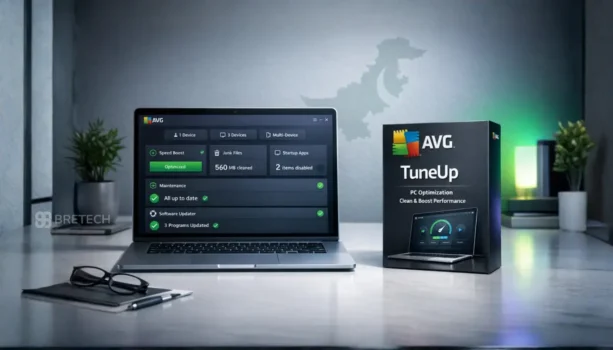
Choosing the right AVG TuneUp plan in Pakistan can be confusing if your PC is slow, storage is full, or too many background apps are making Windows feel heavy. Some users only need cleanup for one Windows PC, while others need wider coverage for several supported devices.
A common mistake is choosing the cheapest plan without checking device count, subscription length, and whether you need TuneUp only or a wider AVG bundle such as AVG Ultimate. Another risky mistake is using cracked optimisation tools, which can cause activation, security, and support problems.
This guide explains AVG PC TuneUp, AVG TuneUp Multi-Device, key features, device coverage, and buying checks for Pakistan users.
If you only want a direct side-by-side comparison, read our full guide on AVG PC TuneUp vs AVG TuneUp Multi-Device.
| User Need | Best Choice | Why |
|---|---|---|
| One main Windows PC needs cleanup | AVG PC TuneUp | Simple option for PC cleaning, startup control, and regular maintenance |
| Several supported devices need optimisation | AVG TuneUp Multi-Device | Better when one PC licence is not enough |
| Cleanup plus antivirus, VPN, and privacy tools | AVG Ultimate | Wider AVG bundle, not only TuneUp |
| Office or business purchase | Confirm licence first | Some AVG products may be personal or family-use focused, so licence type should be checked |
For broader tool comparisons, you can also read our guide to best PC optimization software in Pakistan.
What Is AVG TuneUp?
AVG TuneUp is a system optimisation tool that helps clean junk files, reduce background load, manage startup behaviour, and keep your PC easier to maintain.
It is useful for home users, students, freelancers, and office users who want regular PC maintenance without doing every cleanup task manually.
AVG TuneUp is not a hardware repair tool. It can help with clutter, startup load, and maintenance tasks, but it cannot fix failing drives, low RAM, overheating, or malware issues by itself.
If your main issue is an old or slow computer, you may also read our guide on best lightweight antivirus software for old PCs in Pakistan.
Quick Overview: AVG TuneUp Plans and Related AVG Bundle
This overview helps you understand the main AVG TuneUp options before choosing a product page or comparison guide.
| Plan or Bundle | Best For | Main Use |
|---|---|---|
| AVG PC TuneUp | One main Windows PC | PC cleanup, startup control, junk removal, and regular maintenance |
| AVG TuneUp Multi-Device | Several supported devices | Broader TuneUp coverage when one PC licence is not enough |
| AVG Ultimate | Users who want TuneUp plus security tools | Wider AVG bundle with optimisation, antivirus, VPN, and privacy tools, depending on the current edition |
For current product availability and options, visit the AVG software page or explore System Optimization Software.
AVG PC TuneUp: Suitable for One Main Windows PC
AVG PC TuneUp is suitable for users who mainly want to clean and maintain one Windows system. It is a practical option if your PC feels slow, startup takes too long, or storage is filling up with temporary files.
Choose this option if:
- You use one main Windows PC
- You want basic cleanup and optimisation features
- You do not need wider multi-device coverage
- You want a simple plan for personal use
- You mainly want to reduce clutter and background load
AVG PC TuneUp is a good fit for students, home users, freelancers, and small office users who only need Windows PC maintenance.
Looking to save on your TuneUp purchase? Check the latest AVG Summer Sale on BreTech before choosing your plan.
AVG TuneUp Multi-Device: Suitable for Several Systems
AVG TuneUp Multi-Device is better when one PC licence is not enough. It is designed for users who want broader coverage across more devices, depending on the current plan and supported platforms.
Choose this option if:
- You want to cover several devices
- Your family uses more than one system
- You manage multiple personal or office devices
- You want one TuneUp plan instead of separate smaller purchases
- You need broader coverage than a single-PC plan
Before buying, check the current device count, supported platforms, and subscription term so you do not choose the wrong licence.
AVG TuneUp Features That Matter Most
AVG TuneUp focuses on cleanup, performance, and maintenance. Exact features may change by plan and version, so always check the current product page before purchase.
Common TuneUp features may include:
- Automatic Maintenance: Helps clean and maintain the system more regularly.
- Sleep Mode: Helps reduce the load from apps running in the background.
- Disk Cleanup: Removes temporary files, junk files, and unused clutter.
- Software Updater: Helps keep supported apps more current.
- Uninstaller Tools: Helps remove apps you no longer need.
If you want to compare updater tools more widely, read our guide on software updater tools in Pakistan. For app removal tools, see best uninstaller software for Windows in Pakistan.
If your slowdown is related to outdated drivers, read our guide on best driver updater software for Windows in Pakistan.
AVG TuneUp vs Manual Windows Cleanup
Some users can manage basic cleanup with Windows built-in tools. Others prefer a paid optimiser because it combines cleaning, startup help, and maintenance features in one place.
Manual cleanup may be enough if:
- Your PC is already stable
- You only clean files occasionally
- You are comfortable checking startup apps yourself
- You do not need automatic maintenance
AVG TuneUp may be more suitable if:
- You want a simpler maintenance routine
- Your PC often feels heavy or cluttered
- You want help managing background load
- You prefer guided cleanup instead of manual checks
If you are unsure, read Windows cleanup vs PC optimizers before buying.
AVG TuneUp vs AVG Ultimate
AVG TuneUp and AVG Ultimate are not the same type of purchase.
AVG TuneUp focuses on performance, cleanup, junk removal, startup control, and regular system maintenance. It is useful when your main problem is a slow, cluttered, or heavy Windows PC.
AVG Ultimate is a broader AVG bundle, not a TuneUp-only plan. It is more suitable if you want TuneUp together with antivirus, VPN, and privacy tools in one package.
Before buying AVG Ultimate, check the current edition, device count, supported platforms, and licence use. For office or business use, confirm the correct AVG licence type before placing the order.
If you are comparing wider AVG bundles, read AVG Ultimate Multi-Device vs AVG Ultimate for Windows in Pakistan.
What to Check Before Buying AVG TuneUp
Before placing an order, check the basic details first. This helps avoid buying the wrong licence.
- Number of devices you need to cover
- Supported operating system and platform
- Subscription length
- Whether you need personal or business use
- Whether you need only TuneUp or a wider AVG bundle
- Delivery method and activation process
- Invoice requirement for office or business purchase
BreTech can help Pakistan buyers choose the right AVG licence with PKR pricing, local payments, digital delivery, activation guidance, and invoice support.
Before selecting your plan, you can also explore current AVG Summer Sale on BreTech to compare pricing and get the best available deal.
Which AVG TuneUp Plan Should You Choose?
- One Windows PC: Choose AVG PC TuneUp if you mainly need personal PC cleanup and maintenance.
- Few household systems: Choose a plan with suitable device coverage if more than one PC needs maintenance.
- Several supported devices: Choose AVG TuneUp Multi-Device if you want broader coverage.
- Security plus optimisation: Compare AVG Ultimate if you also need antivirus and wider protection tools.
- Office or business use: Confirm the correct licence type and invoice support before purchase.
Is AVG TuneUp Worth Buying?
AVG TuneUp can be worth buying if your PC suffers from junk files, unused apps, heavy startup load, or slow day-to-day performance. It is especially useful for users who want regular maintenance without checking every setting manually.
It may not be worth it if your system is already clean, your hardware is weak, or the real issue is malware, bad storage, low RAM, or overheating. In those cases, cleanup software alone will not solve the full problem.
If your PC is mainly used for gaming, see our guide on best PC optimizers for gaming in Pakistan.
For users comparing other cleaner tools, our CCleaner buying guide in Pakistan may also help.
Avoid These Common Buying Mistakes
Many problems happen because buyers rush the decision or install unsafe software from unknown sources.
Avoid these mistakes:
- Buying a plan without checking device count
- Choosing TuneUp when you actually need antivirus protection
- Using cracked keys or fake activators
- Downloading AVG tools from unknown websites
- Ignoring system requirements
- Forgetting to save licence and activation details
- Assuming every AVG product includes the same features
Before buying any paid tool, read our guide on how to verify a software licence is genuine in Pakistan.
Buy AVG TuneUp in Pakistan
Compare these BreTech pages before you purchase:
Choosing the right plan can help you keep your systems cleaner, easier to manage, and better maintained over time.
Conclusion
The right AVG TuneUp plan depends on your device count, subscription needs, and whether you only want optimisation or a wider AVG bundle.
For one main Windows PC, AVG PC TuneUp is usually the simpler choice. For several systems, AVG TuneUp Multi-Device is more suitable. If you also need security tools, compare AVG Ultimate before buying.
BreTech helps Pakistan buyers choose genuine AVG licences with PKR pricing, local payment options, digital email delivery, activation guidance, and invoice support.
FAQs
Q: Which AVG TuneUp plan is suitable for one PC?
A: AVG PC TuneUp is usually suitable if you mainly want cleanup and maintenance for one Windows PC.
Q: What is the difference between AVG PC TuneUp and AVG TuneUp Multi-Device?
A: AVG PC TuneUp is better for smaller Windows coverage, while AVG TuneUp Multi-Device is better when you need broader device coverage.
Q: Is AVG TuneUp a subscription?
A: Yes. AVG TuneUp is normally sold as a subscription. The available term may vary by product and current vendor package.
Q: Does AVG TuneUp help with junk files and startup slowdowns?
A: Yes. AVG TuneUp is designed to help clean junk files, reduce background load, and improve general PC maintenance.
Q: Is AVG TuneUp the same as AVG Ultimate?
A: No. AVG TuneUp focuses on performance and cleanup, while AVG Ultimate is a broader AVG bundle that may include security and optimisation tools.
Q: How is the AVG TuneUp licence delivered?
A: BreTech delivers licence details digitally by email after order confirmation. Activation guidance is also available if needed.
Further Reading
- Best Mac Cleaner Software in Pakistan
- Best Android Cleaner App
- Best PC Maintenance Software Deals
- Disk Health Checker Tools in Pakistan
- AVG PC TuneUp vs AVG TuneUp Multi-Device
Explore our PC Optimization guides to compare PC cleaning, optimization, updater, and maintenance tools for Windows.
Disclaimer: Product features, device coverage, subscription terms, system requirements, and availability may change. Always check the product page and official AVG website for the latest details before purchase