Abdul Basit
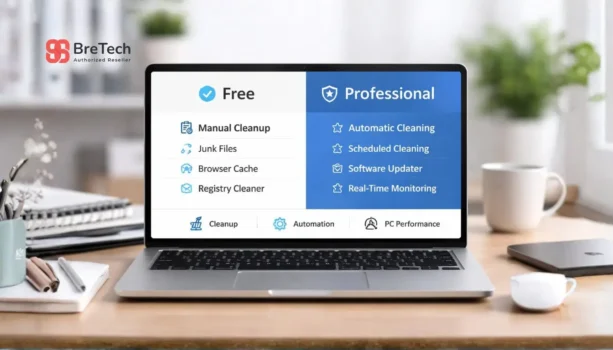
Choosing between CCleaner Free and CCleaner Professional can be confusing when your Windows PC is slow, storage is full, or startup takes too long. The free version can help with basic manual cleaning, but the paid plan is better when you want automation, updates, and easier system maintenance.
A common mistake is using cracked cleaner tools or fake activation keys just to avoid paying. This can create security, activation, and support problems later.
This guide explains the main differences between CCleaner Free and CCleaner Professional, when the upgrade is worth it, and what Pakistan buyers should check before buying a genuine license.
Key Takeaways
- CCleaner Free is enough for basic manual cleaning and browser cleanup.
- CCleaner Professional is better for regular PC maintenance, automation, and convenience.
- The paid version adds tools like Performance Optimizer, Driver Updater, Software Updater, real-time monitoring, and scheduled cleaning.
- CCleaner can help with junk files, startup clutter, browser data, and some performance issues.
- It cannot fix hardware problems like low RAM, overheating, failing drives, or malware.
- Avoid cracked versions because they can cause security, activation, and support issues.
- Pakistan buyers should check license type, device support, delivery method, activation process, and invoice needs before buying.
Quick Comparison: CCleaner Free vs Professional
| Feature | CCleaner Free | CCleaner Professional |
|---|---|---|
| Basic PC cleaning | Yes | Yes |
| Browser privacy cleanup | Yes | Yes |
| Manual cleaning | Yes | Yes |
| Performance Optimizer | No | Yes |
| Driver Updater | No | Yes |
| PC Health Check | Limited | More complete |
| Software Updater | No | Yes |
| Real-time monitoring | No | Yes |
| Scheduled cleaning | No | Yes |
| Priority support | No | Yes |
| Best for | Basic home use | Regular PC maintenance |
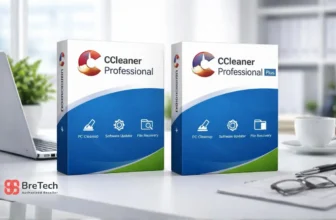
For current purchase options, visit CCleaner Professional for Windows. MacBook, iMac, and Mac mini users can choose CCleaner Professional for Mac.
What Is CCleaner Free?
CCleaner Free is the basic version of CCleaner. It is useful for users who want simple manual cleaning without buying a paid license.
It can help remove temporary files, browser cache, browser data, and other unnecessary files that build up over time. This makes it useful for users who only clean their PC occasionally and do not need automation or support-focused features.
CCleaner Free is a good starting point if your Windows PC is mostly stable and you only need basic system cleanup from time to time.
What Is CCleaner Professional?
CCleaner Professional is the paid version for users who want more than basic manual cleaning. It is useful when you want regular system maintenance, automatic cleanup, and extra tools in one simple interface.
It includes features such as Performance Optimizer, Driver Updater, Health Check, Software Updater, real-time monitoring, and scheduled cleaning. These tools are helpful for users who want easier maintenance without checking everything manually.
CCleaner Professional is suitable for students, freelancers, home users, office users, and small business buyers who use their PC daily and want a genuine Windows PC cleaning license.
CCleaner vs Built-in Windows Tools
Modern Windows systems already include built-in cleanup tools. These can help remove temporary files, manage storage, and clear some system clutter.
The difference is that built-in tools are more basic. They are useful for light cleanup, but they do not give the same level of automation, software update support, driver checks, and regular maintenance features found in CCleaner Professional.
If you only need simple cleanup, Windows tools may be enough. If you want a more convenient optimization tool with extra maintenance features, CCleaner Professional can be more useful.
For users who want to compare all CCleaner options, read our full guide on CCleaner editions compared in Pakistan.
CCleaner Features and Ease of Use
CCleaner has been around for many years, and many users still choose it because the interface is simple and straightforward. It is not difficult to understand, even for users who do not have technical knowledge.
The free version focuses on basic manual cleaning. The paid version adds automation, scheduled tasks, update checks, and tools that help users manage system maintenance more efficiently.
This ease of use is one reason many home users, freelancers, and office users prefer CCleaner instead of manually checking multiple Windows settings and applications.
When CCleaner Free Is Enough
CCleaner Free may be enough if your PC is mostly stable and you only need basic cleanup from time to time.
Choose CCleaner Free if:
- You only clean your PC occasionally
- You do not need scheduled cleaning
- You are comfortable checking startup apps manually
- You do not need paid support
- You only want basic browser and junk file cleanup
- You do not need software update or driver update tools
For light home use, the free version can be a simple starting point. It gives you core cleaning features without a subscription or paid plan.
When CCleaner Professional Is Worth Buying
CCleaner Professional is worth considering if your PC often feels slow, startup takes too long, or you want a more guided maintenance routine.
Choose CCleaner Professional if:
- You want more than basic manual cleaning
- You want scheduled cleaning
- You want software update support
- You want driver check features
- You want real-time monitoring
- You want priority support
- You use your PC for work, study, freelancing, or daily business tasks
For users who depend on their PC every day, the paid version can save time and make maintenance easier.
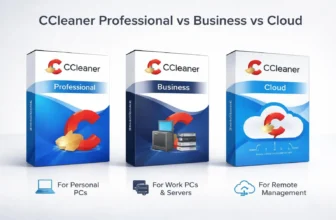
If you are unsure which CCleaner license fits your work, compare Professional, Business, and Cloud editions in our CCleaner Professional vs Business vs Cloud Guide.
Key Features You Get with CCleaner Professional
CCleaner Professional adds features that are not mainly about one-time cleaning. The main value is easier, more regular maintenance for Windows systems.
Performance Optimizer
Performance Optimizer helps reduce the load from applications that may use system resources in the background. This can help improve system responsiveness and reduce unnecessary background processes.
It will not fix weak hardware, low RAM, overheating, or a failing drive. But it can help reduce clutter and background activity when the system is slow because too many apps are active.
Driver Updater
Driver Updater helps check and update supported drivers. This can help improve stability and compatibility for some Windows systems.
Driver updates can be useful, but they should not be applied blindly. Always review updates carefully, especially on work PCs or business systems where stability matters more than quick changes.
Software Updater
Software Updater helps keep supported installed applications more current. Outdated applications can sometimes create security risks or performance problems.
This feature is useful for users who forget to update apps manually. It also adds convenience because you do not have to check each application one by one.
Scheduled Cleaning
Scheduled cleaning helps users maintain their PC without remembering every cleanup task. It is useful for busy users, office users, and people who do not want to run manual cleaning every week.
This is one of the main reasons users upgrade from the free version. It makes system maintenance more automatic and less dependent on user memory.
Real-time Monitoring
Real-time monitoring helps users stay aware of system clutter and maintenance needs. Instead of waiting until the PC becomes slow, the paid version can help with more active maintenance.
This feature is useful for users who want a cleaner system without checking manually all the time.
Priority Support
Priority support can be useful if you want help with product-related questions, activation, or paid-version issues.
For Pakistan buyers, BreTech also provides activation guidance after order confirmation, which can help if you are not comfortable setting up the software yourself.
CCleaner Free vs Paid Features
The biggest difference between the free version and the paid version is convenience. CCleaner Free is manual, while CCleaner Professional adds automation and additional tools.
The free version can clean junk files and browser clutter, but the paid plan is better if you want scheduled cleaning, automatic maintenance, software updates, driver checks, and real-time monitoring.
This makes CCleaner Professional more useful for people who want a “set and maintain” style of system cleanup instead of doing everything manually.
CCleaner Free vs Professional: Which One Should You Choose?
- Choose CCleaner Free if you only need basic manual cleaning for one personal PC.
- Choose CCleaner Professional if you want paid features, scheduled cleaning, software updates, driver checks, and priority support.
- Choose Professional if your PC is used for work, freelancing, study, or office tasks.
- Stay with Free if your PC is already clean and you only need occasional cleanup.
- Avoid cracked versions because they can create security and activation problems.
Is CCleaner Professional Better for Slow PCs?
CCleaner Professional can help if your PC is slow because of junk files, too many startup apps, browser clutter, outdated software, or unnecessary background processes.
But it cannot fix every slow PC issue. If your storage drive is failing, RAM is too low, Windows is damaged, or the PC has malware, cleanup software alone will not solve the full problem.
If you are not sure whether you need a paid optimizer, read Windows Cleanup vs PC Optimizers before buying.
CCleaner Professional vs Other Cleaner Tools
CCleaner Professional is one of several paid PC cleaning and system optimization tools. Some users also compare it with AVG TuneUp, Ashampoo WinOptimizer, IObit tools, and built-in Windows cleanup options.
CCleaner still has strong value for users who want a simple interface, browser cleanup, startup control, and maintenance features in one utility. Other alternatives may offer different tools, bundles, or subscription packages.
If you want a wider comparison, read our guide to best PC optimization software in Pakistan.
What About CCleaner Professional Plus and Premium?
Some users compare CCleaner Free vs Professional first, then later look at CCleaner Professional Plus or CCleaner Premium.
Professional Plus may be useful if you want extra tools such as Recuva and Speccy, depending on the current package. Premium may be suitable for users who want a broader bundle, depending on the vendor’s current offer.
Do not upgrade only because a package looks bigger. First check whether the extra tools are useful for your work, devices, and maintenance needs.
What Pakistan Buyers Should Check Before Buying
Before buying CCleaner Professional, check the product details carefully so you choose the right license.
Check these points:
- Correct product name
- License term
- Number of supported devices
- Windows version and system requirements
- Delivery method
- Activation process
- Personal, office, or business use permission
- Invoice requirement for business purchase
- Current price and available package details
BreTech provides genuine CCleaner licenses with PKR pricing, local payment options, digital email delivery, activation guidance, and invoice support.
Avoid These Common Mistakes
Many users face problems because they install unsafe tools or choose the wrong license.
Avoid these mistakes:
- Using cracked CCleaner keys
- Downloading from unknown websites
- Buying without checking license terms
- Assuming Free and Professional have the same features
- Expecting cleaner software to fix hardware faults
- Running too many cleaner tools together
- Deleting files without checking what is being removed
- Buying a paid plan without checking device support
Before buying any paid tool, read our guide on how to verify a software license is genuine in Pakistan.
Buy CCleaner Professional in Pakistan
If you want the paid version, you can buy CCleaner Professional from BreTech with digital delivery and activation support.
BreTech provides genuine CCleaner licenses in Pakistan with PKR pricing, local payment options, digital delivery, activation guidance, and invoice support for business buyers.
For all available options, visit the CCleaner brand page or explore Utilities & Optimization software.
Conclusion
CCleaner Free is suitable for users who only need basic manual cleaning. It is a good starting point for light home use.
CCleaner Professional is better if you want a paid Windows PC cleaner with more maintenance features, scheduled cleaning, software update support, driver checks, real-time monitoring, and priority support.
For most daily PC users in Pakistan, the best choice depends on how often the PC slows down, how important the system is for work, and whether you want a genuine paid license with activation support.
FAQs
Q: Is CCleaner Pro still worth buying?
A: Yes, CCleaner Pro can still be worth buying if you use your PC every day and want automatic maintenance, software updates, driver checks, and scheduled cleaning. The free version is enough for basic cleanup, but Pro is better when you want more convenience and less manual work.
Q: What is the price difference between CCleaner Free and Professional?
A: CCleaner Free has no paid license cost, but it is limited to basic manual cleaning. CCleaner Professional is a paid plan, so the price depends on the current license term, device count, and available package. Pakistan buyers should check the latest product page before ordering.
Q: Does CCleaner Professional automatically scan and clean my PC?
A: CCleaner Professional can help with automatic maintenance features such as scheduled cleaning and real-time monitoring. It can make cleanup easier, but users should still review important scan results before deleting files, browser data, or app-related items.
Q: Is the CCleaner interface easy for beginners?
A: Yes, CCleaner has a simple interface that is easy to understand for most users. Basic cleanup, startup management, and maintenance tools are shown clearly, which makes it useful for home users, students, freelancers, and office users.
Q: Can CCleaner Professional fix outdated drivers?
A: CCleaner Professional includes Driver Updater, which can help check supported outdated drivers and suggest updates. This may improve stability or compatibility on some Windows systems, but driver updates should be reviewed carefully before installing.
Q: Is CCleaner an alternative to Windows built-in cleanup tools?
A: Yes, CCleaner can be used as an alternative to built-in Windows cleanup tools when you want more features. Windows tools are good for basic disk cleanup, while CCleaner Professional focuses on system performance, performance optimization, software updates, and easier maintenance.
Q: Does CCleaner give full security protection?
A: No. CCleaner is mainly a PC cleaning and system maintenance tool, not a full antivirus or security suite. It can help clean junk files, browser data, and clutter, but you still need proper antivirus protection and safe browsing habits.
Further Reading
- Software Updater Tools in Pakistan
- Best Driver Updater Software for Windows in Pakistan
- Is Updating Drivers Safe?
- WinOptimizer vs CCleaner in Pakistan
- Best PC Optimizers for Gaming in Pakistan
Explore more helpful guides in our Utilities & Optimization guides to compare PC cleaning, optimization, updater, and maintenance tools before choosing the right software.
Disclaimer: Product features, license terms, system requirements, prices, bundle contents, and availability may change. Always check the product page and official CCleaner website for the latest details before purchase.