Abdul Hadi
Best PC optimization software in Pakistan 2026: compare trusted tools to clean junk, manage startups, reduce crashes, and keep Windows fast.
Best PC optimization software in Pakistan helps when your computer becomes slow, freezes, or fills up with junk files after regular use. Many users in Pakistan try a random PC cleaner or cracked optimization tool, but these often fail to fix real issues and can even create errors or malware problems.
The better approach is to choose a trusted free or paid PC optimizer that matches your needs. Some tools focus on cleanup, some help manage startup programs, and some include advanced features like a software updater, browser cleaner, and deeper Windows optimization controls.
For most users, the best choice depends on how you use your PC. Some people only need a simple PC cleaner to clean junk files, while others want a fuller cleanup and optimization suite for better speed and stability. The table below will help you compare the main choices more easily.
Top PC Optimization Tools in Pakistan at a Glance
| Tool Name | Best For | Main Strength |
|---|---|---|
| Advanced SystemCare PRO | All-in-one maintenance | Cleanup, startup control, and system monitoring |
| CCleaner Professional for Windows | Beginners and quick cleanup | Removes junk files, cache, and startup load |
| Glary Utilities PRO | Extra utility tools | Cleanup, privacy tools, and maintenance features |
| Ashampoo WinOptimizer | Deep Windows tuning | System analysis, cleanup, and privacy control |
| AVG TuneUp | Automatic maintenance | Background cleanup and performance optimization |
| Avast Cleanup Premium | Everyday users | Regular cleanup and smoother performance |
If you want to compare more tools or buy a genuine license, explore our Utilities & Optimization software in Pakistan and System Optimization tools.
MacBook and iMac users can also compare Best Mac Cleaner Software in Pakistan for junk cleanup, browser privacy cleaning, startup control, and storage recovery.
You can also browse trusted brands like Ashampoo, AVG, Avast, CCleaner, and Glarysoft.
Check Price and Edition Before You Buy
The best PC optimizer is not only about features. It is also about choosing the right edition for your PC, usage, and budget. Some tools are better for quick cleanup, while others are better for automatic maintenance or deeper Windows tuning.
Before buying, compare the latest pricing and edition details for the tools you are considering. This helps you avoid paying for features you do not need and choose the right genuine license for your Windows PC.
How to Choose the Right PC Optimizer
What to Look for Before You Buy
Choosing the best PC optimizer means checking what the program can do. Look for tools that clean temporary files, manage programs that start with Windows, and provide useful maintenance controls. Make sure the software supports your version of Windows and has a clear, easy-to-use interface.
Also, consider software that lets you schedule cleanup tasks or monitor system performance. Avoid programs that promise dramatic speed improvements without explaining what they actually change.
If you are still unsure whether built-in Windows cleanup is enough, read our Windows Cleanup vs PC Optimizers guide.
Free vs. Paid Tools
Free PC optimizers can help remove junk files and are a good place to start, but they often have fewer automation, maintenance, or monitoring features.
Paid tools may offer additional cleanup options, startup management, scheduled maintenance, software updating, privacy tools, or technical support depending on the product.
Think about what you actually need before paying for extra features. Always download software from trusted sources and avoid cracked versions.
How to Avoid Unsafe or Cracked Software in Pakistan
Downloading cracked or unsafe PC software can put your computer and personal data at risk. Modified installers can contain malware, unwanted programs, or files that interfere with normal system operation.
To stay safer, get software from official vendor websites or trusted software sellers. Make sure the program comes with a valid license and can receive official updates.
Buying genuine PC optimization software also helps you avoid activation problems and unsupported modified versions.
Before you install anything, it also helps to review common mistakes when using PC optimizers.
Top 6 PC Optimization Tools to Consider in 2026
These PC optimization tools are available in Pakistan through BreTech with PKR pricing, local payment options, and digital delivery on most orders.
1. Advanced SystemCare PRO for All-in-One PC Cleanup
Advanced SystemCare PRO is a good fit for users who want one tool for junk cleanup, startup control, privacy cleanup, and routine system care. It suits people who prefer quick maintenance from a single dashboard instead of adjusting many Windows settings manually.
2. CCleaner Professional for Fast Junk File Removal
CCleaner Professional is suitable for users who want a simple way to remove temporary files, browser clutter, and unnecessary startup items. It can be a practical choice when the main goal is regular cleanup without a large number of advanced tuning controls.
Compare CCleaner Editions
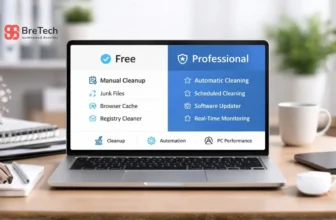
- CCleaner Free vs Professional
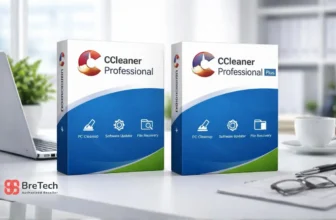
- CCleaner Professional vs Professional Plus
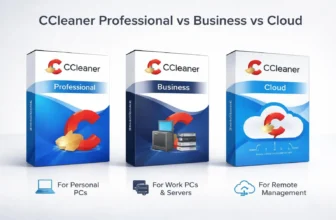
- CCleaner Professional vs Business vs Cloud
- CCleaner Editions Compared in Pakistan
3. Glary Utilities PRO for Cleanup and Privacy Tools
Glary Utilities PRO works well for users who want more than a basic cleaner. It combines cleanup features with additional maintenance and privacy tools, which can make it useful for home users who prefer several utilities in one program.
4. Ashampoo WinOptimizer for Deep Windows Tuning
Ashampoo WinOptimizer is a strong option for users who want deeper cleanup and more control over Windows maintenance. It includes tools for system analysis, privacy, and general optimization, so it suits people who prefer more detailed control instead of relying only on one-click cleanup.
If you are comparing these two popular tools, read our WinOptimizer vs CCleaner Pakistan comparison.
5. AVG TuneUp for Automatic Maintenance
AVG TuneUp is suited to users who want automatic maintenance with less manual effort. It can help clean junk, manage background applications, and keep the system tidier over time.
If AVG TuneUp looks like the better option for your needs, see our AVG TuneUp Price in Pakistan guide.
6. Avast Cleanup Premium for Everyday PC Speed Fixes
Avast Cleanup Premium is designed for users who want regular cleanup and maintenance without manually checking every Windows setting.
It can be useful for clearing unnecessary files, reducing background clutter, and handling routine PC maintenance.
Do You Really Need PC Optimization Software?
When These Tools Help
PC optimization software can help when your computer feels slow because of temporary files, unnecessary startup programs, browser clutter, or limited free storage.
If your computer is older or running low on available disk space, cleanup tools may help recover storage and reduce unnecessary background activity.
They are most useful when they address a specific problem rather than being treated as a universal fix for every performance issue.
When They Will Not Fix the Real Problem
PC optimizers will not fix every slow computer.
If the real issue is failing hardware, insufficient RAM, an overloaded system drive, malware, overheating, or a damaged Windows installation, cleanup software alone may not solve the problem.
If your main concern is malware protection instead of cleanup, you can also read our IObit Malware Fighter Pro vs Malware Hunter Pro comparison before choosing a Windows security tool.
If you are not sure why your PC is having trouble, diagnosing the cause first can save time and prevent unnecessary software purchases.
Common Myths About PC Optimization
Do Registry Cleaners Really Help?
Registry cleaners are designed to remove outdated or unused entries from the Windows registry.
For most users, registry cleaning is unlikely to produce a major speed improvement. Aggressive cleaning can also create problems if important entries are removed incorrectly.
If you use a registry cleaner, create a backup or restore point first and avoid treating registry cleanup as routine maintenance that must be performed frequently.
Can One-Click Tools Make Any PC Faster?
One-click optimization tools can help with simple tasks such as deleting temporary files, reducing startup programs, or clearing unnecessary browser data.
However, they cannot solve every performance problem. Large slowdowns may come from low memory, weak hardware, failing storage, malware, overheating, or heavily loaded applications.
Be cautious with tools that promise dramatic performance gains without explaining what changes they make.
Best Practices for Better PC Performance
Simple Maintenance Tips That Actually Help
Your PC can run more smoothly if you perform a few basic maintenance tasks regularly. Remove programs you no longer use, clear unnecessary temporary files, and check which programs start automatically with Windows.
Keep Windows and important applications updated. If hardware drivers are causing problems, you can also compare trusted driver updater tools or update drivers directly through the hardware manufacturer when appropriate.
A PC optimizer can automate some of these tasks, but it should complement normal Windows maintenance rather than replace it.
Built-in Windows Tools You Should Use First
Windows already includes several tools that can help identify or reduce common performance problems:
- Storage and temporary-file cleanup tools can remove unnecessary files.
- Task Manager can show which programs use significant CPU, memory, disk, or startup resources.
- Performance Monitor and other Windows diagnostic tools can help investigate system performance.
Using built-in tools first can help you understand whether you actually need additional optimization software.
Why Using Too Many Optimizers Can Slow Your PC
Using several PC optimization programs at the same time can create unnecessary background activity.
Different programs may attempt to monitor the same system areas, manage startup items, clean similar files, or change overlapping settings.
For most users, it is better to choose one main optimization tool that matches their needs instead of installing several programs that perform almost the same tasks.
Where to Buy Genuine Software in Pakistan
Why Genuine Licenses Matter
A genuine license allows software to activate according to the publisher’s licensing terms and receive supported updates when included with the product.
Cracked or modified software can contain malware, stop working after updates, or create activation problems.
A valid license also makes it easier to obtain legitimate support when you need installation or activation help.
PKR Pricing, Local Payments, and Digital Delivery
BreTech offers prices in PKR and local payment methods, helping buyers in Pakistan purchase software using locally available payment options.
Most software orders are delivered digitally. Delivery time can vary depending on the product, publisher, license type, and order requirements.
BreTech also provides activation guidance and invoice support where applicable.
Choosing the Right License for Your Needs
Choose a license based on how the software will be used.
A home user may only need a single-user license, while a company, school, IT department, or other organization may require a different edition or licensing arrangement.
Checking the edition and license terms before buying helps prevent purchasing software that does not match your intended use.
Conclusion: Choosing the Best PC Cleaner in Pakistan
The best PC optimization software in Pakistan depends on what you want to improve.
If you mainly need a simple PC cleaner for temporary files and routine maintenance, a straightforward cleanup tool may be enough. If you want a broader optimization program with startup controls, automation, privacy tools, monitoring, or additional utilities, a more complete suite may be more suitable.
The important point is to choose software based on the actual cause of the slowdown rather than relying on exaggerated speed claims.
BreTech offers genuine PC optimization software for Pakistan buyers with PKR pricing, local payment options, digital delivery on most orders, activation guidance, and invoice support where applicable.
FAQs
Q: Do PC optimizers really work?
A: PC optimizers can help when slow performance is caused by temporary files, unnecessary startup programs, browser clutter, or other routine maintenance issues. They will not fix every problem, especially hardware failure, malware, overheating, or insufficient RAM.
Q: Are PC cleaners safe to use?
A: Reputable PC cleaners are generally safer than unknown or cracked tools, but you should still review what the software intends to remove or change. Download from trusted sources, use a genuine license when required, and create backups before making major system changes.
Q: Is a free version enough for PC cleaning?
A: A free PC cleaner may be enough for basic temporary-file cleanup. Paid editions often add features such as scheduled maintenance, startup management, monitoring, software updating, privacy tools, or other utilities depending on the product.
Q: What should I use before buying an optimization program?
A: Start with Windows built-in cleanup and diagnostic tools. Check available disk space, startup programs, Task Manager, Windows updates, and unnecessary applications first. If routine maintenance remains difficult, a dedicated PC optimizer may make those tasks easier.
Q: Can PC optimizers improve startup speed?
A: They can help when startup delays are caused by unnecessary applications launching with Windows. A startup manager can make it easier to identify and disable nonessential startup items, but it will not solve startup problems caused by failing hardware or Windows errors.
Q: Do I need a browser cleaner?
A: A browser cleaner can remove cached files, cookies, browsing data, and other stored information. It can be useful for privacy or storage cleanup, but browser cleaning normally has a limited effect on overall Windows performance.
Q: What is the best PC optimization software for older PCs?
A: Older PCs usually benefit most from lightweight cleanup, startup management, sufficient free disk space, and reducing unnecessary background programs. The best software depends on the hardware and the actual cause of the slowdown.
Q: Can PC optimization software fix all slow PC problems?
A: No. Optimization software cannot fully fix failing hardware, insufficient RAM, a damaged storage drive, overheating, serious malware, or major Windows corruption. These problems require separate diagnosis and repair.
Further Reading
If you want more help choosing PC optimizers, fixing a slow system, or improving gaming performance, these related guides may help:
- Best PC Optimizers for Gaming in Pakistan
- Software Updater Tools Pakistan
- Best Driver Updater Software for Windows Pakistan
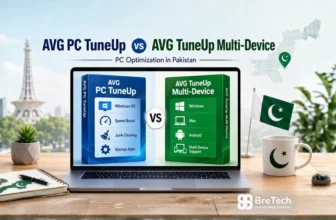
- AVG PC TuneUp vs AVG TuneUp Multi-Device
Explore more PC Optimization guides for practical Windows tools in Pakistan.