Abdul Basit
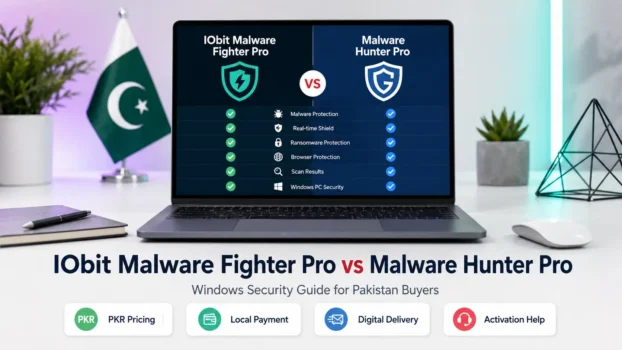
Choosing between IObit Malware Fighter Pro vs Malware Hunter Pro is important if your Windows PC has pop-ups, suspicious files, browser changes, virus warnings, adware, spyware, or slow performance after a possible infection.
Both are malware removal tools for Windows users, but they are not made for the exact same buyer. IObit Malware Fighter Pro is better for users who want broader anti-malware protection, browser safety, privacy protection, and ransomware prevention. Malware Hunter Pro is better for users who want simple malware scanning, stubborn threat removal, automatic scans, and basic PC cleanup.
BreTech helps Pakistan buyers choose genuine software licences with PKR pricing, local payment support, digital email delivery, activation guidance, and after-sales support.
IObit Malware Fighter Pro vs Malware Hunter Pro: Main Difference
The main difference is the level of protection and the type of user each product suits.
IObit Malware Fighter Pro is a more comprehensive anti-malware security tool. It is useful for users who want real-time protection, browser protection, privacy protection, ransomware prevention, and help blocking malicious activity on Windows.
Malware Hunter Pro is more focused on malware scan, threat detection, stubborn malware removal, and simple PC cleanup. It is a good choice for users who want a clean and easy tool to remove suspicious files and keep their Windows PC safer.
IObit Malware Fighter Pro: Best for Wider Anti-Malware Protection
IObit Malware Fighter Pro is better for users who want more than a basic malware removal tool.
It can help protect against malware, virus threats, spyware, ransomware, adware, Trojans, malicious files, and browser-based risks. This makes it suitable for users who browse daily, download files, open external USB drives, or want an extra layer of protection on a Windows PC.
Choose IObit Malware Fighter Pro if you need:
- real-time protection
- browser protection
- ransomware prevention
- privacy protection
- spyware and adware removal
- suspicious file blocking
- wider anti-malware protection
This is the better choice for users who want a security tool that works more actively in daily Windows use.
Malware Hunter Pro: Best for Simple Malware Scanning and Cleanup
Malware Hunter Pro is better for users who want a simple and focused malware removal tool.
It is useful when your PC feels slow, suspicious files appear, unwanted programs run in the background, or your browser behaves strangely. It can help scan, detect, remove, and clean malware-related problems without making the buying decision too complicated.
Choose Malware Hunter Pro if you need:
- fast malware scan
- automatic malware scanning
- malware database updates
- stubborn threat removal
- basic PC cleanup
- simple interface
- malware protection beside Windows Defender
This is the better choice for users who want a direct and easy tool for malware removal and PC cleanup.
You can also explore more Glarysoft products here: Glarysoft Software
Which Malware Removal Tool Is Better for a Slow PC?
If your PC is slow because of suspicious files, adware, unwanted programs, or possible infection, Malware Hunter Pro is a good first choice.
It is more suitable when the main problem is malware scanning, cleanup, and removing unwanted threats from a Windows PC.
But if your PC is slow because of active browser threats, ransomware risk, spyware, malicious websites, or unsafe downloads, IObit Malware Fighter Pro is the better choice because it offers broader protection.
Simple rule:
- Slow PC with suspicious files: Malware Hunter Pro
- Daily browsing and wider protection: IObit Malware Fighter Pro
- Heavy performance issues without malware signs: check PC optimisation tools separately
Which One Is Better for Browser and Privacy Protection?
IObit Malware Fighter Pro is the better option for browser and privacy protection.
It is more suitable for users who visit many websites, download files, use online accounts, save passwords in the browser, or worry about malicious web behaviour.
Browser-related risks can include:
- unsafe websites
- malicious downloads
- suspicious scripts
- browser hijacking
- spyware
- adware
- phishing pages
- privacy risks
For users who want stronger browser protection and privacy protection, IObit Malware Fighter Pro is the safer choice between the two.
Which One Is Better for Malware and Virus Threats?
Both tools can help with malware and virus-related threats, but the better choice depends on the problem.
Malware Hunter Pro is better when the user needs to scan the PC, detect suspicious files, and remove malware.
IObit Malware Fighter Pro is better when the user wants more active protection to block threats before they infect the PC.
Which One Is Better for Home Users?
For most home users in Pakistan, both products can make sense.
Choose Malware Hunter Pro if you want a simple program to scan, clean, and remove suspicious malware from your Windows PC.
Choose IObit Malware Fighter Pro if you want stronger everyday protection for browsing, downloads, USB files, ransomware risk, spyware, and privacy protection.
Home users should avoid cracked malware tools, fake keys, and unofficial installers. These may infect the PC, steal sensitive data, damage files, or fail during activation.
Which One Is Better for Small Offices?
For small offices, IObit Malware Fighter Pro is usually the better choice between these two because office users often face more daily threats.
Office PCs may handle email attachments, web downloads, USB drives, customer files, invoices, passwords, and sensitive data. A broader anti-malware tool gives more useful protection for daily work.
However, if the office only needs a simple malware scan and cleanup tool for one PC, Malware Hunter Pro can still be enough.
For antivirus and malware tools, visit: Antivirus & Malware Software
IObit Malware Fighter Pro vs Malware Hunter Pro: Buyer Comparison
| Feature or Need | IObit Malware Fighter Pro | Malware Hunter Pro |
|---|---|---|
| Malware removal | Good | Strong |
| Real-time protection | Stronger fit | Basic fit |
| Browser protection | Better | Limited |
| Privacy protection | Better | Limited |
| Ransomware prevention | Better | Not the main reason to buy |
| Fast malware scan | Good | Strong |
| PC cleanup | Basic fit | Better fit |
| Simple interface | Good | Good |
| Best for home users | Yes | Yes |
| Best for daily browsing protection | Better | Less suitable |
| Best for simple malware cleanup | Good | Better |
| Best for Pakistan buyers comparing two paid tools | Yes | Yes |
Price and Licence Buying in Pakistan
Before buying, compare the product page carefully. Do not choose only by the lowest price.
Pakistan buyers should check:
- licence duration
- number of PCs
- Windows compatibility
- activation method
- renewal terms
- digital delivery
- support availability
- invoice need for business use
Buy genuine licences only. Fake keys, cracked installers, and unofficial software may look cheap, but they can create security risk, malware infection, failed activation, and privacy problems.
You can compare both products here:
Should You Use a Malware Removal Tool With Windows Defender?
Yes, many users use an extra malware removal tool beside Windows Defender.
Windows Defender gives built-in security for Windows, but some users still want another layer of protection. This is common when the PC has suspicious files, browser pop-ups, unwanted programs, adware, spyware, or repeated malware warnings.
Choose Malware Hunter Pro if you want a simple extra scanner and cleanup tool.
Choose IObit Malware Fighter Pro if you want broader real-time protection, browser protection, privacy protection, and ransomware prevention.
For more guidance, read: Is Windows Defender Enough in 2026?
Which One Should You Buy?
Buy IObit Malware Fighter Pro if you want wider anti-malware protection for daily Windows use, browser security, ransomware prevention, spyware protection, and privacy protection.
Buy Malware Hunter Pro if you want a simple malware removal tool for scanning, cleaning, and removing suspicious threats from a Windows PC.
For most Pakistan buyers:
- Choose IObit Malware Fighter Pro for stronger daily protection.
- Choose Malware Hunter Pro for simple malware scanning and cleanup.
- Compare both product pages before buying if price, device count, or licence duration is important.
Final Recommendation
IObit Malware Fighter Pro is the better choice for users who want more comprehensive Windows protection, including browser safety, privacy protection, anti-malware defence, and ransomware prevention.
Malware Hunter Pro is the better choice for users who want a simple malware removal tool with scanning, cleanup, automatic checks, and malware database support.
If your goal is everyday protection, choose IObit Malware Fighter Pro. If your goal is simple malware scan and cleanup, choose Malware Hunter Pro.
FAQs
Q: Is IObit Malware Fighter Pro better than Malware Hunter Pro?
A: IObit Malware Fighter Pro is better for wider protection, browser safety, privacy protection, and ransomware prevention. Malware Hunter Pro is better for simple malware scanning, automatic checks, cleanup, and easy Windows PC use.
Q: Is Malware Hunter Pro safe with Windows Defender?
A: Yes. Malware Hunter Pro can work as an extra malware scanner beside Windows Defender. It helps scan suspicious files, remove threats, and keep the PC cleaner.
Q: Does IObit Malware Fighter Pro protect automatically?
A: Yes, it can help protect your PC automatically when its protection features are enabled. Users should still keep Windows updated and avoid unsafe downloads.
Q: Which is the best free option?
A: Free versions may help with basic scanning, but Pro licences are better for stronger protection, automatic features, privacy protection, and safer malware prevention.
Q: Do I need malware software if I use Windows Defender?
A: You may need extra malware software if you see pop-ups, browser changes, slow startup, suspicious files, or threats that Defender does not remove easily.
Q: Can these tools help prevent ransomware?
A: IObit Malware Fighter Pro is better for ransomware prevention. Malware Hunter Pro is better for scanning, cleaning, and removing malware threats.
Q: Which one is easier to use?
A: Malware Hunter Pro is simpler for scan-and-clean use. IObit Malware Fighter Pro has more features, so it may need a few extra setup steps.
Q: Can malware software speed up my PC?
A: It can help if malware, adware, or suspicious startup items are slowing the PC. If the issue is low RAM or old hardware, malware software alone may not fix it.
Q: Which one do you recommend for Pakistan buyers?
A: Choose IObit Malware Fighter Pro for wider daily protection. Choose Malware Hunter Pro for simple malware scanning, cleanup, and automatic checks.
Further Reading
Use these guides if you want to compare wider security options before buying:
- Best Security Software in Pakistan
- Best Lightweight Antivirus Software for Old PCs in Pakistan
- Cybersecurity Checklist for Pakistan
Want more buyer guides for antivirus, malware protection, Windows security, and safe software choices? Visit our Antivirus & Internet Security guides for related security articles in Pakistan.