Abdul Basit
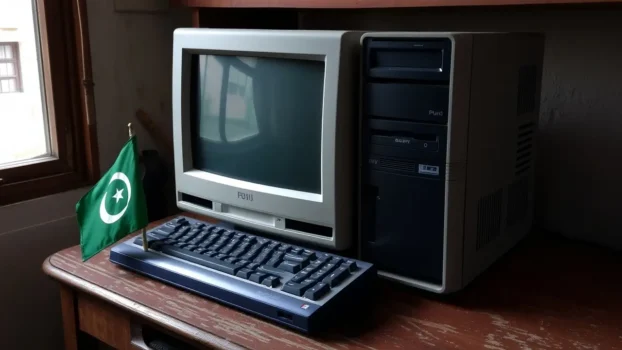
Old PCs in Pakistan often become slow not only because of age, but because the wrong security tool keeps running in the background.
Choosing the best lightweight antivirus for old PCs in Pakistan helps protect your computer without making daily work, browsing, and startup feel worse.
Many users install cracked antivirus, overloaded security suites, or more than one protection app at the same time. On an older PC, that usually causes lag, higher background activity, slower startup, and less usable performance.
The better choice is to use one genuine antivirus product that gives the right balance of protection and system impact.
BreTech provides genuine antivirus software in Pakistan with PKR pricing, local payment support, digital email delivery, activation guidance, and invoice support where available.
Quick Comparison Table
| Product | Best For | Why It Fits This List |
|---|---|---|
| Norton AntiVirus Plus | Very old PCs and basic everyday protection | Essentials-first protection with fewer bundled extras |
| AVG Internet Security for Windows | Older PCs that still need stronger security features | Balanced protection with web, email, firewall, and ransomware defence |
| Avast Premium Security for Windows | Older PCs needing broader web and network protection | Useful for safer browsing and extra protection, but not the lightest choice |
Compare more genuine antivirus options in BreTech’s Antivirus & Malware Protection collection, including Norton, AVG, and Avast products available with PKR pricing and local payment support.
Performance Fit for Old PCs
| Product | Performance Fit | Best Feature for Old PCs | Buyer Note |
|---|---|---|---|
| Norton AntiVirus Plus | Lightest fit in this list | Essentials-first protection | Best starting point for very old or weak PCs |
| AVG Internet Security for Windows | Balanced fit | Web, email, firewall, and ransomware protection | Better for users who want stronger protection and can accept more features |
| Avast Premium Security for Windows | Balanced to broader fit | Web and network protection | Better for users who want extra protection, not the lightest setup |
Actual performance depends on your PC’s RAM, storage type, Windows version, startup apps, browser tabs, and background software.
Treat this table as a practical buying guide, not a lab benchmark.
Why Old PCs Need Careful Antivirus Choice
Older computers need protection, but they also have limited resources.
A heavy security suite can slow down startup, browsing, downloads, and daily work. This is worse on PCs with low RAM, old hard drives, outdated Windows versions, or too many startup apps.
The best antivirus for an old PC is not always the product with the most features. It is the product that gives enough protection without making the computer harder to use.
Best Lightweight Antivirus Options for Old PCs in Pakistan
Older computers need protection that stays active without using too many system resources.
For most BreTech users, these three products are the strongest options to compare for old and slow Windows systems.
1. Norton AntiVirus Plus
Norton AntiVirus Plus is the best first recommendation for this topic because it keeps the setup simple.
It suits older PCs that need core protection for browsing, downloads, email, and daily work without too many extra tools running in the background.
This is the cleanest first choice if your old laptop or desktop already struggles with lag, slow startup, or limited RAM.
Users who want a more feature-rich Norton option can later compare it with Norton 360 plans if they need more extras.
2. AVG Internet Security for Windows
AVG Internet Security for Windows is not the lightest option in this list, but it is a strong balanced choice for users who want better protection than a very basic antivirus.
It can fit older Windows PCs that still have reasonable RAM and need web protection, email shields, firewall protection, and ransomware defence.
Choose AVG if your PC is older but still usable for daily browsing, email, office work, shopping, and online banking.
If your PC is very slow, very old, or already struggles with startup, Norton AntiVirus Plus is the safer first choice.
3. Avast Premium Security for Windows
Avast Premium Security for Windows is a solid third option for users who want broader web protection and a user-friendly setup.
It makes sense for older PCs that can still handle a balanced security product with a few more features.
This is a practical pick for users who want smoother day-to-day use together with stronger browsing and network protection.
It is not the lightest choice for very weak PCs, but it can work well on older systems that are still stable.
Why This Product Order Makes Sense
This blog is about antivirus options for older PCs, so the lightest practical setup should come first.
Norton AntiVirus Plus is first because it is the most essentials-focused option in this list. It is the better starting point for very old PCs, low RAM systems, or users who want simple protection without many extras.
AVG Internet Security for Windows comes second because it offers stronger protection features, but it is not the lightest choice. It is better for users who want a balance between protection and daily performance.
Avast Premium Security for Windows comes third because it is useful for web and network protection, but it is better for users who want broader security rather than the lowest possible system impact.
How to Choose the Right One for Your Old PC
The right choice depends on your PC’s age, RAM, storage type, Windows version, and daily use.
If your PC is very old, slow at startup, or has limited RAM, choose Norton AntiVirus Plus first. It is the simplest and safest starting point in this list.
If your PC is older but still runs normal browsing, office work, email, and online banking without heavy lag, AVG Internet Security for Windows can be a better balanced option.
If you want broader web and network protection and your PC can handle a fuller security suite, Avast Premium Security for Windows is also worth comparing.
What to Check Before You Buy
- Your Windows version and system requirements
- RAM and storage type
- Startup speed and background apps
- Whether you need basic protection or stronger web protection
- Whether you do online banking, shopping, or business work on the PC
- Genuine licence availability and local support in Pakistan
Is AVG Internet Security Lightweight Enough for Old PCs?
AVG Internet Security for Windows is not the lightest antivirus choice for very weak PCs.
It includes more protection features than a basic antivirus, such as web protection, email shields, firewall, and ransomware protection.
That makes AVG a better fit for users who want stronger security on an older but still usable Windows PC.
If your PC has very low RAM, slow storage, or already struggles with normal browsing, start with a simpler antivirus option first.
If your PC is stable and you want extra protection for banking, shopping, downloads, and email, AVG can still be a practical balanced choice.
What to Avoid on an Old PC
The biggest mistake is installing too many security or cleanup tools together.
That often creates more slowdown, more background activity, and more software conflicts.
Avoid cracked antivirus, random free downloads, and multiple security apps running at once.
On an older PC, one genuine product is usually much better than several mixed tools.
Why Cracked Antivirus Is Risky for Old PCs
Cracked antivirus can be dangerous because it may be modified, outdated, blocked from updates, or bundled with malware.
This is especially risky on old PCs because users often already have weak performance, outdated browsers, and older Windows installations.
A cracked tool may look free, but it can expose your files, passwords, browsing activity, and banking details.
For safer buying, choose a genuine licence from a trusted seller.
Built-In Protection vs Paid Antivirus
Built-in protection can be enough for very basic use, especially if the user only browses safe websites and does not download unknown files.
But many old-PC users open email attachments, install utilities, use USB drives, download files, or visit risky websites.
In those cases, a genuine paid antivirus can offer better protection, clearer support, and safer long-term updates.
If you want to compare this topic in detail, read Is Windows Defender Enough?.
Lightweight Antivirus for Online Banking on Old PCs
If you use an old PC for online banking, choose carefully.
You need protection against phishing links, fake bank pages, spyware, risky downloads, and ransomware. But you also need software that does not make the PC too slow to use.
For very weak PCs, start with a simpler antivirus. For older but still stable PCs, AVG Internet Security for Windows can be a useful balanced choice because it adds web, email, firewall, and ransomware protection.
For more banking safety guidance, read Best Antivirus Software for Online Banking in Pakistan.
Business Use on Old Office PCs
Some small offices, shops, and SMEs still use older Windows PCs for invoices, email, browsing, banking, and customer work.
For very old business PCs, performance matters, but security also matters because business data is more sensitive.
If your business devices are too old, antivirus alone is not enough. You may also need better update habits, safer email use, backup, and a plan to replace weak systems.
For practical safety steps, read Cybersecurity Checklist for Pakistan.
How to Keep Antivirus Lightweight After Installation
Use only one antivirus product at a time.
Remove extra scanner tools, old trial antivirus apps, unused browser extensions, and unnecessary startup programs.
Keep Windows, your browser, and your antivirus updated. Updates can improve security and reduce software issues.
Do not run multiple manual scans while working unless needed. Schedule scans for a time when you are not using the PC.
Why Buy Genuine Antivirus Software from BreTech?
Old PCs often struggle the most when users install random free tools, expired antivirus programs, or cracked security software.
That can slow the system even more, create update problems, and leave important files exposed to viruses, spyware, and other threats.
A genuine antivirus licence is usually the safer choice because it gives you proper updates, better detection, official activation, and more reliable protection over time.
This matters even more on older devices where stability, compatibility, and low resource use are important.
BreTech helps users buy genuine software with PKR pricing, local payments, digital email delivery, activation guidance, and invoice support where available.
As an authorised software reseller in Pakistan, BreTech also helps you choose the right plan for your device, budget, and daily use.
You can compare more options in the Antivirus & Malware tools collection and the wider Security software range.
Conclusion
The best lightweight antivirus software for old PCs in Pakistan is the one that protects your system without making daily use harder.
For the lightest first choice in this list, start with Norton AntiVirus Plus. It is the best fit for very old PCs, low-spec systems, and users who want simple everyday protection.
AVG Internet Security for Windows is better as a balanced option, not the lightest option. Choose it if your older PC is still usable and you want stronger web, email, firewall, and ransomware protection.
Avast Premium Security for Windows is also useful if you want broader web and network protection, but it is not the first choice for the weakest PCs.
FAQs
Q: What is the best lightweight antivirus for old PCs in Pakistan?
A: Norton AntiVirus Plus is the best starting option for very old or low-spec PCs because it focuses on essential protection. AVG Internet Security for Windows is better for users who want stronger protection on an older but still usable PC.
Q: Is AVG Internet Security lightweight?
A: AVG Internet Security for Windows is not the lightest antivirus option. It is better described as a balanced security product because it includes web protection, email shields, firewall, and ransomware protection.
Q: Is a free antivirus enough for an old PC?
A: A free antivirus can handle basic threats, but it may not offer the same level of protection, support, or features as a paid product. For older PCs, one genuine lightweight paid option is often safer than using cracked or random free tools.
Q: Which option is easiest to use for a non-technical user?
A: Norton AntiVirus Plus is a good fit for users who want simple protection with fewer extras. Avast Premium Security for Windows is also user-friendly, but it includes broader protection features.
Q: Can these antivirus programs detect and remove malware?
A: Yes, these antivirus programs are designed to detect and remove malware, spyware, and other harmful files. They work best when kept updated and installed before the PC becomes badly infected.
Q: Are these products compatible with Windows 7 and older systems?
A: Compatibility depends on the exact product and OS version. If you still use Windows 7 or another older system, check the product page and official system requirements before buying.
Q: Do I need a VPN or password manager on an old device?
A: Not always. If your main priority is speed, avoid adding too many extras to an old device. A VPN or password manager can help with privacy and account safety, but they should not be the first priority on a very weak PC.
Q: Is built-in protection enough, or should I upgrade?
A: Built-in protection can be enough for very basic use. But users who download files often, open email attachments, use USB drives, or worry about malware may need a genuine paid antivirus with stronger protection.
Q: How can I keep antivirus lightweight after installation?
A: Use only one antivirus, remove extra scanner tools, keep Windows updated, and disable unnecessary startup apps. If your PC still feels slow, choose a simpler antivirus instead of a full security suite with many extra features.
Further Reading
These guides can help if you want to compare built-in protection, improve safety habits, choose antivirus for sensitive tasks like banking, or compare broader security options.
- Best Security Software in Pakistan
- IObit Malware Fighter Pro vs Malware Hunter Pro
- Cheap Norton Antivirus in Pakistan: Norton Core Licence
Browse more practical protection guides in our Security guides section.
Disclaimer: Features, editions, compatibility, system requirements, and licence terms can change. Always check the product page and official vendor details before buying.