Abdul Basit
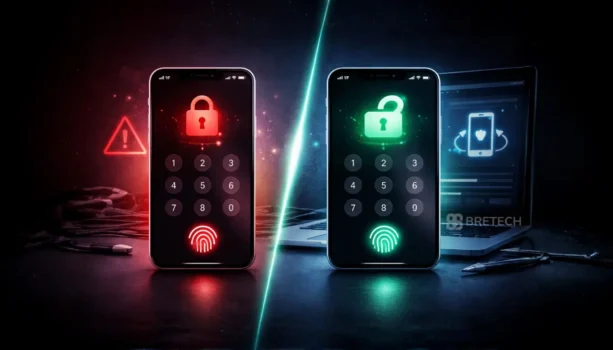
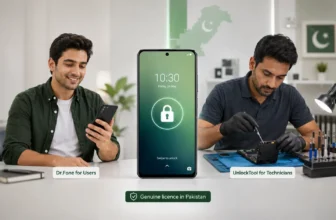
Best Mobile Unlock Software in Pakistan helps users fix common phone lock and software problems, such as forgotten screen locks, FRP lock issues, iPhone lock issues, and some system errors. It can be useful when you cannot access your own phone or need help after a reset.
The best mobile unlock software should support your phone brand, model, Android version, or iOS version. Not every tool works with every device, so using the wrong software can waste time or even create more problems.
For safe results, use genuine licensed software instead of cracked tools. A genuine license is safer, gets updates, and reduces the risk of viruses or failed unlocking. Always use unlock tools only on your own phone or a device you are allowed to repair.
Key Takeaways
- Mobile unlock software can help with supported screen lock, FRP, and device access problems.
- The best tool depends on your device, such as Android, iPhone, or iPad.
- UnlockTool License is better for technicians and repair shops.
- EaseUS MobiUnlock and Dr.Fone are easier for personal users.
- Always check your phone model, Android version, or iOS version before buying.
- Genuine licensed tools are safer than cracked software.
- Use unlock tools only on your own phone or a device you are allowed to repair.
Quick Comparison: Best Mobile Unlock Software in Pakistan
| Tool Name | Device Support | Best For |
|---|---|---|
| UnlockTool License | Android | FRP reset, technician use |
| EaseUS MobiUnlock | iPhone and iPad | Apple device unlocking |
| EaseUS MobiUnlock for Android | Android | Easy Android screen unlock |
| Dr.Fone Screen Unlock for Android | Android | Guided unlock for personal users |
| Dr.Fone Screen Unlock for iOS | iPhone and iPad | iOS lock screen removal |
For more options, explore our Device Unlock software in Pakistan and browse trusted brands like EaseUS and Wondershare.
Why Paid Phone Unlock Software Is Better Than Free Tools
Many users in Pakistan try free or cracked tools first, but these often fail at critical steps. Some tools stop working during unlocking, while others install unwanted software or simply do not support newer devices.
A paid unlock tool is usually more reliable because it includes updates, proper activation, and clearer device compatibility. This reduces the risk of failure and saves time, especially when dealing with important data or customer devices.
Before buying from any seller, it is also smart to learn how to verify a software license is genuine in Pakistan. This helps you avoid fake keys, unsafe downloads, and activation issues.
Top Mobile Unlock Tools You Can Buy in Pakistan
UnlockTool License for Technician and FRP Work
This type of tool is designed for repair shops and advanced users who handle multiple Android devices. It supports deeper-level unlocking and is more suitable for repeated use.
It is commonly used for FRP reset and advanced device work where basic tools are not enough. Buyers looking for long-term use or shop-level solutions usually prefer this type of license-based unlock software.
If you are comparing cost before buying, check our guide on UnlockTool License pricing in Pakistan.
DFT Pro Tool for Professional Mobile Servicing
DFT Pro Tool 1 Year Activation is another option for mobile technicians who need professional Android servicing tools. It supports selected MediaTek, Qualcomm, and Unisoc devices for available flashing, repair, and unlocking operations.
Support varies by phone model, chipset, firmware, security version, and current DFT Pro updates, so technicians should check compatibility for the required operation before buying.
EaseUS MobiUnlock for iPhone and iPad Users
This option is more suitable for Apple users who want a simple and guided unlocking process. It is easier to understand and does not require technical experience.
It works well for users who want a smoother experience when dealing with iPhone or iPad locks and prefer a clean interface. Some iPhone unlock methods may erase data, so always check the tool notes before starting.
You can also read our guide on how to unlock iPhone without data loss before choosing a method.
EaseUS MobiUnlock for Android for Simple Android Unlocking
For Android users who do not need advanced technician tools, this type of solution is easier to use. It focuses on common lock issues like PIN, password, pattern, or screen lock removal.
It is a good choice for users who want a straightforward unlock process without complex steps.
For Android-only choices, you can also compare the best Android screen unlock software in Pakistan.
Dr.Fone Screen Unlock for Android for Guided Unlocking
This option is known for its step-by-step guided process. It is suitable for users who want a more structured approach and prefer using a well-known software brand.
It is often chosen by users who want a balance between ease of use and reliability. Before using any Android unlock tool, check your model support and read all warnings shown inside the software.
Dr.Fone Screen Unlock for iOS for iPhone Unlocking
This type of tool is designed for iPhone users who want a reliable unlock solution with clear steps. It is useful for handling screen locks and similar issues on Apple devices.
It is a good option for buyers who prefer brand-based tools with a clear purchase and activation process. Always check iOS version support before buying.
More Mobile Unlock Tools for Repair Shops and Technicians
Professional repair shops often need different tools for different phone brands, chipsets, firmware versions, and servicing jobs. One tool may work well for a specific Android platform or FRP task but not support another device, so technicians should check compatibility before buying.
BreTech also offers several technician-focused mobile servicing tools:
- Chimera Tool Professional License for supported professional mobile servicing and repair work.
- EFT Pro Activation for supported Android servicing and technician workflows.
- Android Multi Tool (AMT) Activation for supported Android repair and service operations.
- Hydra Tool Digital License for supported multi-brand mobile servicing tasks.
- Octoplus FRP Tool Activation for technicians dealing with supported FRP-related operations.
- UMT Box Dongle 1 Year Activation for supported multi-brand mobile repair and servicing work.
These products are better suited to repair shops and experienced technicians than users who only need to unlock one personal phone. Before purchasing, confirm the exact phone model, chipset, firmware or security version, and the operation you need.
How to Choose the Right Unlock Software in Pakistan
Choosing the right tool depends on a few key factors.
First, check your device type. Android and iPhone require different solutions. Next, identify the type of lock you need to remove, such as screen lock or FRP.
Then consider your usage. If you only need to unlock one device, a simple tool is enough. If you handle multiple devices regularly, a more advanced license is a better investment.
Also check whether your real issue is unlocking or data recovery. If your phone is accessible but photos, videos, WhatsApp files, or contacts are missing, see our guide on the best mobile data recovery software in Pakistan instead.
Common Mistakes Buyers Make
Many users choose tools based only on price. This often leads to buying the wrong software for their device or lock type.
Another mistake is buying from unknown sellers. This can result in invalid license keys, no support, or tools that do not work properly.
Some users also install cracked unlock tools to save money. This is risky because cracked tools may include malware, fail during activation, or damage the phone software process.
Avoiding these mistakes helps you choose the right tool the first time.
Where to Buy Genuine Phone Unlock Software in Pakistan
Buying from a trusted seller makes a big difference. You can compare tools, check compatibility, and choose the correct license before making a decision.
At BreTech, users get original license keys, PKR pricing, local payment options, fast digital delivery, activation help, and invoice support. This helps reduce confusion and gives buyers a safer purchase path.
For a wider buying guide, read our guide on how to buy genuine software in Pakistan.
For unlock codes, credits, activations, and GSM software support, visit BreGSM Unlock Services.
Related Mobile Utilities
Need phone tools beyond unlocking? Explore Mobile Utilities for backup, transfer, and general mobile utility software.
Need to change GPS location on iPhone or iPad? See EaseUS MobiAnyGo for virtual location and route testing.
Final Recommendation
If your main goal is technician work or advanced Android unlocking, a more powerful license-based tool is the better option. If you need a simpler solution for personal use, beginner-friendly tools are easier to use and quicker to set up.
Start with the correct product type, then explore the wider Technician Tools collection if you need repair shop software.
FAQs About Mobile Unlock Software in Pakistan
Q: What is the best mobile unlock software in Pakistan?
A: The best mobile unlock software depends on your phone and lock type. UnlockTool License is better for technicians, while EaseUS MobiUnlock and Dr.Fone are easier for personal users.
Q: Which mobile unlock software is best for Android phones?
A: For Android, choose a tool based on your need. UnlockTool License is better for FRP and repair shop work, while EaseUS MobiUnlock for Android and Dr.Fone Android are easier for screen unlock.
Q: Which unlock software is best for iPhone and iPad?
A: EaseUS MobiUnlock and Dr.Fone Screen Unlock for iOS are good options for iPhone and iPad users. Always check your iOS version and device model before buying.
Q: Can mobile unlock software remove FRP lock?
A: Some Android unlock tools can help with FRP reset. Support depends on the phone brand, model, chipset, and Android version.
Q: Is free mobile unlock software safe?
A: Free or cracked unlock tools are risky. They may include viruses, fake activation files, or outdated methods that can fail during the process.
Q: Will mobile unlock software delete my phone data?
A: Some unlock methods may erase phone data. Always read the software warning before starting and keep a backup if possible.
Q: Can I use one unlock tool for Android and iPhone?
A: Usually, no. Android and iPhone use different systems, so you should choose the correct Android or iOS version of the software.
Q: Is mobile unlock software useful for repair shops in Pakistan?
A: Yes, it can help repair shops handle supported screen lock, FRP, and device access jobs. For shop use, choose a licensed tool with regular updates.
Q: Where can I buy genuine mobile unlock software in Pakistan?
A: You can buy genuine mobile unlock software from a trusted seller that offers original licenses, PKR pricing, local payments, digital delivery, and activation help.
Q: What should I check before buying mobile unlock software?
A: Check your phone brand, model, Android or iOS version, lock type, license duration, and seller support. This helps you avoid buying the wrong tool.
Further Reading
- Best WhatsApp Data Recovery Software in Pakistan
- Best iPhone Data Backup Software Pakistan
- How to Use EaseUS MobiSaver
Need more help with phone unlocking, FRP reset, Android tools, iPhone unlock options, or technician software? Visit our Mobile Unlock & FRP Tools guides for more practical software tips and buying advice for Pakistan users.