Abdul Basit
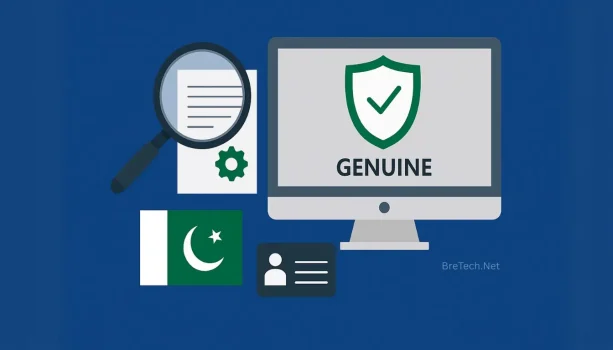
To verify a software license is genuine in Pakistan, do not rely on only one sign. Successful activation, an emailed key, or an invoice may support verification, but none of them proves genuineness by itself.
Before paying, confirm the seller, exact product edition, license type, duration, users, devices, and permitted use. After delivery, use the publisher’s official installer or approved deployment method, check the vendor account where available, and keep your purchase records.
The safest approach is to check the seller, license terms, delivery method, activation process, vendor account, and purchase documents together.
Why Software License Verification Matters
A genuine software purchase should match what the seller promised. This includes the correct edition, license term, number of users or devices, supported operating system, and personal or commercial-use rights.
An unclear, unauthorized, or unsuitable license may cause failed activation, blocked updates, incorrect device limits, missing account access, transfer problems, or loss of seller support. Businesses may also face problems when they cannot provide invoices, ownership records, user assignments, or commercial-use rights.
Modified installers, cracks, patches, and unofficial activation tools may expose a computer to malware, unwanted programs, damaged files, or software failure.
Unlicensed software may also create copyright, procurement, security, and business concerns. Read more about the legal risks of unlicensed software in Pakistan.
How to Verify a Software License Before Paying
Complete the following checks before sending payment. These steps cannot guarantee every license, but they can help you identify unclear sellers, unsuitable editions, and risky activation methods.
1. Check the Seller’s Identity
Start by confirming who is selling the software.
Look for:
- A clear business or website name
- A working email address or phone number
- A contact and support page
- Payment instructions
- Invoice availability
- Return or cancellation terms
A professional-looking website is not proof by itself. An unreliable seller can also use polished product images, vendor logos, and copied descriptions.
Test the seller’s contact method before placing a large order. For a business purchase, ask whether the invoice can include the company name, address, and any other required details.
You should also confirm who will help if the wrong edition is delivered, the key does not activate, the license is missing from the vendor account, or the device limit is incorrect.
2. Verify Partner or Reseller Claims
Some sellers describe themselves as an official partner, authorized reseller, or approved supplier. Do not accept this claim only because the seller displays a software company’s logo.
Where possible, check the publisher’s official partner directory, a current reseller certificate, written confirmation from the publisher, or information about the seller’s distributor or supply channel.
Not every publisher provides a public partner directory. In that case, ask the seller to explain how the license is supplied and what purchase proof you will receive.
BreTech’s Software Partners page explains that its vendor, partner, distributor, and supply relationships may vary by product and brand.
A seller may have a direct relationship with one publisher while sourcing another product through a distributor or approved supply channel. Partner status should therefore be checked for the specific brand where possible.
3. Confirm the Exact Product and Edition
Many software products have several editions with different features and usage rights. A key for one edition may not work with another edition, even when the names look similar.
Before paying, confirm:
- Full product name and edition
- Windows or Mac compatibility
- Number of users and devices
- New license or renewal
- Personal, business, education, nonprofit, or technician use
A home edition may not include commercial-use rights, team management, or support for several employees. A standard edition may also lack features included in a professional or business edition.
Avoid listings that only use unclear terms such as “full version,” “permanent activation,” “unlimited devices,” or “lifetime key.” These phrases are not useful unless the seller also explains the exact edition, license term, usage rights, and device limits.
Ask the seller to include the product and edition details in the quotation, invoice, order confirmation, or delivery email.
4. Confirm the License Terms
The product name and edition are only part of the purchase. You must also check the terms that control how the software may be used.
Confirm:
- Number of users and devices
- Subscription or perpetual license
- License duration
- Renewal requirements
- Country or region restrictions
- Transfer rights
- Personal or commercial-use permission
A perpetual license commonly allows continued use of a particular product version, but it may not include every future upgrade. A subscription normally requires an active plan to continue using the subscribed features.
Do not assume that “lifetime” means access to every future version. Ask whether the offer applies to one version, one device, one user, or the full product line.
Transfer rights also depend on the publisher, product, and license type. Some licenses can be moved after deactivation, while others remain tied to the original device or account.
For business use, confirm whether employees, technicians, teams, or multiple company devices are covered.
5. Confirm What You Will Receive
Before paying, ask what documents and delivery information will be included with the order.
Depending on the product, you may receive an invoice or order confirmation, exact edition details, license duration, user and device limits, a license key, account-binding instructions, subscription access, official download instructions, and activation guidance.
Some products use a traditional license key. Others activate through a vendor account, registered email address, subscription portal, or invitation link.
A key delivered as normal text is not automatically suspicious. The concern is when the delivery does not explain the product, edition, term, usage rights, activation method, or support process.
BreTech currently accepts payment through bank transfer. Review its current payment options in Pakistan and keep the payment receipt with your other purchase records.
For a wider purchasing checklist, read our guide to buying genuine software in Pakistan.
What to Check After Receiving the License
Verification should continue after delivery. Check that the received product matches your order before installing it on an important personal or business computer.
Check the Delivery Email or Order Record
The delivery email or order record should show the full product name, correct edition, license duration, user or device count, activation method, download instructions, and support details.
Compare this information with the product page, quotation, or invoice. Contact the seller before activation if the edition, term, device count, or activation method is different from what you ordered.
Be careful when the delivery contains only a screenshot or short key without any explanation of the product, license type, permitted use, or support process.
Use the Official Installer or Approved Deployment Method
Use the installer, application store, vendor portal, or deployment package specified by the software publisher.
For most consumer products, download from the publisher’s official website, an official vendor account, or a verified link provided for the order.
Avoid torrent websites, unknown file-sharing services, cracked software pages, modified setup files, key generators, and activation patches or scripts.
Be especially careful when a seller asks you to disable security software so you can run a crack, patch, or unknown activator.
Some business, OEM, volume, or older products may use special installation media or deployment packages. In those cases, confirm the correct method with the publisher or a reliable supplier.
Check the website address carefully before downloading. Fake websites may copy a publisher’s name, logo, and design.
Check the Vendor Account or Portal
Many modern software products activate through an online account instead of a standalone key.
Where supported, sign in to the publisher’s official account and confirm that your email controls it, the correct product and edition appear, the subscription dates are correct, and the device assignments match the order.
You should also be able to manage the password, recovery information, and renewal details where the vendor provides these options.
Avoid using an account that remains controlled by the seller or another unknown person. A shared or seller-controlled account may create privacy and access problems because another person may change the password, remove your device, or recover the account later.
For a business purchase, the organization should control the administrator email, recovery information, and renewal notices.
Save Your Purchase Records
Keep the invoice, quotation, order confirmation, payment receipt, license email, activation instructions, subscription information, vendor account details, and important support conversations in a secure location.
These records can help with reinstalling the software, moving it to another computer, renewing a subscription, recovering an account, confirming the edition, or requesting support.
Do not publish complete license keys in public forums, social media posts, open messaging groups, or shared screenshots.
Businesses should use a company-controlled email address for important software accounts instead of an employee’s personal email.
Does Successful Activation Prove a License Is Genuine?
No. Successful activation alone does not prove that a software license is genuine or properly licensed for your intended use.
Activation generally shows that the software accepted the key, account, or entitlement at that time. It does not confirm that the seller had the right to sell it or that the license permits your intended use.
An activated license may still be:
- Reused beyond its allowed limit
- Restricted to another country or region
- Intended for a different edition
- Licensed only for personal use
- Tied to another device under OEM terms
- A volume license supplied outside its permitted terms
- Linked to an account controlled by another person
- Limited to a trial or shorter subscription than promised
A key may work initially and later stop working if it is revoked, reused excessively, or used outside the publisher’s terms.
Check activation together with the seller information, exact product edition, license type, users, devices, usage rights, vendor account, and purchase records.
A genuine purchase should provide clear license rights and reliable purchase records, not only an activation message.
Common Software License Red Flags
One warning sign does not always prove that a license is counterfeit. However, several unclear details together should make you stop and investigate.
Common warning signs include:
- An unusually low price with no explanation
- No clear license type or edition
- Unclear license duration
- No stated user or device limit
- No invoice or order confirmation
- An installer from an unknown website
- Modified setup files or activation scripts
- Instructions to run a crack or patch
- Business-use rights that cannot be confirmed
- Unclear renewal or transfer rules
- An account controlled by the seller
- No support after delivery
A lower price is not automatically proof of a counterfeit license. It may come from a genuine promotion, an older version, a regional offer, or a limited plan.
The real concern is when the seller cannot explain why the price is low and what license rights are included.
You can also use the Genuine vs Cracked Software Risk Checker to review warning signs connected with suspicious keys, modified installers, unclear activation, and missing purchase records.
Extra Checks for Businesses, Schools, and SMEs
Organizations should complete additional checks because personal and business licenses may have different terms.
A license that activates on one computer may still be unsuitable for employees, shared systems, company-owned devices, classrooms, or client work.
Confirm Commercial-Use Rights
Check whether the license permits use by a company, employees, teams, technicians, schools, universities, nonprofit organizations, government organizations, or client-facing service providers.
Do not assume that a home, personal, student, or family license permits organizational or commercial use.
Some publishers provide separate business, education, nonprofit, technician, volume, or enterprise licenses. Available options vary by product.
Ask the seller to confirm the permitted use in writing when the software will be used by an organization.
Check Invoice and Ownership Details
For a business purchase, confirm that the invoice and account information meet your organization’s requirements.
The invoice or order record should identify the correct company name, billing information, product edition, user or device count, license owner, renewal responsibility, and support contact.
The organization should also control the vendor account, administrator email, password-recovery method, and renewal notices.
Avoid registering an important business license under an employee’s personal email address. The organization may lose access if that employee leaves.
Companies, schools, NGOs, and teams can request help choosing the correct business software license in Pakistan based on the required users, devices, license term, commercial-use rights, and invoice details.
Small businesses can also read our guide to genuine software for SMEs in Pakistan for practical purchasing and license-management guidance.
Keep Procurement and Renewal Records
Businesses should maintain a central record of the software name, edition, license type, assigned users, devices, purchase date, renewal date, invoice, vendor account, administrator email, and support contact.
Review these records when employees leave, devices are replaced, or subscriptions are renewed.
Good records can help prevent unused licenses, duplicate purchases, missed renewals, and account-access problems.
What to Do If a License Looks Suspicious
Stop and investigate before continuing with an unclear key, unknown installer, or account you do not control.
- Do not publish or share the complete license key.
- Do not install cracked or modified files.
- Save the invoice, payment receipt, emails, screenshots, and order details.
- Ask the seller to confirm the edition, license type, source, users, devices, and usage rights.
- Check the official vendor account where available.
- Contact the software publisher if the seller cannot explain the license.
- Request cancellation, replacement, or a refund where the purchase terms allow it.
- Replace the license through a trusted source if it cannot be properly verified.
When requesting help, hide sensitive parts of the key, invoice, account email, and payment record.
If the seller asks you to use an unknown activation tool, modified installer, crack, or patch, stop the process and request an official method.
For help checking an edition, license term, users, devices, or permitted use before ordering, contact BreTech.
Buying Genuine Software Through BreTech
BreTech helps individuals, businesses, schools, organizations, and IT professionals purchase genuine software licenses in Pakistan.
Depending on the product and order, buyers may receive PKR pricing, payment through local bank transfer, digital delivery, invoice support for eligible orders, help choosing the correct edition, and basic activation guidance.
BreTech works with software vendors, partner programs, distributors, and authorized supply channels where applicable. The exact supply relationship, delivery process, processing time, and license type may vary by brand and product.
Learn more about BreTech’s software license reseller service in Pakistan.
After confirming the correct edition and license terms, you can browse software licenses by category and review the relevant product page before ordering.
FAQs
Q: Does successful activation prove that a license is genuine?
A: No. Activation alone does not prove that the seller had the right to sell the license or that it permits your intended use. Also verify the seller, edition, license type, duration, users, devices, vendor account, and purchase records.
Q: Can I verify a software license before paying?
A: You can confirm the product, edition, term, users, devices, usage rights, invoice process, payment method, delivery method, and seller information before paying. Some account and activation checks can only be completed after delivery.
Q: What documents should I receive from a software seller?
A: Useful records include an invoice or order confirmation, payment receipt, license email, subscription information, activation instructions, official download details, and vendor account information where applicable.
Q: Can a personal software license be used by a business?
A: It depends on the publisher’s terms. Some personal, home, student, or family licenses do not permit use by a company, employee, technician, team, or other commercial organization.
Q: Is a very cheap software key always counterfeit?
A: Not always. A lower price may come from a genuine promotion, older version, regional offer, or limited license. It becomes risky when the seller cannot explain the edition, source, term, usage rights, device limit, or support included.
Q: Can I verify a license directly with the software publisher?
A: Some publishers can confirm partner status, subscriptions, account ownership, or certain license details. Verification methods differ by publisher and product, so use the official website or support channel.
Q: Can I move my software license to a new computer?
A: It depends on the license type and publisher’s transfer rules. Some licenses allow deactivation and transfer, while OEM, device-based, or limited licenses may remain tied to the original device.
Q: Does an invoice prove that a software license is genuine?
A: No. An invoice is important purchase evidence, but it does not prove genuineness by itself. Check the seller, license rights, official installation method, vendor account, activation, and order details together.
Conclusion
To verify a software license is genuine in Pakistan, check more than the activation message. Confirm the seller, exact edition, license type, duration, users, devices, region restrictions, transfer rights, and personal or commercial-use permissions.
After delivery, use the official installer or approved deployment method, check the vendor account where available, and save the invoice, payment receipt, license email, and subscription details.
Successful activation, email delivery, or an invoice can support verification, but none of them proves genuineness alone. The safest purchase provides clear license rights, a reliable installation method, account control, complete records, and seller or vendor support.
Disclaimer: This guide provides general software-buying and license-verification information. It is not legal advice. License terms, activation methods, transfer rights, and usage permissions vary by publisher and product. Check the official publisher’s current terms for your specific license.