Abdul Basit
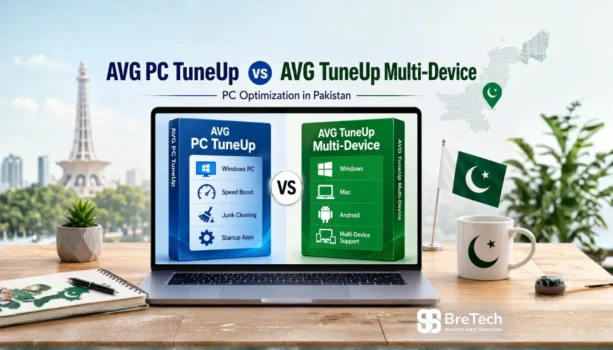
Slow PC performance, junk files, browser clutter, and slow startup can make daily work frustrating, especially for home users, students, freelancers, and small offices in Pakistan. AVG TuneUp helps clean and optimize supported devices, but the right licence depends on how many devices you want to cover and which platforms you use.
For one Windows PC or a few Windows systems, AVG PC TuneUp is usually enough. For a home or family setup with multiple supported devices, AVG TuneUp Multi-Device gives wider coverage under one subscription.
Both focus on cleanup and performance optimization, but available tools may vary by platform. The main buying difference is device coverage and platform support.
Key Takeaways
- AVG PC TuneUp is best for one Windows PC or a few Windows devices.
- AVG TuneUp Multi-Device is better when you need coverage for multiple supported devices.
- Both products focus on cleanup, performance improvement, and maintenance.
- Features may vary between Windows, Mac, and Android.
- For Pakistan buyers, check device count, supported platforms, delivery method, and activation support before buying.
This guide compares both options side by side. By the end, you will know which AVG TuneUp licence fits your Windows PC, home devices, or family setup.
Quick Overview: AVG PC TuneUp vs AVG TuneUp Multi-Device
| Feature | AVG PC TuneUp | AVG TuneUp Multi-Device |
|---|---|---|
| Best For | One Windows PC or a few Windows computers | Multiple supported devices in one home or family setup |
| Device Coverage | 1 or 3 devices, depending on licence option | Up to 10 devices, depending on licence option |
| Platform Support | Windows only | Windows, Mac, and Android |
| Core Purpose | PC cleanup, maintenance, startup control, and performance optimization | Cleanup and optimization across multiple supported platforms |
Use the linked product names in the table above to view licence details, delivery options, and activation support on BreTech.
What is AVG TuneUp? Core Features Explained
AVG TuneUp is a system optimization tool designed to help remove unnecessary files, reduce background load, and improve everyday device performance. It is useful when your PC feels slow, storage is getting full, or too many programs start automatically with Windows.
For a deeper look at PC optimization in general, check out our guide on best PC optimization software in Pakistan.
AVG TuneUp focuses on cleanup, maintenance, and performance improvement. On Windows, common tools include:
- Automatic Maintenance: Periodically performs cleanup and optimization tasks without needing manual work every time.
- Sleep Mode Technology: Helps reduce the impact of unused background apps so your system resources can be used where needed.
- Disk & Browser Cleaners: Help remove leftover files, hidden clutter, temporary files, and browsing traces that can slow down your PC.
- Software Updater: Helps identify outdated software so you can keep supported apps updated for better stability and security.
- Startup Optimizer: Gives you control over which programs launch when you turn on your computer, helping improve startup speed.
The difference is not only what AVG TuneUp does, but where and on how many devices it can be used. Think of it as choosing between a Windows-focused licence and a wider multi-device licence.
Detailed Comparison: Features and Devices
This side-by-side breakdown shows where these two products differ.
| Comparison Point | AVG PC TuneUp | AVG TuneUp Multi-Device |
|---|---|---|
| Device Limit | 1 or 3 devices, depending on selected licence | Up to 10 devices, depending on selected licence |
| Supported Platforms | Windows | Windows, Mac, Android |
| Ideal For | Users who only need Windows PC optimization | Users with several supported devices across different platforms |
| Licence Use | Coverage based on selected Windows device count | One subscription for multiple supported devices |
| Best Buying Reason | Simple choice for Windows PC cleanup | Better choice for mixed-device coverage |
If you want to compare current AVG TuneUp licence options before buying, you may find our AVG TuneUp licence options in Pakistan guide helpful.
Which One Should You Choose? Real-World Scenarios
Here is a simple guide to help you decide based on common use cases in Pakistan.
Choose AVG PC TuneUp if…
- You Are a Single User with One Windows PC: You have one main laptop or desktop at home for work, study, browsing, or entertainment.
- You Only Need Windows Support: You do not need Mac or Android optimization, so a Windows-focused licence is enough.
- You Have a Few Windows Computers: If your setup includes only Windows PCs, the 1-device or 3-device option can be the simpler choice.
If your main issue is slow Windows performance, read our Windows cleanup vs PC optimizers guide. You can also check Avast Cleanup Premium for Windows if you prefer Avast for junk cleanup and startup control.
Choose AVG TuneUp Multi-Device if…
- You Have Several Supported Devices at Home: Your household uses a mix of Windows PCs, Mac laptops, and Android devices.
- You Want One Subscription for Multiple Devices: Instead of buying separate licences for each device, Multi-Device can cover more supported devices under one plan.
- You Use More Than Windows: If you need Mac or Android support, AVG PC TuneUp is not enough. Multi-Device is the better choice.
Frequently Asked Questions
Q: What is the main difference between AVG PC TuneUp and AVG TuneUp Multi-Device?
A: The main difference is device coverage and platform support. AVG PC TuneUp is for Windows PCs. AVG TuneUp Multi-Device can cover more supported devices, including Windows, Mac, and Android.
Q: Is there any difference in the optimization features?
A: Both products focus on cleanup, maintenance, and performance improvement. However, exact available tools may vary by platform, especially between Windows, Mac, and Android.
Q: Which plan is better for one Windows PC?
A: If you only need to clean and optimize one Windows laptop or desktop, AVG PC TuneUp is usually the simpler choice.
Q: I have three Windows PCs. Should I buy AVG PC TuneUp or AVG TuneUp Multi-Device?
A: If all three devices are Windows PCs, compare the available AVG PC TuneUp device option with AVG TuneUp Multi-Device. Choose PC TuneUp if you only need Windows coverage. Choose Multi-Device if you may also need Mac or Android support.
Q: Which option is better for a family?
A: AVG TuneUp Multi-Device is usually better for a family if different members use Windows, Mac, or Android devices. It gives wider coverage under one subscription.
Q: Where can I buy AVG TuneUp with local support in Pakistan?
A: You can buy both versions from BreTech with genuine AVG licences, digital delivery, activation help, local payment options, and invoice support in Pakistan.
View All System Optimization Tools at BreTech
Conclusion: Which AVG TuneUp Licence Should You Buy?
If you only need to clean and optimize one Windows PC, AVG PC TuneUp is the simple choice. It is also suitable when you need coverage for a few Windows computers, depending on the selected device option.
If you have several supported devices, or you use Windows, Mac, and Android together, AVG TuneUp Multi-Device is usually the better long-term choice. It gives wider device coverage under one subscription.
Before buying, check the latest device count, supported platforms, licence terms, and activation details on BreTech.
Further Reading
- Best PC optimizers for gaming in Pakistan
- Software updater tools in Pakistan
- Best uninstaller software for Windows in Pakistan
- WinOptimizer vs CCleaner in Pakistan
Ready to Compare More System Optimization Tools?
If you are still comparing PC cleanup, optimizer, uninstaller, or updater tools, visit the System Optimization Software in Pakistan category to explore more options.
Disclaimer: Features, supported platforms, licence terms, and availability can change. Please check the product pages on BreTech before buying.