Abdul Basit
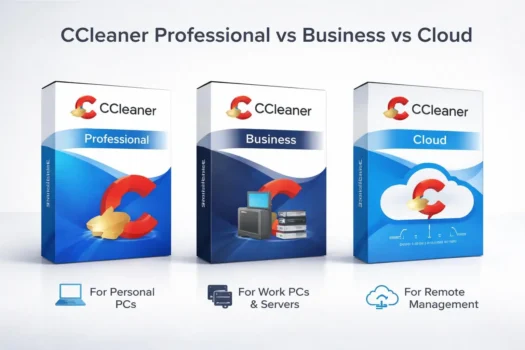
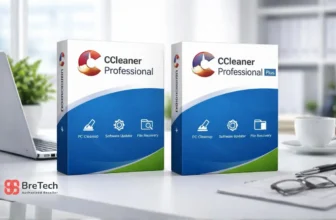
CCleaner Professional is usually best for one personal Windows PC, while CCleaner Business is better for office or company-owned systems. CCleaner Cloud for Business is more suitable when an IT team needs remote cleanup, schedules, reports, and central management across several PCs.
Choosing the right CCleaner license in Pakistan depends on how the software will be used. A home user, office buyer, and IT admin do not need the same type of license.
This guide compares CCleaner Professional, Business, and Cloud options so Pakistan buyers can choose the correct license for personal PC use, office systems, or remote IT management.
Key Takeaways
- CCleaner Professional is best for home users, students, and freelancers who want to clean and maintain their own Windows PC.
- CCleaner Business for Windows is better for small offices, labs, and company-owned systems where business use rights and invoice records matter.
- CCleaner Professional for Business is useful when office users want Professional-style features with business use rights.
- CCleaner Cloud for Business is better for IT admins, corporate teams, and businesses that need remote management across multiple PCs.
- The main difference is license use, not only features. Check whether the PC is personal, company-owned, or remotely managed.
- Do not use a personal license for office or business systems without checking the current license terms.
- Before buying, confirm the license name, device count, usage rights, delivery method, activation process, and invoice requirement.
Quick Comparison: Professional vs Business vs Cloud
| License | Best For | Main Use Case |
|---|---|---|
| CCleaner Professional for Windows | Home users, students, freelancers | Cleaning and maintaining your own Windows PC |
| CCleaner Business for Windows | Small offices, labs, business PCs | Cleaning and maintaining company-owned Windows systems |
| CCleaner Professional for Business | Office desktops and business users | Professional-level CCleaner features with business use |
| CCleaner Cloud for Business | IT admins, remote teams, corporate users | Remote cleaning, schedules, reports, and central management |
For all current CCleaner options, visit CCleaner software in Pakistan.
Is CCleaner Technician Edition Still Available?
CCleaner Technician Edition is not currently offered as a normal direct-purchase option. For new buyers, CCleaner Cloud for Business is the closest current alternative when remote maintenance and management of multiple PCs are required.
CCleaner Cloud for Business provides remote cleanup, scheduled maintenance, reports, and centralized management from one dashboard.
Choose:
- CCleaner Business or CCleaner Professional for Business for company-owned office PCs.
- CCleaner Cloud for Business for remotely managed PCs, branches, IT teams, or multiple business systems.
- CCleaner Professional for personal use on your own PC.
Technician Edition and Cloud for Business are not exactly the same, but Cloud for Business is the more practical current option for most IT teams and service providers that need ongoing multi-PC management.
Free Version vs Paid Versions: Why It Matters for Business Use
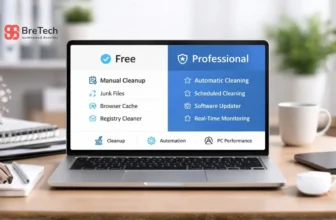
CCleaner has free and paid versions, but the free version is mainly for basic personal cleanup.
What the Free Version Can Clean
The free version can help remove unnecessary files, browser cache, browser history, internet history, and other common clutter from a Windows PC.
It may be useful for a personal user who only wants basic file cleanup and simple privacy cleaning. If you are unsure whether the free version is enough, compare CCleaner Free vs Professional before choosing a paid license.
Why Paid Versions Fit Business Use Better
Paid versions are better when users need more maintenance features, automatic cleaning, real-time monitoring, software updates, driver checks, or business use rights.
For offices, corporate users, IT admins, and service providers, the license type matters as much as the cleanup feature.
If the PC belongs to your company, school, lab, or office, do not choose only by price. Check whether the license allows personal use, business use, or remote management.
Best Choice for Business, Corporate and IT Buyers
For business and corporate buyers, the safest choice depends on how the computers are managed.
For Small Offices and Company-Owned PCs
If your company has only a few office PCs and each system is used inside your own business, CCleaner Business for Windows or CCleaner Professional for Business may be enough.
These options can fit offices, shops, schools, labs, and business desktops where the main need is cleanup, maintenance, and proper license records.
For Corporate IT Teams and Remote Devices
If your IT team manages many PCs, remote users, branches, labs, or distributed office systems, CCleaner Cloud for Business is usually the better business option.
It is made for remote management, scheduling, reporting, and central control. This can help IT teams reduce manual work and keep business Windows systems easier to manage.
For IT Support Teams and Service Providers
If your work involves maintaining office PCs, remote systems, or customer business computers, do not choose a personal license without checking the current license terms.
For company-owned PCs, CCleaner Business or CCleaner Professional for Business may be suitable. For remote management, scheduled cleanup, reports, and central control, CCleaner Cloud for Business is usually the better option to review.
What Is CCleaner Professional?
CCleaner Professional is the paid CCleaner version for users who want to maintain their own Windows PC. It is useful when your system feels slow, startup takes too long, or browser clutter builds up.
Clean Unnecessary Files and Browser History
CCleaner Professional can help with:
- Removing unnecessary files
- Cleaning browser cache
- Cleaning browser history and internet history
- Privacy cleanup
- Startup management
- Performance Optimizer
- Driver Updater
- Health Check
- Software Updater
- Registry cleaning
- Automatic maintenance
- Quicker startup
- Better everyday PC optimization
Manage Installed Applications and System Resources
For personal users, CCleaner Professional can be useful when Windows feels slow, installed applications leave clutter behind, or too many startup items use system resources.
It is not a full IT management suite, but it can help keep one Windows PC cleaner and running smoothly with regular maintenance.
CCleaner Premium: Upgrade Option for Advanced Users
CCleaner Premium is an upgrade option for users who want more features than the basic Professional version but do not need full business or cloud management.
It can be useful for advanced personal users who want improved system cleaning, better performance control, and additional maintenance tools for Windows systems.
If you mainly need personal PC cleanup with a broader bundle, Premium may be worth comparing with Professional before choosing. If the software is for office PCs or company-owned systems, check a business license instead.
When CCleaner Professional Is Enough
CCleaner Professional is enough when the license is for personal use or for your own PC.
Choose Professional for Personal PC Maintenance
Choose CCleaner Professional if:
- You are cleaning your own Windows PC
- You are a student, freelancer, or home user
- You do not manage office PCs
- You mainly need cleanup, startup control, updates, and basic maintenance
- You do not need remote team management
- You do not need business invoice records for several company systems
For most single-PC users, CCleaner Professional is the simpler choice.
If you are deciding whether the extra bundled tools are useful, read our CCleaner Professional vs Professional Plus comparison before choosing.
What Is CCleaner Business?
CCleaner Business is for commercial or office use where a personal license may not be suitable. It is useful for businesses that need proper license records, support, and usage rights for company PCs.
Business License for Windows Systems
Business use is different from personal use. A company desktop, shared lab PC, school computer, office system, or staff workstation should usually use a business license rather than a personal license.
CCleaner Business is better for users who want a cleanup and maintenance utility for business Windows systems, without needing a full cloud management setup.
When CCleaner Business Is Better
Choose a business license if:
- You are buying for office PCs
- The software will be used on company-owned systems
- Multiple staff use the same computers
- You need proper business use rights
- You need invoice support for company records
- You want a license that fits a work environment
- You do not need remote control across many locations
For small offices, schools, labs, retail shops, and normal work desktops, a business license is usually more suitable than a personal license.
What Is CCleaner Professional for Business?
CCleaner Professional for Business is useful when a buyer wants Professional-style CCleaner features but needs the license to fit business use.
Professional Features With Business Use Rights
This can be a better fit for:
- Office desktops
- Business laptops
- Company-owned Windows PCs
- Staff computers used for daily work
- Small teams that do not need a cloud console
- Businesses that want paid PC optimization features with business use rights
Before purchase, confirm the exact license name, number of devices, license term, and whether it fits your business use case.
What Is CCleaner Cloud for Business?
CCleaner Cloud for Business is different from a normal desktop license. It is more suitable for IT admins who need remote management, scheduled cleaning, reporting, and central control.
Manage Remote Devices and Office PCs
For business and corporate teams, CCleaner Cloud for Business is more suitable when IT staff need to manage multiple Windows systems from one place.
It can help admins review device status, schedule cleanup tasks, manage maintenance, and reduce manual work across office PCs.
Choose Cloud for Business if:
- You manage several PCs
- Your systems are in different locations
- You need remote cleanup
- You want schedules and reporting
- You cannot manually check every PC
- You need a cloud console for IT management
- Your business has remote users or branch systems
For one personal PC or one office desktop, Cloud is usually more than you need. For corporate teams, IT departments, remote offices, and managed service providers, Cloud is usually the stronger option.
Professional vs Business vs Cloud: Main Difference
The main difference is not only features. It is who owns the PC and how the software will be managed.
License Use Matters More Than the Product Name
- Professional: for your own personal PC
- Business: for company or office PCs
- Professional for Business: for business users who want Professional-style features with business use rights
- Cloud for Business: for remote management across multiple business PCs
This difference matters because buying the wrong license can create activation, support, invoice, or license-use problems later.
Which License Fits Your Work?
- Home user: Choose CCleaner Professional.
- Student or freelancer: Choose CCleaner Professional if it is for your own PC.
- Small office: Choose CCleaner Business for Windows or Professional for Business.
- Company desktop users: Choose a business license.
- IT admin managing remote PCs: Consider CCleaner Cloud for Business.
- Corporate team with many PCs: Consider CCleaner Cloud for Business.
- Service provider managing business systems: Check whether Business or Cloud fits the real use case before ordering.
Business vs Cloud: Which One Should You Choose?
Choose Business if the PCs belong to your own office or company and you mainly need cleanup and maintenance on business Windows systems.
Choose Cloud for Business if you need to manage several systems from one place, especially when PCs are in different rooms, branches, offices, or remote locations.
Simple License Rule
- Professional: your own personal computer
- Business: your company’s computers
- Professional for Business: Professional-style features for business use
- Cloud for Business: remote management for multiple company PCs
What About CCleaner for Android?
CCleaner for Android is a separate phone cleanup app. It is not the main focus of this business license comparison, but some buyers may ask about Android because CCleaner is also available for mobile devices.
Android Application Cleanup Is Separate
CCleaner for Android can help clean app cache, browser history, old files, and other mobile clutter from Android devices.
This blog mainly compares CCleaner licenses for Windows PCs, business systems, and cloud management. If you need Android cleanup for mobile devices, confirm whether it is included in your plan or handled separately before purchase.
What Corporate Buyers Should Check Before Ordering
Corporate and business buyers should check more than the product name. The correct license can affect activation, billing, support, and internal records.
License, Devices, Support and Invoice Checks
Before ordering any CCleaner license, check:
- Exact license name
- Personal, business, professional business, or cloud use
- Number of devices or systems
- License term
- Current product availability
- Supported Windows version
- Whether the license fits office, remote, or managed system use
- Whether remote management is needed
- Delivery method
- Activation process
- Invoice requirement for business purchase
- Renewal process
- Whether the license fits internal IT policy
BreTech can help Pakistan buyers choose the right CCleaner license based on real use, not only the product name.
Avoid These Common License Mistakes
Avoid these mistakes:
- Buying Professional for company PCs without checking use rights
- Buying Business when you actually need remote cloud management
- Using a personal license on company computers
- Buying Cloud when you only need one desktop license
- Buying a normal desktop license when you need remote management
- Downloading cracked CCleaner keys
- Buying from unknown sellers
- Ignoring current license terms
- Forgetting to ask for invoice support before purchase
Before buying paid software, read our guide on how to verify a software license is genuine in Pakistan.
Buy the Right CCleaner License in Pakistan
BreTech provides genuine CCleaner licenses in Pakistan with PKR pricing, local payment options, digital email delivery, activation guidance, and invoice support.
For home users, CCleaner Professional is usually enough. For offices and companies, choose a business license. For remote IT management, consider Cloud for Business.
If you are buying for a company, school, lab, repair shop, or IT department, share your use case before ordering so the license can be matched to your real work.
Conclusion
CCleaner Professional, Business, Professional for Business, and Cloud for Business are not the same type of license. The right choice depends on whether you are cleaning your own PC, company-owned systems, or remotely managed business computers.
For personal use, CCleaner Professional is usually enough. For company computers, choose a business license. For IT teams managing several systems, CCleaner Cloud for Business may be the better choice because it supports remote management, scheduled cleaning, and reporting.
The safest approach is to match the license to the real usage before buying.
FAQs
Q: What is the difference between CCleaner Professional and Business?
A: CCleaner Professional is for personal PC use, while CCleaner Business is designed for office or company systems where business use rights and invoice records are required.
Q: What is CCleaner Cloud for Business used for?
A: CCleaner Cloud for Business is used for remote PC cleaning, scheduled maintenance, reporting, and central management across multiple business Windows systems.
Q: Can I use CCleaner Professional on office PCs?
A: For office or company PCs, check the license terms first. A business license is usually more suitable for proper usage rights, records, and support.
Q: Is CCleaner Business the same as CCleaner Cloud?
A: No. CCleaner Business is for business Windows systems, while CCleaner Cloud is better when IT teams need remote management, schedules, and reports.
Q: Which CCleaner license should IT admins choose?
A: For internal office PCs, choose a business license. For remote management across several systems, consider CCleaner Cloud for Business.
Q: Which CCleaner license is better for corporate buyers?
A: For corporate buyers managing multiple PCs, CCleaner Cloud for Business is usually better due to remote management, scheduling, reporting, and central control features.
Q: Is the free version of CCleaner enough for office use?
A: The free version may work for basic personal cleanup, but offices should check business use rights. A paid business license is safer for proper records, support, and invoice needs.
Q: Is CCleaner for Android included with business licenses?
A: CCleaner for Android is a separate mobile app, so buyers should confirm current plan details before assuming it is included with a Windows, Business, or Cloud license.
Q: Can BreTech provide an invoice for business buyers?
A: Yes. BreTech provides invoice support for business buyers in Pakistan.
Q: Where can I buy genuine CCleaner licenses in Pakistan?
A: You can buy genuine CCleaner licenses from BreTech with PKR pricing, local payment options, digital delivery, activation guidance, and invoice support.
Further Reading
- CCleaner Editions Compared in Pakistan
- WinOptimizer vs CCleaner in Pakistan
- Windows Cleanup vs PC Optimizers
- Best PC Optimization Software in Pakistan
Disclaimer: Product features, license names, availability, bundle contents, usage rights, system requirements, and delivery terms may change. Always check the product page and official CCleaner website before purchase.