Abdul Basit
Choosing the right CCleaner edition in Pakistan can be confusing because each version is made for a different type of user. Some people only need simple Windows PC cleaning, while others need Mac cleanup, Android cleanup, extra tools, office use rights, or remote management.
This guide compares the main CCleaner editions, including Professional for Windows, Professional for Mac, Professional Plus, Premium, Android, Business, and Cloud. It will help you understand which version fits your device, work type, and license needs before buying.
BreTech is an authorized CCleaner reseller in Pakistan. We help buyers choose genuine CCleaner licenses with PKR pricing, local payment options, digital delivery, activation guidance, and invoice support.
Quick Overview: Personal CCleaner Editions
| Edition | Best For | Main Use |
|---|---|---|
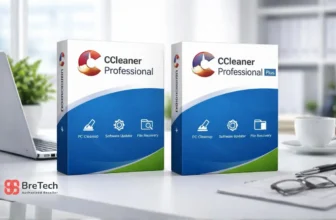
| CCleaner Professional for Windows | Windows home users | PC cleanup and startup control |
| CCleaner Professional for Mac | MacBook and iMac users | Mac cleanup and browser cleaning |
| CCleaner Professional Plus | Power users | Extra Windows tools and maintenance |
| CCleaner Premium | Busy professionals | Broader bundle value |
| CCleaner Pro for Android | Android users | Phone storage cleanup |
If you only want to compare the free and paid personal version first, read CCleaner Free vs Professional.
Quick Overview: Business CCleaner Editions
| Edition | Best For | Main Use |
|---|---|---|
| CCleaner Business for Windows | Small offices | Business PC cleanup |
| CCleaner Professional for Business | Office desktops | Business-use maintenance |
| CCleaner Cloud for Business | IT teams | Remote cleanup and management |
How to Choose the Right CCleaner Edition
The right CCleaner edition depends on your device, workload, and license use. A student with one Windows laptop does not need the same plan as a Mac user, Android user, office buyer, or IT admin managing several PCs.
Before buying, check these points:
- Your device type: Windows, Mac, Android, business PC, or remote team setup
- Number of devices you want to manage
- Whether the license is for personal or business use
- Whether you need extra tools like file recovery or system information
- Whether you need remote management, reports, or scheduled cleaning
This simple check helps you avoid buying the wrong edition or paying for features you may not use.
If you are buying for office, business, or IT use, first decide whether the license is for your own PC, company-owned PCs, or remote team management. This helps you avoid choosing a personal license when a business license is more suitable.
CCleaner Professional for Windows: Suitable for Most Windows Users
CCleaner Professional for Windows is suitable for many Windows users who want simple PC cleaning and maintenance. It is useful when your PC feels slow, startup takes too long, or browser junk builds up over time.
It can help with:
- Removing temporary files and browser cache
- Managing startup apps
- Cleaning browser traces
- Supporting regular PC maintenance
- Keeping the system easier to manage
This edition is a good fit for students, home users, freelancers, and small office users who only need one Windows PC cleaned and maintained.
If your main need is simple Windows PC cleaning, CCleaner Professional for Windows is usually the best starting point.
CCleaner Professional for Mac: Suitable for MacBook and iMac Users
CCleaner Professional for Mac is suitable for Mac users who want simple cleanup and routine maintenance for a MacBook, iMac, Mac mini, or another supported macOS device.
It is different from the Windows edition. Choose this version only when your main device is a Mac and you need a cleaner that supports macOS.
It can help with:
- Removing common Mac junk files
- Clearing browser traces
- Supporting routine Mac maintenance
- Freeing storage space
- Keeping cleanup easier for non-technical users
This edition is a good fit for students, home users, freelancers, and office users who use a Mac and want a genuine CCleaner license for macOS.
If your main need is Mac cleanup, choose CCleaner Professional for Mac instead of the Windows version.
CCleaner Professional Plus: Suitable for Extra Tools
CCleaner Professional Plus is better for users who want more than basic PC cleaning. It usually includes CCleaner Professional with extra tools such as Recuva, Speccy, and Defraggler, depending on the current package.
This can be useful if you want:
- PC cleaning and startup management
- Basic file recovery support with Recuva
- System information with Speccy
- Disk defragmentation support with Defraggler
- A wider tool bundle for Windows maintenance
- More value than buying separate tools individually
Professional Plus is a better choice for power users, content creators, advanced Windows users, and people who want a fuller PC maintenance toolkit.
If you only need junk cleaning, Professional may be enough. If you want extra utilities in one bundle, CCleaner Professional Plus may be more suitable.
Still choosing between the two Windows editions? Read our CCleaner Professional vs Professional Plus comparison to see the feature and bundle differences.
If you are comparing CCleaner with another optimization tool, see our WinOptimizer vs CCleaner comparison before choosing.
CCleaner Premium: Suitable for a Broader Bundle
CCleaner Premium is useful for buyers who want a broader CCleaner package rather than only a single Windows cleaner. Depending on the current vendor package, it may include extra support, privacy tools, or multi-platform value.
This edition can be a better fit for:
- Busy professionals
- Home office users
- Users who want a wider CCleaner bundle
- Buyers who want more support-focused value
- Users managing more than one device type
Before choosing Premium, compare the current vendor feature list with your actual need. If the extra features are not useful for your work, a lower edition may be enough.
CCleaner Pro for Android: Suitable for Phone Cleanup
CCleaner Pro for Android is different from the Windows and Mac editions. It is made for Android phones and focuses on phone storage, app control, and basic performance help.
It may help users who:
- Download many files
- Record videos often
- Use social media apps heavily
- Have low phone storage
- Want to clean leftover app data
Android cleanup is not the same as Windows PC optimization or Mac cleanup. Choose the Android edition only if your main device is an Android phone or tablet.
To compare CCleaner with AVG Cleaner, Avast Cleanup, and other options, see our guide to the best Android cleaner apps in Pakistan.
CCleaner Business Editions: Quick Summary for Offices
CCleaner business editions are suitable for offices, labs, shared desktops, company PCs, and IT teams where a personal license may not be the right choice.
For simple office PC cleanup, CCleaner Business for Windows or CCleaner Professional for Business may be enough. For teams that need remote cleanup, scheduled maintenance, reports, and central control, CCleaner Cloud for Business is usually the better option.
Choose a business edition if:
- You are buying for office or company-owned PCs
- Multiple staff use the same systems
- You need business usage rights
- You want cleaner license and invoice records
- You need support that fits a work environment
For office buyers, our guide on genuine software for SMEs in Pakistan explains why proper licenses and invoices matter for business use.
Personal vs Business License: Why It Matters
One important buying decision is whether you need a personal or business license. Many users only compare features, but license use matters just as much.
A personal license is usually suitable for home users, students, and freelancers using their own device. A business license is better for offices, company PCs, labs, and shared work systems.
If you are buying for a company, ask for the correct business edition and invoice support before ordering. This helps avoid activation, support, or license-use problems later.
What Features Matter Most?
Not every user needs every feature. The best CCleaner edition is the one that matches your real problem.
For Slow Windows Startup
Look for startup management and regular PC cleaning features. CCleaner Professional for Windows is usually enough for this type of need.
If your main problem is a slow PC, also read Windows Cleanup vs PC Optimizers to understand when built-in Windows tools are enough and when a paid optimizer makes sense.
For MacBook or iMac Cleanup
Choose CCleaner Professional for Mac if your main device is a MacBook, iMac, Mac mini, or another supported macOS device.
Do not buy the Windows edition for Mac cleanup. The Windows and Mac editions are made for different operating systems.
For Browser Clutter and Privacy Cleanup
Choose an edition that supports browser cleaning and privacy cleanup. Always review what you remove, because deleting cookies may log you out of websites.
For Software and Driver Updates
Some CCleaner paid features can help with software updates and driver-related checks. These features are useful for users who want a simpler maintenance routine, but you should still review updates carefully before applying them.
For Extra Tools
Choose Professional Plus if you want additional utilities such as Recuva and Speccy, depending on the current package.
For Office Use
Choose a business edition. Do not rely only on a home license if the software is being used on company PCs.
For Remote Teams
Choose CCleaner Cloud for Business if you need remote cleanup, schedules, and reporting.
For Gaming PCs
Some users want a cleaner system because games feel slow or the PC becomes heavy after many installed apps. CCleaner can help with junk files and startup items, but it will not fix weak hardware or all gaming performance problems.
Users who mainly want gaming performance can also read Best PC Optimizers for Gaming in Pakistan before buying extra optimization software.
What to Check Before Buying CCleaner
Before placing an order, check these details:
- Correct edition name
- Device type and operating system
- Personal or business use
- License term and renewal conditions
- Number of PCs or devices
- Delivery method
- Activation process
- Invoice requirement for company purchase
- Current bundle contents and system requirements
BreTech helps Pakistan buyers choose genuine CCleaner licenses with PKR pricing, local payments, digital email delivery, activation guidance, and invoice support.
CCleaner Price in Pakistan: What Affects the Cost?
The CCleaner price in Pakistan depends on the edition, license term, number of devices, and current vendor package. Professional for Windows, Professional for Mac, Professional Plus, Premium, Android, Business, and Cloud editions may have different pricing because they are made for different users.
Before buying, check the current product page, license duration, device count, delivery method, and renewal terms. For business purchases, also confirm invoice support and whether the license is suitable for office use.
Avoid These Common Buying Mistakes
Many users face problems because they rush the purchase or download from unsafe sources.
Avoid these mistakes:
- Buying a Windows license when you need Mac, Android, or business use
- Choosing a personal license for office PCs
- Using cracked keys or fake activators
- Downloading CCleaner from unknown websites
- Ignoring system requirements
- Buying extra tools you do not need
- Forgetting to save license and activation details
- Assuming bundle contents are always the same without checking the current product page
Before buying any paid tool, read our guide on how to verify a software license is genuine in Pakistan. A genuine license from a reliable reseller makes activation, support, and renewal easier.
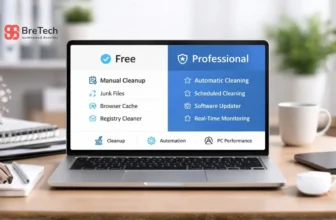
CCleaner Free vs Paid Editions
CCleaner Free can be useful for basic manual cleaning. It may be enough for users who only clean their PC or Mac occasionally and do not need extra paid features.
Paid CCleaner editions are better when you want more convenience, maintenance features, extra tools, business use rights, or support. The right choice depends on your device, workload, and license use.
For most users, the choice is simple:
- Use Free if you only need occasional manual cleaning.
- Choose Professional for Windows if you want a more complete paid Windows cleaning tool.
- Choose Professional for Mac if you want a paid Mac cleanup tool for a supported macOS device.
- Choose Plus or Premium if you want extra tools, wider bundle value, or stronger convenience.
- Choose Business or Cloud if you are buying for office or team use.
- Choose Android if your main issue is phone storage and app cleanup.
Which CCleaner Edition Should You Buy?
- Students and home Windows users: Choose CCleaner Professional for Windows if you want a simple paid PC cleaning tool for one Windows PC.
- MacBook and iMac users: Choose CCleaner Professional for Mac if your main need is Mac cleanup and routine maintenance.
- Freelancers and creators: Choose CCleaner Professional Plus if you want extra tools such as Recuva and Speccy, depending on the current package.
- Busy professionals: Choose CCleaner Premium if you prefer a broader bundle with more support-focused value.
- Small offices: Choose CCleaner Business for Windows or CCleaner Professional for Business, depending on your feature needs.
- IT teams: Choose CCleaner Cloud for Business if you need remote management, scheduled cleaning, and reporting.
- Android users: Choose CCleaner Pro for Android if your main issue is phone storage and app cleanup.
Common CCleaner Problems and Safe Fixes
Even a genuine cleaner can face issues if the operating system is outdated, storage is very low, or another optimization tool is interfering.
CCleaner Is Not Cleaning Properly
Try these steps:
- Close browsers before cleaning
- Restart your device and try again
- Update CCleaner to the latest version
- Check app permissions
- Avoid running multiple cleaner tools at the same time
CCleaner Is Not Opening
Check whether system security, another app, or an old installation is blocking it. Reinstalling from a trusted source may help if the installation is damaged.
Browser Data Is Not Clearing
Some browsers protect active sessions while they are open. Close the browser fully before running privacy cleanup.
PC or Mac Is Still Slow After Cleaning
CCleaner can help with junk files, browser traces, and startup items, but it cannot fix all problems. Hardware issues, failing storage, low RAM, overheating, malware, browser problems, or network issues may need separate checks.
If your Windows PC still feels slow after cleanup, read Best PC Optimization Software in Pakistan because the issue may need deeper PC cleanup, startup control, driver checks, or system maintenance instead of only junk file removal.
Buying from BreTech
BreTech is an authorized CCleaner reseller in Pakistan. We provide genuine CCleaner licenses with PKR pricing, local payment options, digital email delivery, activation guidance, and invoice support for business buyers.
You can choose the right CCleaner edition based on your device, usage, and license requirement. If you are not sure which edition fits your case, ask before ordering so the license matches your real need.
Conclusion: Match the CCleaner Edition to Your Real Need
The right CCleaner edition depends on your device, workload, and license use. Home Windows users usually need CCleaner Professional for Windows, while Mac users should choose CCleaner Professional for Mac.
Power users may prefer Professional Plus or Premium if they need extra tools or a broader bundle. For offices and IT teams, business and cloud editions are safer because they support proper business use and better management.
Before buying, compare the edition, device support, license term, current bundle contents, and activation needs.
To compare all available CCleaner products, visit CCleaner software in Pakistan or explore Utilities & Optimization software in Pakistan. If you are buying for an office or IT team, confirm the correct business license before placing the order.
FAQs
Q: Which CCleaner edition is suitable for one Windows PC?
A: CCleaner Professional for Windows is usually enough for one Windows PC if you mainly need junk cleaning, startup management, and browser cleanup.
Q: Which CCleaner edition is suitable for Mac?
A: Choose CCleaner Professional for Mac if you use a MacBook, iMac, Mac mini, or another supported macOS device. Do not buy the Windows edition for Mac cleanup.
Q: Is CCleaner Professional the same as CCleaner Pro?
A: Many users call it CCleaner Pro, but the full product name is CCleaner Professional. For Windows, choose CCleaner Professional for Windows. For Mac, choose CCleaner Professional for Mac.
Q: Should I choose CCleaner Professional Plus?
A: Choose Professional Plus if you want a wider bundle with extra tools such as Recuva and Speccy. Check the current product details before purchase because bundle contents can change.
Q: Which CCleaner edition is suitable for office use?
A: For office use, choose a business license such as CCleaner Business for Windows, CCleaner Professional for Business, or CCleaner Cloud for Business.
Q: Can CCleaner fix all slow PC or Mac problems?
A: No. CCleaner can help with junk files, startup apps, and browser traces, but it cannot fix hardware problems, failing drives, low RAM, overheating, malware, or serious operating system issues.
Q: Is CCleaner safe to use?
A: CCleaner is a well-known cleaning tool, but users should review cleaning options before deleting files. Avoid cracked versions, fake keys, and unofficial downloads.
Q: Where can I buy genuine CCleaner in Pakistan?
A: You can buy genuine CCleaner licenses from BreTech, an authorized CCleaner reseller in Pakistan, with PKR pricing, local payment options, digital delivery, activation guidance, and invoice support.
Further Reading
- Best Driver Updater Software for Windows in Pakistan
- Software Updater Tools in Pakistan
- Disk Health Checker Tools in Pakistan
- CCleaner Professional vs Business vs Cloud
Explore more helpful guides in our System Utilities guides to compare PC cleaning, optimization, updater, and maintenance tools before choosing the right software.