Abdul Basit
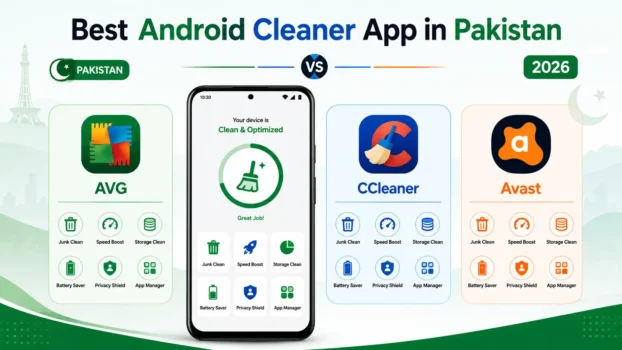
AVG Cleaner vs CCleaner for Android mainly comes down to what you want to clean and monitor. AVG Cleaner is a strong choice for storage cleanup, media review, photo optimization, app management, and automatic cleaning. CCleaner is a good alternative if you want Android cleanup together with useful system information such as CPU, RAM, storage, and battery status.
For basic cleanup, Files by Google may already be enough. It can help clear temporary app files and identify duplicate files, screenshots, recommended files, and unused apps without requiring a separate paid cleaner.
Pakistan buyers who need more advanced cleanup can compare AVG Cleaner and CCleaner paid options through BreTech. If you also want mobile security and VPN tools, AVG Mobile Ultimate or Avast Mobile Ultimate may be more suitable bundle options.
Key Takeaways
- AVG Cleaner is better for deeper storage and media cleanup, especially photos, videos, and large app files.
- CCleaner combines cleanup with system monitoring like CPU, RAM, storage, and battery insights for full overview.
- Files by Google handles basic cleanup like duplicates, screenshots, and temporary files for free storage management.
- Paid cleaner apps make more sense when you need automation, scheduling, and deeper control features.
- Avoid cracked APKs and unofficial activation files because they may contain malware or security risks.
- BreTech offers genuine paid licenses with PKR pricing, digital delivery, and activation support help available.
What Does an Android Cleaner App Actually Do?
An Android cleaner app helps you find files, apps, and stored data that may be taking up unnecessary space.
Common cleanup areas include:
- App cache and temporary files
- Old downloads
- Screenshots
- Large photos and videos
- Unused apps
- Residual files
- Browser data
- Other unwanted media
AVG Cleaner includes Quick Clean for removing dispensable items such as cache, thumbnails, APK files, residual files, and other unnecessary data. It also provides separate tools for media, installed apps, storage review, photo optimization, video optimization, and Sleep Mode.
CCleaner for Android also focuses on removing unnecessary files, managing applications, freeing storage, and showing useful device statistics such as CPU and RAM usage, storage, and battery information.
Do Android Cleaner Apps Really Improve Phone Performance?
They can help, but expectations should be realistic.
Removing unnecessary files, uninstalling apps you no longer use, and reducing storage pressure can make an Android phone easier to manage. The benefit may be more noticeable on older phones or devices with limited free storage.
However, a cleaner app cannot fix every slow phone problem. It cannot upgrade weak hardware, repair a failing battery, increase physical RAM, or repair damaged internal storage.
A common mistake is expecting a cleaner app to solve every performance problem. These tools are most useful when storage clutter, unnecessary apps, or background activity are part of the issue.
Which Android Cleaner Is Best for Low-End Phones and Limited Storage?
AVG Cleaner is a strong fit when your main problem is storage clutter, large media folders, unnecessary apps, or too many photos and videos.
Its Media and Apps sections can help review what is taking up space, while Photo Optimizer and Video Optimizer can reduce the size of selected media files. Sleep Mode can also stop selected background apps.
CCleaner is useful when you want cleanup combined with a simple view of the phone’s resources. It can show CPU usage, RAM usage, storage information, battery level, and battery temperature.
Choose AVG Cleaner if storage and media cleanup are your main concerns. Choose CCleaner if you want general cleanup plus system monitoring.
For users who also want antivirus and VPN tools alongside cleanup, AVG Mobile Ultimate for Android is worth comparing before buying.
How Much Storage Can You Really Save With These Apps?
There is no fixed amount of storage that every cleaner app can recover.
The result depends on how you use your phone. Someone with many WhatsApp videos, screenshots, downloads, old APK files, large videos, and unused apps may recover much more space than someone whose phone is already well maintained.
AVG Cleaner can review unnecessary files, media, installed apps, and other storage categories. Its photo and video optimization tools can also reduce selected media file sizes.
Files by Google can help identify temporary files, duplicate files, screenshots, recommended files, and unused apps.
Do not expect the same storage result on every phone. Review important files before deleting them.
AVG Cleaner vs CCleaner Feature and Buying Comparison in Pakistan
AVG Cleaner and CCleaner overlap in basic Android cleanup, but they are better suited to slightly different users.
| Cleaner | Best For | Main Strength |
|---|---|---|
| AVG Cleaner Pro for Android | Storage and media cleanup | Media review, photo optimization, app management, Sleep Mode |
| CCleaner Pro for Android | Cleanup plus monitoring | Junk cleanup, app management, CPU, RAM, storage, and battery information |
| Files by Google | Basic free cleanup | Temporary files, duplicates, screenshots, unused apps |
AVG Cleaner is the stronger option if you want more detailed media management. It includes photo and video optimization, app analysis, storage review, and Sleep Mode.
CCleaner is a strong alternative if you want routine Android cleanup while also seeing system information about CPU, RAM, storage, and battery.
Pakistan buyers can compare genuine paid licenses through BreTech with PKR pricing, local payment options, digital delivery, activation guidance, and invoice support where applicable.
For buyers comparing CCleaner plans and pricing, see the CCleaner Editions Compared in Pakistan guide.
You can also browse more Utilities & Optimization software in Pakistan if you want to compare other maintenance tools.
AVG Cleaner vs Files by Google: Do You Need a Paid Cleaner?
Files by Google is a useful first option if your main problem is basic storage clutter.
Google’s cleanup tools can clear temporary app files and help identify duplicate files, screenshots, recommended files, and unused apps.
For many users, that may be enough.
AVG Cleaner becomes more useful when you want deeper control over media, photos, videos, apps, storage analysis, and background applications. It also includes dedicated photo and video optimization tools.
A simple buying rule is:
- Choose Files by Google for basic free cleanup.
- Choose AVG Cleaner for deeper media and storage management.
- Choose CCleaner for cleanup plus system monitoring.
This also makes Files by Google a useful comparison option rather than a direct paid competitor.
Are Free Android Cleaner Apps Safe to Use?
Cleaner apps from known publishers and official app stores are generally safer choices than modified apps downloaded from unknown websites.
The bigger risk comes from third-party APK sites, fake cleaner apps, cracked versions, mod APKs, serial keys, and unofficial activation files.
Modified apps can contain unwanted software or request permissions that are not necessary for normal cleanup.
Download Android apps from official or trusted sources and review the permissions they request.
If you are buying paid software in Pakistan, see our guide to buying genuine software in Pakistan for additional purchase checks.
Is AVG Cleaner Better Than Built-In Android Cleaning Tools?
Built-in Android cleanup tools may be enough if you only need occasional storage management.
Different Android phone manufacturers provide different storage and cleanup features, so the tools available on one phone may not be the same on another.
Files by Google is another free option. It can clear temporary app files and help remove duplicate files, screenshots, recommended files, and unused apps.
AVG Cleaner goes further by providing dedicated tools for Quick Clean, media review, app analysis, Photo Optimizer, Video Optimizer, and Sleep Mode.
Choose built-in tools or Files by Google if you only need basic cleanup. Consider AVG Cleaner if you want more detailed storage and media management.
Which Android Cleaner Is Better for System Monitoring?
CCleaner is the better choice if system information is important to you.
Its Android tools can show CPU usage, RAM usage, internal storage information, battery level, and battery temperature.
AVG Cleaner focuses more strongly on storage management, unnecessary files, media optimization, app review, and stopping selected background apps through Sleep Mode.
Choose CCleaner if monitoring is one of your main priorities. Choose AVG Cleaner if storage and media cleanup matter more.
How Often Should You Use an Android Cleaner App?
There is no need to clean your phone constantly.
Use a cleaner when storage starts getting low, after periods of heavy media use or downloading, or when you want to review unused apps and unnecessary files.
Android recreates some cache files as you continue using your apps, so repeatedly clearing cache without a reason provides limited value.
It is usually better to check the phone when storage is becoming crowded instead of running aggressive cleanup every few hours.
Can Android Cleaner Apps Harm Your Phone’s Battery Life?
A reputable cleaner should be used as a maintenance tool rather than left running unnecessarily.
Removing unused applications and reviewing background apps can help reduce unnecessary activity. However, installing several cleaner apps that perform similar jobs may add more background processes, notifications, and clutter.
Using one cleaner that matches your needs is normally better than installing several overlapping apps.
Common Mistakes People Make When Using Phone Cleaner Apps
Many users make the same mistakes when trying to free storage or improve Android performance.
- Cleaning too aggressively: Removing app data can delete settings or sign you out of applications.
- Installing several cleaners: Multiple tools may perform the same jobs and add unnecessary clutter.
- Downloading cracked APKs: Modified apps can introduce security and privacy risks.
- Expecting hardware fixes: Cleanup cannot repair failing storage, weak hardware, or an aging battery.
- Ignoring media: WhatsApp files, videos, screenshots, downloads, and photos can use significant storage.
Do You Need Mobile Security as Well as Cleanup?
A cleaner app mainly helps with storage, files, apps, and device maintenance. It is not a replacement for malware protection, phishing protection, or a VPN.
If you want a wider mobile package instead of a cleaner alone, a bundle may make more sense.
Avast Mobile Ultimate for Android combines Avast Mobile Security Premium, Avast Cleanup Premium, and Avast SecureLine VPN for Android.
AVG also offers wider Android security products for buyers who need more than cleanup alone.
If security is your main concern, see our best security software guide for Pakistan before choosing.
Where to Buy AVG Cleaner or CCleaner in Pakistan
If the free cleanup tools on your phone are not enough, Pakistan buyers can compare paid cleaner options through BreTech.
You can browse the AVG software range or the CCleaner software range to compare available products.
BreTech provides genuine software licenses with PKR pricing, local payment options, digital delivery on most orders, activation guidance, WhatsApp support, and invoice support where applicable.
Before buying, decide whether you actually need a paid cleaner.
If Files by Google or your phone’s built-in storage tools already solve the problem, a paid app may not be necessary. If you want deeper media cleanup and storage controls, AVG Cleaner may be the better choice. If you want cleanup combined with system monitoring, CCleaner may suit you better.
Conclusion
For buyers comparing AVG Cleaner vs CCleaner for Android, AVG Cleaner is the stronger choice when your main problem is storage clutter, photos, videos, apps, and media management. Its dedicated cleanup, media, optimization, and Sleep Mode tools give users more control over what is using space.
CCleaner is a better fit if you want Android cleanup together with system information such as CPU, RAM, storage, battery level, and battery temperature.
For basic free cleanup, Files by Google may already be enough. It can clear temporary app files and help identify duplicates, screenshots, recommended files, and unused apps.
The best Android cleaner app therefore depends on the actual problem with your phone. Start with free cleanup first. Consider AVG Cleaner or CCleaner when you need additional cleanup controls, media management, or system monitoring.
For more Android maintenance and utility guides, visit our System Utilities blog category.