Abdul Basit
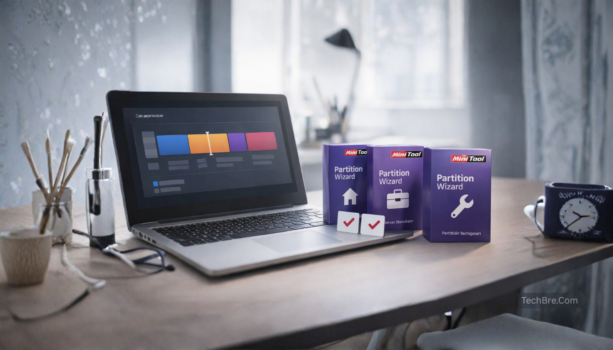
MiniTool Partition Wizard editions help users choose the right license for a home PC, office computer, Windows Server system, or technician work. The right choice depends on how many devices you manage, whether you need Server support, and whether you work on your own computers or client systems.
For most home users, MiniTool Partition Wizard Pro is the right starting option. If you manage Windows Server, choose Server Standard. Businesses with many computers should compare Enterprise, while repair shops and IT technicians should look at Technician.
Key Takeaways
- Best for Home Users: MiniTool Partition Wizard Pro is the best starting option for regular Windows PCs when you need more than basic free partition tools.
- Windows Server Requirement: If you manage a Windows Server machine, choose Server Standard instead of a home PC edition.
- Business vs Technician Use: Enterprise is better for businesses managing many office computers, while Technician is for repair shops and IT professionals working on client systems.
- Check License Limits First: Before buying, confirm the latest device limit, supported OS, and edition features on the product page.
- Genuine License Delivery: BreTech offers genuine MiniTool licenses in Pakistan with PKR pricing, local payment options, digital delivery, activation help, and invoice support.
MiniTool Partition Wizard Editions Comparison at a Glance
The following matrix compares environment compatibility, device limits, and best-use cases for the genuine MiniTool Partition Wizard lineup on BreTech. Always check individual product pages to verify the most up-to-date licensing terms.
| Edition | Supported OS | Device Limit | Best For |
|---|---|---|---|
| Pro | Windows 11 / 10 / 8 / 7 | 1 PC | Home users managing basic disk layouts |
| Pro Platinum | Windows 11 / 10 / 8 / 7 | 1 PC | Power users needing additional disk utilities |
| Pro Ultimate | Windows 11 / 10 / 8 / 7 | 3 PCs | Advanced repair and long-term data recovery |
| Server Standard | Windows Server & PC OS | 1 Server/PC | Small business servers and IT admins |
| Enterprise | Windows Server & PC OS | 99 PCs/Servers | Corporate networks and multi-computer labs |
| Technician | Windows Server & PC OS | 299 PCs/Servers | Repair shops working on client computers |
License terms, device limits, and edition features can change over time. Always open the product page to confirm the latest details before buying.
Need help choosing the right MiniTool Partition Wizard license? Start with Pro for one home PC, choose Server Standard for Windows Server, use Enterprise for office systems, and choose Technician if you repair client computers. You can compare the latest MiniTool options on BreTech before buying.
Compare MiniTool Partition Wizard Licenses on BreTech
If you want to review full features, licensing details, and the latest PKR pricing for each edition, open the MiniTool listings on BreTech. These pages help you compare disk utilities and choose the right partition manager before purchasing.
Browse related pages:
These pages list genuine MiniTool software available in Pakistan with PKR pricing, local payment options, digital delivery, activation help, and invoice support.
MiniTool Partition Wizard Free vs Pro: Key Limitations
Many users start with the free edition of MiniTool Partition Wizard to perform basic partition tasks. However, the free version has several important limitations that can affect disk repair or recovery work.
The Free edition is useful for basic partition tasks, but advanced recovery and boot tools may require a paid edition. Check the current MiniTool edition details before starting important disk recovery or boot repair work.
Because of these limits, many users upgrade to MiniTool Partition Wizard Pro or higher editions when they need advanced disk repair, recovery tools, or commercial usage rights.
Which MiniTool Partition Wizard Edition Should You Choose?
MiniTool Partition Wizard editions are easiest to choose when you match the license to your real work. Choose Pro for normal Windows PC use, Server Standard for Windows Server systems, Enterprise for office or business computers, and Technician for client repair work.
Best Use Cases for Each Edition
- Home and personal use: Pro editions are usually enough for partition resizing, moving, and common disk tasks.
- Office or IT teams: Enterprise edition fits managed environments where licensing and deployment matters.
- Windows Server machines: Server Standard edition is the safer match.
- Repair shops and technicians: Technician edition is built for handling multiple client systems.
If you are unsure, start from the MiniTool Partition Wizard editions list and use the compare icon to shortlist 2–3 editions.
Manual-Backed Notes That Help You Pick the Right Edition
MiniTool documentation explains several feature differences between the Free edition and higher paid editions. Understanding these limitations can help you choose the correct license before starting important disk operations.
Some recovery and boot features may require a paid edition
The Free edition is useful for basic partition tasks, but advanced recovery and boot features may require a paid MiniTool Partition Wizard edition.
This matters when Windows cannot start, a partition becomes inaccessible, or you need recovery tools before making changes to an important disk.
Before starting recovery work, check the current MiniTool edition details so you choose a license that includes the tools you need.
Partition Recovery vs Data Recovery (quick explanation)
MiniTool documentation explains the difference between these two recovery features:
- Partition Recovery rebuilds the partition table and restores lost or deleted partitions together with their data.
- Data Recovery scans a drive and attempts to recover specific files when partition recovery is not possible.
Understanding this difference helps avoid choosing an edition that lacks the recovery method needed for a specific disk problem.
A simple safety warning many users overlook
The documentation also warns that setting the wrong partition as Active can prevent Windows from booting properly. When editing partitions, it is safer to confirm the system partition first and apply one change at a time.
Offline activation for restricted environments
MiniTool also supports an offline activation method for systems that cannot connect to the internet. The process uses a removable drive to transfer activation information and return an activation code.
This method can be useful in controlled office environments or isolated computers where direct internet access is restricted.
MiniTool Partition Wizard Compatibility and Work Environment
System Requirements for Each Edition
The Free and Pro editions are typically easier to run on normal PCs. Higher editions (Server, Enterprise, Technician) are meant for heavier environments, so stable hardware and a clean Windows install matters more.
User Interface and Experience
Most editions share the same interface, but advanced editions unlock extra options that can confuse beginners. If you are not comfortable with disk operations, avoid experimenting on the main drive without a plan.
A simple safe approach is: check the partition layout, confirm the target drive, and do one change at a time. For risky jobs, use the edition that supports bootable recovery and proper licensing.
Compatibility with Various Operating Systems
MiniTool Partition Wizard is mainly for Windows systems. Server editions are the better fit when you are working on Windows Server machines where compatibility and stability matters.
If you are working in Pakistan with mixed client machines, a Technician license is usually the safer choice because it is designed for repair and client-service use.
Choosing the Right Edition of MiniTool Partition Wizard
Factors to Consider When Selecting an Edition
Choose based on these practical points:
- How many PCs you will use it on (single PC vs many PCs)
- Whether you manage servers
- Whether you need technician rights for client systems
- Your budget, and how often you do disk jobs
For most buyers, starting with the Pro edition makes sense, then upgrading later if your work becomes more advanced.
Start by browsing MiniTool options here: MiniTool on BreTech
Price vs License Value
Always compare features to cost before you buy. Paying extra only makes sense if you truly need server usage, multi-PC usage, or technician rights.
Buyer Notes and Related Comparisons
User reviews can help, but also focus on the edition match. Many “bad reviews” come from people using the wrong edition for the wrong job.
If you are deciding between MiniTool and AOMEI, read our direct comparison of AOMEI Partition Assistant vs MiniTool Partition Wizard before choosing a partition manager for resizing, recovery, SSD migration, or technician work.
If you are choosing between MiniTool and other brands, these BreTech comparisons will help you decide faster:
- EaseUS vs AOMEI vs MiniTool: backup + partition comparison
- AOMEI Partition Assistant vs EaseUS Partition Master
Conclusion: Choosing the Best MiniTool Partition Wizard Editions
MiniTool Partition Wizard editions are easiest to choose when you match the license to your real work: one PC, multiple PCs, Windows Server, or technician jobs. For most home users, Pro is enough for safe partition changes and basic disk tasks.
If you manage office PCs, the Enterprise edition is the better fit for business use and proper licensing. If you run Windows Server machines, choose the Server Standard edition so you are covered for server environments.
If you work on client computers as a repair shop or field technician, Technician is the right choice because it is built for multi-client usage. To avoid buying the wrong edition, compare 2–3 options using the MiniTool Partition Wizard editions list and the compare icon.
When you buy from BreTech, you get PKR pricing, local payment options, digital delivery where available, activation help, and invoice support.
FAQs
Q: Which MiniTool Partition Wizard edition is best for most users?
A: For most home users who need resizing, moving, or managing partitions on one PC, Pro is usually the best starting option.
Q: Do I need a Server edition for Windows Server?
A: Yes. If the machine runs Windows Server, Server Standard is the safer licensing choice compared to home editions.
Q: What is the difference between Enterprise and Technician?
A: Enterprise is for businesses managing many office PCs. Technician is for repair shops or technicians working on many client computers.
Q: Does the Free edition include partition recovery and bootable media?
A: The Free edition is suitable for basic partition tasks, but advanced recovery and boot tools may require a paid edition. Always check the current MiniTool edition details before starting recovery work.
Q: Can MiniTool Partition Wizard help if Windows will not boot?
A: It can help in some cases, but you usually need an edition that supports bootable media so you can run tools outside Windows.
Q: Can I activate MiniTool Partition Wizard without internet?
A: Yes. The manual describes an offline activation method using a removable disk to move activation information and receive a code.
Q: How do I avoid breaking Windows when editing partitions?
A: Avoid setting the wrong partition as Active, make one change at a time, and restart if required before doing the next change.
Further Reading
If you need help with a specific disk management task or want to compare MiniTool with other top-tier tools in Pakistan, explore these focused guides:
- EaseUS vs. AOMEI vs. MiniTool: Backup & Partition Comparison
- EaseUS Partition Master Editions Compared in Pakistan
- AOMEI Partition Assistant vs. EaseUS Partition Master Comparison
- Disk Health Checker Tools for Pakistani Users
- MiniTool ShadowMaker Editions Comparison Guide
Want more help like this? Browse all Utilities & Optimization guides: Utilities & Optimization