Abdul Basit
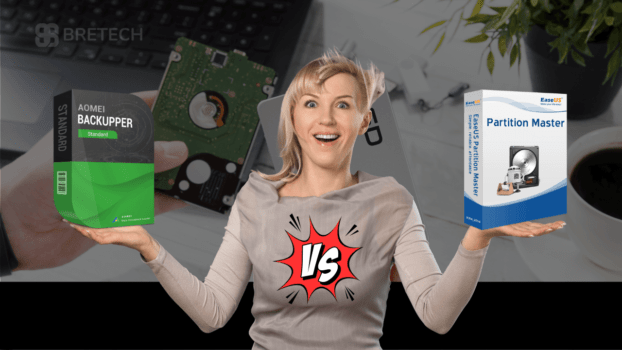
Comparing AOMEI Partition Assistant vs EaseUS Partition Master becomes a real headache when your C drive hits red, Windows updates fail, and you are scared to touch partitions because one wrong click can wipe data.
Many people in Pakistan try random “free” tools or cracked versions, and that is where disk errors, failed boots, and missing partitions start.
The safer path is simple: pick one genuine partition manager, use it for resizing, cloning, and emergency fixes, and keep a bootable option ready for worst-case days.
AOMEI Partition Assistant is usually better if you want more “extra utilities” (like moving installed apps) and a lighter feel. EaseUS Partition Master is usually better if you want a very guided, wizard-style interface and a smooth learning curve for beginners.
AOMEI Partition Assistant and EaseUS Partition Master are both available on BreTech with PKR pricing, local payments, and typically 1–72 hour digital email delivery.
Quick Overview
| Quick decision | AOMEI Partition Assistant | EaseUS Partition Master |
|---|---|---|
| Best for older or slower PCs | Yes, often feels lighter | Good, but can feel heavier |
| Best for beginners | Good | Often easier due to wizards |
| Moving installed apps to another drive | Yes (App Mover) | No dedicated tool |
| Disk/partition clone for upgrades | Yes | Yes |
| OS migration | Yes (Pro and above) | Yes (Pro and above) |
| Bootable media (WinPE) | Available (edition-based) | Available (usually Pro and above) |
Importance of Disk Partition Management
Managing your disk well helps you:
- Improve data organization
- Keep Windows performance stable
- Make upgrades (HDD to SSD) easier
- Reduce the risk of data loss during disk changes
Essential Features of Partition Tools
| Feature | Description |
|---|---|
| Partition creation | Create new partitions from unallocated space |
| Resize/Move | Adjust partition sizes without losing data |
| Format | Prepare partitions for use with specific file systems |
| Merge/Split | Combine or divide partitions for better organization |
AOMEI Partition Assistant: features and capabilities
AOMEI Partition Assistant is a strong disk tool for Pakistani users who want more utilities in one place. It lets you resize partitions, merge or split partitions, and copy partitions for upgrade or backup workflows.
AOMEI also supports conversion between MBR and GPT disk types (exact limits depend on edition), which is useful when upgrading to modern drives or preparing for Windows installations.
Key AOMEI features:
- Resize, move, merge, and split partitions safely
- MBR to GPT conversion (edition-based)
- Migrate OS to SSD/HDD without reinstalling (Pro and above)
- SSD 4K alignment for better performance
- Create WinPE bootable media (edition-based)
- Clone disk/partition (intelligent and sector-by-sector options)
- Command-line support (Pro and above)
| Feature | Benefit |
|---|---|
| Resize partitions | Optimize space usage |
| Merge partitions | Consolidate free space |
| Split partitions | Better data organization |
| Copy partitions | Easy data duplication |
| Convert disk types | Improve system compatibility |
AOMEI editions available on BreTech (Pakistan)
- AOMEI Partition Assistant Professional Edition
- AOMEI Partition Assistant Server Edition
- AOMEI Partition Assistant Technician Edition
- AOMEI Partition Assistant Unlimited Edition
If you want the safest purchase, browse the full AOMEI range here: AOMEI brand store on BreTech.
EaseUS Partition Master: comprehensive analysis
EaseUS Partition Master is one of the most beginner-friendly partition tools for Pakistani users. It handles resizing, merging, cloning, and partition recovery through an easy interface.
If your partition is already deleted, lost, or showing as unallocated, do not resize, format, or create a new partition yet. First check EaseUS Partition Recovery to see if a focused partition recovery tool is better for your case.
It is more suitable when you need to recover a missing partition first, not when you only want to resize, clone, or manage disk space.
User interface and ease of use
EaseUS has a clean layout and guided flows for tasks like resizing partitions, cloning a disk, or migrating Windows to a new SSD (Pro and above). This is often the reason many non-technical users prefer it.
Key features and functions
| Feature | Description |
|---|---|
| Partition management | Create, resize, merge, split, and format partitions |
| Partition recovery | Recover lost or deleted partitions (feature availability can vary by edition) |
| Disk/partition cloning | Clone disks with intelligent or sector-by-sector options |
| OS migration | Move Windows to a new SSD/HDD (Pro and above) |
| MBR to GPT conversion | Convert between MBR and GPT formats (edition-based) |
| WinPE bootable media | Create emergency boot media (usually Pro and above) |
| File system conversion | Some conversions are supported depending on version/edition |
| Dynamic disk support | Manage and resize dynamic volumes on Windows |
EaseUS editions available at BreTech (Pakistan)
- EaseUS Partition Master Professional Edition
- EaseUS Partition Master Server Edition
- EaseUS Partition Master Unlimited Edition
- EaseUS Partition Master Technician Edition
To buy genuine EaseUS, visit: EaseUS brand store on BreTech.
AOMEI Partition Assistant vs EaseUS Partition Master
| Feature | AOMEI Partition Assistant | EaseUS Partition Master |
|---|---|---|
| Resize/Move partitions | Yes | Yes |
| Merge/Split partitions | Yes | Yes |
| Partition recovery | Edition-based | Edition-based |
| OS migration (Windows) | Pro and above | Pro and above |
| Disk/partition cloning | Yes | Yes |
| Bootable WinPE media | Edition-based | Usually Pro and above |
| App mover tool | Yes | No dedicated tool |
| MBR to GPT conversion | Edition-based | Edition-based |
| SSD 4K alignment | Yes | Yes |
| Command line support | Pro and above | Not a main feature |
| File system support | NTFS, FAT32, exFAT (plus others depending on Windows) | NTFS, FAT32, exFAT (plus others depending on Windows) |
| Dynamic disk support | Yes | Yes |
Recommendation
Choose AOMEI Partition Assistant if you want more “extra tools” (like moving installed apps) and you work on older PCs or you do technician-style jobs.
Choose EaseUS Partition Master if you want the smoothest, most guided experience for resizing and cloning, especially for first-time users.
If MiniTool is also on your shortlist, read our direct comparison of AOMEI Partition Assistant vs MiniTool Partition Wizard before choosing between AOMEI, EaseUS, and MiniTool for partition resizing, SSD migration, cloning, or disk conversion.
Compare and buy the right edition from BreTech here: Partition Management tools on BreTech.
Performance comparison
Exact speed numbers (seconds, MB/s, CPU/RAM %) are not included because they can differ widely based on SSD/HDD, file size, PC specs, and Windows state. Instead, this practical comparison reflects typical real-world use.
| What matters | AOMEI Partition Assistant | EaseUS Partition Master |
|---|---|---|
| Resizing typical partitions | Fast on most PCs, often feels lighter | Fast, can feel heavier on older PCs |
| Large disk cloning | Reliable, speed depends on drive type | Reliable, speed depends on drive type |
| Impact on weak hardware | Often smoother on low RAM CPUs | Better experience on newer PCs |
Disk cloning and OS migration tools
Both AOMEI and EaseUS are good for disk cloning and moving Windows to a new drive, which is common in Pakistan when upgrading laptops from HDD to SSD.
- Sector-by-sector cloning is useful when you need an exact copy.
- Intelligent cloning is useful when you want faster upgrades and only copy used space.
- OS migration is usually locked to paid tiers (Pro and above).
If you are upgrading a client PC, the safest workflow is: backup important files first, then clone, then swap drives.
Free vs Paid: AOMEI vs EaseUS
Both AOMEI and EaseUS offer free editions for basic partition tasks, but important tools are usually limited to paid editions.
Free versions are useful for simple jobs like resizing or merging partitions. For advanced work such as OS migration, bootable media, business use, and some recovery options, you normally need a paid licence.
| Feature | AOMEI Free | EaseUS Free |
|---|---|---|
| Resize/Move partitions | Yes | Yes |
| Merge partitions | Yes | Yes |
| MBR to GPT conversion | Edition-based | Edition-based |
| Bootable media creation | Edition-based | Usually not in Free |
| OS migration | No | No |
| Partition recovery | Edition-based | Edition-based |
| Best for | Basic home disk management | Basic beginner partition tasks |
| Paid licence needed for | Advanced tools, boot media, technician use | OS migration, boot media, advanced recovery/management |
For Pakistan buyers, the safer choice is to check the exact edition before buying, because feature limits can change by version, licence type, and vendor policy.
Compatibility and support for Pakistani users
Both tools work across modern Windows versions and support common file systems like NTFS and exFAT, so you can use internal drives, SSDs, and external USB drives without extra setup.
For help, you typically have:
- Vendor documentation and guides
- Email support from the vendor
- Local guidance from BreTech for choosing the right edition and buying genuine licenses
Conclusion
Both tools deliver excellent disk management for Pakistan users. AOMEI excels with advanced features like app migration and lighter performance on older PCs. EaseUS offers the most user-friendly partition experience with guided wizards – perfect for Windows 11 upgrades.
Avoid cracked software risks – get genuine licenses with BreTech’s local support. Compare editions, verify features, and choose what fits your workflow before purchase.
Make informed choices from BreTech’s Partition Management tools. Get PKR pricing, local payments, and fast digital delivery.
Read Further
- AOMEI Partition Assistant vs Backupper in Pakistan
- MiniTool Partition Wizard Editions Compared
- AOMEI OneKey Recovery Editions Comparison in Pakistan
- EaseUS Data Recovery Wizard Editions Comparison
- EaseUS Partition Master Editions Compared in Pakistan
For more helpful guides, explore more articles on:
FAQs
Q: What is the main difference between AOMEI Partition Assistant Standard and EaseUS Partition Master?
A: AOMEI offers a wide range of tools for disk management and supports MBR/GPT conversion. EaseUS offers a user-friendly partition interface, ideal for beginners in the Windows environment.
Q: Which tool is better for hard drive upgrades in Windows 11?
A: Both handle data migration well, but EaseUS stands out with guided wizards for cloning hard drives to SSDs. AOMEI provides more advanced features like app migration for multiple PCs.
Q: What management features do the paid versions unlock?
A: Paid versions offer advanced data recovery, OS migration, bootable WinPE media, and extra features. Free editions limit you to basic partitioning without comprehensive solution capabilities.
Q: How do these tools help when you need to resize specific partitions?
A: Both excel at managing partitions safely without data loss. AOMEI feels lighter on older PCs while EaseUS provides wizard-guided partition management features for easier workflows.
Q: Which is better for users looking for security features and recovery options?
A: AOMEI offers more advanced data recovery and app mover tools. EaseUS focuses on management software simplicity with reliable partition recovery in paid versions.
Q: Can I verify these tools work across multiple operating systems?
A: Both optimize for Windows 10 and Windows 11 environments with NTFS/exFAT support. They handle disk space management across internal drives, SSDs, and external USBs perfectly.
Q: How to make informed decisions between these partition software options?
A: Consider your needs – EaseUS for beginners wanting simple management features, AOMEI for technicians needing advanced features. Check Capterra offers objective reviews and BreTech for authentic Pakistani pricing.