Abdul Basit
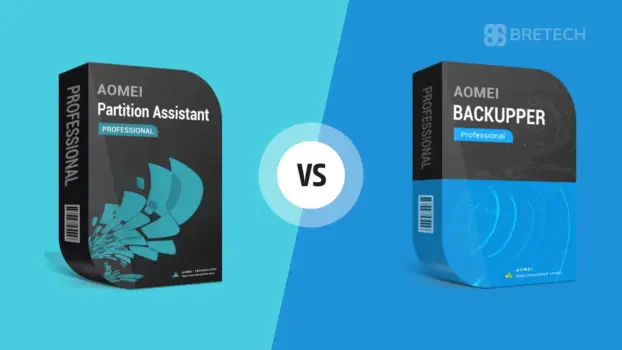
AOMEI Backupper and AOMEI Partition Assistant are both useful Windows tools, but they solve different problems. Backupper is mainly for file backup, system backup, disk cloning and recovery, while Partition Assistant is made for resizing partitions, managing disks, moving Windows to SSD and fixing storage layout issues.
For Pakistani users, choosing the right tool matters because both products are not made for the same job. If your main concern is data safety, recovery or full system backup, Backupper is the better fit. If you need to manage C drive space, convert disks, resize partitions or prepare an SSD, Partition Assistant is usually the better choice.
This guide explains the main differences, best use cases and buying points so you can choose the right AOMEI licence in Pakistan with PKR pricing, local payment options, digital delivery, activation help and invoice support through BreTech.
AOMEI Backupper vs Partition Assistant: Main Difference
The main difference is simple: Partition Assistant manages disks, while Backupper protects data.
| Need | Best Choice |
|---|---|
| Resize, merge, split, or move partitions | AOMEI Partition Assistant |
| Convert MBR to GPT or GPT to MBR | AOMEI Partition Assistant |
| Move Windows OS to SSD | AOMEI Partition Assistant |
| Move installed apps to another drive | AOMEI Partition Assistant |
| Manage disk space on Windows PCs | AOMEI Partition Assistant |
| Create full system backup | AOMEI Backupper |
| Back up files, folders, disks, or partitions | AOMEI Backupper |
| Restore system after crash | AOMEI Backupper |
| Schedule automatic backups | AOMEI Backupper |
| Sync files between locations | AOMEI Backupper |
| Clone disk before SSD upgrade | Either, depending on the purpose |
| Protect office PCs and servers | AOMEI Backupper Server / Technician Plus |
| Manage disk layout on servers | AOMEI Partition Assistant Server |
If your problem is storage layout, choose Partition Assistant. If your problem is data protection, choose Backupper.
What Is AOMEI Partition Assistant?
AOMEI Partition Assistant editions are built for users who need better control over disks, partitions, and storage.
It is useful when your C drive is full, your disk needs MBR/GPT conversion, or you want to migrate Windows from an old hard drive to a new SSD.
AOMEI Partition Assistant can help with:
- Resizing partitions
- Moving partitions
- Merging partitions
- Splitting partitions
- Converting MBR and GPT
- Migrating OS to SSD
- Cloning disks
- Moving apps to another drive
- Creating bootable media
- Recovering lost partitions
- Wiping disks securely
For Pakistani users, this is helpful for SSD upgrades, office PC maintenance, repair shop work, and Windows storage problems.
You can also explore more tools in the partition management software category.
What Is AOMEI Backupper?
AOMEI Backupper editions are built for backup, restore, sync, cloning, and disaster recovery.
It is useful when you want to protect important files, create a system image, clone a disk before replacing it, or recover your system after Windows failure.
AOMEI Backupper can help with:
- System backup
- File backup
- Disk backup
- Partition backup
- Incremental backup
- Differential backup
- Scheduled backup
- File sync
- System restore
- Disk restore
- Disk cloning
- Bootable recovery media
For Pakistani homes, offices, freelancers, and IT technicians, AOMEI Backupper is more important when data loss, Windows crash, or business downtime is the main risk.
You can also browse disk and system imaging software if your main need is backup, imaging, cloning, or recovery.
Which AOMEI Tool Should You Buy?
Buy AOMEI Partition Assistant if you need disk management
Choose AOMEI Partition Assistant if your main issue is with partitions, disk structure, or Windows storage layout.
It is better for users who need to:
- Extend C drive
- Resize partitions without reinstalling Windows
- Convert MBR to GPT before Windows upgrade
- Move OS to SSD
- Move apps from C drive to another drive
- Manage multiple disks
- Fix partition layout before cloning or reinstalling Windows
This is the better choice for users who already have their data protected but need to organise or upgrade their disk.
If your main problem is moving installed programs from one drive to another, you can also read our guide on Windows Application Migration Software.
Buy AOMEI Backupper if you need backup and recovery
Choose AOMEI Backupper if your main issue is data safety.
It is better for users who need to:
- Back up Windows
- Back up business files
- Create a system image
- Restore after Windows crash
- Clone a disk before SSD replacement
- Schedule automatic backups
- Protect office PCs
- Recover faster after system failure
This is the better choice if losing data would be costly or stressful.
If you are not sure whether you need file backup or a full system image, read our guide on file backup vs system image backup in Pakistan.
Buy both if you are a technician or business user
Many technicians and businesses need both tools.
Partition Assistant helps before and during storage changes. Backupper protects the system before something goes wrong.
Use both if you:
- Repair PCs for customers
- Upgrade HDDs to SSDs
- Manage office computers
- Work with Windows Servers
- Need backup before resizing partitions
- Handle client data
- Want safer disaster recovery planning
For example, a technician may first use AOMEI Backupper to create a full backup, then use AOMEI Partition Assistant to resize partitions, convert disk type, or migrate the OS.
For technicians who prepare multiple PCs, a deployment tool may also help. You can compare options in our guide on best Windows deployment software in Pakistan.
AOMEI Partition Assistant Editions in Pakistan
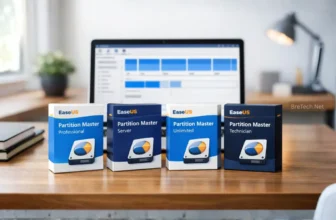
AOMEI Partition Assistant comes in different editions. The right choice depends on whether you are a home user, business user, server user, or technician.
| Edition | Best For |
|---|---|
| AOMEI Partition Assistant Professional | Personal PC users, freelancers, and advanced home users |
| AOMEI Partition Assistant Server | Small businesses and Windows Server users |
| AOMEI Partition Assistant Technician | IT technicians and service providers |
| AOMEI Partition Assistant Unlimited | Companies needing wider internal disk management use |
For most personal users in Pakistan, Professional is usually enough. For server work, choose Server. For repair shops and IT service providers, Technician is usually more suitable.
AOMEI Backupper Editions in Pakistan
AOMEI Backupper also comes in different editions for personal, business, server, and technician use.
| Edition | Best For |
|---|---|
| AOMEI Backupper Professional Edition | Personal PC backup, cloning, and restore |
| AOMEI Backupper WorkStation | Business workstation backup |
| AOMEI Backupper Server Edition | Windows Server backup and recovery |
| AOMEI Backupper Technician Edition | IT technicians handling multiple PCs |
| AOMEI Backupper Technician Plus Edition | Technicians or companies handling PCs and servers |
| AOMEI Backupper Pro Family | Multiple PCs in one household |
For most home users, Professional is enough. For business PCs, WorkStation is better. For Windows Server, choose Server. For technicians who handle both PCs and servers, Technician Plus is the stronger option.
For more detail, read our full guide on AOMEI Backupper editions compared in Pakistan.
Best Choice by User Type
| User Type | Best Choice |
|---|---|
| Home user with full C drive | AOMEI Partition Assistant Professional |
| Home user worried about data loss | AOMEI Backupper Professional |
| SSD upgrade user | Partition Assistant for migration, Backupper for backup safety |
| Freelancer with important files | AOMEI Backupper Professional |
| Small office | AOMEI Backupper WorkStation |
| Windows Server user | AOMEI Backupper Server or Partition Assistant Server |
| PC repair shop | Technician editions |
| IT service provider | Partition Assistant Technician + Backupper Technician Plus |
| Company with many PCs and servers | Backupper Technician Plus / Partition Assistant Unlimited |
This table is the safest way to decide. Do not choose only because one tool has a cloning feature. Choose based on the main job you need to do.
Disk Cloning: Which One Is Better?
Both AOMEI Partition Assistant and AOMEI Backupper can help with cloning, but they are not the same type of tool.
Use AOMEI Partition Assistant when cloning is part of a storage or OS migration task. For example, moving Windows to SSD or adjusting partitions after migration.
Use AOMEI Backupper when cloning is part of a backup or recovery plan. For example, creating a copy before replacing a hard drive or protecting a working system.
For a one-time SSD upgrade, either may help. For regular protection, Backupper is the better long-term choice.
OS Migration to SSD: Which Tool Should You Use?
If your main goal is to move Windows from HDD to SSD, AOMEI Partition Assistant is usually the more direct choice.
It is built for disk layout and OS migration tasks. This makes it useful when you want to move the operating system without changing your full backup plan.
However, it is still safer to create a backup first. Before any migration, use AOMEI Backupper or another backup method to protect your important files.
Backup Before Partition Changes
Partition work always has some risk. Power failure, wrong selection, bad sectors, or user mistake can cause data loss.
Before resizing, merging, converting, or moving partitions, create a backup first.
This is why many Pakistani technicians use both types of tools:
- AOMEI Backupper for safety backup
- AOMEI Partition Assistant for disk operation
This workflow is safer for business PCs, client systems, and important personal computers.
AOMEI vs EaseUS: Should You Compare Them Too?
If you are choosing a partition tool, you may also look at EaseUS Partition Master. Both AOMEI and EaseUS are popular disk management options for resizing partitions, converting disks, and preparing drives for upgrades.
AOMEI Partition Assistant: Strong choice for partition resizing, OS migration, disk conversion, and technician-level disk management.
EaseUS Partition Master: Worth checking if you already use EaseUS tools or want to compare feature limits before buying.
If MiniTool is also on your shortlist, read our detailed guide on AOMEI Partition Assistant vs MiniTool Partition Wizard before choosing a partition manager for resizing, cloning, SSD migration, or disk conversion.
For a direct EaseUS comparison, read our guide on AOMEI vs EaseUS Partition Master in Pakistan. You can also see our wider EaseUS vs AOMEI vs MiniTool backup and partition comparison in Pakistan if you want to compare backup and partition tools together.
Related AOMEI and Backup Guides
If you are still comparing AOMEI tools, these guides can help:
- Best Backup Software in Pakistan
- MiniTool Partition Wizard Editions Compared
- AOMEI OneKey Recovery Editions Compared in Pakistan
- MiniTool ShadowMaker Editions Compared
- AOMEI Backupper vs EaseUS Todo Backup for Businesses in Pakistan
When Not to Buy AOMEI Partition Assistant
Do not buy AOMEI Partition Assistant if your only need is regular file backup.
It is not mainly a backup tool. It is a disk and partition management tool.
If your goal is to protect files, restore Windows, schedule backups, or recover from system failure, AOMEI Backupper is the better fit.
When Not to Buy AOMEI Backupper
Do not buy AOMEI Backupper if your only need is to manage partitions.
It is not mainly a partition management tool. It is a backup and recovery tool.
If your goal is to resize C drive, convert MBR/GPT, move apps, or manage disk layout, AOMEI Partition Assistant is the better fit.
Buying Genuine AOMEI Licences in Pakistan
For business users, technicians, and offices, choosing the correct licence is important.
A personal licence may not be suitable for client work, server use, or multiple business systems. Buying the wrong edition can create activation, support, or usage problems later.
BreTech provides AOMEI software in Pakistan for users who want genuine licences and help choosing the right edition before purchase.
If you are not sure which licence fits your work, compare your use case first:
- Personal PC
- Business workstation
- Windows Server
- Repair shop
- IT support work
- Multiple company PCs
- Multiple PCs and servers
This helps avoid buying too small or too expensive an edition.
Final Verdict: AOMEI Backupper vs Partition Assistant
AOMEI Partition Assistant and AOMEI Backupper are both useful, but they solve different problems.
Choose AOMEI Partition Assistant for disk management, partition resizing, MBR/GPT conversion, app moving, and OS migration.
Choose AOMEI Backupper for system backup, file backup, scheduled backup, restore, sync, cloning, and disaster recovery.
For technicians, IT support providers, and businesses in Pakistan, both tools can work together. Backupper protects the data first. Partition Assistant manages the disk after that.
Need help choosing the right AOMEI licence? Contact BreTech to compare AOMEI Backupper and AOMEI Partition Assistant editions before buying in Pakistan.
FAQs
Q: Is AOMEI Partition Assistant the same as AOMEI Backupper?
A: No. AOMEI Partition Assistant is mainly for disk and partition management. AOMEI Backupper is mainly for backup, restore, sync, and disaster recovery. Both tools include disk-related features, but their main purpose is different.
Q: Which is better for SSD upgrade in Pakistan?
A: AOMEI Partition Assistant is better if your main goal is OS migration, partition resizing, or MBR/GPT conversion. AOMEI Backupper is better if you want to create a backup or clone before replacing the drive.
Q: Do I need AOMEI Backupper if Partition Assistant can clone disks?
A: Yes, if you need regular backup protection. Partition Assistant is useful for disk management and migration, but Backupper is better for scheduled backups, system restore, file backup, and disaster recovery.
Q: Which AOMEI tool is better for business users?
A: For storage management, choose AOMEI Partition Assistant Server, Technician, or Unlimited. For backup protection, choose AOMEI Backupper WorkStation, Server, Technician, or Technician Plus depending on whether you protect PCs, servers, or both.
Q: Can I use free AOMEI editions for business work?
A: Free editions are usually limited and may not fit business, server, or technician use. Pakistani businesses should check licence rights before using AOMEI tools in an office, repair shop, or client environment.
Q: Which AOMEI edition is best for technicians?
A: Technicians should compare AOMEI Partition Assistant Technician and AOMEI Backupper Technician or Technician Plus. Partition Assistant Technician helps with disk management tasks, while Backupper Technician Plus is better when PCs and servers need backup, clone, sync, and restore support.
Q: Should I buy both AOMEI Partition Assistant and Backupper?
A: Buy both if you manage important systems, repair PCs, upgrade many drives, or support business users. Backupper helps protect data before changes. Partition Assistant helps manage partitions, disks, and migration tasks after that.