Abdul Basit
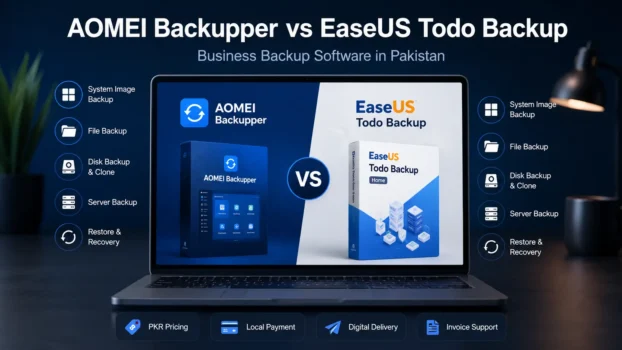
AOMEI Backupper vs EaseUS Todo Backup helps businesses in Pakistan choose reliable backup software for office files, business PCs, client data, and server systems.
Choosing the wrong edition can create problems later, especially if a free or personal licence is used for business, technician, or server-related backup work. The safer choice is to match the tool with your actual workload, device count, and licence needs.
This guide compares both tools in a practical way for Pakistani SMEs, IT technicians, and business buyers. It also explains how BreTech can help with genuine licences, PKR pricing, local payments, digital delivery, activation help, and invoice support.
Key Takeaways
- AOMEI Backupper is a strong choice for small offices that need simple PC backup, system image backup, file backup, restore options, and disk cloning.
- EaseUS Todo Backup is better for businesses that need wider workstation, server, technician, SQL, or Exchange-related backup options.
- For IT technicians and service providers, the licence type matters more than the basic feature list because normal personal licences may not suit client work.
- Pakistan buyers should compare price, device count, server support, business-use rights, and invoice needs before choosing a backup tool.
- BreTech can help with genuine software licences, PKR pricing, local payments, digital delivery, activation help, and official invoice support.
At a Glance
| Business Need | Better Choice | Why |
|---|---|---|
| Simple office PC backup | AOMEI Backupper | Easier for system backup, file backup, restore, and disk cloning |
| Wider business backup setup | EaseUS Todo Backup | Stronger range for workstation, server, advanced server, cloud, and technician needs |
| IT technician or client work | Depends on licence | Choose technician editions, not normal home or personal licences |
| Server backup | Business/server edition | Match the licence to Windows Server, database, or office workload needs |
| Pakistan business buying | BreTech guidance | Compare price, licence type, PKR payment, activation help, and invoice support before purchase |
AOMEI Backupper vs EaseUS Todo Backup: Comparison Overview
Key Features Comparison
When comparing backup software, the most important features are data protection, file backup, system image backup, disk backup, restore options, and cloning support. Both AOMEI Backupper and EaseUS Todo Backup offer useful backup features for business and office use.
AOMEI is strong for system backup, disk cloning, and simple restore workflows, while EaseUS offers a broad business backup range with editions for workstations, servers, and technician use. The right choice depends on your office size, licence type, server needs, and support requirements.
Pricing and Licensing Options
Pricing and licensing should be checked carefully before buying backup software for business use. A personal licence may be enough for one user, but offices, IT technicians, and service providers may need business, server, or technician editions.
For AOMEI planning, you can first compare the AOMEI Backupper editions in Pakistan. For EaseUS buyers, the EaseUS Todo Backup pricing guide can help you compare price, licence type, and suitable business use before ordering.
Local Payment Solutions
BreTech offers local payment support for Pakistani businesses that want to buy genuine backup software without using risky third-party sellers or cracked installers.
Customers can pay in PKR through supported local payment methods, and business buyers can request official invoice support for records, tax use, and office purchase approval. For a wider buying guide, see how to buy genuine software in Pakistan safely.
Which AOMEI Backupper Edition Should You Choose?
AOMEI Backupper has different editions for home users, small offices, server systems, and technician work. For business use in Pakistan, the main point is to choose an edition that matches your device type, workload, and licence requirement.
| AOMEI Edition | Best For | Buying Note |
|---|---|---|
| AOMEI Backupper Professional | Personal users, freelancers, and single-PC backup | Good for one computer, but not the main choice for B2B use |
| AOMEI Backupper WorkStation | Small offices and business PCs | Better fit for office computers and business workstation backup |
| AOMEI Backupper Server | Windows Server backup | Choose this when server OS support is required |
| AOMEI Backupper Technician | IT technicians and client work | Suitable when the licence needs to support service or technician use |
| AOMEI Backupper Technician Plus | Wider technician and service use | Best for advanced service needs where broader technician rights are required |
You can also browse all AOMEI Backupper editions available at BreTech if you want to compare all current options in one place.
Which EaseUS Todo Backup Edition Should You Choose?
EaseUS Todo Backup also has several editions, so buyers should avoid choosing only by price. A home, Mac, workstation, server, cloud, and technician licence can serve very different needs.
| EaseUS Edition | Best For | Buying Note |
|---|---|---|
| EaseUS Todo Backup Home | Home users and basic PC backup | Useful for personal backup, but not the main B2B option |
| EaseUS Todo Backup for Mac | Mac users | Choose this only when the buyer needs Mac backup support |
| EaseUS Todo Backup Workstation | Business PCs and office workstations | Good starting point for office computer backup |
| EaseUS Todo Backup Cloud | Cloud-focused backup needs | Useful when cloud backup is part of the buyer’s plan |
| EaseUS Todo Backup Server | Standard server backup | Choose this for normal server backup requirements |
| EaseUS Todo Backup Advanced Server | Advanced server, SQL, or Exchange-related workloads | Better for more demanding business backup environments where supported |
| EaseUS Todo Backup Technician | IT technicians and service providers | Suitable when backup software is needed for client or technician work |
You can also view all EaseUS Todo Backup products available at BreTech for a wider comparison.
Browse Related Backup Categories
Need help choosing the right backup licence for your office, server, or client work? Browse BreTech’s Disk & System Imaging software for system backup, cloning, and full PC recovery, or explore File & Folder Backup tools for selected document and office data protection.
Backup Solutions for Small Offices
AOMEI Backupper for Small Offices
AOMEI Backupper is a practical option for small offices that need reliable backup software without too much complexity. It can help protect business PCs through file backup, system backup, disk backup, and restore options.
For a small office computer or business workstation, AOMEI Backupper WorkStation can be a suitable starting point. It is useful for offices that want scheduled backups for documents, accounts data, customer files, and Windows systems.
EaseUS Todo Backup for Small Offices
EaseUS Todo Backup is also a strong option for small office backup needs. It offers system backup, file backup, disk/partition backup, restore tools, and business-focused editions depending on the required setup.
For office PCs, EaseUS Todo Backup Workstation may suit buyers who need a paid business backup tool for regular workstation protection. It can help small businesses recover faster from system crashes, accidental deletion, or drive problems.
Choosing the Right Tool
Choosing between AOMEI Backupper and EaseUS Todo Backup depends on your business setup. AOMEI may suit users who want a straightforward backup and cloning workflow, while EaseUS may suit buyers who need a wider business backup environment.
Before buying, check how many PCs you need to protect, whether you need server backup, and whether the licence allows business or technician use. This helps avoid buying the wrong edition.
IT Technicians and Business PCs
Features for IT Technicians
For IT technicians, backup software must be reliable, flexible, and suitable for repeated support work. AOMEI Backupper and EaseUS Todo Backup both offer features that can help with system backup, disk cloning, restore jobs, and PC recovery tasks.
Technicians should carefully check the licence terms before using any software for client work. A normal personal or free licence is usually not the right choice for commercial servicing or multi-client support.
Business PC Backup Needs
Business PCs often contain accounts files, customer records, project data, emails, and software settings. Losing this data can disturb daily work and create extra repair costs.
Both AOMEI Backupper and EaseUS Todo Backup can help businesses create system images, file backups, and recovery plans. This gives offices a safer way to recover from Windows failure, drive issues, or accidental file loss.
Long-Term Data Protection Strategies
A proper backup plan should not depend on one manual backup only. Businesses should use scheduled backups, multiple backup locations, and occasional restore testing where possible.
AOMEI Backupper and EaseUS Todo Backup support common backup methods such as full, incremental, and differential backup, depending on the edition. These options help reduce downtime and keep business data protected over time.
Server-Related Backup Needs
Server Backup with AOMEI Backupper
AOMEI has business and server-related editions for users who need to protect server systems or business-critical machines. This can be useful for offices that depend on shared files, accounting systems, or internal business software.
For server systems, AOMEI Backupper Server Edition is more suitable than a normal PC edition. Server backup needs should always be checked carefully before purchase.
Server Backup with EaseUS Todo Backup
EaseUS Todo Backup provides business-focused backup options for office and server environments. Its business range includes workstation, server, advanced server, and technician editions for different business sizes and use cases.
For advanced server workloads, EaseUS Todo Backup Advanced Server is the more relevant option because it is built for server backup needs, including SQL and Exchange-related use cases where supported.
Performance Comparison
Both AOMEI Backupper and EaseUS Todo Backup are capable backup tools, but performance can vary by PC speed, drive condition, backup size, storage destination, and selected backup method.
For business buyers, the more important question is not only speed. You should also check restore reliability, licence suitability, backup scheduling, server support, and ease of use for your team.
System Image Backup and Disk Cloning
System Image Backup Options
System image backup is important when a business wants to restore a full Windows setup after a crash. It can include the OS, installed programs, settings, and important system files.
Both AOMEI Backupper and EaseUS Todo Backup can help create system image backups. This is useful for offices that want faster recovery instead of reinstalling Windows and software from the beginning.
Disk Cloning Capabilities
Disk cloning is useful when upgrading from an old hard drive to a new SSD, replacing a failing drive, or moving a business system to another storage device.
AOMEI Backupper and EaseUS Todo Backup both offer cloning-related features depending on the edition. IT technicians and small offices should check whether the selected edition supports the required disk cloning task before buying.
Practical Use Cases
For small offices, system image backup can help recover a working PC quickly after Windows failure or drive damage. This is useful for accounts PCs, reception systems, office laptops, and workstations with important software settings.
For technicians, disk cloning can help with SSD migration, PC upgrade jobs, and faster setup of replacement drives. This makes backup software more useful than basic file copying.
File Backup and Restore Options
File Backup Features
File backup is useful when a business wants to protect selected folders, documents, accounts files, project files, or customer data. It is often easier to manage than a full system image.
Both AOMEI Backupper and EaseUS Todo Backup allow file and folder backup depending on the edition. Users should check storage destination support, schedule options, and restore workflow before choosing a licence.
Restore Options Comparison
Restore options matter because backup software is only useful if recovery is simple and reliable. Businesses should check whether they can restore single files, folders, partitions, or full systems.
EaseUS Todo Backup offers business restore options for different workloads, while AOMEI Backupper also provides system, file, disk, and partition restore features. The better choice depends on the user’s comfort level and business setup.
User Experience and Ease of Use
Ease of use is important for small offices because not every staff member is technical. A confusing backup tool can lead to missed backups or wrong settings.
Both AOMEI Backupper and EaseUS Todo Backup are designed to make backup and restore tasks easier for Windows users. However, business users should still set a clear backup schedule and test restore steps before relying on any backup plan fully.
A backup tool is only useful when the business can restore important files or systems quickly when disaster strikes.
Practical Advice for Buyers
Avoiding Cracked Backup Tools
Businesses should avoid cracked backup tools because they can create security, activation, update, and legal risks. A cracked backup program may fail when disaster strikes, especially during system crashes or urgent restore work.
For office systems, client data, and server backups, genuine backup software is the safer choice. BreTech helps Pakistan buyers purchase genuine licences with activation support and invoice options.
Choosing the Right Edition
The right edition depends on how you plan to use the software. A single PC user, small office, server user, and IT technician may all need different licence types.
Before buying, check the number of devices, business use rights, server support, technician use rights, licence duration, and upgrade options. This helps avoid wasted cost and licence mismatch.
Importance of Genuine Software Licences
Genuine software licences help businesses receive proper activation, updates, and vendor-supported use. This is especially important for backup software because data protection depends on trust and reliability.
For cloud-focused personal or small-office needs, EaseUS Todo Backup Cloud may be useful where the buyer specifically needs cloud backup features. For business use, always compare the licence terms before purchase.
Final Verdict
AOMEI Backupper is a good choice for small offices that want simple PC backup, system image backup, file backup, and disk cloning. EaseUS Todo Backup is better for businesses that need wider workstation, server, technician, or database-related backup options.
For Pakistan buyers, the right choice depends on licence type, number of computers, server needs, and business use. BreTech can help with genuine licences, PKR pricing, local payments, digital delivery, activation help, and invoice support.
Explore More AOMEI and EaseUS Tools
BreTech also provides other genuine tools from both brands for backup, partition management, data recovery, deployment, and business PC protection.
You can browse AOMEI software in Pakistan for backup, partition, recovery, and system utility tools, or explore EaseUS software in Pakistan for backup, recovery, PDF, deployment, and data management solutions.
If your backup plan also includes disk resizing, SSD migration, or partition work, read our comparison of AOMEI Partition Assistant vs MiniTool Partition Wizard before choosing a separate partition manager.
FAQs
Q: Which is better for small businesses, AOMEI Backupper or EaseUS Todo Backup?
A: AOMEI Backupper is better for simple small office backup, while EaseUS Todo Backup is better when a business needs wider workstation, server, or technician options.
Q: Is AOMEI Backupper good for business PCs?
A: Yes, AOMEI Backupper can protect business PCs with system backup, file backup, disk backup, clone, and restore features, depending on the selected edition.
Q: Is EaseUS Todo Backup suitable for servers or databases?
A: Yes, EaseUS Todo Backup has business editions for workstation and server backup, with higher editions supporting more advanced workloads such as SQL or Exchange.
Q: Can I use a free backup tool for my office?
A: A free tool may be fine for basic testing, but business users should check licence rights, update support, restore reliability, and commercial-use permission before using it in an office.
Q: Which backup software is better for IT technicians?
A: IT technicians should compare technician editions, not normal personal licences, because client work and multi-PC support usually need wider commercial-use rights.
Q: Do AOMEI Backupper and EaseUS Todo Backup support cloud backup?
A: Both can support different backup destinations depending on edition and setup, but buyers should check whether their required cloud or offsite storage option is included.
Q: Can BreTech help me choose the right backup licence in Pakistan?
A: Yes, BreTech can help Pakistan buyers choose the right genuine backup software licence with PKR pricing, local payments, digital delivery, activation help, and invoice support.
Further Reading
- Best Backup Software in Pakistan
- File Backup vs System Image Backup in Pakistan
- EaseUS vs AOMEI vs MiniTool Backup and Partition Comparison
- AOMEI Partition Assistant vs Backupper in Pakistan
- Best Cloud Backup Services in Pakistan
- Genuine Software for SMEs in Pakistan
Browse our File & Folder Backup guides for more tips on protecting office files, folders, and business data in Pakistan.