Abdul Basit
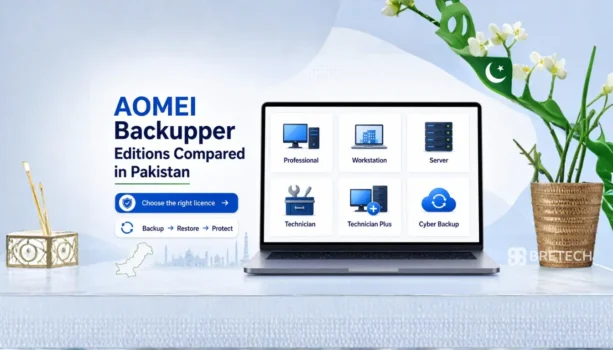
AOMEI Backupper comes in different editions for home users, office PCs, Windows Servers and IT technicians. The right choice depends on what you need to protect, how many systems you manage, and whether you only need PC backup or also need business and server-level features.
For Pakistani buyers, comparing the editions before ordering can help avoid buying a licence that is too basic or more advanced than you need. A home user may only need simple backup and cloning, while an office, repair shop or IT team may need stronger support for multiple PCs, servers or client systems.
This guide compares the main AOMEI Backupper editions so you can choose the right AOMEI licence in Pakistan with PKR pricing, local payment options, digital delivery, activation help and invoice support through BreTech.
AOMEI Backupper Editions at a Glance
| Edition | Best For | Licence Use | Main Buying Reason |
|---|---|---|---|
| AOMEI Backupper Professional | Personal PC users | 1 Windows PC | Backup, clone, sync, and restore for home or personal use |
| AOMEI Backupper Workstation | Office PC users | 1 business Windows PC | Commercial backup for work desktops and laptops |
| AOMEI Backupper Server | Server users | 1 Windows Server | Backup and restore for Windows Server systems |
| AOMEI Backupper Technician | IT technicians and service providers | Unlimited PCs for 1 technician | Client PC backup, restore, cloning, and portable service work |
| AOMEI Backupper Technician Plus | MSPs and advanced technicians | Unlimited PCs and servers for 1 technician | Technician work that includes both PCs and servers |
| AOMEI Cyber Backup | Businesses with many systems | Central backup platform | Central backup for PCs, servers, VMware, Hyper-V, and SQL |
To compare all AOMEI tools available at BreTech, visit the AOMEI Software in Pakistan brand page.
For similar backup, imaging, and cloning tools, browse the Disk & System Imaging Software in Pakistan category.
What Is AOMEI Backupper?
AOMEI Backupper is data backup, restore, sync, and disk cloning software for Windows systems. It helps protect files, folders, Windows installations, hard drives, partitions, and business data.
It is useful after Windows failure, hard drive damage, accidental deletion, ransomware damage, failed updates, or hardware replacement.
Users can create a backup image, restore the operating system, clone a disk, or protect both system and data.
AOMEI Backupper Standard is the free edition for basic personal backup. Paid editions are better for business use, Windows Server backup, technician work, and central backup management.
For Pakistani buyers, AOMEI Backupper is mainly useful for:
- Personal PC backup
- Office PC backup
- Windows Server backup
- Full backup, incremental backup, and differential backup planning
- SSD upgrade and hard drive cloning
- System restore after failure
- Backup and restoration after Windows problems
- Technician repair work
- Disaster recovery and business continuity planning
Why Choosing the Right Edition Matters
All AOMEI Backupper paid editions include strong backup and restore features, but the licence rights are different. One licence may cover one PC, while technician editions are made for service work on multiple computers.
The wrong edition can create problems later. Professional may be enough for one personal PC, but it is not the best choice for technician service work. Server is needed when the machine is a Windows Server. Technician Plus is more suitable when a technician needs to work with both client PCs and servers.
You should also check whether you need a lifetime license, upgrade rights, business-use licence, or support for restoration to a different computer. Some users only need basic file backup, while others need a stronger disaster recovery plan.
Before buying, ask these questions:
- Is it for personal use or business use?
- Is the system a Windows PC or Windows Server?
- Do you need to protect one device or many?
- Are you using it for your own company or client work?
- Do you need full backup, incremental backup, or differential backup?
- Do you need to restore to dissimilar hardware or a different computer?
- Do you need a portable technician toolkit?
- Do you need central backup management?
- Do you need a yearly licence or lifetime license?
Top AOMEI Backupper Editions Compared for Pakistani Buyers
1. AOMEI Backupper Professional
AOMEI Backupper Professional is best for personal Windows PC users who need backup, restore, sync, and cloning in one tool.
It is suitable for home users, students, freelancers, and power users who want to protect one personal PC from Windows crashes, file loss, hard drive failure, or OS problems.
Best for:
- One personal Windows PC
- Home users
- Students and freelancers
- SSD upgrade
- Personal backup and restore
Choose Professional if: you only need to protect your own personal computer and do not need business, server, or technician rights.
2. AOMEI Backupper Workstation
AOMEI Backupper Workstation is best for one business PC, office desktop, or work laptop.
It is better than Professional when the computer is used for office, school, shop, or commercial work. It helps protect work files, system settings, and business data from loss or system failure.
Best for:
- One business Windows PC
- Office desktops and laptops
- Small business users
- Schools and labs
- Commercial PC backup
Choose Workstation if: the PC is used for business, office, school, or daily work.
3. AOMEI Backupper Server
AOMEI Backupper Server is made for Windows Server systems.
It is useful for small business servers, file servers, office servers, and IT administrators who need server backup and recovery. If the machine runs Windows Server, do not choose a PC edition.
Best for:
- One Windows Server
- Office servers
- Small business servers
- IT administrators
- Server migration and restore
- Disaster recovery planning
Choose Server if: the machine is running Windows Server.
4. AOMEI Backupper Technician
AOMEI Backupper Technician is made for IT technicians, repair shops, and service providers who work with many client PCs.
It is useful when you need to back up, restore, clone, or migrate multiple Windows PCs as part of paid technical service.
Best for:
- IT technicians
- Repair shops
- MSPs
- Client PC backup
- SSD upgrade service
- On-site support work
Choose Technician if: you support many client PCs but do not need to work on Windows Servers.
5. AOMEI Backupper Technician Plus
AOMEI Backupper Technician Plus is the higher technician edition for service providers who work with both Windows PCs and Windows Servers.
It is useful for MSPs, advanced technicians, and IT service businesses that handle business clients with mixed PC and server environments.
Best for:
- MSPs
- Advanced technicians
- IT service businesses
- Client PCs and servers
- Business backup service providers
- Disaster recovery service work
Choose Technician Plus if: your technical work includes Windows Servers as well as PCs.
6. AOMEI Cyber Backup
AOMEI Cyber Backup is different from normal AOMEI Backupper editions. It is better for businesses that need central backup management for many systems.
It is useful when one IT team needs to manage backup tasks for multiple PCs, servers, virtual machines, or SQL workloads from one central console.
Best for:
- Businesses with many systems
- IT departments
- VMware backup
- Hyper-V backup
- Windows PC and Server backup
- Microsoft SQL Server backup
- Central backup management
Choose AOMEI Cyber Backup if: you need central control instead of managing each PC or server separately.
AOMEI Cyber Backup is not mainly for one personal PC. It is better when an IT team needs central control, monitoring, and backup task management across many systems.
Professional vs Workstation
Professional and Workstation look similar because both are for Windows PCs. The main difference is the intended use.
Professional is better for personal users. Workstation is better for business PCs, office desktops, school systems, and work laptops.
If the PC is used for personal files, Professional is enough. If the PC is used for office work, customer data, school administration, or business tasks, Workstation is the safer choice.
Workstation vs Server
Workstation is for a Windows PC used in business. Server is for Windows Server systems.
This difference is important. If your machine is a normal office PC or laptop, choose Workstation. If your machine runs Windows Server, choose Server.
Do not choose based only on price. Choose based on the operating system and business requirement.
Technician vs Technician Plus
Technician is for service providers who mainly work with unlimited Windows PCs.
Technician Plus is for service providers who work with both unlimited PCs and Windows Servers.
If your repair shop only handles normal customer computers, Technician may be enough. If you support business clients, office servers, or mixed PC/server environments, Technician Plus is the safer choice.
AOMEI Backupper vs AOMEI Cyber Backup
AOMEI Backupper is better when you need backup, clone, restore, and migration tools for individual PCs, servers, or technician work.
AOMEI Cyber Backup is better when you need a central console to manage backups for many systems, especially virtual machines and server environments.
Choose AOMEI Backupper if you want direct system backup and cloning. Choose AOMEI Cyber Backup if your business needs centralised backup management.
AOMEI Backupper Standard Free vs Paid Version
AOMEI Backupper Standard is the free standard edition for basic backup and restore needs. It can be useful for simple personal backup tasks, but it is not the best choice for business, server, or technician use.
The paid version is better when you need stronger backup and restoration features, business-use rights, server support, cloning options, or technician usage. Buyers should compare Standard and Professional carefully before choosing only because the free version looks attractive.
For Pakistani users, the free standard version may be enough for basic personal backup. But if your work involves office data, client systems, multiple computers, or disaster recovery, a paid AOMEI Backupper edition is safer.
For a wider business comparison, read AOMEI Backupper vs EaseUS Todo Backup for Businesses in Pakistan before choosing between AOMEI editions and other business backup tools.
Backup Types: Full, Incremental, and Differential
AOMEI Backupper can help users plan different backup types depending on their storage space and recovery needs. A full backup creates a complete backup image of the selected system, disk, partition, or folder.
Incremental backup saves changes made after the last backup, which can help save storage space. Differential backup saves changes made after the last full backup, which can make restoration easier in some cases.
For business users, the best plan is usually to combine full backup with incremental or differential backup. This gives a better balance between storage use, backup speed, and recovery safety.
AOMEI Backupper Price in Pakistan: What Affects the Cost?
AOMEI Backupper price in Pakistan depends on the edition, licence term, number of systems, and whether you need PC, Server, Technician, or central backup rights.
Professional is usually the basic paid option for personal users. Workstation and Server cost more because they are made for business and server use. Technician and Technician Plus are higher-value options for IT service providers because they support work on many client systems.
Before buying, check the current price, licence type, update rights, and delivery method at BreTech.
Buying Checklist for Pakistani Buyers
Before buying AOMEI Backupper in Pakistan, check:
- Number of devices you need to protect
- System type: Windows PC or Windows Server
- Use case: personal, business, or client work
- Need for technician rights
- Need for portable toolkit support
- Need for central backup management
- Licence term: yearly or lifetime
- Activation, delivery, and support help
This helps you avoid buying the wrong licence.
Who Should Not Buy AOMEI Backupper Professional?
Do not buy AOMEI Backupper Professional if the computer is used for business, office, school, shop, or client work. Choose Workstation for business PCs, Server for Windows Server, and Technician or Technician Plus if you provide backup services to customers.
Professional is mainly for one personal Windows PC. If your use case involves commercial work, client systems, server backup, or many devices, another AOMEI edition will be safer.
Common Buying Mistakes
Many buyers choose Professional because it looks cheaper, but later realise they need business or server rights. This can create problems if the software is being used in an office or service environment.
Some users also stay with AOMEI Backupper Standard because it is free, but later need features from the paid version. The free standard version is useful for basic personal backup, but it may not be enough for office data, multiple computers, server backup, or technician service work.
Some businesses buy a single-device edition when they actually need technician or central backup options. This can make the setup harder to manage when the number of PCs grows.
Another common mistake is using a PC edition on a Windows Server. If the system is a server, choose Server or Technician Plus depending on your use case.
Also check licence delivery, licence term, and upgrade options before buying. If you need lifetime use, make sure the product and licence type match that requirement before placing the order.
FAQs
Q: Is AOMEI Backupper good backup software for Pakistan?
A: Yes. AOMEI Backupper is useful for personal PC backup, office PC backup, Windows Server backup, cloning, and disaster recovery. The right edition depends on whether you need it for personal, business, server, technician, or central backup use.
Q: Which AOMEI Backupper edition is best for one Windows PC?
A: Choose AOMEI Backupper Professional for one personal Windows PC. Choose AOMEI Backupper Workstation if the PC is used for office, shop, school, or business work.
Q: Which AOMEI Backupper edition is best for Windows Server?
A: Choose AOMEI Backupper Server for one Windows Server. Choose Technician Plus if you are an IT technician or MSP supporting many client PCs and servers.
Q: What is the difference between AOMEI Backupper Standard and paid editions?
A: AOMEI Backupper Standard is free and suitable for basic personal backup. Paid editions are better for business use, Windows Server backup, technician work, cloning, advanced recovery, and long-term backup planning.
Q: How will I receive my AOMEI Backupper licence in Pakistan?
A: BreTech usually delivers genuine AOMEI licences digitally by email or order communication after vendor processing. Before buying, confirm the edition, licence term, device count, and activation use.
Q: Should I choose yearly or lifetime AOMEI Backupper licence?
A: Choose yearly if you want a lower starting cost. Choose lifetime if you plan to use AOMEI Backupper for the long term and want better value over time.
Q: What should I check after buying an AOMEI Backupper license code?
A: Check the edition name, licence term, device count, activation details, and update rights. Also confirm that the licence matches your personal, business, server, technician, or central backup use case.
Final Thoughts
AOMEI Backupper is a strong backup, cloning, and disaster recovery solution, but the best edition depends on your use case.
For one personal PC, choose Professional. For one business PC, choose Workstation. For one Windows Server, choose Server.
For technicians, choose Technician if you work mainly on client PCs. Choose Technician Plus if your work includes both PCs and servers.
For companies that need central backup for many systems, VMware, Hyper-V, or SQL workloads, AOMEI Cyber Backup is the better choice.
Need help choosing the right AOMEI Backupper edition? Compare available AOMEI Backupper licences at BreTech and choose the correct option for your personal PC, office PC, Windows Server, technician work, or central business backup before buying.
Explore AOMEI Backupper Software in Pakistan
Further Reading
If you are comparing backup, cloning, and recovery tools before buying, these guides may also help:
- Best Backup Software in Pakistan
- EaseUS Todo Backup Editions in Pakistan
- File Backup vs System Image Backup in Pakistan
- MiniTool ShadowMaker Editions Comparison Guide
- AOMEI OneKey Recovery Editions Comparison in Pakistan
- EaseUS vs AOMEI vs MiniTool Backup and Partition Comparison
For more helpful guides, visit our Data Protection blog category.