Abdul Basit
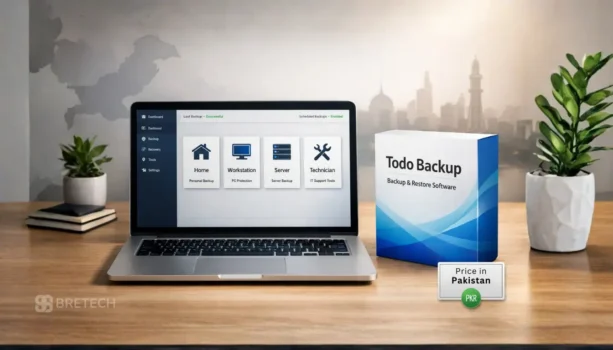
EaseUS Todo Backup editions are made for different users. Home is for personal Windows PCs, Workstation is for office computers, Server and Advanced Server are for Windows Server environments, Technician is for IT service providers, and Mac is for macOS users.
This guide helps Pakistan buyers compare the main editions, licence types, use cases, and approximate PKR prices before choosing a genuine EaseUS Todo Backup licence from BreTech.
BreTech provides genuine EaseUS software licences in Pakistan with PKR pricing, local payment support, digital email delivery, activation guidance, and invoice support where available.
EaseUS Todo Backup Editions at a Glance
| Edition | License Type | Best For | Key Feature | Approx. PKR Price |
|---|---|---|---|---|
| Todo Backup Home | Current Version | Home users | System backup and restore | ~18,720 |
| Todo Backup Home | Yearly Subscription | Home users | Ongoing updates and support | ~12,480 |
| Todo Backup Home | Lifetime Upgrades | Home users | One-time buy style option | ~24,960 |
| Todo Backup Workstation | Yearly Subscription | Office PCs | Business-ready recovery | ~15,288 |
| Todo Backup Workstation | 2-Year Subscription | Office PCs | Longer license term | ~21,528 |
| Todo Backup Workstation | Lifetime Upgrades | Office PCs | One-time buy style option | ~27,768 |
| Todo Backup Server | Yearly Subscription | Windows Server | Server-grade backup | ~62,088 |
| Todo Backup Server | 2-Year Subscription | Windows Server | Longer license term | ~93,288 |
| Todo Backup Server | Lifetime Upgrades | Windows Server | One-time buy style option | ~112,008 |
| Todo Backup Advanced Server | Yearly Subscription | Growing businesses | Stronger server recovery | ~93,288 |
| Todo Backup Advanced Server | 2-Year Subscription | Growing businesses | Longer license term | ~130,728 |
| Todo Backup Advanced Server | Lifetime Upgrades | Growing businesses | One-time buy style option | ~143,208 |
| Todo Backup Technician | Yearly Subscription | IT service work | Multi-client usage | ~311,688 |
| Todo Backup Technician | 2-Year Subscription | IT service work | Longer license term | ~436,488 |
| Todo Backup Technician | Lifetime Upgrades | IT service work | One-time buy style option | ~935,688 |
For related backup tools, you can also browse Data Protection, File & Folder Backup, and the EaseUS brand page.
What About EaseUS Todo Backup Software for Mac?
EaseUS Todo Backup for Mac is made for macOS users who want a dedicated backup and restore tool instead of relying only on Time Machine.
It is useful for protecting personal files, work documents, and creative projects on a Mac.
Check current PKR pricing and details here: EaseUS Todo Backup for Mac.
Which EaseUS Todo Backup Edition Should You Buy in Pakistan
The right edition depends on your device type, how many systems you need to protect, and how important fast recovery is for your work.
🎥 Watch the full EaseUS Todo Backup walkthrough below:
1. EaseUS Todo Backup Home
- Best for: Home users, students, and small families.
- Key features: System backup, file and folder backup, disk cloning.
- Why choose it: Simple, affordable protection for personal files and one PC.
- View product: EaseUS Todo Backup Home
2. EaseUS Todo Backup Cloud
- Best for: Users who want automatic off-site protection without buying extra hard drives.
- Key features: Integrated 1TB secure cloud storage for automatic off-site backups.
- Why choose it: It is the safest way to protect against local theft, fire, or hardware failure by keeping your data in the EaseUS cloud.
- View product: EaseUS Todo Backup Cloud
3. EaseUS Todo Backup Workstation
- Best for: Small businesses, freelancers, and office PCs.
- Key features: Business-ready backup and restore for Windows workstations.
- Why choose it: Better fit than Home when downtime affects daily work.
- View product: EaseUS Todo Backup Workstation
For a detailed business-focused comparison, see AOMEI Backupper vs EaseUS Todo Backup for Businesses in Pakistan.
4. EaseUS Todo Backup Server
- Best for: SMBs running Windows Server (file sharing, internal apps, shared storage).
- Key features: Server-grade backup and recovery for Windows Server environments.
- Why choose it: Ideal when a server outage can stop office work or cause losses.
- View product: EaseUS Todo Backup Server
5. EaseUS Todo Backup Advanced Server
- Best for: Businesses with heavier server reliance and more demanding setups.
- Key features: Broader server coverage and stronger recovery options.
- Why choose it: Safer choice for mission-critical servers where uptime matters most.
- View product: EaseUS Todo Backup Advanced Server
6. EaseUS Todo Backup Technician
- Best for: IT service providers, repair shops, and MSP-style support work.
- Key features: Technician-focused licensing for service work across multiple client systems.
- Why choose it: Best for professionals managing backup and recovery for many customers.
- View product: EaseUS Todo Backup Technician
Pro Tip: While we’ve covered the primary differences for the Pakistani market, you can view the official EaseUS technical comparison chart for a granular, feature-by-feature breakdown of command-line support and advanced PXE network booting.
What Pakistani Buyers Often Get Wrong
- Many users install a backup tool and never test a restore, so they only discover problems during an emergency.
- Another common mistake is saving backups on the same drive that later fails.
- For offices, choosing a personal edition for business PCs can create confusion during upgrades and support.
A Simple Checklist Before You Buy
- Confirm your device type: Windows PC, Mac, or Windows Server.
- Decide how many devices you need to cover this year.
- Plan a safe backup location, not the same drive you are protecting.
- After setup, run one small test restore to confirm it works.
Where to Buy EaseUS Todo Backup in Pakistan
If you want clean activation and reliable licensing for personal or business use, buy from a trusted source.
- Browse the EaseUS brand hub: EaseUS on BreTech
- Explore backup tools: Data Protection Software
- See folder backup options: File and Folder Backup
Conclusion
If you need backup for one Windows PC, start with Todo Backup Home. It suits personal use when you want automatic backups and a quick restore option after a crash, update issue, or accidental deletion.
If you use macOS, choose Todo Backup for Mac. For offices with multiple PCs, Workstation is usually a better fit for scheduled backups, simple management, and fewer headaches than home editions.
For Windows Server, pick Server or Advanced Server based on features you need. For a service shop, choose Technician for client work. If unsure, browse File & Folder Backup.
FAQs
Q: What type of data backup does EaseUS Todo Backup support?
A: EaseUS Todo Backup supports full system backups, disk and partition backups, and file-level backups. This helps protect important files and Windows system data from crashes, updates, or accidental deletion.
Q: Can I create a disk image or clone a hard drive with Todo Backup?
A: Yes, Todo Backup allows disk imaging and disk cloning. You can clone a hard drive to an SSD or create a backup image to restore your system without reinstalling Windows.
Q: Does EaseUS Todo Backup help prevent data loss?
A: Todo Backup helps reduce data loss by letting users schedule backup tasks and create recovery images before system failure, user error, or disk problems occur.
Q: Is EaseUS Todo Backup suitable for average home users?
A: Yes, the Home version is designed for the average user. It has an easy-to-navigate interface and simple backup options for personal PCs without complex setup.
Q: Can I restore Windows without reinstalling it?
A: Yes, if you create a system backup image, you can restore Windows using Todo Backup without reinstalling the operating system, saving time and avoiding configuration issues.
Q: Does EaseUS Todo Backup support bootable recovery media?
A: Yes, Todo Backup can create bootable recovery media using WinPE. This helps restore data or system images if Windows cannot start or gets stuck during boot.
Further Reading
Want to explore more reliable solutions for business data protection, backup software, and recovery tools in Pakistan? Start here:
- EaseUS vs. AOMEI vs. MiniTool Comparison
- Best Backup Software in Pakistan for 2026
- MiniTool ShadowMaker Editions Comparison Guide
- AOMEI OneKey Recovery Editions Comparison in Pakistan
- Best Data Recovery Software in Pakistan
Want more help choosing backup software? Browse our File & Folder Backup guides to compare related backup tools, edition guides, and buying tips before choosing a licence.