Abdul Basit

Best backup software in Pakistan helps protect your important files, Windows system, business data, and server workloads before drive failure, ransomware, accidental deletion, or Windows corruption causes serious data loss.
For Pakistani home users, freelancers, offices, and SMEs, the right backup solution depends on what you need to protect. Some users only need file backup. Others need system backup, disk backup, cloud backup, backup and restore, or disaster recovery.
BreTech is an official reseller that provides genuine backup software licences in Pakistan with PKR pricing, local payment support, digital email delivery, activation guidance, and invoice support for business buyers.
Quick Comparison: Top Backup Software in Pakistan
| Software | Best For | Main Use | Best Buyer Type |
|---|---|---|---|
| AOMEI Backupper | Windows backup and system image | PC, disk, file, server backup | Home, office, technician, SME |
| EaseUS Todo Backup | Easy backup and recovery | Files, system, disk, workstation, server | Beginners, office users, small businesses |
| MiniTool ShadowMaker | Disk image backup and disaster recovery | System, disk, partition, file backup | Home users and businesses |
| Ashampoo Backup Pro 26 | Simple PC backup | Files, folders, partitions, local and cloud backup | Everyday Windows users |
| AOMEI Cyber Backup | Centralised business backup | VMware, Hyper-V, SQL, Windows PC/server | SMEs, IT teams, server users |
Which Backup Software Should You Buy?
| Your Need | Best Choice |
|---|---|
| Home PC or laptop backup | AOMEI Backupper Professional or EaseUS Todo Backup Home |
| Full Windows system image backup | AOMEI Backupper or MiniTool ShadowMaker |
| File and folder backup only | EaseUS Todo Backup Home or Ashampoo Backup Pro 26 |
| Server backup | AOMEI Backupper Server or EaseUS Todo Backup Server |
| Business workstation backup | EaseUS Todo Backup Workstation or AOMEI Backupper Workstation |
| VMware or Hyper-V backup | AOMEI Cyber Backup |
| Technician or IT service use | AOMEI Backupper Technician or Technician Plus |
| Simple backup for non-technical users | Ashampoo Backup Pro 26 |
What Is Backup Software?
Backup software is a backup program that makes safe copies of your files, folders, partitions, disks, or full operating system.
If your PC fails, Windows becomes corrupt, ransomware damages files, or a hard drive stops working, backup software helps you restore your data from a previous backup.
The key point is simple: backup software protects data before loss happens. Data recovery software is used after data is deleted or lost.
If you are not sure about the difference, read our guide on best data recovery software in Pakistan before buying the wrong type of tool.
File Backup vs Disk Image Backup
File backup copies selected documents, photos, videos, and folders. It is useful when you only need to protect daily work files or important files.
Disk image backup is a full copy of a disk, system drive, partition, or entire hard drive. It is useful when you want to restore Windows, installed apps, settings, and files together.
System image backup is better when you want to restore the whole PC after a crash, drive failure, or operating system problem.
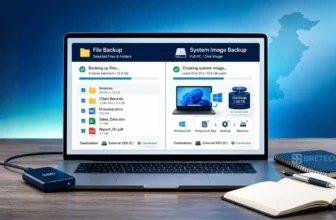
For a deeper buyer explanation, see our guide on file backup vs system image backup in Pakistan.
Buyer Tip
If you only back up your files and Windows crashes, you may still need to reinstall Windows, apps, drivers, and settings manually.
A system image backup saves the full Windows setup, so it is usually better for office PCs, business laptops, and systems where downtime matters.
Best Backup Software in Pakistan
This section compares the main backup software options for Pakistani buyers. The goal is not to list every possible tool, but to help you choose the right licence for home, office, server, or business use.
AOMEI Backupper: Best Overall Backup Solution for Windows
AOMEI Backupper is one of the strongest options for Windows users who need system backup, disk backup, file backup, partition backup, cloning, backup and restore, and disaster recovery options.
It is suitable for home users, small offices, technicians, and businesses that want a clear Windows backup tool with multiple editions.
BreTech is an official reseller for AOMEI products in Pakistan. This makes AOMEI Backupper a strong choice for buyers who want genuine licences, PKR pricing, local payment support, digital delivery, and activation guidance.
Best For
AOMEI Backupper is best for:
- Windows PC backup
- System backup
- Disk and partition backup
- Disk image backup
- Server backup
- Technician use
- Business backup planning
- Disaster recovery
Which AOMEI Backupper Edition Should You Choose?
| Edition | Best For |
|---|---|
| AOMEI Backupper Professional | Home users, freelancers, and small offices |
| AOMEI Backupper Workstation | Business workstations and professional users |
| AOMEI Backupper Server | Windows Server backup |
| AOMEI Backupper Technician | IT technicians handling multiple PCs |
| AOMEI Backupper Technician Plus | Businesses and technicians handling PCs and servers |
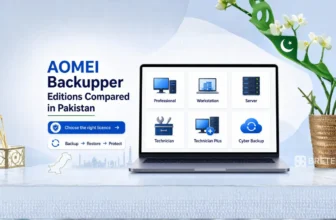
For full edition guidance, read AOMEI Backupper Editions Compared in Pakistan.
EaseUS Todo Backup: Best for Easy Backup and Recovery
EaseUS Todo Backup is a good choice for users who want simple backup software with a friendly interface and good ease of use.
It covers file backup, folder backup, system backup, disk backup, workstation backup, server backup, and backup and recovery needs depending on the edition.
EaseUS Todo Backup is useful for home users, office users, and small businesses that want a simple backup process without too much technical setup.
Best For
EaseUS Todo Backup is best for:
- Beginners
- Home PC users
- Office users
- File and folder backup
- Workstation backup
- Server backup
- Simple scheduled backup
- Automatic backup
Which EaseUS Todo Backup Edition Should You Choose?
| Edition | Best For |
|---|---|
| EaseUS Todo Backup Home | Home users and personal Windows PCs |
| EaseUS Todo Backup Workstation | Business workstations |
| EaseUS Todo Backup Server | Windows Server users |
| EaseUS Todo Backup Advanced Server | More advanced server and business environments |
| EaseUS Todo Backup Technician | Technicians and service providers |
| EaseUS Todo Backup Cloud | Users who want backup with cloud storage options |
Not sure which EaseUS version fits your device? See our EaseUS Todo Backup editions guide to compare Home, Workstation, Server, Technician, Mac, and PKR pricing before buying.
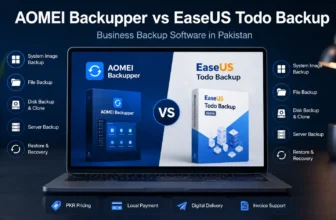
For a business-focused comparison, read AOMEI Backupper vs EaseUS Todo Backup for Businesses in Pakistan before choosing backup software for office PCs and business environments.
MiniTool ShadowMaker: Best for Disk Backup and Disaster Recovery
MiniTool ShadowMaker is useful for users who want Windows backup, system image backup, disk backup, file backup, and quick recovery options.
It is a practical option for home users, small offices, and businesses that want disk imaging and disaster recovery without making the process too complicated.
MiniTool ShadowMaker is a good option when the main concern is restoring a system after Windows failure, disk damage, or another drive problem.
Best For
MiniTool ShadowMaker is best for:
- System image backup
- Disk backup
- Partition backup
- Emergency recovery
- Business PC protection
- Windows disaster recovery
- Backup and restore planning
MiniTool ShadowMaker Editions
| Edition | Best For |
|---|---|
| MiniTool ShadowMaker Pro | Home and personal users |
| MiniTool ShadowMaker Pro Ultimate | Advanced home and small office use |
| MiniTool ShadowMaker Business Standard | Business PCs and workstations |
| MiniTool ShadowMaker Business Deluxe | Businesses that also need server support |
Ashampoo Backup Pro 26: Best for Simple File and Folder Backup
Ashampoo Backup Pro 26 is a strong option for everyday Windows users who want simple backup software with an easy dashboard and clear backup plans.
It is useful for personal users, students, freelancers, and office users who want to protect files, folders, partitions, and PC data without using a complex business backup system.
Ashampoo Backup Pro 26 is a good choice when the buyer wants a simple backup tool for local backup, cloud backup, and regular backup jobs.
Best For
Ashampoo Backup Pro 26 is best for:
- Simple Windows backup
- Personal file protection
- File and folder backup
- Local backup
- Cloud backup support
- Easy backup setup
- Non-technical users
AOMEI Cyber Backup: Best for Backup and Replication, VM Backup and Servers
AOMEI Cyber Backup is different from normal home backup software. It is made for centralised business backup.
It is suitable for Pakistani SMEs, IT teams, offices, and service providers that need to manage backup tasks for virtual machines, servers, SQL databases, Windows PCs, or Windows Servers.
For business environments, backup and replication can help reduce downtime by keeping important workloads protected and easier to restore.
Best For
AOMEI Cyber Backup is best for:
- VMware backup
- Hyper-V backup
- SQL database backup
- Windows Server backup
- Centralised business backup
- Backup and replication
- IT teams and SMEs
For businesses, servers, virtual machines, and SQL databases, AOMEI Cyber Backup is the better choice.
AOMEI Backupper vs AOMEI Partition Assistant
AOMEI Backupper and AOMEI Partition Assistant are not the same type of software.
AOMEI Backupper is for backup, restore, cloning, and disaster recovery. AOMEI Partition Assistant is for partition resizing, disk management, migration, and storage structure changes.
If you are confused between both tools, read AOMEI Partition Assistant vs Backupper in Pakistan.
EaseUS vs AOMEI vs MiniTool: Which Is Better?
AOMEI is usually better when you want strong Windows backup, system image backup, disk backup, and technician editions.
EaseUS is better for users who want an easy interface, home backup, workstation backup, and server backup choices.
MiniTool is better for users who want disk imaging, system recovery, and simple Windows disaster recovery.
For a direct buyer comparison, read EaseUS vs AOMEI vs MiniTool Backup and Partition Comparison in Pakistan.
Best Free Backup Software vs Paid Backup Software in Pakistan
Many users search for the best free backup software before buying. A free version can be useful for basic personal backup files, but it may not be enough for business use.
Free backup tools can work when you only need basic file backup, simple folder backup, or manual backup to another drive.
Paid backup software is better when you need:
- Scheduled backup
- Automatic backup
- Incremental backup
- Differential backup
- System image backup
- Disk cloning
- Server support
- Cloud backup options
- Business use rights
- Technical support
- Genuine activation
An incremental backup saves changes made after the last backup. A differential backup saves changes made after the last full backup. These backup options can reduce backup time and storage use.
For business users in Pakistan, paid software is usually safer because data loss can cost more than the licence itself.
Local Backup, Cloud Backup and Online Backup
Local backup saves data on an external hard drive, USB drive, NAS, or another local storage device. It is usually faster for recovery.
Cloud backup saves data off-site using cloud storage. Online backup is another name many users use for cloud backup, where files or backup copies are stored away from the main PC or office location.
Hybrid backup uses both local and cloud storage. This is often the safer approach for businesses because it gives faster local restore and off-site protection.
Some users also use Google Drive or OneDrive for simple file sync, but these are not always full backup software replacements. A backup solution is usually better when you need backup jobs, restore points, system backup, or disaster recovery.
Need file sync instead of full backup software? EaseUS EverySync helps sync selected files and folders between supported local, network, cloud, and FTP locations.
If cloud backup is your main requirement, see Best Cloud Backup Services in Pakistan.
What Is the 3-2-1 Backup Strategy?
The 3-2-1 backup strategy is one of the best ways to reduce data loss risk.
It means:
- Keep 3 copies of important data
- Use 2 different storage types, such as PC storage and external drive
- Keep 1 copy off-site, such as cloud backup or another safe location
For Pakistani home users, this can mean one copy on the PC, one copy on an external hard drive, and one cloud or off-site copy.
For businesses, this rule is more important because one failed hard drive, stolen laptop, ransomware attack, or office disaster can affect accounts, customer records, and daily work.
Backup Software for Home Users in Pakistan
Home users usually need backup software for photos, documents, videos, personal files, and Windows recovery.
Best choices:
For most home users, AOMEI Backupper Professional or Ashampoo Backup Pro 26 is enough. If you want a simple interface, EaseUS Todo Backup Home is also a good choice.
Backup Software for Small Businesses in Pakistan
Small businesses need backup software for office documents, accounts data, customer records, important business files, and workstations.
Best choices:
- AOMEI Backupper Workstation
- EaseUS Todo Backup Workstation
- MiniTool ShadowMaker Business Standard
- AOMEI Cyber Backup
If your business uses only Windows PCs, workstation backup software may be enough. If you use servers, SQL databases, or virtual machines, choose a business backup solution like AOMEI Cyber Backup.
Backup Software for Servers and IT Technicians
Server backup needs are different from normal PC backup. Server users need reliable backup, scheduled backup, business use rights, and support for server environments.
Best choices:
Technicians should also check whether the licence allows service use, multiple devices, server support, or business deployment before buying.
Backup Software for SSD Cloning and PC Migration
Some users do not only need backup. They need to move Windows from one drive to another, clone an SSD, or upgrade from an old hard drive to a new NVMe SSD.
For backup plus cloning, AOMEI Backupper Professional is a strong choice because it supports system backup, disk backup, cloning, and restore options for Windows users.
If your main need is partition resizing, disk migration, or storage management, compare AOMEI Backupper with AOMEI Partition Assistant before buying.
If you are also comparing partition tools for SSD migration, read our guide on AOMEI Partition Assistant vs MiniTool Partition Wizard before choosing a tool for cloning, disk conversion, or partition work.
If you want to compare backup, cloning, partition, deployment, and file system tools in one place, read our guide on which Paragon software you need before choosing the right licence.
If your main goal is NVMe migration, read our full guide to clone NVMe SSD to NVMe SSD.
AOMEI OneKey Recovery: Best for One-Click System Restore
AOMEI OneKey Recovery is not a full replacement for advanced backup software. It is made for users who want a simple one-click recovery option.
It is useful for personal PCs, family computers, office systems, and technician setups where quick restore is more important than complex backup planning.
For edition and price guidance, read AOMEI OneKey Recovery Editions Comparison in Pakistan.
How to Choose the Best Backup Software in Pakistan
Before buying, answer these questions:
- What do you need to protect?
- Do you need file backup or full system image backup?
- Are you backing up one PC, multiple PCs, or servers?
- Do you need cloud backup, local backup, or both?
- Do you need business use rights?
- Do you need invoice support for your company?
- Do you need activation help after purchase?
- Do you need a backup plan for important data or important files?
- Do you need a backup solution for Windows only?
For home users, simple PC backup software is usually enough.
For SMEs, schools, offices, and IT service providers, choose software with business support, server support, or centralised management.
Where to Buy Genuine Backup Software in Pakistan
Buying genuine backup software is important because backup tools handle sensitive files, business data, and full system images.
Avoid cracked backup tools. They can contain malware, fail during restore, or create legal and activation problems.
Choosing a reliable software provider in Pakistan helps buyers avoid cracked licences, wrong editions, delayed activation, and poor after-sales guidance.
BreTech helps Pakistani buyers compare genuine backup software licences with PKR pricing, local payment support, digital email delivery, activation guidance, and official invoice support.
| Buying Need | Buying from BreTech in Pakistan | Buying from Global Website |
|---|---|---|
| Currency | PKR pricing | Usually USD pricing |
| Payment | Local payment options | Usually card-based payment |
| Delivery | Digital email delivery | Digital delivery |
| Support | Local guidance for Pakistani buyers | Global support process |
| Invoice | Invoice support available | May depend on vendor checkout |
| Activation Help | BreTech can guide after purchase | Usually self-service |
You can browse related options in the Disk & System Imaging software category or choose lighter tools from the File & Folder Backup software category.
FAQs
Q: What is the best backup software in Pakistan?
A: For most Windows users, AOMEI Backupper is a strong first choice. EaseUS Todo Backup is good for beginners, MiniTool ShadowMaker is useful for disk image backup, and AOMEI Cyber Backup is better for business backup.
Q: Which backup software is best for ransomware protection?
A: Backup software helps you recover if ransomware damages or encrypts files. For better safety, keep local backup, cloud backup, and one clean backup copy away from the main PC.
Q: What is the difference between file backup and disk image backup?
A: File backup saves selected files and folders. Disk image backup saves the full drive, Windows system, apps, settings, and files.
Q: Is continuous backup better than scheduled backup?
A: Continuous backup is useful for files that change often. Scheduled backup is enough for many home users and small offices.
Q: Can I use Google Drive or OneDrive as backup software?
A: Google Drive and OneDrive are useful for file sync and simple backup. For full system backup, disk image backup, and disaster recovery, dedicated backup software is better.
Q: Does backup software support Windows and Linux?
A: Many backup tools focus on Windows. Some business backup platforms may support Windows and Linux, but buyers should check compatibility before purchase.
Q: How do I find the best backup software for my business?
A: Check what you need to protect: files, PCs, servers, virtual machines, or SQL databases. Then compare business use rights, restore options, support, and activation help.
Q: How many backup copies should I keep?
A: Use the 3-2-1 backup rule: keep three copies of your data, use two storage types, and keep one copy off-site.
Q: How do I configure backup software after buying?
A: Choose what to back up, select a storage location, set a schedule, enable incremental backup if available, and test restore once.
Final Recommendation
For most Windows PC users in Pakistan, AOMEI Backupper Professional is a strong first choice because it covers system, disk, file, and recovery needs.
For users who want simple backup software, EaseUS Todo Backup Home and Ashampoo Backup Pro 26 are easier options.
For disk imaging and disaster recovery, MiniTool ShadowMaker is worth comparing.
For businesses, servers, virtual machines, and SQL databases, AOMEI Cyber Backup is the better choice.
If you are still unsure, start by deciding whether you need file backup, full system image backup, server backup, local backup, cloud backup, or centralised business backup. That decision will quickly narrow your best option.
Further Reading
- Best Database Recovery Software in Pakistan
- Best Windows Deployment Software in Pakistan
- How to Prevent Accidental File Deletion in Pakistan
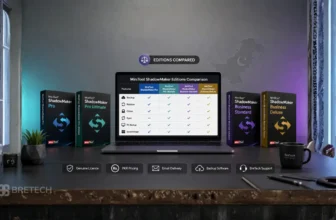
- MiniTool ShadowMaker Editions Comparison Guide
Explore more guides in our File & Folder Backup blog category before choosing a backup licence.