Abdul Basit
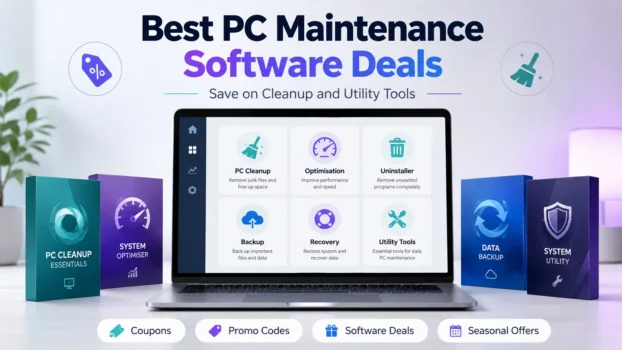
Finding the best PC maintenance software deals is easier when you first know what problem you want to fix. A slow computer, full storage drive, stubborn app, lost file, or messy startup list may each need a different type of utility.
Many users make the mistake of choosing the biggest discount before checking the tool’s real purpose. A PC cleaner, optimiser, uninstaller, backup app, recovery tool, and partition manager do not all solve the same problem.
This guide helps you compare genuine PC utility coupons and deals by need, not only by discount. You can use it to choose cleaner tools for slow PCs, uninstallers for leftover programs, backup software for file safety, and disk utilities for storage or recovery tasks.
You can also browse current software deals for cleanup, backup and recovery to compare optimisation, data protection, recovery, and other system utility offers.
What Are PC Maintenance Software Deals?
PC maintenance software deals are discounts, promo codes, seasonal sales, and special offers for tools that help users clean, optimise, protect, recover, or manage their computers.
These deals may cover different types of software, including PC cleaners, uninstallers, backup tools, partition managers, recovery tools, remote access apps, and system utility suites.
A good deal is not only about the lowest price. It should match your real need, device type, licence term, renewal cost, and support expectations.
Best Types of PC Utility Deals To Check
Different PC utility tools solve different problems. Before using a coupon, check which type of software you need.
| Software Type | Best For | What To Check |
|---|---|---|
| PC cleaner | Junk files, cache, temporary files | Does it include automatic cleanup? |
| Optimiser | Startup, performance, system health | Is it beginner-friendly? |
| Uninstaller | Removing stubborn apps and leftovers | Does it remove leftover files? |
| Backup tool | Protecting files and systems | Does it support full system backup? |
| Partition tool | Drive resizing and storage control | Does it support your drive type? |
| Recovery tool | Deleted or lost files | Does the licence cover your recovery need? |
| Remote access tool | Helping family, clients, or office PCs | Does it support unattended access? |
Best PC Maintenance Software Stores To Check
When comparing PC maintenance software deals, start with stores that match your real need. Some brands focus on cleanup and optimisation, while others are better for backup, recovery, partitioning, or remote PC support.
For cleanup, speed, and general Windows maintenance, useful stores to check include CCleaner, IObit, iolo, Glarysoft, and Ashampoo. These are good starting points for junk files, startup clutter, uninstallers, browser leftovers, driver tools, and system utility software.
For backup, partition, recovery, and storage management, compare offers from AOMEI, EaseUS, and MiniTool. These tools are useful when the problem is file safety, disk cloning, SSD migration, partition resizing, or lost data.
For security tools that also include cleanup or performance features, Avast, AVG, and Intego can also fit this guide. Intego is especially useful for Mac users who want antivirus, firewall, VPN, and cleanup tools in one Intego ONE plan.
For remote PC support, AnyViewer is worth checking if you need to access another computer, help a family member, or manage an office PC remotely.
Avoid adding password managers, VPNs, hosting, SEO tools, video editors, and creative software here. They may be useful software deals, but they do not directly match PC maintenance intent.
PC Cleaner Deals
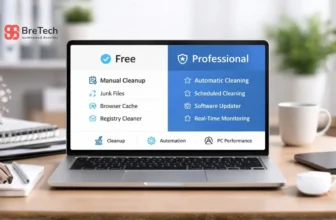
PC cleaner deals are useful when your main problem is junk files, browser cache, temporary files, or general system clutter.
These tools can help free storage space and make regular cleanup easier. They are usually suitable for home users, office users, and people who do not want to clean Windows manually.
Before buying a PC cleaner, check whether the plan includes automatic cleaning, browser cleanup, software updates, privacy tools, or performance features.
You can also compare related system cleaning and optimisation deals if your main goal is cleanup, startup control, or performance tuning.
PC Optimisation Software Deals
PC optimisation tools are designed for users who want help with startup programs, background clutter, system health checks, and performance settings.
Some tools are simple and beginner-friendly. Others include advanced options that should be used carefully.
Before using an optimisation coupon, check whether the software clearly explains each change. Avoid tools that make unrealistic speed claims or push too many automatic fixes without user control.
Uninstaller Software Coupons
Uninstaller software is useful when normal Windows uninstall does not remove everything.
These tools can remove leftover files, folders, registry entries, browser extensions, and stubborn apps. They are especially helpful for users who test many programs or regularly clean client PCs.
When comparing uninstaller deals, check whether the tool supports batch uninstall, forced uninstall, leftover scanning, and browser extension removal.
Backup, Cloud Storage and Recovery Deals
Backup and recovery tools are different from normal cleanup software. They are used to protect files, create system images, restore data, clone drives, or recover lost files.
A backup deal is useful before problems happen. A recovery deal is useful after files are deleted, formatted, or lost. Cloud storage deals may also help users who want online file backup, sync, or extra storage.
For file safety and backup tools, browse data protection deals. If your files are already deleted or lost, compare data recovery deals instead.
For seasonal storage offers, you can also read Black Friday Cloud Storage Deals.
Before buying, check the licence type carefully. Some tools are for personal use only, while others are made for business, technician, server, or multi-device use.
Partition and Disk Utility Offers
Partition and disk utility tools help users manage storage. They may resize partitions, move partitions, convert disks, clone drives, migrate systems, or prepare a new SSD.
These tools are useful when upgrading storage or organising drives, but they should be used with care. Always back up important files before changing partitions.
Before using a partition software coupon, check whether your required feature is included in the edition you are buying.
Remote Access Utility Deals
Remote access tools are useful when you need to connect to another computer, help a family member, support a client, or manage a work device from another location.
You can also check current remote access deals if you need software for unattended access, remote support, or managing another computer.
These tools are not the same as cleaners or optimisers, but they still fit the wider PC utility category because they help users manage and support computers.
Before choosing a remote access deal, check unattended access, device limits, session quality, file transfer support, and whether the plan is for personal or business use.
Cross-Platform Utility Software Deals
Some users need software that works across Windows, Mac, Android, or iOS. These deals can be useful for families, freelancers, and small teams using different devices.
Cross-platform utility deals may cover backup tools, remote access tools, security suites, file transfer and cloud management deals, or password tools.
Before buying, check device count, operating system support, renewal price, and whether all features are available on every platform.
How to Choose the Right PC Maintenance Software Deal
A strong discount is only useful when the software actually fits your problem. Before using a coupon, first decide what you want the tool to do. A cleaner, uninstaller, backup app, recovery tool, and partition manager are not the same type of software.
If your computer is slow because of junk files, startup clutter, or unused programs, a PC cleaner or optimisation tool may be enough. If your problem is lost files, drive partitions, or system backup, you should look at backup, recovery, or disk utility software instead.
Match the Tool to the Problem
Do not buy a full system utility suite just because the discount looks good. If you only need to remove one stubborn program, an uninstaller deal may be a better choice. If your main worry is file safety, backup software is more useful than a cleanup tool.
Start with the problem first, then compare the deal. This helps you avoid paying for extra features you may never use.
Check the Licence Term
PC maintenance software deals may apply to monthly plans, yearly subscriptions, lifetime licences, or limited-time offers. Always check what the coupon covers before you buy.
A lifetime licence can look better for long-term use, but a yearly plan may include more regular updates, newer features, or better support. The best choice depends on how often you use the tool and whether you need future updates.
Check the Device Count
A single-PC licence is fine for one computer, but it may not be enough for families, freelancers, or small teams using several devices.
Before checkout, check whether the offer covers one device, multiple PCs, or a family plan. This is especially important for backup tools, security suites, remote access software, and cross-platform utility deals.
Check Renewal Pricing
Some software discounts apply only to the first purchase. The renewal price may be higher after the first year, especially if auto-renewal is enabled.
Before buying, check the renewal terms, billing cycle, and whether the discount continues next year. This can help you avoid surprise costs later.
Check Refund and Support Terms
A coupon can reduce the price, but it does not replace proper support. Before choosing a deal, check the refund policy, activation method, update rules, and support options.
This is more important for backup, recovery, partition, and optimisation tools because these programs may affect important files, drives, or system settings.
PC Utility Coupons vs Normal Software Discounts
PC utility coupons and normal software discounts are not always the same.
A coupon usually needs a promo code at checkout. A normal discount may apply automatically on the store page. Some stores also offer seasonal sales, bundles, upgrade offers, or renewal discounts.
| Offer Type | How It Works | Best For |
|---|---|---|
| Coupon code | Enter code at checkout | Extra discount |
| Automatic discount | Price reduced on page | Simple buying |
| Bundle deal | Multiple tools together | Users needing more features |
| Upgrade offer | Discount for existing users | Current customers |
| Seasonal sale | Limited-time sale period | Waiting for better price |
For a wider seasonal overview, you can also check Best Black Friday Software Deals.
Common Mistakes To Avoid
Do not choose a PC utility deal only because the discount looks large. A 70% offer is not useful if the tool does not solve your problem.
Do not install cracked or unknown utility software. PC maintenance tools often need deep system access, so unsafe copies can create privacy, security, and stability risks.
Do not buy without checking renewal terms. A low first-year price may increase later.
Do not use aggressive optimisation features without reading what they change. Some advanced cleanup tools can remove settings or files you still need.
Where To Find Current PC Utility Coupons
You can compare current PC utility coupons and deals on BreTech.
This category is useful when you want to browse software offers for cleaners, optimisers, uninstallers, backup tools, recovery tools, partition managers, remote access tools, and other system utilities.
For broader browsing, you can view all software coupon stores or explore software offer categories to find deals by brand, tool type, or software need.
More Software Deal Guides
These guides may help if you are comparing software discounts during seasonal sale periods or looking beyond PC utility tools.
- Best Black Friday Software Deals
- Black Friday Deals on Data Recovery Software
- Black Friday Cloud Storage Deals
- Black Friday Deals on Video Editing Software
- Black Friday Language Learning App Deals
Affiliate Disclosure
Some links on this page may be affiliate links. This means BreTech may earn a commission if you buy through a partner link, at no extra cost to you.
Final Verdict
The best PC maintenance software deal is the one that matches your real problem, not just the biggest discount.
For slow computers, start with cleanup or optimisation tools. For stubborn apps, check uninstallers. For file safety, choose backup software. For drive work, compare partition and recovery tools carefully.
Before buying, always check the licence term, device count, renewal price, refund policy, and whether the coupon is still valid.
FAQs
Q: What Is the Best PC Maintenance Software Deal?
A: The best deal depends on your need. A PC cleaner is best for junk files, an uninstaller is best for stubborn apps, and backup software is best for protecting files before a problem happens.
Q: Are PC Utility Coupons Safe To Use?
A: PC utility coupons are usually safe when they lead to genuine software stores or trusted affiliate partners. Avoid unknown download sites, cracked tools, and fake coupon pages.
Q: Should I Buy a Cleaner or a Full System Utility Suite?
A: Buy a cleaner if you only need basic junk removal. Choose a full utility suite if you need several tools, such as optimisation, uninstalling, privacy cleanup, software updates, or system monitoring.
Q: Do PC Maintenance Tools Make a Computer Faster?
A: They may help in some cases, especially when the issue is junk files, startup clutter, or unwanted programs. They cannot fix every slow PC, especially if the problem is old hardware, low RAM, malware, or a failing drive.
Q: How Often Should I Check PC Utility Deals?
A: Check before buying, renewing, or upgrading. Many software brands run seasonal offers, bundle deals, and limited-time discounts during the year.