Abdul Basit

Compare the best Mac cleaner software in Pakistan for junk cleanup, startup control, privacy cleaning, duplicate files, and safe Mac maintenance.
Mac cleaner software helps MacBook and iMac users remove junk files, clear browser traces, manage startup items, and recover storage without using unsafe free tools.
Many users do not need an advanced cleaner. But if your Mac storage is full, apps open slowly, or you regularly install and remove software, a genuine paid cleaner can save time and reduce cleanup mistakes.
BreTech helps buyers in Pakistan choose genuine Mac cleaner software with PKR pricing, local payment support, digital email delivery, activation guidance, and invoice support where available.
Best Mac Cleaner Software in Pakistan: Quick Comparison
| Tool | Best For | Good Choice If You Need |
|---|---|---|
| CCleaner Professional for Mac | Simple Mac cleanup | Cache cleanup, browser cleaning, and easy routine maintenance |
| EaseUS CleanGenius for Mac | Beginners | One-click junk cleanup, storage overview, and beginner-friendly Mac maintenance |
| Avast Cleanup Premium Multi-Device | Mixed devices | Cleanup support for users who manage Mac and other supported devices |
Important: Do not buy a Windows-only PC optimizer for Mac cleanup. If a product has separate Windows and Mac versions, always confirm that the selected license supports macOS before ordering.
Why Mac Users Need Cleaner Software
Macs are stable, but they still collect hidden clutter over time. Cache files, old logs, browser traces, app leftovers, and duplicate files can reduce free space and make the system feel slower.
A Mac cleaner can help when your storage is nearly full, apps open slowly, or you want an easier way to manage routine cleanup.
It is also useful for users who install and remove many apps. Manual cleanup may miss leftover files that stay inside hidden folders.
When Mac Cleanup Helps Most
Mac cleaner software is more useful when:
- Your MacBook storage is nearly full
- Safari, Chrome, or other browsers have too much saved data
- Apps leave files behind after uninstalling
- You want to find duplicate files or similar photos
- You need a simple cleanup tool instead of manual folder checking
- You manage more than one device at home or work
A cleaner can help with storage and routine maintenance. It will not fix hardware faults, battery problems, failing storage, or serious macOS errors.
What a Good Mac Cleaner Should Do
A good Mac cleaner should help with practical maintenance, not just show scary warnings.
Look for these features before buying:
- Junk file cleanup
- Browser privacy cleaning
- Startup item control
- Duplicate file detection
- App leftover cleanup
- Clear storage reports
- Support for your macOS version
- Genuine license activation
Avoid unknown free cleaners that ask for too many permissions, push aggressive pop-ups, or do not clearly explain what they remove.
Best Mac Cleaner Tools for Pakistani Buyers
BreTech currently offers focused options for Mac cleanup buyers. For simple Mac maintenance, CCleaner Professional for Mac is a good choice. For beginners who want guided cleanup, EaseUS CleanGenius for Mac is also useful. For users with mixed devices, Avast Cleanup Premium Multi-Device may be a better fit.
This guide does not recommend Windows-only cleanup tools as Mac cleaner software. Always check macOS support before buying.
CCleaner Professional for Mac: Best for Simple Mac Cleanup
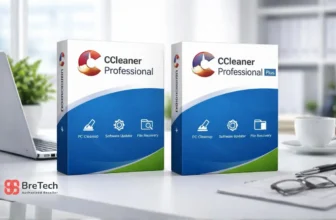
CCleaner Professional for Mac is a good choice for users who want simple Mac cleanup without complicated settings.
It is suitable for students, home users, freelancers, and office users who want easy routine maintenance. It can help with common cleanup tasks such as clearing browser traces, removing unnecessary files, and keeping your Mac easier to manage.
Who Should Choose CCleaner Professional for Mac?
Choose CCleaner Professional for Mac if you want:
- Simple Mac cleanup tools
- Browser privacy cleaning
- Easy interface
- Regular maintenance
- A known software brand
- A direct Mac license option
It is best for users who want a clean and simple tool instead of advanced technical controls.
For more information about available CCleaner plans, read the CCleaner price in Pakistan guide.
Who Should Avoid CCleaner Professional for Mac?
You may not need it if your Mac is new, storage is still free, and you only need to delete a few large files manually.
Also, do not choose a Windows CCleaner license for Mac cleanup. Use the Mac version only when your device is a MacBook, iMac, Mac mini, or another supported macOS device.
EaseUS CleanGenius for Mac: Best for Beginners
EaseUS CleanGenius for Mac is better for users who want one-click cleaning and a clear view of storage usage.
It can help remove common junk files, logs, app leftovers, and cache files. It is useful if you are not technical and want guided cleanup instead of checking hidden folders manually.
Who Should Choose EaseUS CleanGenius for Mac?
Choose EaseUS CleanGenius if you want:
- One-click Mac cleaning
- Easy storage overview
- App leftover cleanup
- Startup item management
- Beginner-friendly controls
- A direct Mac cleaner option
It is a practical choice for MacBook users who want a simple way to free storage and clean common clutter.
Who Should Avoid EaseUS CleanGenius?
You may not need it if your Mac is already running well and you are comfortable using macOS storage settings yourself.
Start with built-in macOS storage tools first. Use a paid cleaner when you need regular cleanup, app leftover removal, privacy cleaning, or easier maintenance.
Avast Cleanup Premium Multi-Device: Best for Mixed Devices
Avast Cleanup Premium Multi-Device is useful if you manage more than one device at home or work.
It can be a better fit if you use a MacBook along with other supported devices. A multi-device license may give better value than buying separate cleanup tools for each system.
Who Should Choose Avast Cleanup Premium Multi-Device?
Choose Avast Cleanup Premium Multi-Device if you need:
- Multi-device coverage
- Mac cleanup with support for other devices
- Browser cleaning
- Duplicate file handling
- Scheduled maintenance
- A cleaner for home or small office use
It is better for families, freelancers, and small offices with mixed devices.
What to Check Before Buying Avast Cleanup
Before ordering, confirm:
- Your Mac version is supported
- Your other devices are supported
- The license covers the number of devices you need
- The product is Cleanup Premium, not only antivirus
- Activation help is available if needed
This helps avoid buying the wrong plan.
CCleaner for Mac vs EaseUS CleanGenius for Mac
Both tools can help with Mac cleanup, but they fit different users.
Choose CCleaner Professional for Mac if you want a known cleanup brand, simple maintenance, browser cleaning, and an easy interface.
Choose EaseUS CleanGenius for Mac if you want a beginner-friendly tool with a simple storage view and one-click cleanup style.
For many users, the better choice depends on comfort level. If you want the simplest known cleaner, choose CCleaner for Mac. If you want guided Mac cleanup with a storage-focused view, choose EaseUS CleanGenius.
Mac Cleaner Software and NTFS Drive Access
Mac cleaner software removes junk files and helps manage storage. It does not give a Mac full access to every Windows-formatted drive.
Many external hard drives, SSDs, and USB drives use the Windows NTFS file system. A Mac may open files from an NTFS drive, but it may not allow users to edit, copy, delete, or save files without extra software.
Mac users who need full access to Windows-formatted drives can use EaseUS NTFS for Mac. It helps users open, copy, edit, save, and delete files on supported NTFS hard drives, SSDs, and USB drives without reformatting them.
Businesses and technical users who work with Windows, macOS, and Linux storage can also read the guide about which Paragon software they need.
Free vs Paid Mac Cleaner Software
Free Mac cleaners can help with basic cleanup, but they often have limits.
Some free tools only remove a small amount of junk, show upgrade prompts, or lack proper privacy and startup management features.
Free Mac Cleaners May Be Enough If
Free tools may be enough if:
- Your Mac is still fast
- You only need to delete a few files
- You clean storage once or twice a year
- You are comfortable checking macOS storage settings yourself
For one-time basic cleanup, free tools or built-in macOS storage options may be enough.
Paid Mac Cleaners Are Better If
Paid Mac cleaner software is more useful when you need:
- Regular cleanup
- Better privacy tools
- Startup control
- App leftover removal
- Duplicate file checks
- Multi-device support
- Safer license activation
For regular use, a genuine paid license is usually safer and easier.
When You Should Not Use a Mac Cleaner
You may not need paid Mac cleaner software if your Mac is new, storage is still free, and you only need to remove a few large files manually.
Start with macOS storage settings first. Use a paid cleaner when you need regular cleanup, app leftover removal, privacy cleaning, duplicate file checks, or easier maintenance across multiple devices.
Also avoid running cleaners blindly. Always review what the tool wants to remove before confirming cleanup.
If your Mac is slow because of hardware age, failing storage, low RAM, battery problems, or a serious macOS issue, a cleaner may not solve the problem.
How to Choose the Right Mac Cleaner License
Before buying, check your real need first.
If you only use one Mac, a direct Mac cleaner may be enough. If you use Mac and other devices together, a multi-device plan can be better.
Check these points before buying:
- Does it support your macOS version?
- Is it for one device or multiple devices?
- Does it include privacy cleanup?
- Does it remove app leftovers?
- Does it offer duplicate file detection?
- Is the license genuine?
- Is activation guidance available?
Pakistani buyers should also confirm PKR pricing, local payment options, delivery method, and invoice support before purchase.
Where to Buy Genuine Mac Cleaner Software in Pakistan
Buying a genuine Mac cleaner license helps avoid activation problems, unsafe installers, fake keys, and missing updates.
BreTech provides genuine software licenses in Pakistan with PKR pricing, local payment support, digital email delivery, and activation guidance.
Before buying, you can learn how to verify that a software license is genuine in Pakistan.
You can compare available cleanup and optimization tools in the Utilities and Optimization software collection.
Final Recommendation
For most Mac users in Pakistan, CCleaner Professional for Mac is the best simple choice for everyday Mac cleanup.
For beginners who want a storage-focused cleanup tool, EaseUS CleanGenius for Mac is also a good option.
Choose Avast Cleanup Premium Multi-Device if you need cleanup support across more than one supported device.
Do not buy a Windows-only PC optimizer for Mac cleanup. Always check macOS support, device count, license type, delivery method, and activation help before ordering.
FAQs
Q: What is the best Mac cleaner software in Pakistan?
A: For most users, CCleaner Professional for Mac is the best simple choice for everyday Mac cleanup. EaseUS CleanGenius for Mac is also good for beginners who want one-click cleanup and a clear storage overview.
Q: Is Mac cleaner software safe to use?
A: Licensed Mac cleaner software from trusted brands is generally safe when used carefully. Always review what the cleaner will remove and avoid unknown free tools with aggressive warnings or unclear permissions.
Q: Do I really need paid Mac cleaner software?
A: You may not need paid software if your Mac is new and storage is still available. Paid cleaners are more useful for regular cleanup, app leftover removal, privacy cleaning, duplicate file checks, and easier maintenance.
Q: Can Mac cleaner software speed up my Mac?
A: It can help if your Mac is slow because of junk files, startup items, browser clutter, or low storage. It will not fix hardware faults, very old systems, or serious macOS problems.
Q: Which Mac cleaner is best for beginners?
A: EaseUS CleanGenius for Mac is a beginner-friendly option because it focuses on simple Mac cleanup, junk removal, and storage overview.
Q: Which Mac cleaner is best for simple Mac cleanup?
A: CCleaner Professional for Mac is a good choice if you want simple cleanup tools, browser privacy cleaning, and easy routine maintenance for your Mac.
Q: Which Mac cleaner is best for Mac and other devices?
A: Avast Cleanup Premium Multi-Device can be a better choice if you manage more than one supported device and want one cleanup plan for mixed use.
Q: Can I use CCleaner Professional for Windows on Mac?
A: No. A Windows-focused CCleaner license should not be treated as Mac cleaner software. Use CCleaner Professional for Mac if you need cleanup software for a MacBook, iMac, or another supported macOS device.
Q: Can a Mac cleaner provide full NTFS drive access?
A: No. Mac cleaners remove junk files and help manage storage. Separate NTFS software is needed for full read-and-write access to Windows-formatted drives.
Q: Where can I buy genuine Mac cleaner software in Pakistan?
A: You can buy genuine Mac cleaner software from BreTech with PKR pricing, local payment support, digital email delivery, and activation guidance where available.
Further Reading
For more Mac, storage, cleanup, and maintenance guidance, read:
- Best PDF Editors for Mac in Pakistan
- Software Updater Tools in Pakistan
- Disk Health Checker Tools in Pakistan
- Best Backup Software in Pakistan
- File Backup vs System Image Backup in Pakistan
For more cleanup and maintenance articles, browse the Utilities and Optimization Guides.