Abdul Basit
Kaspersky alternatives such as AVG Internet Security, Avast Premium Security, and Norton 360 Deluxe are worth comparing when you want a different security suite for your home PC, laptop, family devices, or small office.
BreTech now also offers Kaspersky products in Pakistan. You can stay with Kaspersky or compare it with AVG, Avast, and Norton based on device support, security features, licence term, business use, and budget.
This guide explains which alternative may suit you and where Kaspersky itself may still be the better choice.
Quick Overview of Kaspersky Alternatives
The three alternatives in this guide suit different users. Start with this table before reading the detailed comparison.
| Product | Best For | Main Strength | Consider It If You Want |
|---|---|---|---|
| AVG Internet Security | Home users, students, and everyday Windows use | Straightforward online protection | Antivirus, firewall, ransomware, and phishing protection |
| Avast Premium Security | Frequent downloaders and advanced Windows users | Additional controls for suspicious files | Sandbox, webcam protection, firewall, and web protection |
| Norton 360 Deluxe | Families, remote workers, and multi-device users | Wider security and privacy package | VPN, parental controls, password management, and PC backup |
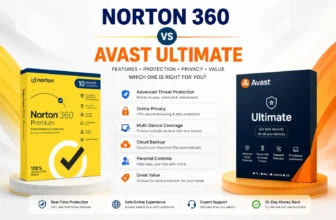
If you are deciding specifically between Norton and Avast, read our Norton 360 vs Avast Ultimate comparison for a closer look at their security, privacy, device coverage, and best use cases.
AVG is suitable for straightforward everyday protection. Avast is useful for Windows users who want more control over unknown applications and files. Norton suits families and users who want several security and privacy tools in one package.
Prefer to Continue Using Kaspersky?
Kaspersky remains a suitable choice for buyers who are comfortable with the brand and want one of its current home, mobile, or small-business products.
Explore all available products on the Kaspersky brand page or choose according to your use case:
- Kaspersky Standard for core home-device protection
- Kaspersky Plus for users who want wider privacy and performance tools
- Kaspersky Premium for buyers seeking the highest home plan and additional services where available
- Kaspersky Internet Security for Android for Android phone and tablet protection
- Kaspersky Small Office Security for small businesses managing staff devices and business data
Kaspersky Standard, Plus, and Premium are home-user plans. Kaspersky Small Office Security is a separate business product and should not be treated as another normal personal edition.
Where to Find Antivirus Software in Pakistan
BreTech helps Pakistan buyers compare genuine security software licences with PKR pricing, local payment options, digital delivery on most orders, activation guidance, and invoice support.
Browse these main categories:
Choose the category first when you are unsure which brand or product is suitable. Choose a product page when you already know the exact software you need.
Why Compare AVG, Avast, and Norton with Kaspersky?
Kaspersky remains available through BreTech, but buyers may still want to compare other brands before ordering.
You may prefer an alternative because:
- another product has a feature you need
- you already use the same brand on other devices
- you want different family or multi-device options
- you prefer another licence term or renewal path
- your office already uses AVG, Avast, or Norton
- you want to compare the total package before buying
The best replacement is not simply the product with the longest feature list. It should match your devices, operating systems, daily activities, licence requirements, and available budget.
Buying a genuine licence also helps avoid unsafe installers, invalid activation keys, renewal confusion, and software that cannot receive proper updates.
Best Kaspersky Alternatives in Pakistan
AVG Internet Security for Everyday Windows Protection
AVG Internet Security is a practical option for Windows users who want protection for browsing, email, downloads, online payments, and personal files.
It suits students, home users, freelancers, and users who want a straightforward security suite without buying several separate tools.
Main AVG Internet Security Features
- real-time protection against common malware
- ransomware protection for important files
- protection against suspicious links and downloads
- phishing and fake-website protection
- Enhanced Firewall
- webcam protection
- email and web protection
Who Should Choose AVG?
Choose AVG Internet Security when your main needs are everyday Windows security, safer browsing, email protection, ransomware protection, and firewall control.
It may suit:
- students
- freelancers
- home users
- online shoppers
- users who access banking websites
- basic office computers
AVG Internet Security is not the same as AVG Ultimate. AVG Ultimate normally combines AVG Internet Security with additional AVG privacy and performance products.
What to Check Before Buying
Check the available device count, licence term, supported operating system, and renewal details on the product page.
Do not assume that every AVG listing covers multiple platforms or includes the extra tools found in AVG Ultimate.
For older hardware, also read Best Lightweight Antivirus Software for Old PCs in Pakistan before choosing.
Avast Premium Security for More Control Over Suspicious Files
Avast Premium Security is useful for people who download software, install different applications, or want more control over suspicious Windows activity.
It includes several protection layers for malware, online threats, webcam access, network connections, and unknown files.
Main Avast Premium Security Features
- malware and ransomware protection
- phishing and fake-website protection
- Firewall
- Webcam Shield
- Remote Access Shield
- Sandbox for running suspicious applications in isolation
- web and email protection
What Is Avast Sandbox?
Avast Sandbox allows supported Windows users to run an application or browse in an isolated environment instead of opening the program directly on the main system.
It can be helpful when you need to inspect an unfamiliar application. However, it does not make cracked software, unknown downloads, or suspicious installers safe.
Avoid opening a dangerous file simply because a sandbox is available.
Who Should Choose Avast?
Choose Avast Premium Security if you:
- frequently download software
- test unfamiliar applications
- want webcam-access controls
- want additional network protection
- need an isolated environment for checking certain applications
- prefer Avast products
It can suit freelancers, technicians, software users, and home users who want more control than a basic antivirus normally provides.
What to Check Before Buying
Avast Premium Security does not include every separate Avast product. Check whether you only need the security suite or a larger bundle containing extra privacy and performance tools.
Read Avast Premium Security vs Avast Ultimate in Pakistan before buying if you are unsure which Avast package fits your needs.
Norton 360 Deluxe for Families and Multiple Devices
Norton 360 Deluxe is designed for users who want more than basic antivirus protection.
It can suit families, remote workers, and users protecting several supported devices under one plan.
Main Norton 360 Deluxe Features
Depending on the current regional plan and platform, Norton 360 Deluxe may include:
- malware and ransomware protection
- Secure VPN
- Password Manager
- Parental Control
- Dark Web Monitoring
- PC Cloud Backup
- protection for several supported devices
Some features are limited to certain operating systems or regions. For example, cloud backup and parental-control availability may differ between Windows, macOS, Android, and iOS.
Who Should Choose Norton?
Choose Norton 360 Deluxe if you want a broader package for family or multi-device use.
It may suit:
- families
- parents
- remote workers
- users with PCs and mobile devices
- people who need a VPN
- buyers who want password management and security together
- Windows users who value PC cloud backup
What to Check Before Buying
Check the exact device count, platform support, plan type, cloud-backup allowance, renewal terms, and regional feature availability before ordering.
BreTech listings may include different licence options. Use the current product page rather than assuming every Norton 360 Deluxe licence has identical limits.
For a detailed edition guide, read Norton Antivirus Plans in Pakistan.
AVG vs Avast vs Norton Comparison
| Buyer Need | Better Starting Option | Reason |
|---|---|---|
| Straightforward Windows protection | AVG Internet Security | Suitable for common browsing, email, download, and ransomware risks |
| More control over unknown applications | Avast Premium Security | Includes Sandbox and additional Windows controls |
| Webcam protection | AVG or Avast | Both provide webcam-related protection in supported versions |
| Family security tools | Norton 360 Deluxe | Includes parental and multi-device features where supported |
| VPN included in the package | Norton 360 Deluxe | VPN is part of the wider Norton suite |
| Password management | Norton 360 Deluxe | Includes Password Manager |
| PC cloud backup | Norton 360 Deluxe | Available for supported Windows plans |
| Frequent software installation | Avast Premium Security | Better suited to users who want Sandbox and application controls |
| Basic office computer | AVG Internet Security | Suitable when normal commercial use is permitted by the licence |
| Several company devices | Business security product | A home security suite may not provide suitable management or licensing |
This table provides a starting point, not a final licence recommendation. Always check the latest product page because available plans, device limits, and platform support can change.
Should You Choose Kaspersky or an Alternative?
Stay with Kaspersky when you prefer its interface, already use its products, or find one of its current plans suitable for your devices.
Consider AVG when you want straightforward everyday protection for Windows.
Consider Avast when you install many applications or want additional controls for suspicious files and webcam access.
Consider Norton when you want a wider family or multi-device package with privacy and backup tools.
You can also compare McAfee Internet Security vs Total Protection if you are considering McAfee as another home security option.
For a broader brand-neutral comparison, read Security Software for Home and Business Users in Pakistan.
Home Security Software vs Business Security
Home antivirus and business endpoint security are not always interchangeable.
A home product may be suitable for an individual, family, freelancer, or one personal computer. A business product is usually more appropriate when a company needs:
- proper commercial licensing
- protection for several staff devices
- central management
- policy control
- easier deployment
- reporting
- server protection
- organised renewal
Kaspersky Small Office Security is the relevant Kaspersky option for small businesses that need business-focused protection rather than a normal home plan.
Businesses comparing several brands should also read Best Antivirus Software for Businesses in Pakistan.
What to Check Before Switching from Kaspersky
Before removing Kaspersky and installing AVG, Avast, Norton, or another security product, check these points:
- Confirm how many devices you need to protect.
- Check the operating systems on every device.
- Decide whether you need antivirus only or a wider security suite.
- Check whether personal or business use is permitted.
- Review the licence term and renewal conditions.
- Save your existing Kaspersky activation and account information.
- Uninstall the old antivirus correctly.
- Restart the computer before installing the replacement.
- Avoid running two real-time antivirus products together.
- Run updates and an initial scan after installing the new product.
Using two security suites at the same time can cause performance problems, repeated warnings, or conflicts between protection components.
If you are considering using only built-in Windows protection, read Is Windows Defender Enough? before buying another antivirus.
Why Buy a Genuine Antivirus Licence?
Cracked antivirus software can be more dangerous than having no additional antivirus installed.
An unofficial installer may contain:
- malware
- modified program files
- stolen account details
- invalid activation methods
- disabled updates
- unwanted browser changes
- hidden remote-access tools
A genuine licence provides a clearer activation process, access to supported updates, and more reliable renewal options.
BreTech helps Pakistan buyers purchase genuine software licences with PKR pricing, local payment options, digital delivery on most orders, activation guidance, and invoice support.
Final Recommendation
Kaspersky remains an option at BreTech, so you do not need to switch brands only because it was previously unavailable.
Choose Kaspersky Standard, Plus, or Premium if you want to remain within the Kaspersky home-security range. Choose Kaspersky Internet Security for Android for Android-specific protection, or Kaspersky Small Office Security for a small-business environment.
Choose AVG Internet Security for straightforward everyday Windows protection.
Choose Avast Premium Security if you frequently install software and want features such as Sandbox and Webcam Shield.
Choose Norton 360 Deluxe if you need a broader package for family members, multiple devices, VPN use, password management, parental tools, or PC backup where supported.
Before ordering, check the current product page for device limits, licence term, operating-system compatibility, and included features.
FAQs
Q: What is a good Kaspersky alternative in Pakistan?
A: AVG Internet Security is a practical choice for straightforward Windows protection. Avast Premium Security suits users who want more control over suspicious applications, while Norton 360 Deluxe suits families and multi-device users.
Q: Can I still buy Kaspersky from BreTech?
A: Yes. BreTech now lists Kaspersky Standard, Kaspersky Plus, Kaspersky Premium, Kaspersky Internet Security for Android, and Kaspersky Small Office Security.
Q: Which Kaspersky plan is best for home users?
A: Kaspersky Standard suits buyers who need core protection. Plus is intended for users who want wider privacy and performance tools, while Premium is the higher home tier with additional services where available.
Q: Is Kaspersky Small Office Security a home antivirus?
A: No. Kaspersky Small Office Security is intended for small-business use. It provides business-device protection and central management rather than functioning as another normal personal edition.
Q: Which alternative is suitable for frequent software downloads?
A: Avast Premium Security is worth considering because it includes Sandbox and additional controls for suspicious applications. You should still avoid cracked software and downloads from unknown sources.
Q: Is AVG Internet Security suitable for online banking?
A: AVG Internet Security includes protection against phishing, unsafe websites, malware, ransomware, and suspicious downloads. Also compare the options in Best Antivirus Software for Online Banking in Pakistan.
Q: Does Norton 360 Deluxe include a VPN?
A: Norton 360 Deluxe normally includes Secure VPN. Other features, device limits, and availability may differ by region and platform, so check the current BreTech product listing before buying.
Q: Should I uninstall Kaspersky before installing another antivirus?
A: Yes. Uninstall Kaspersky, restart the computer, and then install the replacement. Running two real-time antivirus suites together can cause conflicts and performance problems.
More Security Guides
- Security Software for Home and Business Users in Pakistan
- Best Antivirus Software for Businesses in Pakistan
- Best Lightweight Antivirus Software for Old PCs
- Best Antivirus Software for Online Banking
- Compare Kaspersky Standard vs Plus vs Premium
Disclaimer: Product features, device limits, supported operating systems, licence terms, and regional availability can change. Check the current BreTech product page and publisher information before buying.