Abdul Basit
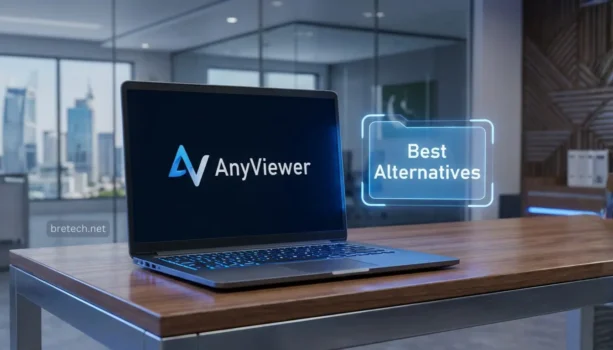
Finding the best AnyDesk alternatives in Pakistan is helpful when you need easy and safe remote access for your home, office, or support work. AnyDesk is a popular tool, but it may not be the right choice for everyone. Some users need better plans, more team control, or a license that fits their daily work.
A good remote desktop tool should be simple to use, stable, and secure. It should help you connect to another computer, give support, manage office devices, or work from another place without confusion.
One good option to consider is AnyViewer. It offers different plans for different users, including AnyViewer Solo, AnyViewer Pro, AnyViewer Team, and AnyViewer Enterprise. This makes it easier to choose a plan based on your personal, professional, or business needs.
Key Takeaways
- AnyViewer is a useful AnyDesk alternative for remote access and support work.
- AnyViewer Solo is good for one user who needs simple remote access.
- AnyViewer Pro is better for professionals, technicians, and small businesses.
- AnyViewer Team is useful for offices and support teams with more than one user.
- AnyViewer Enterprise is made for larger businesses that need more control and user management.
- Pakistan buyers should choose a genuine software license with activation help, invoice support, and proper guidance after purchase.
AnyViewer Plans at a Glance
| Plan | Best For | Licence / Device Limits |
|---|---|---|
| AnyViewer Solo | Home and individual users | 1 user, 5 login devices, up to 30 managed / recently connected devices |
| AnyViewer Professional | Freelancers, technicians and small offices | 1 user, 10 login devices, up to 100 managed / connected devices |
| AnyViewer Team | Freelancers and small support teams | 10 users, 30 login devices, up to 200 managed / recently connected devices |
| AnyViewer Enterprise | Larger offices and IT teams | 30 users, 100 login devices, up to 500 managed / recently connected devices |
If you want broader context, see how AnyViewer fits modern workflows in our guide on AnyViewer Remote Desktop in Pakistan, or browse the full Remote Desktop Software category.
Why Seek an AnyDesk Alternative in Pakistan in 2026?
Remote work and remote support keep growing, but Pakistan’s internet conditions can vary by city, area, and time of day. That makes stability and reconnect speed more important than fancy extras.
For many people, the real need is simple: connect fast, control the PC smoothly, transfer files safely, and finish the job without drops.
The Need for a Better Remote Desktop Solution
Teams want remote tools that feel reliable for daily work, like helping staff from home, supporting clients, and accessing office PCs after hours.
If your remote tool struggles with performance, permissions, or support, your work slows down and small issues turn into big delays.
Common Challenges With Current Remote Access Software
Here are the most common complaints we hear from Pakistani users:
- Lag or frequent disconnects during calls, downloads, or long sessions
- Confusing access setup for unattended support
- Weak security habits, like sharing passwords or using unsafe downloads
- Slow help when something breaks at the worst time
“Most people in Pakistan don’t switch because of features. They switch because a dropped session during a client job wastes time and creates trust issues.” — BreTech support note (remote desktop customers)
If these are familiar, switching to a better-fit tool can save time and reduce stress. For a wider comparison, read our Best Remote Desktop Software in Pakistan Guide.
AnyViewer: A Strong AnyDesk Alternative for Pakistan
For many users, AnyViewer Remote Access Software is a solid alternative because it stays easy to use while still covering business needs.
It works well for common Pakistan scenarios like shop PCs, office systems, client support, and remote access for freelancers.
Why AnyViewer Works Well for Remote Support
AnyViewer is built around quick connections, device lists, and support-friendly workflows. The Pro and Enterprise plans are designed for more devices, more control, and smoother team support.
Note: If your environment depends on Linux endpoints, always verify platform support and system requirements on the official vendor website before you decide.
Top AnyDesk Alternative Plans in Pakistan
The best AnyDesk alternative plan depends on your work setup. Do not choose only by price. First check how many users, login devices, and remote PCs you need to manage.
AnyViewer Solo: Best For One-Person Remote Access
AnyViewer Solo is the right starting point when you work alone and need a paid remote desktop plan for daily use.
It suits a home-based freelancer, a solo technician, or a small shop owner in Pakistan who needs to access a PC after hours without depending on unsafe free tools.
What you get in Solo at a high level:
- 1 licensed user
- Up to 5 login devices
- Up to 30 managed / recently connected devices
- 1 screenwall
- Remote access features such as unattended access, multi-monitor viewing, instant chat, and file transfer
AnyViewer Professional: Best For Freelancers And Small Offices
AnyViewer Professional is a practical upgrade when free remote access is no longer enough. It is better for regular unattended support, smoother access, and cleaner device management.
It fits freelancers, repair shops, and small offices that support a few client PCs every week and want fewer limits during daily work.
What you get in Professional at a high level:
- 1 licensed user
- Up to 10 login devices
- Up to 100 managed / connected devices
- More room for regular support work
- Useful features for unattended access, file transfer, and remote help
AnyViewer Team: Best For Small Support Teams
AnyViewer Team is better when remote support is shared between more than one person. It helps small teams manage access without using one shared personal account.
This edition suits SME support desks, multi-person repair shops, and small IT teams in Pakistan that need to connect to many office or client PCs.
What you get in Team at a high level:
- 10 licensed users
- Up to 30 login devices
- Up to 200 managed / recently connected devices
- 3 screenwalls
- Deployed team device support
AnyViewer Enterprise: Best For Larger IT Teams
AnyViewer Enterprise is the stronger choice when remote support becomes a proper business or IT team requirement. It is built for larger device fleets and better admin control.
Enterprise is useful when multiple staff members need organised access, role control, and support for many remote computers across offices or clients.
What you get in Enterprise at a high level:
- 30 licensed users
- Up to 100 login devices
- Up to 500 managed / recently connected devices
- 10 screenwalls
- Admin-focused features such as mass deployment and role permission management
Simple Buying Advice
Choose Solo if you work alone. Choose Professional if you support client PCs regularly. Choose Team if more than one person handles support. Choose Enterprise if you manage many users, many PCs, or a larger IT setup.
Compare all AnyViewer plans in BreTech’s Remote Desktop Software collection before you choose the right licence for your needs.
Key Advantages of Switching From AnyDesk to AnyViewer
Most people switch for three reasons: safer handling, easier day-to-day support, and smoother sessions.
Secure Remote Access and Support
For business use, you want a tool that supports safer sign-in habits and reduces the risk of unsafe sharing. Also make sure your team follows basics like strong passwords and limited access.
If privacy is a big concern, read our Privacy Tools Guide for Pakistan and use a work-safe setup.
Remote Control and File Transfer That Fits Real Work
Remote support is not only “view screen and click.” You often need to move files like drivers, logs, PDFs, or installers.
AnyViewer also supports fast file movement for real support work. It supports file transfer speeds up to 10MB/s and large transfers up to 1TB (plan limits apply), which helps when you move backups, installers, logs, or client data between PCs.
A paid plan is usually worth it when file movement, access control, and stable sessions become part of your daily routine.
Performance for Pakistan’s Mixed Internet Conditions
Pakistan users often deal with bandwidth drops and noisy networks. A practical remote tool should stay usable when speeds dip and should reconnect quickly without wasting time.
If your team uses VPNs for work access, see our Best VPN for Pakistan Guide and keep the setup simple and legal for your use case.
Free AnyDesk Alternatives: What Works, and What to Avoid
Free tools can be okay for personal access, short sessions, or one-off help for family. They are often not ideal for business support, where limits and account flags can block work.
Common free options people try:
- Chrome Remote Desktop for quick personal access
- Microsoft Remote Desktop in Windows-based setups
- TeamViewer for personal use, but it may limit business-like usage
- AnyViewer free version to test the workflow before buying
Limitations of Free Remote Access Solutions
Free options can bring problems like:
- Device limits that you hit quickly
- Session limits that appear suddenly
- No proper team control and weak admin handling
- Less predictable support when something breaks
If you work with clients, a genuine license is often the safer long-term choice.
How to Switch From AnyDesk to AnyViewer
Keep migration simple:
- Install AnyViewer on the PCs you will access and the PCs you will control from.
- Sign in, then add important devices to your device list.
- Set up unattended access on office or client PCs where needed.
- Test one real session end-to-end: connect, control, transfer a file, disconnect, reconnect.
- Move the rest after the test feels stable.
For a step-by-step walkthrough, use our guide on How to Set Up and Use AnyViewer.
Conclusion: AnyDesk Alternative in Pakistan (2026)
AnyViewer is a practical AnyDesk alternative in Pakistan for 2026 when you need stable remote access for daily support work. It suits common local use cases like helping clients, accessing an office PC after hours, or supporting branch systems without constant disconnects.
Pick the plan that matches how you work:
- AnyViewer Solo: Best for one-person remote support, freelancers, solo technicians, and home users who want a clean paid plan.
- AnyViewer Professional: Best for freelancers, repair shops, and small offices that need regular unattended access and reliable file transfer.
- AnyViewer Team: Best for small support teams that need shared access and team device handling.
- AnyViewer Enterprise: Best for SMEs and IT departments managing many PCs, where admin control and scaling matter.
Compare all AnyViewer plans in BreTech’s Remote Desktop Software collection before you choose the right licence for your needs.
If you are unsure, contact BreTech and tell us how many users, login devices, and remote PCs you need to manage. We will help you choose the right AnyViewer licence in Pakistan with PKR pricing, local payment options, and digital delivery on most orders.
Further Reading
Want to learn more about remote access and remote support in Pakistan? Check out these helpful posts:
Need more tools for PC support and remote work? Explore our System Utilities guides for practical software comparisons, buying tips, and setup help.
FAQs
Q: What Are the Best Alternatives to AnyDesk in 2026?
A: In Pakistan, AnyViewer Pro and AnyViewer Enterprise are strong alternatives if you want genuine licensing, stable remote access, and a support workflow that fits freelancers and SMEs.
Q: Are There Any Free Alternatives to AnyDesk?
A: Yes. Tools like Chrome Remote Desktop and Microsoft Remote Desktop can work for basic personal access, and AnyViewer’s free version is useful for testing. For business support, free tiers often bring limits.
Q: How Can I Keep Remote Access Secure When Switching Tools?
A: Use strong passwords, limit who has access, avoid cracked software, and enable safer sign-in options if the tool supports them. For sensitive work, keep a clear permission policy for staff.
Q: Which Is Better for a Small Repair Shop, Professional or Enterprise?
A: Professional is usually enough for a small shop or solo technician. Enterprise makes more sense when you have a bigger team and many PCs to manage across clients or branches.
Q: Can I Use AnyViewer for Mobile Remote Access?
A: Yes, AnyViewer is commonly used with mobile apps for on-the-go access. Always confirm the latest supported platforms and features on the vendor’s official pages before deployment.
Q: What Is the Easiest Way to Move From AnyDesk to AnyViewer?
A: Install AnyViewer, sign in, set up unattended access for the PCs you need most, then run a real test session. Once it feels stable, move the rest of your workflow.
Q: What Is the Difference Between AnyViewer Solo and Team?
A: AnyViewer Solo is made for one person who needs a paid plan for regular remote support. AnyViewer Team is better when multiple technicians share support work and need shared access and team device handling.
Q: Can BreTech Help Me Choose Between Solo, Team, Pro, and Enterprise?
A: Yes. Tell us how many technicians you have and how many PCs you need to support, and BreTech will guide you to the right AnyViewer edition and help you get a genuine license in Pakistan.