Abdul Basit
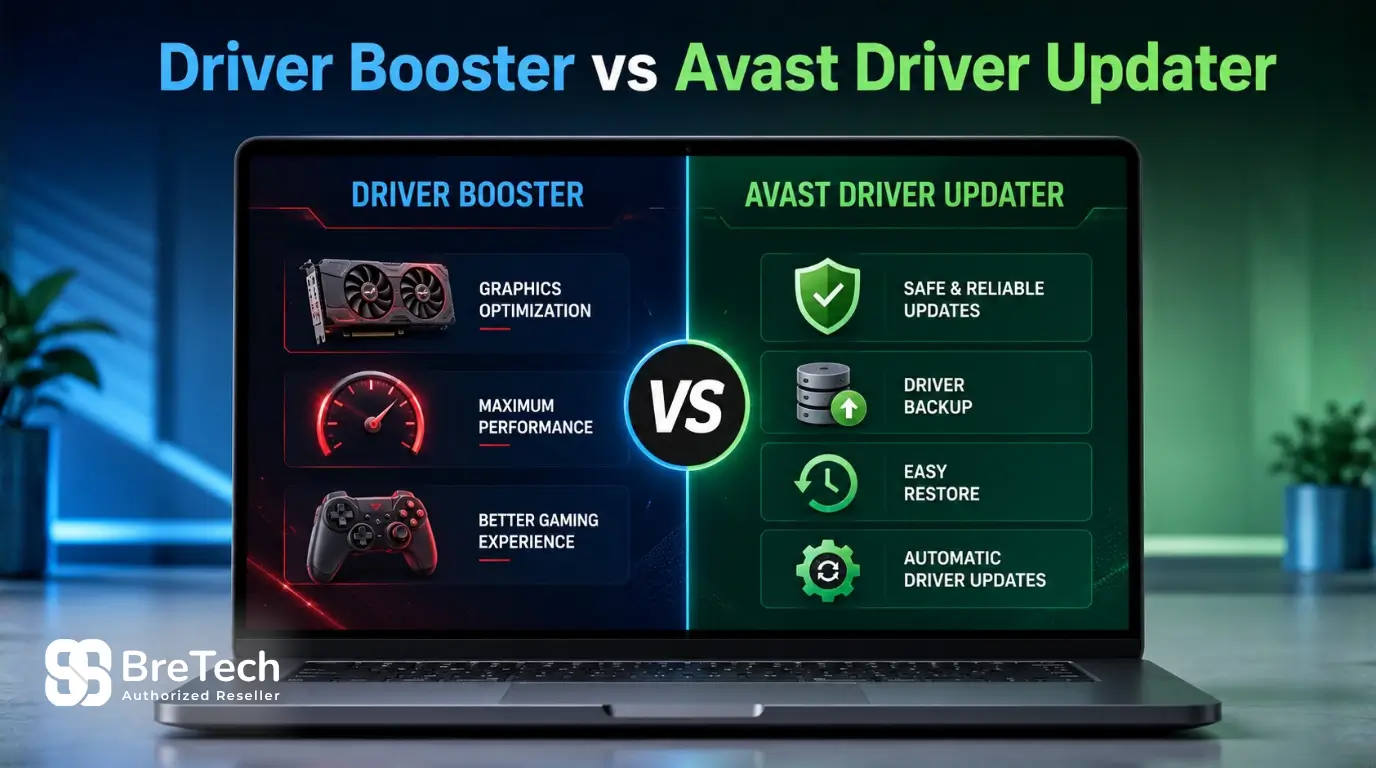
Choosing between Driver Booster and Avast Driver Updater depends on how you use your Windows PC. Driver Booster is better for gamers and performance-focused users, while Avast Driver Updater is easier for home, office, and everyday PC maintenance.
Both tools can scan outdated drivers and help update Windows drivers, but they suit different users. This comparison explains which one is safer, which may feel more accurate for your PC, how backup and restore features work, and which option makes more sense for Pakistan buyers.
Driver Booster vs Avast Driver Updater: Quick Comparison
| Feature | Driver Booster | Avast Driver Updater |
|---|---|---|
| Best for | Gamers and performance users | Home users, office users, and Avast users |
| Main strength | Large driver database and gaming tools | Simple driver scan, update, backup, and restore |
| Free option | Free version with limits | Free trial or scan option |
| Paid version | Driver Booster Pro | Avast Driver Updater paid licence |
| Driver database | IObit lists 12M+ verified drivers in Free and 18M+ in Pro | Avast says it scans millions of drivers |
| Brand coverage | IObit says 1,200+ major brands | Avast says 1,300+ major brands |
| Safety checks | WHQL and IObit security scan mentioned by IObit | Malware checks, backup, restore, and restore points mentioned by Avast |
| Windows support | Windows 11, Windows 10, and ARM64 support mentioned by IObit | Windows 11 and Windows 10 support mentioned by Avast |
| Better buying fit in Pakistan | Depends on licence availability and support | Better if bought as a genuine licence with local support |
For buying, Avast Driver Updater is a good choice if you want a genuine licence with local payment support, digital delivery, activation help, and invoice support in Pakistan. Driver Booster Pro is better to compare if your main focus is gaming, performance tools, and advanced driver update options.
If you are still comparing all available options, check our Driver Updater Software in Pakistan category.
What Is IObit Driver Booster?
IObit Driver Booster is a driver updater program for Windows PCs. It scans your system, detects outdated drivers, missing drivers, and faulty drivers, then helps install newer driver versions with less manual work.
It is popular with users who want quick driver updates, especially for gaming PCs. Its main appeal is the large driver database, one-click update process, and gaming-related optimisation tools.
Driver Booster Key Features
Driver Booster can scan your PC for outdated drivers, update drivers in the paid version, and help manage driver installation with less manual searching.
Driver Booster Pro offers more advanced driver update options than the free version. IObit says the Free version includes 12M+ verified drivers, while Driver Booster Pro includes 18M+ verified drivers, automatic driver updates, and extra repair features.
IObit also says Driver Booster covers drivers from 1,200+ major brands and verifies drivers using Microsoft WHQL and an IObit security scan. This can give users more peace of mind than downloading random driver installers from unknown websites.
What Is Avast Driver Updater?
Avast Driver Updater is driver updater software from Avast. It scans your PC for old, missing, corrupt, or vulnerable drivers and helps update them to newer versions from supported hardware brands.
It is a good choice for users who want a simple driver updater with backup and restore support. It also fits well for people already using Avast products and who prefer software from a known antivirus company.
Avast Driver Updater Key Features
Avast says Avast Driver Updater scans millions of drivers, checks more than 300,000 hardware devices, and installs drivers from more than 1,300 major brands.
Avast also says the tool can check drivers for malware before installation, back up current drivers, and let users choose which drivers to install. These features are useful because not every driver update should be installed blindly.
For Pakistan buyers, the main benefit is not only the software itself. The safer buying path is to choose a genuine Avast Driver Updater licence with proper activation help, invoice support, and local payment options where available.
Driver Update Software Features That Matter
A good driver update software should do more than scan and click update. It should help you verify updates, create backups, and restore a previous driver if something goes wrong.
The most useful features include a strong driver database, automatic driver updates, backup and restore, clear update options, and a user-friendly interface. These features give more peace of mind, especially on office PCs and business systems.
A dedicated driver updater should also show which device drivers need attention. It should not push every update blindly, because some driver installation issues can create new problems instead of fixing old ones.
Source-Backed Feature Notes
According to Avast’s official Driver Updater page, Avast Driver Updater automatically scans for outdated drivers, checks more than 300,000 hardware devices, supports more than 1,300 major brands, checks drivers for malware before installation, and backs up current drivers so users can undo changes if needed.
Avast Support says Avast Driver Updater automatically scans hardware every 7 days and notifies users when outdated drivers are detected. Avast Support also says the tool stores a backup of each driver before updating it and can revert only the driver versions that were previously updated by Avast Driver Updater.
Avast’s troubleshooting guide says Avast Driver Updater automatically creates a Windows Restore Point before updating drivers. Microsoft’s System Restore guide explains that a restore point can revert system files, registry settings, and installed programs to an earlier state.
According to IObit’s official Driver Booster page, Driver Booster installs drivers from 1,200+ major brands and verifies drivers using Microsoft WHQL and an IObit security scan. IObit’s Driver Booster Pro page also lists 18M+ verified drivers for the Pro version.
These facts do not mean every driver update is risk-free. Pakistan buyers should still review the scan results, create a backup or restore point, and avoid updating important drivers during urgent office work.
Which Is Safer and More Accurate?
Avast Driver Updater is the safer choice for most home and office users because it focuses on driver scanning, malware checks, backup, restore, and restore point support. This makes it easier to undo changes if a driver update creates a problem.
Driver Booster may be more useful for gamers and advanced users because it has a large driver database and more performance-focused tools. However, driver accuracy still depends on your hardware, Windows version, driver source, and whether the suggested update is really needed.
For safer results, do not update every driver blindly. Scan first, review the driver name, check the device type, and create a backup or restore point before installing important driver updates.
Driver Booster vs Avast Driver Updater for Pakistan Buyers
For Pakistan users, the best driver updater is not always the one with the longest feature list. The buying experience matters too. You should check whether the licence is genuine, whether support is available, and whether activation help is provided after purchase.
Avast Driver Updater has a stronger buying path if you are purchasing through a trusted local software reseller. It is easier for home users and offices that want safe delivery, proper invoice support, and help if activation does not work correctly.
Driver Booster can still be useful, especially for users who want gaming optimisation and a free version to test first. But before buying, check licence availability, renewal terms, and support options.
Driver Booster vs Avast Driver Updater for Gaming
Driver Booster is usually the better choice for gaming-focused users. It is built around quick driver updates and includes gaming-related tools that may help with graphics drivers, audio drivers, network drivers, and common driver-related issues.
Avast Driver Updater is not mainly promoted as a gaming tool. Its strength is simple driver management, safer updates, and backup support. It can still help gamers by keeping drivers up-to-date, but it is more suitable for general PC stability than gaming optimisation.
If your main issue is slow gaming performance, background load, or general system speed, you may also want to compare PC optimizers for gaming in Pakistan before choosing a driver updater only.
Which Is Better for Windows 11?
Both Driver Booster and Avast Driver Updater support modern Windows PCs, including Windows 11. Both can scan the system, detect outdated drivers, and help install updates for supported hardware.
For Windows 11 users, Avast Driver Updater is a better fit if you want a simple, clean tool with backup and restore support. Driver Booster is better if you want more gaming-focused options and a larger set of performance tools.
Before installing any new driver, make sure your PC has restore options available. This is especially important on office PCs, older laptops, and systems used for business work.
Free Version and Free Trial Comparison
Driver Booster usually gives users more free access compared with Avast Driver Updater. Its free version can be useful for scanning and limited driver updates, but advanced features may require Driver Booster Pro.
Avast Driver Updater usually lets users scan the PC and check driver issues first. Installing updates normally requires a paid licence or active trial. This is useful if you want to verify whether your PC has outdated drivers before buying.
If you want to compare more options before choosing one tool, read our guide on the best driver updater software for Windows in Pakistan.
Backup and Restore: Why It Matters
Backup and restore is one of the most important features in any driver updater tool. A new driver can fix problems, but it can also create new issues if it is not fully compatible with your PC.
Both Driver Booster and Avast Driver Updater offer backup options, but Avast gives clearer support documentation for reverting drivers and using Windows Restore Points. This is useful if you face crashes, audio problems, display issues, printer errors, or other hardware issues after updating.
For business PCs in Pakistan, this feature is very important. A faulty driver update can waste time and disturb office work, so backup support should not be ignored. To understand the safety side better, read our guide on Safe Driver Update Tips.
Driver Updater vs Software Updater
A driver updater is different from a normal software updater. A driver updater checks hardware-related files such as graphics, audio, printer, chipset, Bluetooth, Wi-Fi, and other Windows drivers.
A software updater checks installed apps and programs, such as browsers, utilities, media tools, or security apps. If your main issue is outdated applications instead of hardware drivers, you may need software updater tools in Pakistan instead.
Is Driver Updater Software Safe to Use?
Driver updater software can be safe to use when you choose a trusted tool, create backups, and avoid installing every update without checking. The safer method is to scan first, review the driver update list, and update only the drivers that are causing issues or are clearly outdated.
Look for backup support, restore options, trusted driver sources, and WHQL or manufacturer-signed drivers. Avoid unknown driver installers from random websites because they may create compatibility, security, or stability problems.
For serious driver-related issues, avoid rushing. Create a restore point, keep your important files backed up, and do not update critical drivers during urgent office work.
Driver Installation Checks Before Updating
Before installing a new driver, check the driver name, device type, Windows OS version, and update source. A driver updater automatically detects outdated drivers, but users should still review the results before clicking update.
Also check disk space before large driver installation, especially for graphics, chipset, printer, and network drivers. Low disk space can disturb the installer and may cause update failure or driver-related issues.
For better performance and stability, update only the device drivers that are outdated, missing, faulty, or causing hardware issues. This gives more peace of mind than updating every driver only because a scanner found it.
User Interface and Ease of Use
Driver Booster has a simple user interface focused on fast scanning and one-click updates. It is easy for users who want quick results and do not want to check many technical details.
Avast Driver Updater also has a user-friendly interface, but it feels more controlled and cleaner for users who prefer step-by-step driver management. It is better for people who want to scan, review, update, and restore drivers without too many extra tools.
For beginners, Avast Driver Updater may feel easier and safer. For advanced users and gamers, Driver Booster may feel more flexible.
Driver Booster vs Avast Driver Updater: Which One Should You Buy?
Choose Driver Booster if your main focus is gaming, performance tools, and a free version for basic use. It can be useful for users who want quick updates, more gaming-related driver support, and advanced driver update features.
Choose Avast Driver Updater if you want a simpler driver updater from a known security brand. It is better for home users, office users, and Pakistan buyers who prefer a genuine licence, activation help, and a safer purchase path.
For most normal Windows users in Pakistan, Avast Driver Updater is the better buying choice. For gamers who like extra optimisation features, Driver Booster is worth considering.
What About AVG Driver Updater and Ashampoo Driver Updater?
AVG Driver Updater in Pakistan and Ashampoo Driver Updater are also useful options for Windows users who want driver scanning, safer updates, and backup support.
AVG Driver Updater is a good choice if you already trust AVG products and want a simple driver updater with genuine licence support in Pakistan. Ashampoo Driver Updater is worth comparing if you want a straightforward tool with backup and restore features.
These tools should not confuse the main choice in this article. If you want gaming-focused driver updates, Driver Booster Pro is more suitable. If you want a simpler Avast-based buying path, Avast Driver Updater is easier to choose.
When Should You Avoid Using a Driver Updater?
You should avoid using any driver updater when your PC is already working properly and you do not have a clear driver issue. Updating every driver only because a scanner found updates can sometimes create new problems.
Be extra careful on office PCs, older laptops, and systems used for accounts, design work, school work, or business software. Before installing a new driver, create a backup or restore point and update only the drivers that are clearly outdated, missing, faulty, or causing problems.
Final Verdict
Driver Booster is better for gaming-focused users who want fast scans, driver updates, and performance-related features. Avast Driver Updater is better for users who want simple driver management, backup and restore support, and a safer buying path in Pakistan.
For home users, office users, and small businesses, Avast Driver Updater is usually the more practical choice if you want genuine software, local payment support, digital delivery, activation guidance, and invoice support.
Driver Booster is still useful for users who want gaming optimisation and free-version testing, but check support and licence availability before buying.
FAQs
Q: Is Driver Booster better than Avast Driver Updater?
A: Driver Booster is better for gaming-focused users who want more performance tools and broader update options. Avast Driver Updater is better for home and office users who want simple driver management, backup, restore, and a safer buying path in Pakistan.
Q: Which driver updater is better for Windows 11?
A: Both Driver Booster and Avast Driver Updater support Windows 11. Avast Driver Updater is easier for normal users, while Driver Booster is better for users who want more gaming and optimisation features.
Q: Is Avast Driver Updater safe to use?
A: Avast Driver Updater is safe to use when you review scan results, create backups, and avoid updating every driver blindly. It also offers backup, restore, and restore point support, which helps if a new driver causes problems.
Q: Does Driver Booster have a free version?
A: Yes, Driver Booster has a free version with limited features. Driver Booster Pro is the paid version and gives more driver update options, automatic updates, and broader driver management features.
Q: Should I update all outdated drivers at once?
A: No, it is better to update only the drivers that are clearly outdated, missing, faulty, or causing problems. Updating every driver at once can sometimes create new driver-related issues, especially on office PCs.
Q: What is the main difference between a driver updater and a software updater?
A: A driver updater checks hardware drivers such as graphics, audio, printer, Bluetooth, Wi-Fi, and chipset drivers. A software updater checks installed apps such as browsers, utilities, media tools, and security programs.
Q: Which one should Pakistan buyers choose?
A: Most Pakistan buyers should choose Avast Driver Updater if they want a genuine licence, local payment support, digital delivery, activation help, and invoice support. Driver Booster is still a good option for gamers and advanced users if licence support is available.
Q: Which is safer and more accurate, Driver Booster or Avast Driver Updater?
A: Avast Driver Updater is safer for most normal users because it focuses on backup, restore, malware checks, and easier driver management. Driver Booster may be better for gamers and advanced users because of its larger driver database and performance tools. For accuracy, always review the driver result before updating.