Abdul Basit
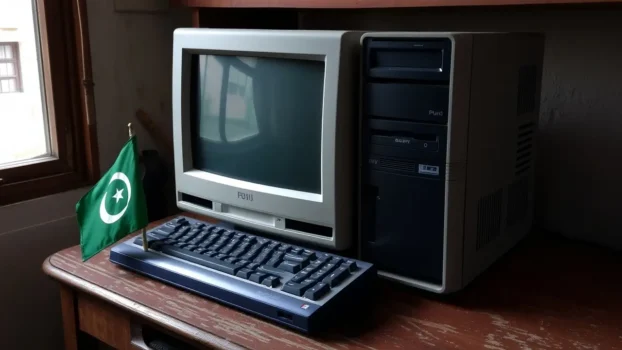
Old PCs in Pakistan often become slow not only because of age, but because the wrong security tool keeps running in the background. Choosing the best lightweight antivirus for old PCs in Pakistan helps protect your computer without making daily work, browsing, and startup feel worse.
Many users install cracked antivirus, overloaded security suites, or more than one protection app at the same time. On an older PC, that usually causes lag, higher background activity, slower startup, and less usable performance.
The better choice is to use one genuine antivirus product that gives strong protection with lower system impact. This guide compares the best BreTech options for older Windows PCs and helps you choose the right product for your needs from our Antivirus & Malware tools.
Available in Pakistan with PKR pricing, local payments, and 1–72 hour digital email delivery from BreTech, an authorized software reseller.
Which Antivirus Is Best for Old PCs in Pakistan?
For most users, the best starting picks are Norton AntiVirus Plus, AVG Internet Security for Windows, and Avast Premium Security for Windows. If you want the simplest essentials-first setup, start with Norton AntiVirus Plus.
If you want a stronger balance of protection and performance, AVG Internet Security for Windows is the best second option.
Quick Comparison Table
| Product | Best For | Why It Fits Old PCs |
|---|---|---|
| Norton AntiVirus Plus | Very old PCs and basic everyday protection | Focuses on core protection without too many bundled extras |
| AVG Internet Security for Windows | Users who want balance between speed and stronger protection | Adds firewall, ransomware protection, web and email shields, and smart scans |
| Avast Premium Security for Windows | Older PCs that still need broader web protection | Good mix of protection, usability, and smoother daily use |
You can also explore trusted options from the Norton brand page, AVG brand page, and Avast brand page on BreTech.
Lightweight Performance Comparison for Old PCs
| Product | RAM Usage Level | Best Feature for Old PCs | CPU Impact |
|---|---|---|---|
| Norton AntiVirus Plus | Low | Essentials-first protection | Minimal |
| AVG Internet Security for Windows | Low | Smart scans and balanced protection | Low |
| Avast Premium Security for Windows | Low to Moderate | Smooth daily use with broader web protection | Low to Moderate |
Actual performance can vary by your PC’s RAM, storage type, startup load, and background apps, so treat this table as a practical buying guide, not a lab benchmark.
Best Lightweight Antivirus Software Options for Old PCs in Pakistan
Older computers need protection that stays active without using too many system resources. That is why the best option is not always the one with the longest feature list. The better choice is the one that gives the right balance between performance and protection.
For most BreTech users, these three products are the strongest options to compare for old and slow Windows systems.
1. Norton AntiVirus Plus
Norton AntiVirus Plus is the best first recommendation for this topic because it keeps the setup simple. It suits older PCs that need core protection for browsing, downloads, email, and daily work without too many extra tools running in the background.
This is the cleanest first choice if your old laptop or desktop already struggles with lag, slow startup, or limited RAM. Users who want a more feature-heavy Norton option can later compare it with Norton 360 Standard if they need more extras.
2. AVG Internet Security for Windows
AVG Internet Security for Windows is the strongest balanced option in this list. It gives you more protection depth than a very basic antivirus while still being a practical fit for users who care about smooth daily use.
It is a good choice for students, freelancers, home users, and small offices that want ransomware protection, web and email shields, and a firewall without moving to a broader suite that may feel heavier on an old PC.
3. Avast Premium Security for Windows
Avast Premium Security for Windows is a solid third option for users who want broader web protection and a user-friendly setup. It makes sense for older PCs that can still handle a balanced security product with a few more features.
This is a practical pick for users who want smooth day-to-day use together with stronger browsing protection and fewer interruptions during normal work.
Why This Product Order Makes Sense
This blog is about lightweight antivirus software for old PCs, not the biggest security suite with the most extras. That is why the order matters.
Norton AntiVirus Plus comes first because it is the leanest essentials-first option in this set. AVG Internet Security for Windows comes second because it adds more protective features while still staying suitable for older systems.
Avast Premium Security for Windows comes third because it is still a good fit, but it makes more sense for users who want a broader security setup rather than the lightest possible one.
How to Choose the Right One for Your Old PC
The right choice depends on what your computer struggles with most. Some old PCs become slow during startup. Others lag when browser tabs, office apps, and background tasks all run together.
If you want the simplest protection with lower system drag, choose Norton AntiVirus Plus. If you want a stronger balance of protection and performance, choose AVG Internet Security for Windows.
If you want broader protection features with a smooth interface, choose Avast Premium Security for Windows.
What to Check Before You Buy
- Low system impact during normal use
- Real-time protection against malware and ransomware
- Safe browsing and download protection
- User-friendly setup and simple updates
- Genuine license with local support in Pakistan
What to Avoid on an Old PC
The biggest mistake is installing too many security or cleanup tools together. That often creates more slowdown, more background activity, and more software conflicts.
Avoid cracked antivirus, random free downloads, and multiple security apps running at once. On an older PC, one genuine product is usually much better than several mixed tools.
Why Buy Genuine Antivirus Software from BreTech?
Old PCs often struggle the most when users install random free tools, expired antivirus programs, or cracked security software. That can slow the system even more, create update problems, and leave important files exposed to viruses, spyware, and other threats.
A genuine antivirus license is usually the safer choice because it gives you proper updates, better detection, official support, and more reliable protection over time. This matters even more on older devices where stability, compatibility, and low resource use are important.
BreTech helps users buy genuine software with PKR pricing, local payments, and 1–72 hour digital email delivery on most orders. As an authorized reseller in Pakistan, BreTech also helps you choose the right plan for your device, budget, and daily use.
Conclusion
The best lightweight antivirus software for old PCs in Pakistan is the one that protects your system without making it harder to use. For this BreTech blog, the best order is clear: Norton AntiVirus Plus first, AVG Internet Security for Windows second, and Avast Premium Security for Windows third.
If your PC is very old and already struggles with lag, start with Norton AntiVirus Plus. If you want a better mix of performance and stronger protection, choose AVG Internet Security for Windows. If you want a broader security setup with a smooth interface, Avast Premium Security for Windows is also a good fit.
If you want to compare more genuine protection tools, browse our Antivirus & Malware tools and the wider Security software range.
FAQs
Q: Is a free antivirus enough for an old PC?
A: A free antivirus or free version can handle basic threats, but it may not give the same level of anti-malware, privacy, and support as a paid product. For older PCs, one lightweight paid option is often the safer long-term choice.
Q: Which option is easiest to use for a non-technical user?
A: Avast Premium Security for Windows is one of the more easy to use options in this blog. Norton AntiVirus Plus is also a good fit for a user who wants simple protection without too many extra controls.
Q: Can these antivirus programs detect and remove malware?
A: Yes, these antivirus programs are designed to detect threats and remove malware such as spyware, a worm, and other harmful files. They work best when kept up-to-date and installed before the PC becomes badly infected.
Q: Are these products compatible with Windows 7 and other older systems?
A: Compatibility depends on the exact product and OS version. If you still use Windows 7 or another older system, always check the product page and official system requirements before you buy.
Q: Do I need a VPN or password manager on an old device?
A: Not always. If your main priority is speed, avoid adding too many extras to an old device. A VPN or password manager can help with privacy and account safety, but they should not be the first priority on a very weak PC.
Q: Is built-in protection enough, or should I upgrade?
A: Built-in protection can be enough for very basic use, but users who download files often, open unknown email attachments, or worry about cybercriminals usually need more robust protection. A lightweight paid antivirus is a better option when trust, updates, and stronger defense matter.
Q: How can I keep antivirus lightweight after installation?
A: Use only one antivirus, keep it up-to-date, and avoid running extra scanner tools in the background. That reduces disk activity, lowers the chance that software will consume too many resources, and helps the PC stay more responsive.
Further Reading
These guides can help if you want to compare built-in protection, improve safety habits, choose antivirus for sensitive tasks like banking, or make an older PC run more smoothly.
- Is Windows Defender Enough?
- Cybersecurity Checklist for Pakistan (2026 Guide)
- Best Antivirus Software for Online Banking in Pakistan
- Best Security Software in Pakistan (2026 Guide)
Browse more practical protection guides in our Security guides section.