Abdul Basit
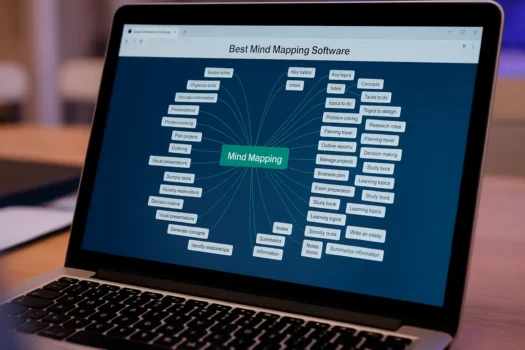
Best mind mapping software in Pakistan should help you turn ideas into a clear visual plan. It can be useful for study notes, lesson planning, office meetings, project planning, and team brainstorming.
For most users, the choice is simple. If you mainly need mind maps, EdrawMind is usually the better fit. If you also need flowcharts, charts, workflows, and other diagrams, EdrawMax is the better option.
This 2026 guide compares EdrawMind and EdrawMax for Pakistan users. It explains who each tool is for, what features to check before buying, and how to choose a genuine license that matches your work, study, or business needs.
What Mind Mapping Software Is and Why It Matters in 2026
Mind mapping is a visual way to start with one main idea and then add related topics, subtopics, and action points around it. It helps you understand a subject faster than long notes.
In 2026, mind maps are useful for students, teachers, freelancers, office teams, and business users. They can help with revision, lesson plans, meeting notes, content planning, and project ideas.
A good mind mapping tool should be easy to use, simple to share, and flexible enough for your daily work.
Top Mind Mapping Tools on BreTech for 2026
EdrawMind for Dedicated Mind Maps
Wondershare EdrawMind is made mainly for mind maps, brainstorming, planning, and visual notes. It suits students, teachers, trainers, and professionals who want a focused mind mapping tool.
If you mostly create study plans, lesson outlines, project ideas, meeting notes, or brainstorming maps, EdrawMind is usually the simpler choice.
It is also a good option for users who do not want a large diagram suite and only need a clean tool for visual thinking.
EdrawMax for Mind Maps Plus Diagrams
Wondershare EdrawMax includes mind mapping, but it is built as a wider diagramming suite. It can suit users who need mind maps along with flowcharts, workflows, organization charts, floor plans, and other business visuals.
Choose EdrawMax when you need more than simple mind maps. It is better for office teams, technical users, business planning, and users who prepare different types of diagrams.
If you are comparing wider diagram tools, this related guide on diagram software in Pakistan can help you understand where EdrawMax fits.
Key Benefits to Compare Before You Buy
Collaboration for Teams
Many mind mapping tools support sharing, comments, and team editing. These features help teams collect ideas, organize meeting points, and keep decisions in one place.
If collaboration is important, check whether it is included in the edition you plan to buy. Some features may depend on the plan, version, or account type.
Cloud Sync and Offline Access
Cloud sync helps you open your files on different devices. Offline access is useful when your internet is slow, unstable, or not available.
Before buying, check how the selected edition handles offline work, sign-in, file storage, and sync. Do not assume every plan includes the same access.
Templates and Export Formats
Templates save time when you are making study maps, project plans, lesson outlines, or office notes. Export options also matter if you need to share your work with others.
Common export needs may include PDF, images, slides, or office formats. Choose the tool that supports the formats you use most.
Pakistan Use Cases in 2026
Students
Students use mind maps for lecture notes, revision, essay planning, and exam preparation. A mind map can make a long topic easier to understand because it shows the main points in one visual layout.
For many students, a dedicated mind mapping tool like EdrawMind is enough and easier to learn.
Teams and Workplaces
Office teams use mind maps for meeting notes, task planning, brainstorming, and project breakdowns. A mind map can help the team agree on ideas before creating a full document or project plan.
If your workplace also needs flowcharts and other diagrams, EdrawMax can reduce the need for multiple tools.
Educators and Classrooms
Teachers can use mind maps to explain topics, plan lessons, and help students connect ideas. Mind maps also work well for group activities because students can present their thoughts visually.
For education use, simple templates and easy export options are often more important than advanced diagram libraries.
EdrawMind vs EdrawMax
| Feature | EdrawMind | EdrawMax |
|---|---|---|
| Best for | Mind mapping focus | Diagrams plus mind maps |
| Learning curve | Usually simpler | Broader feature set |
| Typical use | Study, lessons, planning | Workflows, charts, teams |
| Exports | Common sharing formats | Wider diagram-focused formats |
| Choosing tip | Choose it if you mainly need mind maps | Choose it if you need many visual tools |
When EdrawMind Is the Better Choice
Choose EdrawMind if your main work is mind mapping. It is better for students, teachers, writers, planners, trainers, and users who want a clean tool for ideas and notes.
It is also a good choice if you want less complexity and do not need many diagram types.
When EdrawMax Makes More Sense Than a Mind Mapping-Only Tool
Choose EdrawMax if your work does not stop at mind maps. It is more useful when you also need flowcharts, process diagrams, organization charts, technical diagrams, or visual planning documents for office and team use.
If your main comparison is against Microsoft Visio-style software, also read our guide on the best Visio alternative in Pakistan.
Quick-Start Steps for 2026 Users
Start With EdrawMind
- Install the app from your purchase source and sign in if required
- Pick a template or start from a blank map
- Add a central topic, then create branches
- Use icons, colors, and tags to organize ideas
- Export the map in the format you need
Start With EdrawMax
- Install the app from your purchase source and sign in if required
- Choose Mind Map or another diagram type
- Add the central idea and supporting branches
- Use templates and symbols when needed
- Export to PDF, image, or slides as required
Where to Buy Mind Mapping Software in Pakistan
Buying a genuine license helps reduce the risk of invalid keys, activation issues, and unreliable delivery. It also helps you choose the right edition for personal, education, office, or team use.
You can browse related tools in the Diagram & Graphics software category or check the Wondershare software in Pakistan brand page for available Wondershare products.
Pricing and Payments in Pakistan
Pricing can change by edition, license type, region, and vendor updates. Before buying, always check the current product page and confirm the license details.
For Pakistan buyers, it is also helpful to check payment method, invoice availability, activation process, delivery method, and support options before placing the order.
Need Help Choosing Between EdrawMind and EdrawMax?
If you mostly need mind maps for study, teaching, brainstorming, or planning, start with EdrawMind.
If you also need flowcharts, workflows, charts, and other diagrams, EdrawMax is usually the better choice.
BreTech can help Pakistan users choose the right license, confirm edition details, and understand activation before purchase.
Explore More Diagram and Graphics Tools
If you want more options in the same category, see the Diagram & Graphics software category on BreTech. This can help you compare mind mapping, diagramming, and visual planning tools in one place.
Related Guides
- Diagram Software in Pakistan
- Best Visio Alternative in Pakistan
- Best Microsoft Office Alternative in Pakistan
Conclusion
EdrawMind is a strong fit when you want a dedicated mind mapping tool for study, teaching, brainstorming, or structured planning.
EdrawMax is a better fit when you need mind maps plus a wider range of diagram types for business, office, technical, or team work.
Before buying, compare the exact edition, included features, activation method, and license type. This helps you avoid the wrong plan and choose software that fits your real work.
FAQs
Q: What is the best free mind mapping software available in Pakistan?
A: Some tools offer free versions or trials, but features can be limited. If you need export options, collaboration, or regular use, compare the paid edition before deciding.
Q: Can I use mind mapping software for project management?
A: Yes. Teams use mind maps for planning, task breakdowns, meeting notes, and early project ideas. For full project tracking, you may still need a project management tool.
Q: What is the difference between EdrawMind and EdrawMax?
A: EdrawMind focuses mainly on mind mapping. EdrawMax is a wider diagramming suite that also includes mind maps. Choose EdrawMind for focused mind maps and EdrawMax for many visual diagram types.
Q: Do these tools work offline?
A: Offline access depends on the version and plan. Check the product details before buying if offline work is important for you.
Q: Do Edraw tools include AI features in 2026?
A: Some versions may include AI-assisted features, but availability can differ by plan, region, or release. Confirm the exact features listed for the edition you plan to buy.