Abdul Basit
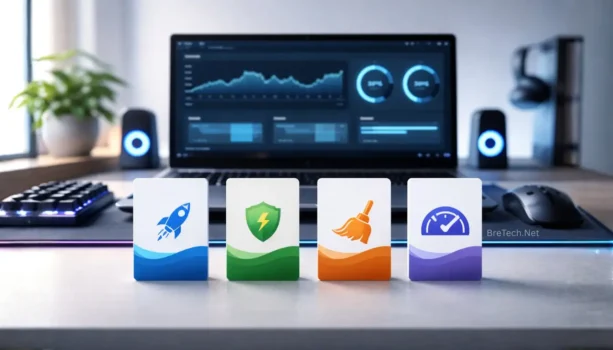
Best PC Optimizer for Gaming in Pakistan helps when your FPS drops and games start stuttering right before a match. It clears junk, trims startup load, and keeps Windows lighter so gameplay feels steadier.
Many people install random boosters or cracked tools, but that can add extra bloat and change settings in ways you don’t notice. After a Windows update, you may end up with more stutter, not less.
A safer approach is using one trusted optimizer for cleanup and startup control, then testing the same game again. Only add a second tool if issues remain after checking GPU drivers and freeing storage space.
Available in Pakistan with PKR pricing, local payments, and 1–72 hour digital email delivery from BreTech, an authorized software reseller.
Quick Overview: Best PC Optimizer for Gaming in Pakistan
These picks help reduce background load, clean junk files, and keep Windows stable before you start a gaming session.
| Tool | Best For | Key Strength |
|---|---|---|
| Ashampoo WinOptimizer | Quick pre-match cleanups | Game booster, startup control, auto-clean |
| Avast Cleanup Premium | Older or slower gaming PCs | Sleep Mode, junk cleanup, auto maintenance |
| AVG PC TuneUp | Simple single-PC tuning | Sleep Mode, disk cleanup, startup tuning |
| AVG TuneUp Multi-Device | Families or multi-PC setups | Multi-device coverage (varies), background app control |
| AVG Ultimate for Windows | Security plus optimization | Internet Security + TuneUp + VPN bundle |
| CCleaner Premium | Fast, lightweight cleanup | Junk cleanup, performance tools, software updates (where included) |
| CCleaner Professional | Safe everyday maintenance | Health Check, startup control, privacy cleaning |
| CCleaner Professional Plus | Bundle for deeper maintenance | CCleaner + defrag tool (HDD) + recovery tool |
| Glary Utilities Pro | All-in-one maintenance | One-click care, startup manager, cleanup tools |
| IObit Advanced SystemCare PRO | One-click pre-game boosts | Turbo Boost mode, deep cleaning, RAM tools (Pro) |
Explore by brand too: Ashampoo, Avast, AVG, CCleaner, Glarysoft, IObit
Game Booster vs PC Optimizer: What’s the Difference?
A game booster is mainly for quick pre-game boosts by reducing background load. A PC optimizer is for regular cleanup, startup control, and keeping Windows stable over time. If you want a tool focused only on boosting before you play, read our guide: Best Game Booster for PC in Pakistan.
Why PC Optimization Matters for Gaming in 2026
Before we dive into the software options, it’s important to understand why PC optimization is essential for gaming:
Benefits of PC Optimization for Gaming
- Reduces stutter caused by heavy startup apps and background tasks
- Frees up storage so games and updates install smoothly
- Helps Windows feel faster by cleaning junk and trimming startup load
- Makes troubleshooting easier when a game starts crashing or freezing
- Keeps performance more consistent across long gaming sessions
Now, let’s explore the top PC optimizer options available for Pakistani gamers:
10 Best PC Optimizers for Gaming in Pakistan (Comparison)
This comparison lists 10 PC optimizers that help with pre-game cleanup and long-term Windows maintenance. Use it to match the tool to your PC type, then open the product page to check the right edition.
1. Ashampoo WinOptimizer: All-in-One Performance Solution
Ashampoo WinOptimizer is a full Windows tune-up suite. For gaming, it’s mainly useful for reducing background load and keeping Windows clean.
Features:
- Game Booster: Reduces background activity during gaming sessions
- Live Tuner: Helps speed up startup and app launch
- Auto-Clean / One-Click Optimizer: Regular cleanup and basic fixes with less manual work
2. Avast Cleanup Premium: Streamlined System Optimization
Avast Cleanup Premium focuses on cleanup and Sleep Mode, which helps when your PC feels heavy before gaming.
Features:
- Junk File Removal: Clears safe-to-delete clutter to free space
- Sleep Mode: Pauses unused apps to reduce RAM/CPU load
- Automatic Maintenance: Scheduled tune-ups to keep performance stable
3. AVG PC TuneUp: Comprehensive Performance Boost
AVG PC TuneUp is good for everyday speed improvements. It helps by cleaning junk and reducing background apps.
Features:
- Automatic Maintenance: Runs tune-ups regularly
- Sleep Mode / Program Control: Reduces background app impact
- Startup Optimizer: Helps shorten Windows boot time
4. AVG TuneUp Multi Device: Optimization Across Multiple Devices
AVG TuneUp Multi Device can cover multiple devices under one plan. Platform support can vary, so check what’s included for your devices.
Features:
- Multi-device coverage: Usually Windows, Mac, and Android (varies by offer)
- Automatic Maintenance: Keeps devices cleaner with scheduled tune-ups
- Cleanup tools: Removes junk files and frees storage space
5. AVG Ultimate for Windows: Security and Optimization Combined
AVG Ultimate for Windows is a bundle that combines security, cleanup tools, and VPN in one package.
Features:
- Internet Security: Protection against malware and phishing
- TuneUp: Cleanup + background app control
- Secure VPN: Privacy on public Wi-Fi and shared networks
6. CCleaner Premium: Enhanced Cleaning and Optimization
CCleaner Premium is best for cleaning and maintenance, especially if you want a lightweight tool.
Features:
- Deep Cleaning: Removes temporary files and clutter safely
- Performance tools: Helps reduce background app impact (where included)
- Privacy cleaning: Clears browser traces and stored data
7. CCleaner Professional for Windows: Optimize Your PC
CCleaner Professional for Windows adds more automation and updating features compared to basic cleaners.
Features:
- Junk + privacy cleanup: Clears clutter and browsing traces
- Startup control: Helps manage what runs at boot
- Software/driver updates: Helps reduce crashes from outdated components (Pro features)
8. CCleaner Professional Plus: Advanced System Cleaning
CCleaner Professional Plus is a bundle that adds extra tools for recovery, defrag, and system info.
Features:
- CCleaner Professional: Cleaning and maintenance tools
- Defraggler + Recuva: Defrag for HDDs and file recovery tools (included)
- Speccy: Hardware info for troubleshooting (included)
9. Glary Utilities PRO: Optimize and Maintain Your PC with Ease
Glary Utilities PRO is a “one toolbox” optimizer for quick cleanup and simple maintenance.
Features:
- One-Click Maintenance: Runs common cleanup/fixes quickly
- Startup Manager: Helps reduce boot time
- Cleanup + privacy tools: Clears junk and usage traces
10. IObit Advanced SystemCare: All-in-One Gaming Booster
IObit Advanced SystemCare focuses on cleanup and boost modes that reduce background load while you game.
Features:
- Turbo Boost: Temporarily reduces background services
- Deep Cleaning: Clears junk files and system clutter
- RAM tools (Pro): Helps free memory when usage gets high
Choosing the Right PC Optimizer for Gaming
When picking a PC optimizer for gaming in Pakistan, focus on features that boost gaming. Here are some key points to think about:
Security Features
Pick a security-focused optimizer that protects your data while it boosts performance. The software should scan for junk, secure your system, and prevent threats automatically to keep gameplay safe and your rig running without worry.
Make sure the tool balances safety and speed so gamers get both protection and improved fps. A good app will reduce background processes, manage power, and streamline updates to deliver a safer, smoother gaming experience.
Gaming-Specific Features
Choose a gaming optimizer built to improve framerates and reduce input lag for better aim and gameplay. The booster should tune CPU and GPU settings, dedicate RAM to the game, and offer one-click modes for instant optimization.
These gaming tools can also manage network settings and free resources to boost fps and launch games faster. With the right features you can test performance, compare settings, and enjoy more consistent, smooth play on PCs and laptops.
Price and Value
Look for an optimizer that gives strong value without costing a fortune. A premium suite might offer advanced features like automatic boost, network optimization, and hardware monitoring, but a mid-range app can still improve gameplay.
Consider cost versus benefit and the difference in features before you download. Think about whether an all-in-one tool or a cheaper booster for PC meets your needs to safely improve performance and framerates across your platform.
Ease of Use
Pick a PC optimizer with a simple design so any user can optimize quickly. One-click modes and clear settings help beginners improve performance without manual tweaks or technical struggle, making boosting easy and fast.
An intuitive app reduces hassle and keeps gameplay smooth while managing background processes and power profiles. This convenience lets gamers run games with better fps and stability, whether on a desktop or laptop rig.
Multi-Device Support
If you play on several devices, choose software that works across PCs, laptops, and other platforms. A good gaming optimizer should offer consistent optimization and similar features so you can improve performance everywhere.
Cross-device support lets you tune settings and boost fps on each machine without buying separate apps. This streamlined approach saves cost, keeps gameplay smooth, and lets gamers enjoy better framerates on every device.
Conclusion: Choosing the Best PC Optimizer for gaming
Finding the best PC optimizer software for gaming in Pakistan is mainly about keeping Windows clean and stable before you play. A good optimizer helps by removing junk files, trimming startup apps, and reducing background load that can cause stutter.
If you want an all-in-one suite, tools like Ashampoo WinOptimizer or IObit Advanced SystemCare can help with quick pre-game cleanup. If you prefer a lighter cleaner, CCleaner or Glary Utilities Pro are solid options for routine maintenance.
Don’t forget GPU drivers. Update them using NVIDIA, AMD, or Intel official tools for stability. For best results, run cleanup weekly and avoid using multiple “boosters” at the same time.
Buy genuine licenses with PKR pricing and fast email delivery on most orders from BreTech, with local support when you need help choosing the right tool.
Ready to buy a genuine PC optimizer in Pakistan? Browse our System Optimization Software and choose the right edition with PKR pricing and fast email delivery on most orders.
FAQs
Q: How can I boost gaming performance on Windows 10 for a PC game?
A: For better performance on Windows 10, do a one-click cleanup, disable heavy startup apps, close overlays, free disk space, and update GPU drivers. An optimizer helps with routine management.
Q: Is Ashampoo WinOptimizer a good system booster for gaming?
A: Ashampoo WinOptimizer can act like a system booster before play by reducing background load, cleaning clutter, and managing startup items. It may help stability, but it won’t “create” FPS.
Q: Can an fps booster or optimizer be used on a laptop?
A: Yes, most optimizer tools work on laptops for cleanup and startup control. For better frame stability, also manage heat, use High Performance mode, and keep storage space free.
Q: Do these one-click optimizers work on Windows 11?
A: Many one-click optimizer tools support Windows 11, but features vary by edition and updates. Check the product page for compatibility, then run cleanup and boost modes before gaming.
Q: What’s the difference in a cleaner vs fps booster in a comparison?
A: In a comparison, a cleaner removes junk files and clutter for smoother Windows use. An fps booster focuses on reducing background load during play by pausing apps and services temporarily.
Q: Which tool is better performance-wise for Valorant and other favorite games?
A: For Valorant and favorite games, choose a tool that reduces background load and keeps Windows clean. Combine it with GPU driver updates and lighter in-game settings for steadier frame rate.
Q: What features should I look for when I upgrade to a gaming optimizer?
A: When you upgrade, look for junk cleanup, startup control, app sleep/boost mode, and safe maintenance. Useful extras include software updating and privacy cleaning, without risky “tweak” promises.
Q: What is the cost difference, and are these optimizers expensive in Pakistan?
A: Cost depends on the edition and device limits, so some plans feel expensive if you buy the wrong one. Use the comparison table to match your need, then check PKR pricing on BreTech.