Abdul Basit
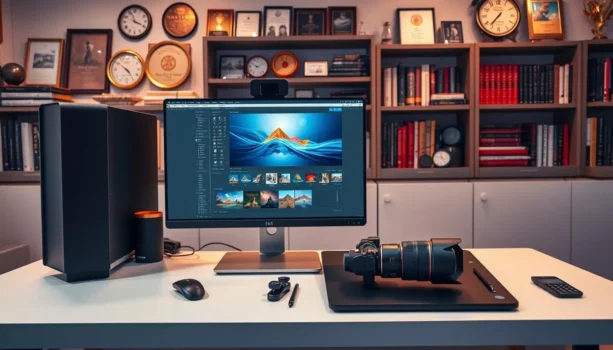
Best photography editing software 2026 for photographers in Pakistan decides whether your client albums, studio shoots, and social posts look truly professional when deadlines are close. One weak editor, or an export crash at the final step, can ruin a full wedding or product job.
Many photographers still rely on old installs, random free tools, or cracked copies that fail at the worst time. The result is missing RAW support, strange colours, slow performance, and photo editor Pakistan searches at midnight when delivery is due.
You do not need ten programs to fix this. You need one or two genuine, up-to-date editors that match your workflow and machine, with PKR pricing and guidance on choosing the right edition. BreTech can help with local payments, 1–72h email delivery on most orders, and local support.
For most photographers in Pakistan in 2026, the best photography editing software in Pakistan is usually a mix of a RAW-capable editor for colour and detail, a batch tool for high-volume jobs, and a simple AI editor for quick retouching. Pick based on your camera files, PC or Mac specs, and how many photos you edit per job.
Quick Overview: Best Photo Editing Software in Pakistan
| Tool | Best For | OS Support | Key Strengths |
|---|---|---|---|
| Luminar Neo | Creative, portrait, and landscape photographers | Windows 10/11, recent macOS | AI sky replacement, relighting, portrait tools, full RAW workflow |
| Ashampoo Photo Commander | Windows shooters with large archives | Windows 10/11 (64-bit) | Library management, batch tools, RAW support, slideshows and collages |
| Movavi Photo Editor | Beginners and busy studios needing quick AI edits | Windows, macOS | AI retouching, background swap, object removal, presets |
| Wondershare Fotophire Toolkit | Extra fixes for blurry or low-res images | Windows | 200+ effects, 1-click sharpen, zoom without heavy pixelation |
What Makes a Photo Editor Great for Photographers?
When choosing a photo editing tool, photographers should focus on a few core points.
Support for RAW files is essential. RAW lets you capture and edit images with maximum quality, which matters when you need clean skin tones, smooth gradients, and printable results.
Modern AI features also save time. AI can help with sky replacement, portrait retouching, background removal, and basic enhancements so you spend more time on creative choices instead of manual masking.
A good photo editor should still be easy to use. Menus, panels, and shortcuts must make sense, and the software should run smoothly on typical laptops and PCs used in Pakistan.
In short, the best photo editing program for photographers offers strong RAW support, helpful AI tools, and a user-friendly interface that fits your daily client work.
Top Photography Editing Software 2026 in Pakistan
Photographers in Pakistan have many powerful photo editing tools to pick from. Below are the main options we recommend for 2026.
1. Luminar Neo (Skylum): AI Power for Creative Photographers
Luminar Neo is built around AI tools and a full RAW workflow. It runs on Windows 10/11 and recent macOS versions, with 8 GB RAM as a minimum and 16 GB recommended for smoother work.
Key features:
- AI tools for sky replacement, portrait retouching, relighting, and automatic enhancement
- Non-destructive editing with layers and masks
- Works as a standalone editor or as a plug-in for Lightroom, Photoshop, and Apple Photos
- Presets and “Looks” to keep a consistent style across full weddings or campaigns
Ideal for: Wedding, portrait, landscape, and travel photographers who want deep control and creative AI help.
Explore more from Skylum: Skylum brand page
2. Ashampoo Photo Commander 18: Library and Batch Work on Windows
Ashampoo Photo Commander 18 is an all-in-one photo manager and editor for Windows 10/11, updated through 2025 and tuned for 64-bit systems.
Key features:
- Full image library with folders, tags, ratings, and duplicate finder
- Batch tools for resizing, renaming, format conversion, and watermarking
- Support for modern RAW formats, EXIF/XMP data, and new image types such as AVIF and SVG
- Tools for collages, greeting cards, calendars, and slideshows for clients
Ideal for: Event and studio photographers who shoot large volumes and need one Windows tool to organise, edit, and deliver without jumping between apps.
Explore more from Ashampoo: Ashampoo brand page
3. Movavi Photo Editor 2026: Fast AI Edits for Everyday Work
Movavi Photo Editor is a simple but powerful editor for Windows and macOS. It focuses on quick AI-powered fixes rather than complex layer systems.
Key features:
- AI background swap, object removal, and portrait retouching
- One-click enhancements with manual sliders for colour and contrast
- Tools for collages, text, and atmospheric effects for social and marketing work
- Clean interface that beginners and assistants can learn quickly
Ideal for: Beginners, content creators, and busy studios that need reliable fast edits rather than deep technical control.
Explore more from Movavi: Movavi brand page
Browse related tools: Design & Creative, Photo, and Photo Editing.
How to Choose the Best Photo Editing Software for Your Needs
When comparing editing tools, start with your real jobs, not just feature lists.
If you mostly handle weddings and events, look for batch tools, stable RAW support, and easy export presets. Ashampoo Photo Commander plus Luminar or Movavi is a strong combo for this.
If you shoot portraits, travel, or social content, you will benefit from strong AI tools and presets in Luminar Neo or Movavi. These help you keep a consistent style across your feed and client galleries.
Always check:
- Whether your camera’s RAW files are supported
- If the software runs well on your current PC or Mac
- Whether a one-time PKR license from BreTech fits your budget better than a global subscription
Before you buy, confirm compatibility on the official vendor page: Luminar Neo system requirements.
Buying from authorized sellers in Pakistan like BreTech protects you from fake keys, blocked updates, and malware problems later.
Extra Rescue Tools for Tricky Photos: Wondershare Fotophire
Alongside Luminar, Ashampoo, and Movavi, some photographers like having a small fix-it toolkit for low-resolution, soft, or hard-to-cut images. This is where Wondershare Fotophire tools are useful.
Fotophire is a family of utilities that includes Editing Toolkit, Maximizer, and Focus. The toolkit adds 200+ effects and basic corrections, Maximizer zooms into details without heavy pixelation, and Focus sharpens blurry shots and refocuses in one click.
BreTech offers these Fotophire products as genuine PKR licenses with fast digital email delivery:
- Wondershare Fotophire Toolkit – an all-in-one bundle for easy photo effects, background removal, and simple corrections.
- Wondershare Fotophire Maximizer – upscale small, low-resolution photos while keeping detail for print or social campaigns.
- Wondershare Fotophire Focus – sharpen soft or slightly blurry shots so important images stay usable.
Explore more from Wondershare: Wondershare brand page
Advanced Tips: Editing Photos Like a Pro
For photographers who want to grow, a few simple habits make a big difference.
Work with RAW Files for Maximum Quality
Whenever you can, shoot and edit in RAW. RAW files keep much more detail in shadows and highlights. That gives you room to fix exposure, white balance, and colour without banding or ugly noise.
Luminar Neo and Ashampoo Photo Commander 18 both support RAW, so you can build a full professional workflow around them. Movavi covers many common RAW formats as well, which is enough for many everyday jobs.
Use Non-Destructive Editing
Try not to overwrite your originals. Use layers, history, and virtual copies so you can try different looks for the same photo without losing the base file.
Luminar Neo offers strong non-destructive tools, and Movavi lets you adjust and undo edits easily before export. This is useful when a client wants two different edits from the same portrait or product shot.
Balance Filters with Manual Adjustments
AI presets and filters can save time, but too much can make photos look fake. Use presets as a starting point, then refine exposure, contrast, colour balance, and skin tones by hand.
Over time, you can save your own presets in Luminar or Movavi so future edits are faster but still match your personal style.
Conclusion
Choosing the best photo editing software is a key step for photographers in Pakistan. It does not matter if you’re just starting or have years of experience; the right tool can transform your workflow and client results.
Luminar Neo is ideal if you want powerful AI and full RAW control. Ashampoo Photo Commander 18 is perfect if you live inside Windows folders and need strong batch and library tools. Movavi Photo Editor 2026 gives you quick, AI-driven edits with an interface that suits beginners and busy studios.
Wondershare Fotophire adds a useful backup toolkit for tricky images that need extra sharpening, upscaling, or simple effects.
BreTech supplies all of these as authentic software licenses in Pakistan with PKR pricing, local support, and fast digital email delivery. That means no cracked keys, no surprise deactivations, and no last-minute errors when you export client photos.
If you want to level up your photography in 2026, pick one main editor from this list, add a small supporting tool if needed, and commit to using that genuine software on every job.
Further Reading
Want to explore more photo tools and workflows in Pakistan? Check out these helpful posts:
- Best Photo Editing Software in Pakistan
- Best AI Photo Editors in Pakistan
- Photo Editing Software Price in Pakistan
For more design and multimedia tools, visit our Design & Multimedia blog category.
FAQs
Q: What is the best photo editing software for photographers in Pakistan
A: Top software for photographers in Pakistan includes Luminar Neo, Movavi Photo Editor, and Ashampoo Photo Commander — all built for professional photo editing.
Q: How does professional photo editing software enhance photography?
A: Professional software improves image quality using AI tools, RAW file support, and precision controls for complex editing tasks like exposure and color correction.
Q: What are the essential features of the best professional photo editing software?
A: The best professional photo editing software offers batch editing, AI-based retouching, RAW file handling, and tools that support both basic editing and advanced photo workflows.
Q: Can I use online photo editing software for professional work?
A: Yes, some online photo editing platforms offer good tools. But for professional photo work, it’s better to use standalone software like Luminar Neo or Movavi.
Q: Is there a recommended photo editing software for beginners in Pakistan?
A: Yes. Movavi Photo Editor is ideal if you’re new to photo editing. It simplifies the editing process with smart tools and a clean interface, perfect for beginners.
Q: What makes Luminar Neo stand out among photo editing software?
A: Luminar Neo is a powerful image editing tool. It’s great for professional photographers, offering advanced AI features and RAW support for a smooth editing experience.
Q: How do I choose the best software for my editing journey?
A: Focus on your skill level and editing needs. Choose software products with the right editing features — like Movavi for quick tasks or Luminar for complex editing.
Q: What are the best filters available in photo editing software?
A: Luminar and Movavi offer some of the best filters — including portrait tools, one-click sky replacement, and tone presets for a professional image-editing software look.
Q: Are there any free or low-cost options for professional photo editing?
A: Yes. Instead of risky open-source software, try trusted tools like Ashampoo Photo Commander — a budget-friendly photo editing program with great results.