Abdul Basit
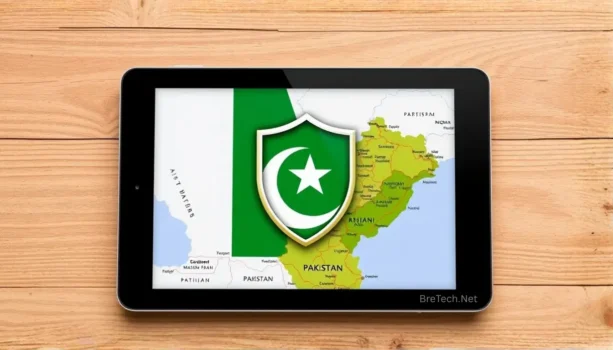
Best VPNs in Pakistan can help you browse more privately, protect your data on public Wi-Fi, and keep a safer connection for work, study, banking, streaming, and daily internet use. A good VPN should be easy to use, stable on local internet connections, and clear about privacy, apps, devices, and support.
Many people also want to know which VPN works in Pakistan, how to use a VPN safely, and whether VPN use is legal in Pakistan in 2026. The answer depends on how you use it. A VPN should be used for legal, safe, and responsible online activity, not for harmful or illegal access.
This guide compares HMA VPN, AVG Secure VPN, and Avast SecureLine VPN in simple language. You will learn which option may suit your phone, laptop, home use, freelance work, or small business, and what to check before buying a VPN in Pakistan.
Key Takeaways
- HMA VPN is the best all-around option in this guide for users who want more global location choices and flexible VPN use.
- AVG Secure VPN is a simple choice for daily browsing, banking, public Wi-Fi, streaming, and family use.
- Avast SecureLine VPN is useful for home users and small offices that want a simple VPN from a known security brand.
- A VPN can improve privacy and public Wi-Fi safety, but it does not stop every type of tracking.
- VPN use in Pakistan should stay legal and responsible. Business, freelance, or commercial users should check PTA guidance where needed.
Quick Comparison: Best VPNs in Pakistan
Here is a quick side-by-side comparison of HMA VPN, AVG Secure VPN, and Avast SecureLine VPN for users in Pakistan.
| VPN service | Best for | Why choose it? |
|---|---|---|
| HMA VPN | Best all-around VPN | Good choice if you want more global server locations, flexible country options, and a VPN for travel, work, and mixed use. |
| AVG Secure VPN | Everyday personal and family use | Simple option for browsing, banking, public Wi-Fi, streaming, and users who want an easy VPN without complex settings. |
| Avast SecureLine VPN | Home and small office users | Useful if you already use Avast tools, want a clean VPN app, and need simple protection for common devices. |
Need a genuine VPN license in Pakistan? Browse BreTech’s Network & VPN Security category to compare available VPN options with PKR pricing, local payment, digital delivery, and activation help.
Why You May Need a VPN in Pakistan
A VPN can be useful in Pakistan when you want a safer connection for public Wi-Fi, banking, online shopping, email, remote work, or private browsing. It can also help when your normal internet route becomes slow, unstable, or blocked on some services.
For most users, a VPN is not about doing anything wrong. It is mainly about keeping your connection more private and reducing risk when using shared networks, hotel Wi-Fi, office Wi-Fi, or mobile hotspots.
A VPN may help with:
- Safer browsing on public Wi-Fi
- More private browsing from your internet provider
- Remote work and business tools
- Streaming and travel access where allowed
- Basic protection when using unknown networks
- Reducing some tracking based on your IP address
A VPN is still not a complete security solution. It does not replace antivirus software, strong passwords, two-factor authentication, or safe browsing habits.
What a VPN Can and Cannot Protect
A VPN encrypts your internet connection and hides your real IP address from many websites and networks. This makes it harder for public Wi-Fi users, some trackers, or your internet provider to see your normal browsing traffic.
But a VPN does not make you fully anonymous. Websites can still use cookies, login accounts, browser fingerprinting, and app tracking. For stronger privacy, use a VPN together with safe browser settings, strong passwords, and privacy tools.
For users who want more protection beyond a VPN, see our guide to best data privacy software for Windows in Pakistan.
Is Using a VPN Legal in Pakistan in 2026?
Using a VPN in Pakistan is not automatically illegal for normal, lawful activity. Many people and businesses use VPNs for safer browsing, remote work, account security, and private network access.
However, Pakistan has rules for some commercial and organizational VPN use. If you are a freelancer, software house, call center, bank, company, or organization using VPNs for business work, you should check the latest PTA guidance and registration requirements.
The safest rule is simple: use a VPN for legal, safe, and responsible activity. Do not use a VPN for fraud, harassment, hacking, illegal access, or harmful content. If you use a VPN for office, school, or company work, follow your organization’s policy.
Is There a PTA Approved VPN in Pakistan?
Some users search for a PTA approved VPN, but normal buyers should be careful with this wording. PTA guidance is mainly important for certain business, freelance, commercial, and organizational VPN use.
For personal use, focus on safe and legal activity. For business or freelance work, check the latest PTA guidance and follow any registration requirements that apply to your use case.
How to Choose the Best VPN in Pakistan
Choosing the best VPN in Pakistan depends on your device, internet connection, budget, and reason for using the VPN. A student, freelancer, office user, and family user may not need the same VPN.
Which Country VPN Is Best for Pakistan?
For most users in Pakistan, the best VPN country is usually a nearby region that gives stable speed and low delay. If you need a local IP address, choose a Pakistan server when your VPN app offers it.
If the Pakistan location feels slow, try nearby regional servers and compare browsing, streaming, calls, and login performance before choosing your regular server.
Check Security and Privacy Features
Start with the basics. A good VPN should use strong encryption, have clear privacy information, and include useful features like auto-connect or a kill switch where available.
Also check whether the VPN is simple enough for your daily use. A VPN that is too confusing can lead to mistakes, such as connecting to the wrong location or forgetting to turn it on before using public Wi-Fi.
For safer logins and account protection alongside a VPN, explore Privacy & Password tools.
Check Speed on Your Own Internet
A VPN can reduce speed because your traffic passes through another server. This is normal, but a good VPN should still feel stable for browsing, calls, streaming, and work.
In Pakistan, performance can vary by ISP and time of day. PTCL, StormFiber, Nayatel, Optix, Jazz, Zong, Telenor, and Ufone may all behave differently. Test your VPN during the hours you actually use it, not only early morning.
Check Server Locations
Server location matters. A nearby server often gives better speed. A far server may help with specific location needs but can increase delay and buffering.
If you need a Pakistan IP for local banking, portals, or apps while traveling abroad, check whether the VPN app currently offers a Pakistan location. If you only need privacy and safer browsing inside Pakistan, nearby regional locations may be enough.
Check Devices and License Terms
Before buying, check how many devices you need. Some users only need one laptop. Others need protection for a phone, laptop, tablet, and family devices.
Also check whether the license is for one year, multiple years, or another term. For business use, check invoice needs, user count, and support options before ordering.
Top 3 VPNs in Pakistan for 2026
HMA VPN: Best All-Around VPN for Pakistan
HMA VPN is a strong all-around option for users in Pakistan who want many global location choices. It is useful for people who travel, work online, use different services, or need flexible server options.
HMA is a good choice if you want more control over location selection. Its large server network gives you more chances to find a stable route when one server feels slow or busy.
Choose HMA VPN if you want:
- More global server choices
- Good flexibility for travel and remote work
- Easy apps for daily VPN use
- A VPN that suits mixed browsing, work, and streaming needs
HMA may be the best choice in this guide for users who want a broader international VPN network rather than only a very basic connect button.
AVG Secure VPN: Simple VPN for Daily Use
AVG Secure VPN is a good choice for users who want a clean and simple VPN for daily browsing. It is suitable for families, students, freelancers, and home users who mainly need privacy on public Wi-Fi, banking, shopping, email, and light streaming.
AVG Secure VPN is also useful if you already use AVG security products. Keeping your security tools under one familiar brand can make setup and support easier.
Choose AVG Secure VPN if you want:
- A simple VPN for daily browsing
- Safer use on public Wi-Fi
- Multi-device support
- Easy apps for Windows, Mac, Android, and iOS
- A VPN that does not feel too technical
AVG Secure VPN is a practical option for users who want a smooth everyday VPN without spending too much time on advanced settings.
Avast SecureLine VPN: Good for Home and Small Office Users
Avast SecureLine VPN is a simple VPN option for users who want a clean interface and a secure connection with minimum setup. It is especially useful for people who already use Avast products at home or in a small office.
In our latest Avast SecureLine VPN app check, Pakistan appeared as a selectable VPN location and connected successfully. This is useful for users who need a Pakistan location, but server availability can change by app version, region, and subscription, so always check the location list before buying if a Pakistan server is important for you.
Choose Avast SecureLine VPN if you want:
- A simple VPN from a known security brand
- Public Wi-Fi protection
- A clean desktop and mobile app
- Support for common devices
- A Pakistan location if it is available in your current app version
Avast SecureLine VPN is a good fit for home users, small offices, and users who want an easy VPN that works without many advanced settings.
Best VPN for PC and Android in Pakistan
If you use a Windows laptop or desktop PC, choose a VPN with a simple desktop app, auto-connect, and stable performance during browsing, calls, and work.
For Android users in Pakistan, choose a VPN that is easy to connect, does not confuse beginners, and works well on both mobile data and Wi-Fi. AVG Secure VPN, Avast SecureLine VPN, and HMA VPN all support common desktop and mobile devices.
Which VPN Works Best in Pakistan?
There is no single VPN that is perfect for every user in Pakistan. The best choice depends on your location, ISP, device, and what you want to do online.
For most users:
- Choose HMA VPN if you want more global server options.
- Choose AVG Secure VPN if you want simple daily privacy.
- Choose Avast SecureLine VPN if you use Avast tools or want a simple VPN for home and small office use.
If your main issue is that your current VPN connects but websites do not load, read our guide on why VPN is not working in Pakistan before buying another license.
Pakistan Server vs Nearby Servers
A Pakistan server helps when you need a Pakistan IP address. This can be useful for some banking portals, local services, student portals, or TV apps when you are outside Pakistan.
A nearby server can be better for speed when you are inside Pakistan. For example, some users may get smoother browsing from nearby regional locations compared with faraway locations in the United States or Europe.
Use a Pakistan server when:
- You are abroad and need a Pakistan IP
- A local app expects Pakistan access
- You need to test how a website appears from Pakistan
- A service works better with a Pakistan location
Use a nearby regional server when:
- You want better speed
- You want lower delay for calls
- You are streaming or browsing normally
- The Pakistan server feels slow or busy
How to Use a VPN in Pakistan
Most VPN apps work in a simple way. You install the app, sign in, choose a location, and click connect. Still, beginners should follow a few safe steps.
Step 1: Install the Official App
Always install the VPN app from the official vendor source or from your official purchase email. Avoid cracked VPN apps, modified APK files, and random free VPN downloads.
These can create privacy risks and may reduce your online safety instead of improving it.
Step 2: Sign In and Activate
After installation, sign in with your account or activate your license as instructed. If you bought from BreTech, check your email for license details and activation steps.
Step 3: Choose the Right Server
For normal browsing in Pakistan, start with a nearby or automatic location. For a Pakistan IP, choose Pakistan if the app offers it. For travel use, choose the country you need.
Step 4: Test Your Connection
After connecting, open your browser and test a few normal websites. You can also check your visible IP location through a trusted IP checker.
Step 5: Keep the App Updated
VPN apps improve over time. Updates may add servers, fix connection problems, improve speed, or change protocol options. Keep your VPN app updated for better reliability.
VPN for Streaming, YouTube, and Gaming
A VPN can help with privacy during streaming and browsing, but it may also increase delay if you choose a far server. For YouTube, video calls, and casual gaming, choose a location that gives stable speed and low ping.
For streaming, test two or three locations and keep the one that works best. For gaming, avoid faraway servers unless you need a specific region. A closer server usually gives better response time.
A VPN is not magic. If your base internet is already slow, a VPN cannot fully fix it. First test your normal speed without the VPN, then test again with the VPN connected.
VPN for Freelancers, SMEs, and Remote Teams in Pakistan
Freelancers and small businesses in Pakistan often use online dashboards, email accounts, CRMs, cloud drives, and client platforms. A VPN can help keep these connections safer, especially on shared networks or public Wi-Fi.
For teams, do not buy randomly. First check:
- Number of users
- Number of devices
- Work locations
- Need for invoice
- Whether the VPN is for personal or commercial use
- PTA guidance if it applies to your use case
- Whether your client or company has its own VPN policy
For teams comparing business-friendly security choices, see Nord Security Business Products in Pakistan.
Common VPN Problems in Pakistan and Quick Fixes
VPN problems can happen because of weak internet, overloaded servers, blocked ports, DNS issues, old apps, router problems, or ISP-level filtering.
VPN Connects but Internet Does Not Work
Try these steps:
- Disconnect and reconnect the VPN.
- Change to another server.
- Restart your router.
- Test mobile data vs home Wi-Fi.
- Update the VPN app.
- Try another protocol if the app offers this option.
VPN Feels Slow
Try a nearby server first. If the nearest server is busy, try another nearby location. Also pause heavy downloads, cloud backups, or streaming on other devices.
VPN Keeps Disconnecting
Check Wi-Fi signal strength, restart your router, update the app, and test another network. If your laptop is far from the router, try Ethernet or a stronger Wi-Fi signal.
Website Blocks VPN
Some websites block known VPN traffic. Try another server or use your normal connection for that site if it is safe and legal to do so.
Final Recommendation: Which VPN Should You Choose in Pakistan?
For most everyday users in Pakistan, AVG Secure VPN is the easiest choice for browsing, banking, public Wi-Fi, and light streaming.
Choose Avast SecureLine VPN if you already use Avast security tools at home or in a small office and want a simple VPN app for common devices.
Choose HMA VPN if you want more location flexibility, stronger global server coverage, and a VPN that is useful for travel, remote work, and mixed use.
Whichever VPN you choose, use it for safe and legal activity, keep the app updated, and buy a genuine license from a trusted source.
Further Reading
Want to compare more VPN and security guides before choosing? These related posts may help:
- Best VPN Deals and Coupon Codes
- Best World Cup VPN Deals
- NordVPN vs Surfshark Deals
- Best Black Friday VPN Deals
- Best Security Software in Pakistan
FAQs
Q: Which VPN is best for everyday use in Pakistan?
A: For most everyday users, AVG Secure VPN is the easiest option for browsing, banking, public Wi-Fi, and light streaming. HMA VPN is better if you want more global server choices, while Avast SecureLine VPN is good for simple home and small office use.
Q: Is using a VPN legal in Pakistan in 2026?
A: VPN use in Pakistan should be for lawful and responsible activity. Business, freelance, or commercial users should check PTA guidance because registration rules may apply to some use cases.
Q: What is the best paid VPN in Pakistan?
A: The best paid VPN in Pakistan depends on your use. HMA VPN is better for more location choices, AVG Secure VPN is simple for daily use, and Avast SecureLine VPN is useful for home or small office users who want an easy VPN app.
Q: Which VPN works in Pakistan?
A: HMA VPN, AVG Secure VPN, and Avast SecureLine VPN can work in Pakistan, but performance depends on your ISP, device, app version, server location, and time of day. If one server is slow, try another nearby location.
Q: Does Avast SecureLine VPN have a Pakistan server?
A: In our latest app check, Avast SecureLine VPN showed Pakistan as a selectable location and connected successfully. Server availability can change, so check the app location list before buying if a Pakistan IP is important for you.
Q: Do I need a Pakistan server or a nearby server?
A: Use a Pakistan server if you need a Pakistan IP address, especially when abroad. Use a nearby regional server if your main goal is speed, browsing, calls, or streaming from inside Pakistan.
Q: Can a VPN make my internet faster?
A: Usually, a VPN does not make your internet faster. It may improve routing in some cases, but it can also reduce speed because your traffic passes through another server. Test different locations to find the best result.
Q: Can I use one VPN for phone and laptop?
A: Yes, many VPN plans support multiple devices. Before buying, check the device limit and supported platforms, such as Windows, Mac, Android, and iOS.
Q: What should I do if my VPN stops working in Pakistan?
A: Update the app, restart your router, change server location, test another network, and try another protocol if available. If the VPN still connects but websites do not load, the issue may be DNS, ISP filtering, or blocked ports.