Abdul Basit
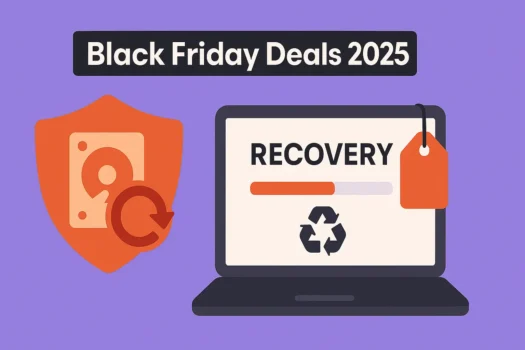
Data Recovery Software Black Friday Deals in 2025 don’t just appear on one weekend – vendors start teasing discounts in late October and drop their biggest offers between Black Friday and Cyber Monday.
This page lists the best verified offers and key purchase considerations to help you avoid scams and secure the right tool.
Updated: Nov 25, 2025 — Season status: Pre-season. Planning to buy data recovery software this Black Friday? Bookmark this page and check back for early-bird offers, flash sales, and last-minute price drops as we move into peak deal season.
Top Data Recovery Software Black Friday Deals 2025
Below are the brands most likely to publish early prices. As each offer is confirmed, we’ll move it to Live Deals with a verification timestamp. We avoid fake strikethroughs and note renewal or upgrade pricing where relevant.
- AOMEI: Grab up to 80% off MyRecover and backup suites to bring back lost files, drives and partitions.
- Ashampoo: Lock in up to 80% off recovery and disk tools for fast, one-click system and drive restores.
- CCleaner: Enjoy up to 70% off Recuva and PC utilities for deep scans and safe file undelete.
- EaseUS: Get up to 70% off Data Recovery Wizard with RAW/format recovery and preview-before-restore.
- iObit: Score up to 40% off file undelete tools and system utilities to fix crashes and slowdowns.
- Wondershare: Take up to 43% off Recoverit with advanced video and photo repair modes.
- HitPaw: Claim up to 60% off recovery and repair solutions for corrupted, deleted or broken media.
- MiniTool: Slash up to 65% off MiniTool Power Data Recovery for HDDs, SSDs and external drives.
- TunesKit: Unlock up to 70% off data recovery, screen recorder and utility software bundles.
- WonderFox: Grab 40% off DVD and video software packs for backups, conversions and quick edits.
- iMyFone: iPhone & Android utilities for recovery, repair, and device fixes (seasonal discounts vary).
Find More Data Recovery Software Discounts
Tip: Bigger %-off often appears on Professional/Ultimate tiers or multi-PC bundles. Compare bundle value (recovery + repair + backup) versus a single tool, and always check renewal or upgrade terms.
Quick Guide: Match Your Data Loss Scenario to the Best Tool
| Data Loss Scenario | Recommended Software (Best For) |
|---|---|
| Simple Deletion (Deleted files or emptied Recycle Bin) | CCleaner (Recuva) or iObit (Quickest, simplest recovery) |
| Complex Drive Damage (Formatted drive, RAW disk, or missing partition) | AOMEI MyRecover, EaseUS Data Recovery Wizard, or MiniTool Power Data Recovery (Deep, sector-level scanning) |
| Corrupted Media (Broken, corrupted, or unplayable photos/videos) | Wondershare Recoverit or HitPaw (Includes specialized file repair features) |
| Software Bundles (Need recovery plus extra tools like recording/conversion) | TunesKit or WonderFox (Look for the full multimedia suites) |
⚠️ Important Purchase Consideration (Warning Beginners about Risks): Before you buy, confirm the license covers your devices (Windows/Mac) and, critically, check if the Black Friday discount is first term only or also applies to renewals.
How We Pick and Verify Deals
- Real discounts only: we exclude fake strikethrough prices and vague “up to” claims that do not match the cart
- Timestamped checks: every live offer shows Verified date and, if needed, time of last check
- Version clarity: we highlight edition, seat count, and upgrade paths where this affects value
- Price integrity: we note the difference between introductory prices and renewal or upgrade pricing
- Change log: every meaningful edit to this page is recorded in the update history for transparency
What To Consider Before You Buy
- Recovery scope: deleted files, formatted or RAW drives, lost partitions, and phone or app data
- File types: photos, videos, office documents, mail archives, and large media files
- Repair options: photo and video repair for corrupted media, when supported by the tool
- Device coverage: Windows and macOS, HDD and SSD, SD cards, USB drives, phones, and external disks
- Licensing: lifetime versus subscription, seat count, and whether business or commercial use is allowed
- Workflow: preview-before-restore, search and filtering, session saves, scan depth, and scan speed
Tips To Maximize Black Friday Savings
- Match the edition to your devices, for example, if you need both macOS and Windows plus external drives.
- Choose bundles that include backup or repair tools if you need more than simple file undelete.
- Check upgrade paths if you already own a previous version and want to move to a higher edition.
- Confirm business licensing if you plan to offer data recovery services to clients.
- Store receipts and license keys in a safe place for future upgrades and accounting.
Black Friday 2025 Discount Timeline for Data Recovery Tools
- Late October: teaser pages and early preview discounts on data recovery and backup suites
- Black Friday week to Cyber Monday: deepest prices and largest bundles across most brands
- Cyber Week and extensions: many deals continue into early December with last-chance messaging
Don’t Miss Out on the Best 2025 Data Recovery Discounts
Black Friday and Cyber Monday deals run for a limited time. To avoid missing out on the biggest savings, review the offers above and compare the features (e.g., photo repair, deep scan, etc.) against your needs.
👉 Explore More Black Friday Software Deals
FAQs
Q: Are any Black Friday data recovery deals live today?
A: Yes. As of Nov 25, 2025, several Data Recovery Software Black Friday Deals are already live from brands such as EaseUS, AOMEI, Wondershare, MiniTool, HitPaw, and others. Check the Live Data Recovery Software Black Friday Deals section above for currently verified offers and timestamps.
Q: What is the difference between file recovery and file repair?
A: File recovery focuses on bringing back deleted or lost data from drives and devices, while file repair is used to fix corrupted photos or videos so that they open and play correctly after damage or incomplete saves.
Q: Which is better value, lifetime or annual licensing?
A: Lifetime licensing can be more cost-effective if you are happy with the current feature set and do not need major upgrades every year. Annual plans can offer more frequent updates, multi-device coverage, and sometimes bundled extras, so it is worth comparing the total cost over two or three years.
Q: Can these tools recover data from a formatted drive?
A: Many of these tools can recover data from a formatted drive, especially if you stopped using the drive as soon as you noticed the problem. Results depend on the file system, level of damage, and how much new data has been written since formatting.
Q: Should I use more than one data recovery tool?
A: In some cases, running a second tool can find files that the first one missed, because different engines scan drives in different ways. Always clone or image a failing drive before running multiple tools to reduce the risk of further damage.
Explore More Black Friday Software Deals
- Black Friday Partition & Disk Tools Deals
- Black Friday Cloud Storage Deals
- Black Friday Security Software Deals
- Black Friday PDF Editor Deals
- Blessed Friday Software Sale in Pakistan
- AOMEI Blessed Friday Deals in Pakistan