Abdul Basit

Diagram software in Pakistan becomes urgent the moment you need to explain a process, network, or plan and your notes look messy on screen.
Many people here try random free web tools or cracked apps, then face activation failures, blocked exports, missing templates, or files that do not open correctly when shared with a teacher, client, or office team.
A safer move is to start with one reliable all-in-one diagram tool, then add a specialist app only if your work demands mind maps or org charts every week.
Available in Pakistan with PKR pricing, local payments, and 1–72 hour digital email delivery on most orders from BreTech, an authorized software reseller, so you can buy a genuine license and keep updates working when required.
Quick answer: Diagram software in Pakistan is best chosen by matching your main work (flowcharts, mind maps, org charts) with the exports you must deliver (PDF, PNG, editable formats) and the sharing options your team needs. Most users should start with one all-in-one tool, then upgrade only if collaboration, templates, or advanced org chart features become essential.
You can browse options in the diagram & graphics software category and explore more tools from the Wondershare software brand on BreTech.
What You Can Create With Diagram Software in Pakistan
Modern projects often need multiple visual formats, such as flowcharts for processes, org charts for teams, mind maps for ideas, and Gantt charts for timelines. Using compatible tools helps keep designs consistent.
If diagrams are shared with clients or universities, confirm supported export formats and readability on other systems. Some sharing and cloud features may vary by plan/version/region.
What to Check Before Buying Diagram Software in Pakistan
Start by checking platform support and system requirements to ensure smooth performance on your laptop or office PCs.
For teams, review whether licensing is per-device or per-user, as this may vary by plan/version/region. Also confirm export formats, template access, and whether watermark-free exports require a specific edition.
A safe workaround is to test sample exports before standardizing your workflow.
Top Diagram Software Tools in Pakistan
| Tool | Best for | Includes | Notes |
|---|---|---|---|
| EdrawMax | Mixed diagram work | Flowcharts, org charts, many diagram types | Assets/collab may vary by plan/version/region |
| EdrawMind | Brainstorming | Mind maps, outlines, presentation views | Sync/exports may vary by plan/version/region |
| OrgCharting | HR structures | Hierarchies, reporting lines | Advanced templates may vary by plan/version/region |
| EdrawProj | Project schedules | Timelines, dependencies, milestones | Collaboration may vary by plan/version/region |
| EdrawInfo | Visual reporting | Charts, layouts, infographic blocks | Export formats may vary by plan/version/region |
1. EdrawMax: All-in-One Diagramming
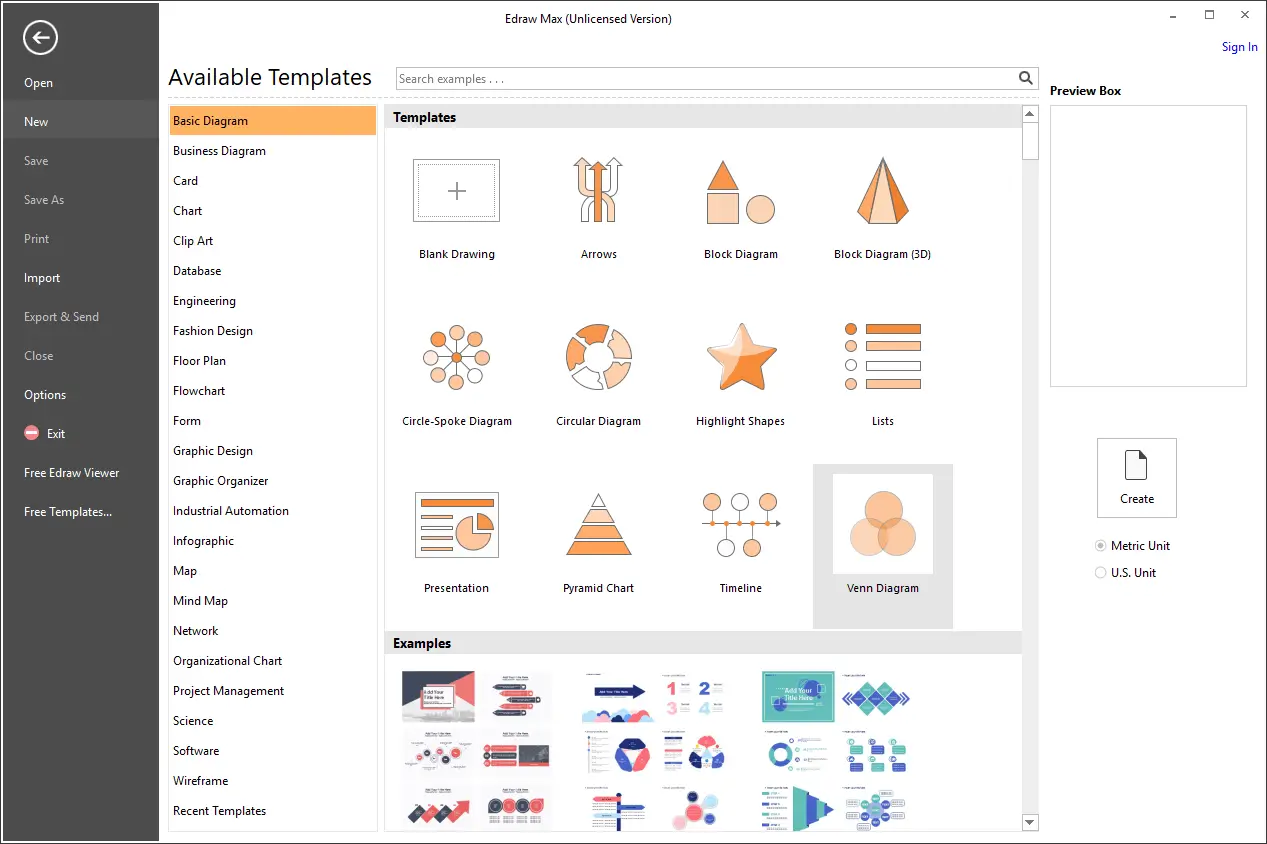
EdrawMax is a broad diagramming suite used for business, education, and technical documentation. It suits you if you want one tool to handle many diagram types in one workflow.
Best For: Flowcharts, SOP/process maps, org charts, network diagrams, basic UML-style visuals
Key Features:
- Large template library for common business and academic needs
- Symbols/stencils for IT, engineering, and office documentation
- Multi-format export for sharing (for example image/PDF)
- Works offline for day-to-day diagram creation
- Clean interface for quick edits and revisions
Limits/Notes: Online template assets and collaboration features may vary by plan/version/region.
2. EdrawMind: Mind Maps and Brainstorming
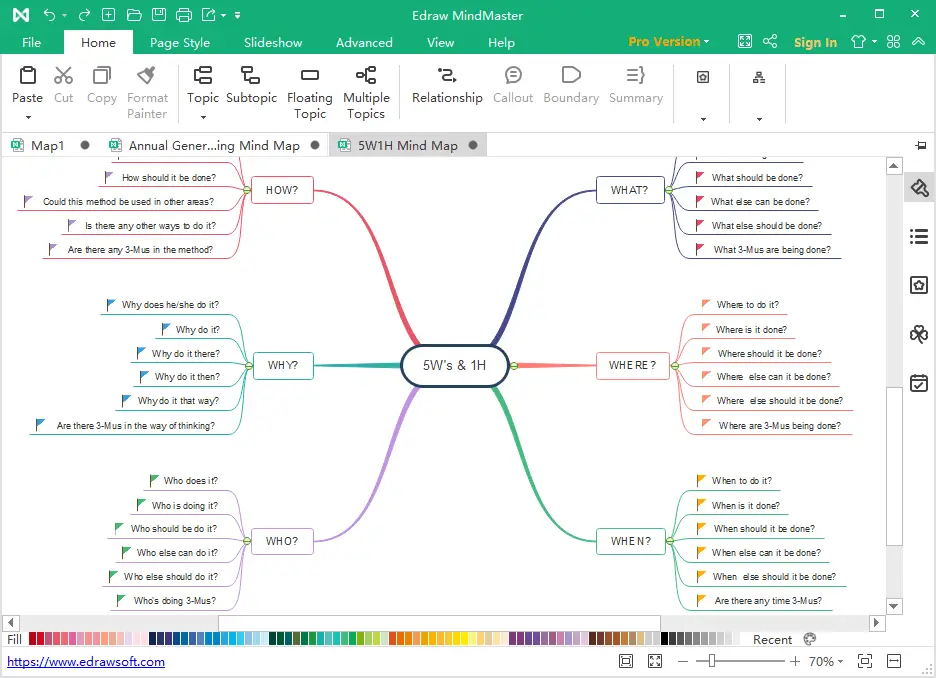
EdrawMind focuses on idea capture and structure, helping users move from brainstorming to outlines and presentation-ready mind maps. It fits students, trainers, and planning teams.
Best For: Mind maps, study planning, meeting notes, workshop brainstorming, outlines
Key Features:
- Outline-to-mind-map workflow for fast structuring
- Presentation-style views for sharing ideas with teams
- Themes and layout controls to keep maps readable
- Easy branch re-ordering as plans change
- Export options for sharing (may vary by plan/version/region)
Limits/Notes: Cloud sync, collaboration, and some export options may vary by plan/version/region.
3. OrgCharting: Org Charts and Hierarchies
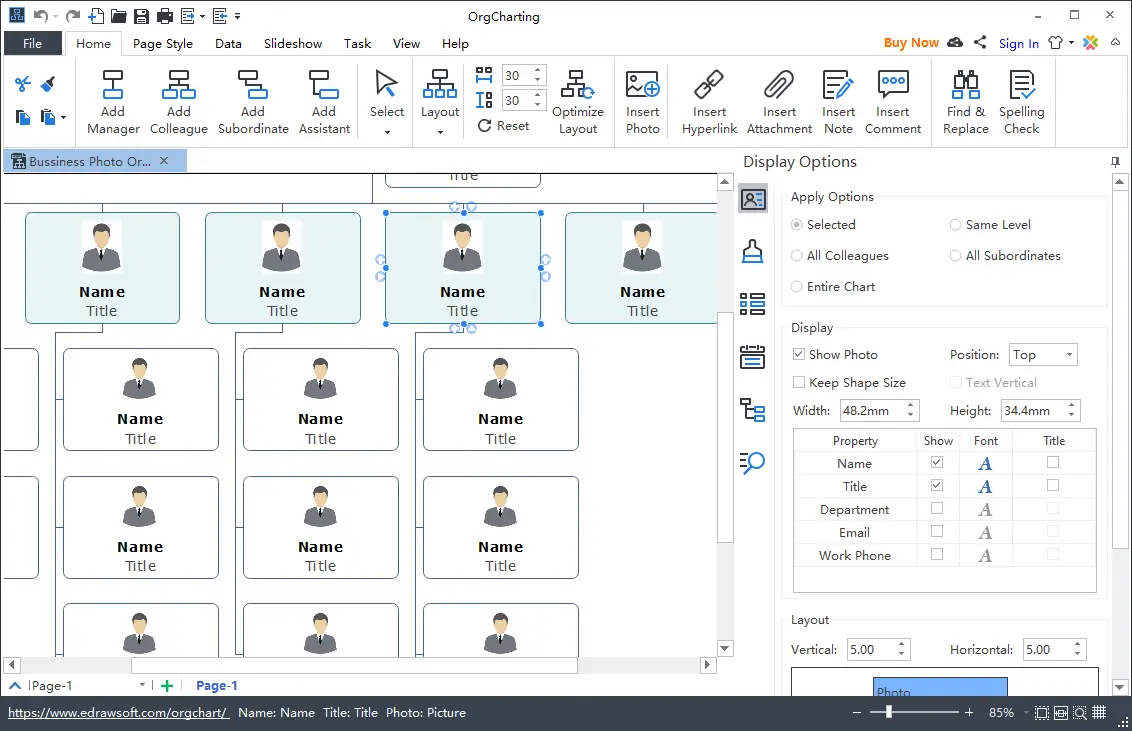
OrgCharting is built for hierarchy visuals where reporting lines must stay clear. It’s useful for HR teams and managers documenting departments, roles, and org changes.
Best For: Org charts, department hierarchies, reporting lines, staffing plans
Key Features:
- Drag-and-drop role blocks for fast org building
- Auto-arrange layouts to keep charts clean
- Reusable styles for consistent formatting across teams
- Easy updates when roles or departments change
- Share-friendly outputs for internal documentation (may vary by plan/version/region)
Limits/Notes: Advanced templates, exports, or integrations may vary by plan/version/region.
4. EdrawProj: Gantt Charts and Project Timelines
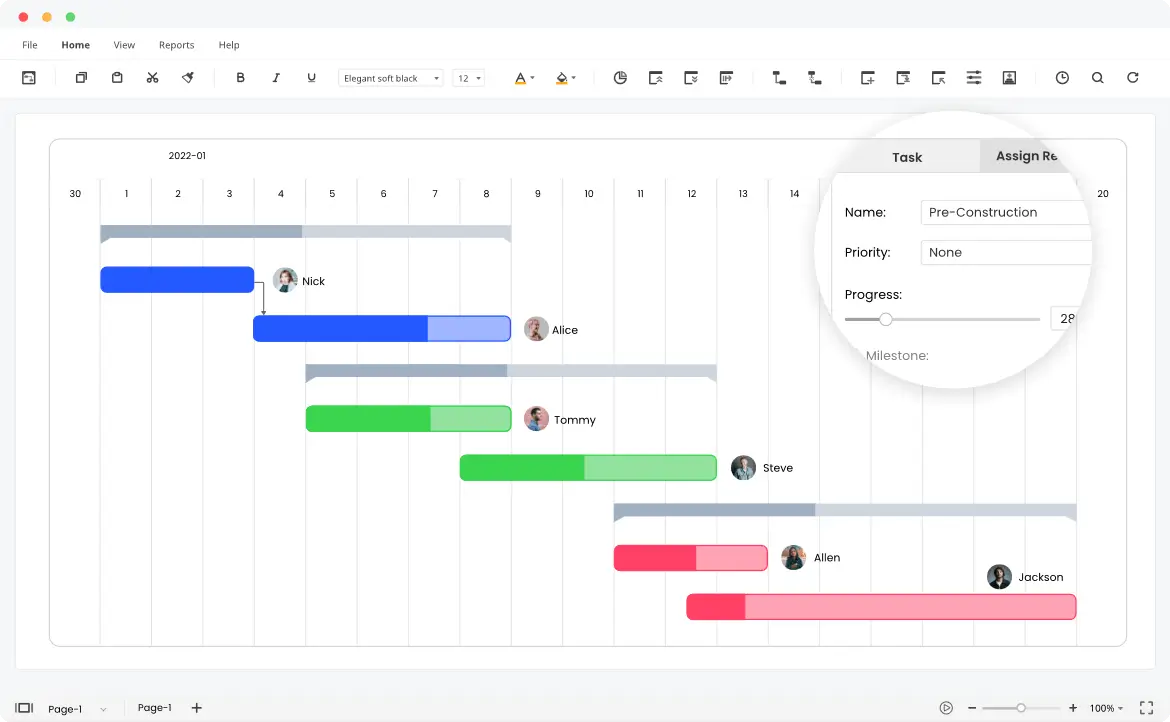
EdrawProj is aimed at timeline-based planning for projects with tasks, milestones, and dependencies. It’s helpful for delivery schedules, campaigns, and academic project timelines.
Best For: Gantt charts, delivery timelines, milestone tracking, dependency-based scheduling
Key Features:
- Task dependencies to reflect real project sequencing
- Milestones for key checkpoints and delivery dates
- Resource/workload views for capacity planning
- Quick rescheduling when dates shift
- Export/sharing options for stakeholders (may vary by plan/version/region)
Limits/Notes: Sharing, collaboration, and export capabilities may vary by plan/version/region.
Which Tool Should You Choose?
If you want one purchase to handle most diagram needs, start with an all-in-one tool that covers multiple diagram types.
If your work is focused, a specialist tool can be simpler:
- Mind mapping: EdrawMind (good for brainstorming, study notes, meeting ideas, and turning messy thoughts into clear maps you can export and share)
- Org charts: OrgCharting (good for HR/admin teams who update reporting lines, departments, and staff lists and need clean charts for print or PDF)
- Timelines and scheduling: EdrawProj (good for project plans, Gantt-style timelines, task dates, and basic tracking when you don’t want a heavy project suite)
To compare licenses and formats safely, browse the diagram & graphics software category and match the tool to your workflow.
Conclusion
Diagram software in Pakistan makes planning, learning, and communication easier across education and business. For a safe buying path and clear comparisons, explore the diagram & graphics software category and choose a tool that fits your diagram types and platform needs.
FAQs
Q: Can diagram software be used offline in Pakistan?
A: Many desktop tools work offline, but cloud sync and collaboration may vary by plan/version/region.
Q: Which tool should I choose for mind mapping only?
A: A dedicated mind-mapping tool is usually faster for brainstorming and study planning. See our guide on best mind mapping software in Pakistan.
Q: Do I need a separate app for org charts?
A: Not always. Some all-in-one tools include org charts, while dedicated apps focus more on hierarchy layouts.
Q: Will my exports match client or university requirements?
A: Export formats can differ and may vary by plan/version/region, so test a sample file before final submission.
Further Reading
If you’re using diagram software for planning, documentation, or team collaboration, it helps to understand how diagrams connect with everyday office tasks like PDF editing, file conversion, and secure sharing. These posts will help:
- Best mind mapping software in Pakistan (2026 guide)
- Best PDF editing software is Pakistan (2026
- How to convert PDF to Word without losing formatting
- How to protect a PDF document before sharing
For more practical guides on productivity tools, document workflows, and choosing genuine office software, browse our Office Productivity articles.