Abdul Basit
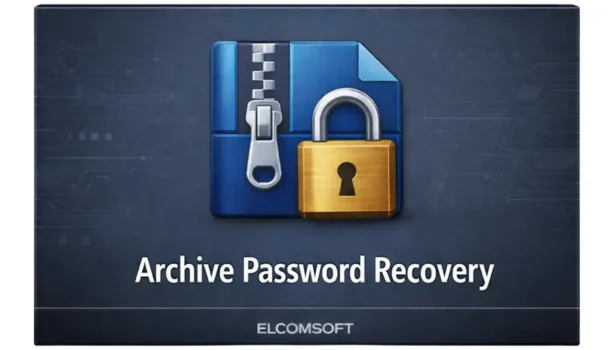
Elcomsoft ZIP Password Recovery is what most users search when they cannot open a password-protected ZIP file and the data inside is urgent. Many beginners make things worse by trying unsafe “crack” tools or starting brute-force recovery with no limits, which wastes time and may never finish.
The safer approach is to use the official tool, Elcomsoft Advanced Archive Password Recovery (AAPR), and start with smart recovery methods first. When you provide realistic hints like password length, character type, or partial patterns, recovery becomes practical instead of guesswork.
If you are buying in Pakistan, BreTech is an official Elcomsoft reseller partner and provides PKR checkout, local payment options, and digital email delivery on most orders, along with basic activation support.
Buy the official license: Advanced Archive Password Recovery
Quick Answer
If you forgot a ZIP password, start with Dictionary Attack, then use Mask Attack if you remember any pattern. Only use Brute-force as a last option, and always set realistic limits for length and characters. Elcomsoft AAPR lets you pause, save, and resume recovery safely on Windows.
What Is Elcomsoft ZIP Password Recovery?
Elcomsoft ZIP Password Recovery is the popular search phrase, but the official product name is Elcomsoft Advanced Archive Password Recovery (AAPR). It is designed to recover passwords from encrypted archive files when you own the file or have permission to access it.
The software works by testing possible passwords using different strategies instead of damaging or modifying the archive. This makes it suitable for legitimate recovery of old backups, forgotten personal files, or business archives.
How Elcomsoft AAPR Recovers ZIP Passwords
AAPR does not rely on a single method. You choose the best attack based on what you remember.
| Step | What to Do | Why It Matters |
|---|---|---|
| 1. Load the archive | Open AAPR and add your locked ZIP file | Confirms the file is readable |
| 2. Choose attack type | Start with Dictionary, then Mask | Fastest real-world success |
| 3. Add constraints | Set length, characters, and hints | Saves huge amounts of time |
| 4. Run and monitor | Start recovery and let it work | Can pause and resume anytime |
Attack Types Explained (Start Smart)
Dictionary Attack (Try First)
This checks common words, names, and phrases. It is the fastest method when the password is based on something familiar, such as names or simple combinations.
Mask Attack (Best If You Remember Anything)
Use this when you recall part of the password, such as a name plus numbers or a year. Even one remembered detail can reduce recovery time dramatically.
Brute-Force Attack (Last Option)
This tries every possible combination. It can take a very long time if the password is long and complex, so it should only be used with strict limits.
The Real Speed Secret: Constraints
Most failed recoveries happen because users leave settings too wide.
Always define:
- Password length range (example: 8–12 characters)
- Character types you actually used (letters, numbers, symbols)
- Known parts like names, years, or repeated patterns
The more accurate your hints, the better your chances.
Standard vs Professional Edition: Which One Should You Buy?
Choosing the right edition depends on how often you recover passwords and how strong they are.
| Edition | Best For | Key Difference |
|---|---|---|
| Standard | Occasional personal use | CPU-based recovery |
| Professional | Frequent or heavy recovery | Better performance features, including GPU support where applicable |
Verdict: If you only recover passwords occasionally and have good hints, Standard can work. If you expect long recovery jobs or do this regularly, Professional is usually the safer choice.
Step-by-Step Recovery Setup (Beginner Friendly)
1) Install and Load
Install AAPR on a Windows PC and load your locked ZIP file.
2) Select Attack Method
Start with Dictionary or Mask. Avoid brute-force unless necessary.
3) Configure Limits
Set realistic length and character options based on what you remember.
4) Start and Let It Run
Begin recovery. You can pause, save the session, and resume later without losing progress.
Common Beginner Mistakes (Read This First)
| Mistake | Reality |
|---|---|
| Running brute-force with no limits | Often unrealistic and wastes time |
| Using unsafe “crack” tools | Risks malware and system damage |
| Expecting guaranteed success | Recovery depends on password strength and hints |
| Thinking it repairs corrupted ZIP files | The tool focuses on password recovery, not file repair |
Legal and Ethical Use Notice
Elcomsoft AAPR is intended for legitimate password recovery only. You should use it only on files you own or have explicit permission to access. Misuse may violate local laws or privacy rules.
Conclusion
Elcomsoft ZIP Password Recovery (AAPR) is a practical choice when you need a legitimate way to regain access to a locked ZIP file and you can provide even small hints like length, characters, or a remembered pattern. Start with Dictionary, use Mask if you remember anything, and keep brute-force as a last option with strict limits.
Next step: Buy Advanced Archive Password Recovery
Related tools: Data Recovery Software
FAQs
Q: Is “Elcomsoft ZIP Password Recovery” the official name?
A: The official product name is Elcomsoft Advanced Archive Password Recovery (AAPR). “Elcomsoft ZIP Password Recovery” is simply a common Google search phrase used for the same tool.
Q: Will it always recover the password?
A: No tool can guarantee success every time. Results depend on password strength and what you can remember, such as length, character types, or any pattern that helps narrow the search.
Q: Which attack should I try first?
A: Start with Dictionary Attack, then use Mask Attack if you recall anything like a name, year, or format. Use Brute-force only as a last option and always set strict limits.
Q: Can I pause and resume recovery?
A: Yes. You can pause the recovery, save the session, and resume later without losing progress. This is helpful for long searches when you want to stop the PC or continue another day.
Q: Does it work on Mac?
A: AAPR is mainly a Windows tool. If you need Mac recovery, check the editions available on the BreTech product page so you choose the correct option for your device and workflow.
Q: Which edition should I choose?
A: Choose Standard for occasional personal recovery when you have good hints. Choose Professional for frequent use or longer searches, where better performance features can matter more.
Further Reading
- AAPR Full Guide – deeper setup, attack types, and tips
- Best Password Recovery Tools in Pakistan – compare options before you buy
- Advanced PDF Password Recovery Guide – for locked PDFs (not ZIP files)
- Official Elcomsoft AAPR Product Page – official features and updates